Slashdot Reader Widget2.0.4
Publisher Description
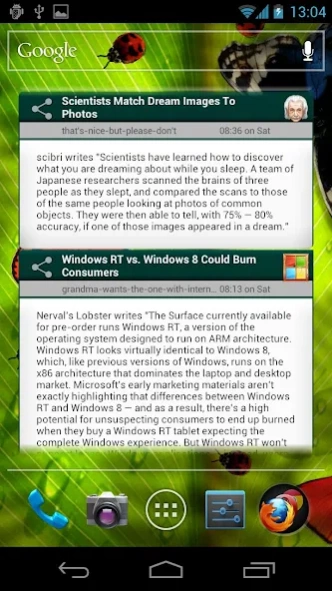
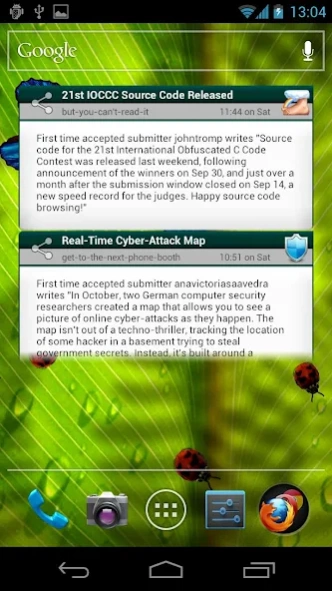

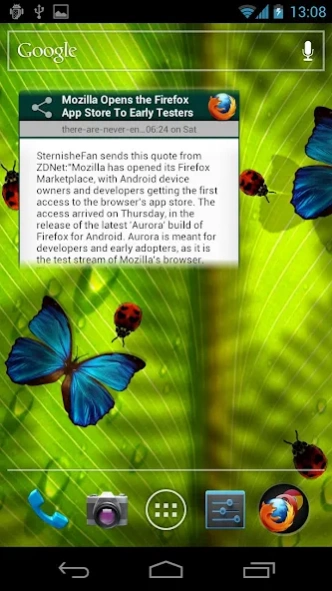
Add this widget to read Slashdot articles at a glance even when off-line.
Read Slashdot articles at a glance even when off-line. Simple and functional design with following features:
- Viewing of 15 most recent Slashdot articles
- Off-line article viewing (all articles are cached)
- Familiar clean design
- Just works, no setup or configuration required
- Refreshes automatically
- On Android 3.0+ uses native widget scrolling
About Slashdot Reader Widget
The company that develops Slashdot Reader Widget is Made in Sydney. The latest version released by its developer is 2.0.4. This app was rated by 1 users of our site and has an average rating of 4.0.
To install Slashdot Reader Widget on your Android device, just click the green Continue To App button above to start the installation process. The app is listed on our website since 2013-11-09 and was downloaded 14 times. We have already checked if the download link is safe, however for your own protection we recommend that you scan the downloaded app with your antivirus. Your antivirus may detect the Slashdot Reader Widget as malware as malware if the download link to com.karelherink.android.slashdotwidget is broken.
How to install Slashdot Reader Widget on your Android device:
- Click on the Continue To App button on our website. This will redirect you to Google Play.
- Once the Slashdot Reader Widget is shown in the Google Play listing of your Android device, you can start its download and installation. Tap on the Install button located below the search bar and to the right of the app icon.
- A pop-up window with the permissions required by Slashdot Reader Widget will be shown. Click on Accept to continue the process.
- Slashdot Reader Widget will be downloaded onto your device, displaying a progress. Once the download completes, the installation will start and you'll get a notification after the installation is finished.
Program Details
System requirements
Download information
Pricing
Version History
version 2.0.4
posted on 2013-11-09
As a direct result of user comments/requests the following changes were made:
- increased the font size of article text to improve readability
Previous Hi-lites:
- click on article title to open full article in browser (requires connectivity)
- click on the "share" image next to article to email link to article
version Varies with device
posted on 2013-05-01
Several fixes and updates
