
Description
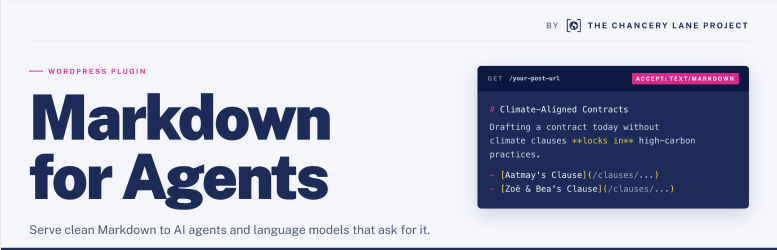
Markdown for Agents and Statistics converts your WordPress content to Markdown and serves it
to AI agents and language model tools that request it via HTTP content negotiation
(Accept: text/markdown).
The Chancery Lane Project is a charity that helps organisations reduce emissions using the power of legal documents and processes. We’ve published this plugin as we believe that making content more legible for AI Agents makes a meaningful difference to their energy usage – not only by reducing the amount of tokens required (by up to 90% over HTML) to consume the content, but also minimising the server resources required to render, process and display pages at source.
How it works:
- Posts and taxonomy archive pages are converted to Markdown and saved as static
files on disk insidewp-content/uploads/. - When a visitor (or AI agent) requests a page with
Accept: text/markdownin
the HTTP headers, WordPress serves the pre-generated.mdfile directly —
no page render required. - A
<link rel="alternate" type="text/markdown">tag is added to each page’s
so agents can discover Markdown versions automatically.
Features:
- Content negotiation (
Accept: text/markdown,?output_format=md, or known AI User-Agents) - Taxonomy archive support — category, tag, and custom taxonomy term pages served as Markdown post listings
- Automatic Markdown generation on post save; taxonomy archives auto-update when any post in the term changes
- AJAX bulk generation with live progress counter — no page timeouts on large sites
- Per-post-type field configuration — choose which meta/ACF fields go in frontmatter or body
- ACF support with dot notation for nested group fields (e.g.
group.subfield) - Content fields option — use ACF fields as the body content instead of post_content
- Manifest generation with content hashes and change tracking per post type
- Incremental export — only re-export changed documents (
--incremental) - Delta file (
changes.json) for RAG system sync - Access statistics — logs AI agent requests with a dedicated stats admin page
- Optional frontmatter fields — hierarchy (parent/ancestors/children IDs), author display name, root-relative featured image paths
- Topics section — appends a
## Topicssection with linked taxonomy terms to the Markdown body - Export preview — preview generated Markdown inline in the post editor without writing to disk
- WP-CLI commands:
generate,generate-taxonomies,prune-stats,status,delete - Fully unit-tested
Installation
- Upload the plugin to
/wp-content/plugins/markdown-for-agents/, or install via the WordPress Plugins screen. - Activate the plugin through the Plugins screen in WordPress.
- Visit Settings Markdown for Agents and choose which post types and taxonomies to generate.
- Enable Auto-generate on save so files stay in sync as you publish or edit content (optional).
- Click Generate All to create Markdown for your existing content. On large sites you can also run
wp markdown-agents generateandwp markdown-agents generate-taxonomiesfrom WP-CLI. - Verify by appending
?output_format=mdto any post URL (or using an AI User-Agent) to confirm Markdown is served.
FAQ
-
Where are the Markdown files stored?
-
Inside
wp-content/uploads/{export_dir}/(configurable in Settings). Post files
live under{export_dir}/{post-type}/{slug}.md. Taxonomy archive files live under
{export_dir}/taxonomy/{taxonomy}/{term-slug}.md. The directory is served by
WordPress when content negotiation is triggered. -
Will this slow down my site?
-
No. Markdown files are generated ahead of time (on post save or via manual/CLI
bulk generation). Serving them is a simple file read, much faster than rendering
a full WordPress page. -
What are taxonomy archive files?
-
For every public taxonomy term (categories, tags, custom taxonomies) the plugin
generates a Markdown file listing all published posts in that term with links and
excerpts. These are served automatically when an AI agent requests a taxonomy
archive URL. This lets agents navigate your site structure by exploring term listings,
not just individual posts. -
What is the manifest.json file?
-
When you generate with
--with-manifestor--incremental, amanifest.jsonis
created inside each post-type export folder (e.g.wp-mfa-exports/post/manifest.json).
It contains a registry of all exported documents with content hashes and change
tracking (new/modified/unchanged/deleted), enabling RAG systems to identify what
changed since the last export without reprocessing all documents. -
How does incremental export work?
-
Use
wp markdown-agents generate --incrementalto only re-export documents that
have changed since the last export. The plugin compares content hashes against the
previous manifest.json and skips unchanged posts. This also generates a
changes.json delta file listing new, modified, and deleted documents — your RAG
system can read this to know exactly what to re-embed. -
How do I configure fields per post type?
-
In Settings Markdown for Agents, each enabled post type has its own
“Field Configuration” section with two textareas:- Frontmatter fields — meta or ACF fields added to the YAML frontmatter.
- Content fields — meta or ACF fields used as the body content. When set,
post_content is automatically excluded.
Use dot notation for ACF group fields (e.g.
clause_fields.clause_summary).
Plain meta keys work too (e.g._yoast_wpseo_title). ACF relationship fields
are automatically converted to a list of post titles. -
Can I customise the Markdown output?
-
Yes. Several filters are available:
markdown_for_agents_pre_convert— filter HTML before conversionmarkdown_for_agents_post_convert— filter Markdown after conversionmarkdown_for_agents_frontmatter— modify frontmatter fields for a postmarkdown_for_agents_taxonomy_frontmatter— modify frontmatter fields for a taxonomy archivemarkdown_for_agents_serve_enabled— enable/disable serving for a specific postmarkdown_for_agents_serve_taxonomies— enable/disable serving for taxonomy archive pagesmarkdown_for_agents_file_generated— action fired after a file is writtenmarkdown_for_agents_file_deleted— action fired after a file is deleted
-
How do I generate taxonomy archives via WP-CLI?
-
wp markdown-agents generate-taxonomies

wp markdown-agents generate-taxonomies --taxonomy=category

wp markdown-agents generate-taxonomies --dry-run
Reviews
There are no reviews for this plugin.
Contributors & Developers
“Markdown for Agents and Statistics” is open source software. The following people have contributed to this plugin.
Contributors
Translate “Markdown for Agents and Statistics” into your language.
Interested in development?
Browse the code, check out the SVN repository, or subscribe to the development log by RSS.
Changelog
1.4.1
- Removed
llms.txtindex generation. TheLlmsTxtGeneratorclass, its--with-llmstxtWP-CLI flag onwp markdown-agents generate, and the corresponding unit tests have been dropped.
1.4.0
- Add notices and copy around generating and regenerating content on install and updates to Settings
- Add transient to store and note when content needs regenerating
1.3.0
- Optional hierarchy frontmatter fields (
parent,ancestors,childrenIDs) for hierarchical post types (pages, etc.). - Optional author display name in frontmatter.
- Optional root-relative paths for featured images (survives domain migrations).
- Optional
## Topicssection appended to the Markdown body with linked taxonomy terms. - Export preview — “Preview Markdown” button in the post meta box renders generated Markdown inline without writing to disk.
- New WP-CLI command:
wp markdown-agents prune-stats [--days=<n>] [--yes]— removes access stats older than N days. - Manifest hash now covers taxonomy term slugs — incremental export correctly detects posts whose terms changed.
1.2.0
- Taxonomy archive support — generates Markdown index files for all public taxonomy terms (categories, tags, custom taxonomies), served via content negotiation.
- Taxonomy archives auto-regenerate when any post in the term is saved or deleted.
- AJAX bulk generation for taxonomy archives on the Settings page with live progress counter.
- New WP-CLI command:
wp markdown-agents generate-taxonomies [--taxonomy=<slug>] [--dry-run]. <link rel="alternate" type="text/markdown">tag now emitted on taxonomy archive pages.- New filter:
markdown_for_agents_serve_taxonomiesto enable/disable taxonomy archive serving globally. - New filter:
markdown_for_agents_taxonomy_frontmatterto modify taxonomy archive frontmatter before serialisation. - Bulk generation buttons converted to AJAX with live counter — no more page timeouts on large sites.
1.1.0
- Per-post-type field configuration for frontmatter and content fields.
- ACF support with dot notation for nested group fields.
- Content fields option — use ACF/meta fields as body content instead of post_content.
- ACF relationship fields automatically normalised to post titles.
- Added manifest.json generation with content hashes and change tracking.
- New
--with-manifestflag forwp markdown-agents generate. - Manifest is generated per post-type folder for independent change tracking.
- Incremental export via
--incremental— skips unchanged documents. - Delta file (
changes.json) generated for RAG system integration. - Access statistics — logs AI agent requests; dedicated stats admin page.
- UA detection — configurable User-Agent strings force Markdown serving.
1.0.0
- Initial release.