Collect filled PDFs from anyone with one link
Sign up and get your own Portal URL. Share it with anyone. They load a PDF, fill it, sign it, and submit it straight to your dashboard. No accounts for them, no setup for you.

You sign up, you get your Portal URL
Create an account and get a unique URL like abc123.simplepdf.com. Upgrade to Pro to pick a custom identifier like acme.simplepdf.com. Share it with clients, patients, or partners.
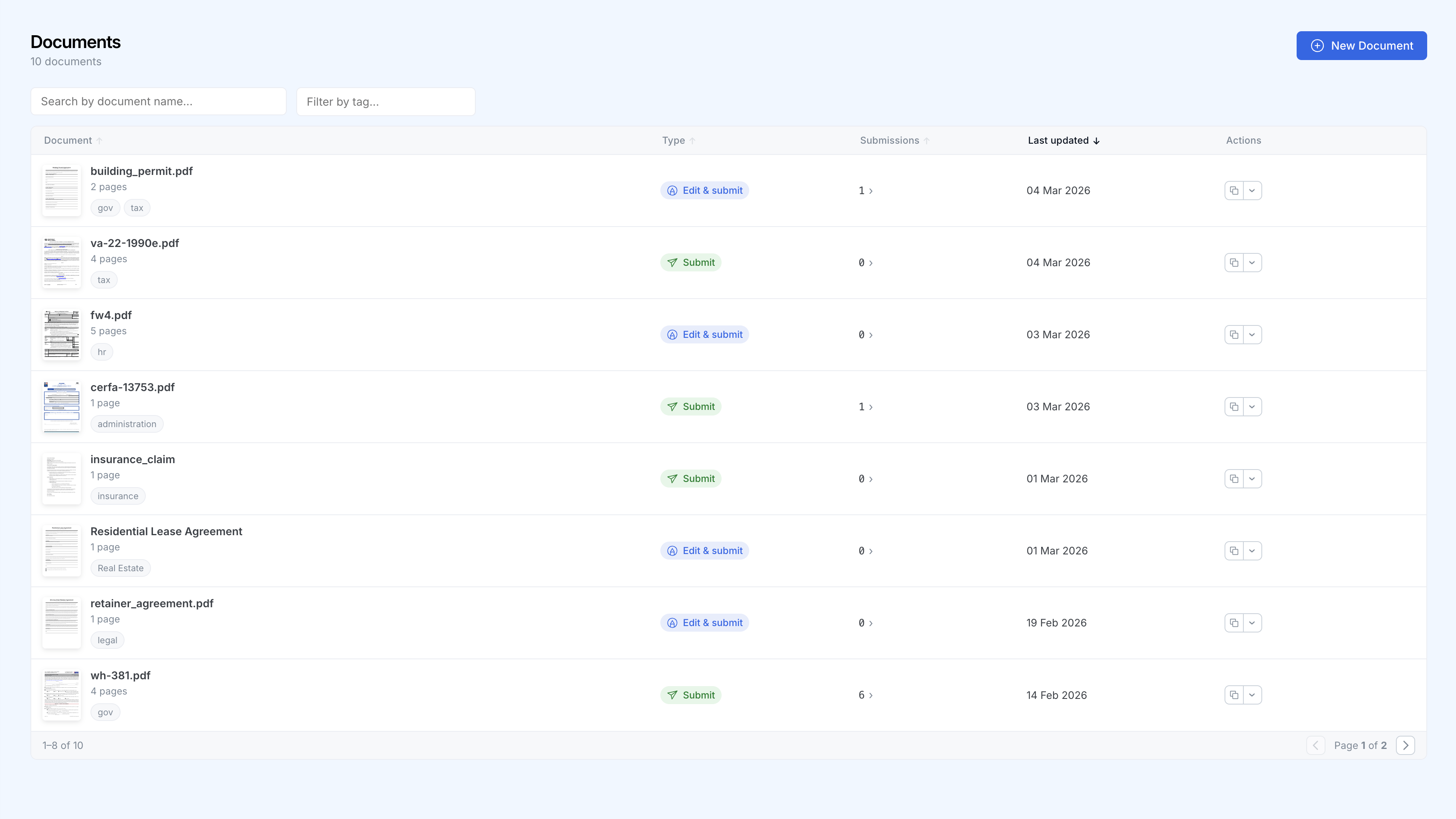
How it works
Sign up and get your Portal URL
Create an account and get a unique Portal URL instantly. Share it by email, add it to your website, or print it on paper.
They load, edit, and sign any PDF
Visitors bring their own document or use one you've pinned. Form fields are detected automatically, even on flat PDFs. They fill them in, add signatures, and submit directly in the browser. No login needed.
Why teams use PDF Portal
One link for submitters. One dashboard for your team. No infrastructure in between.
Zero friction for submitters
No account, no app download, no instructions. Just a link and a Submit button. Submitters can download a copy and see a customizable confirmation when they are done.
Branded experience
Add your logo and brand colors from day one. Upgrade to Pro to pick a custom URL like acme.simplepdf.com. Submitters see your brand, not ours.
Works with any PDF
The PDF does not need pre-made form fields. SimplePDF detects them automatically on any document, including flat PDFs. Submitters can also add text, signatures, checkboxes, and images manually.
Real-time notifications
Get notified via email or webhooks every time a document is submitted. Send data to your favourite tools.
Privacy-first architecture
Documents are processed entirely in the browser. No data touches SimplePDF's servers. GDPR and HIPAA compliant by design.
Built for regulated industries
Process sensitive paperwork without email attachments, account creation, or document uploads to third-party portals.
HIPAA-friendly by architecture
PDFs are parsed, rendered, and filled entirely on the submitter's device. No Protected Health Information ever reaches SimplePDF's servers on any plan. This is not a policy. It is how the software works.
No signup for submitters
Your patients, clients, or partners fill out and submit documents immediately. No account creation, no friction, no drop-off.
Audit-ready
Every submission lands in your dashboard with a timestamp. Tag by category, filter by status, and export when you need to.
Who uses PDF Portal
Healthcare
Patients submit signed consent forms, intake documents, or insurance paperwork through a branded link. PHI never leaves their browser.
Insurance
Policyholders upload and sign claim forms from any device. Submissions go straight to your dashboard or S3 bucket. No email attachments.
Legal
Clients return signed agreements and supporting documents through one link. No printing, scanning, or faxing.
HR & Onboarding
New hires complete and submit employment forms before their first day. Track everything from one dashboard.
Trusted by 100 000+ people worldwide
“INCREDIBLY helpful and simple interface, thank you so much.”
“THANK YOU FOR MAKING THIS TOOL HOLY COW.”
“You're a lifesaver, this deserves to be everywhere.”
“Fantastic and simple to use.”
“It has helped me a lot, and is quicker than most other sites.”
“Bookmarking your site for future use.”
Got any questions?
What is PDF Portal?
PDF Portal is a unique URL you get when you sign up for SimplePDF. Anyone who opens it can load a PDF, edit it, sign it, and submit it to you. Submissions appear in your dashboard in real time.
Do submitters need an account?
No. Submitters open the link, load their PDF, make their edits, and hit Submit. No signup, no download, no friction.
Can I require a specific PDF?
Yes. You can pin a specific PDF to your Portal so every visitor works on the same document. Or leave it open and let submitters bring their own.
Can submitters keep a copy?
Yes. You can configure your Portal to let submitters download a copy of their edited document before or after submitting.
Where are submissions stored?
By default, submissions are stored securely by SimplePDF and accessible from your dashboard. You can also configure your own S3 or Azure storage to keep full control over your data.
Is it HIPAA compliant?
Yes. SimplePDF processes all documents entirely in the browser. No document data, including Protected Health Information, ever reaches SimplePDF's servers. This client-side architecture is the strongest privacy guarantee possible.
How do I get notified of new submissions?
Via email, webhook, or both. Webhooks let you push submissions into your existing tools and workflows automatically.
How do I customise my Portal?
From your dashboard, you can upload your logo, choose your brand colors, and pin specific PDFs. On the Pro plan, you can also pick a custom identifier so your Portal URL reads like acme.simplepdf.com instead of a random ID.