Craft Conversion-focused Popup For Your WooCommerce Store
Shopbuilder’s WooCommerce popup builder module helps you create engaging and high-converting popups.
Boost sales, grab attention, capture leads, and reduce cart abandonment with smart popup implementation. Without any complexity, transform visitors into shoppers instantly.
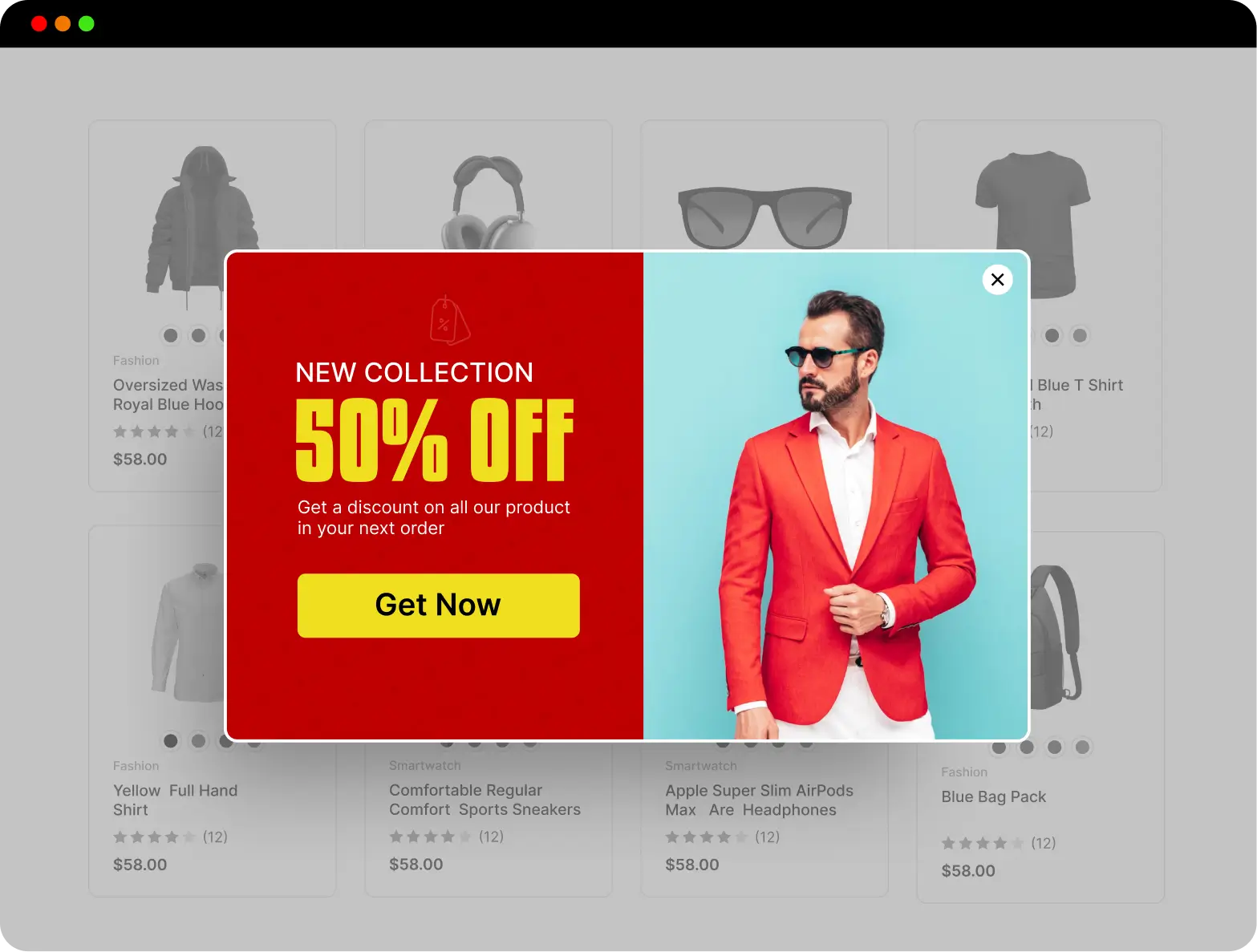
Explore The Advantages of ShopBuilder’s Popup Builder Module For Your WooCommerce Store
Display the right message at the right time. With the game changing, popup builder showcases exclusive offers, newsletter signups, product recommendations, and many other things.
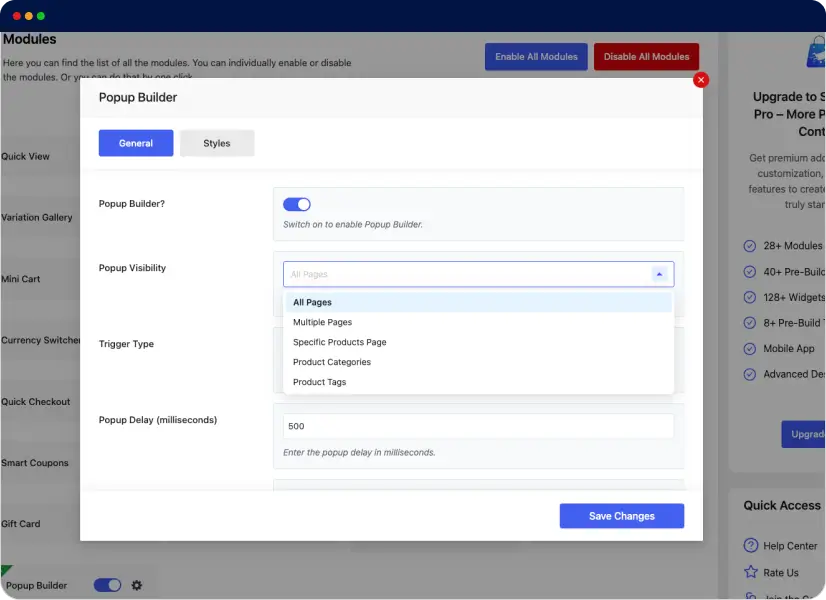
Display Pop-Up on Any Page
You’ll get the permission to showcase the popup notifications on any page of your WooCommerce store. From all pages to specific product pages, categories, and product tags, you can choose any option of your choice.
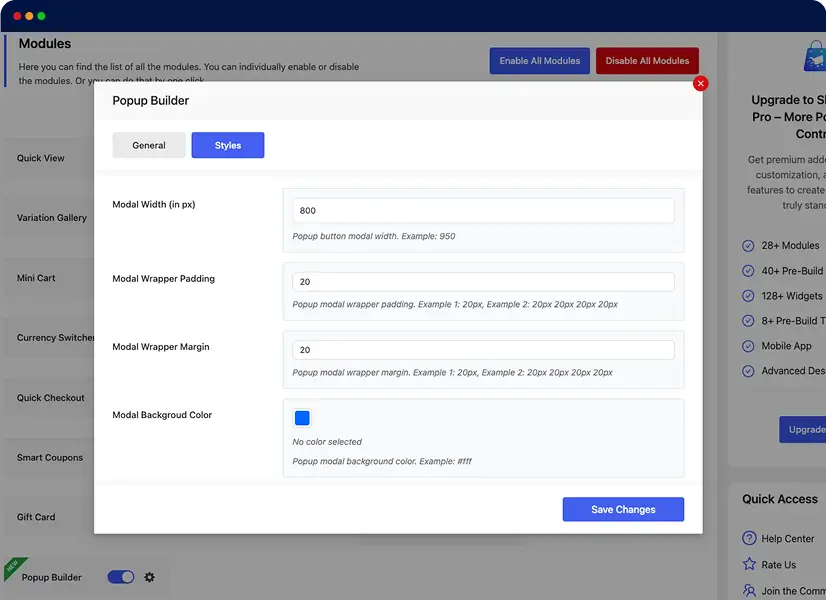
100% Customizable Design & Look
You can personalize almost every element of the popup. Customize the background, borders, overlays, modal width, texts, colors, and many more options. Reflect your brand’s identity through a personalized popup.
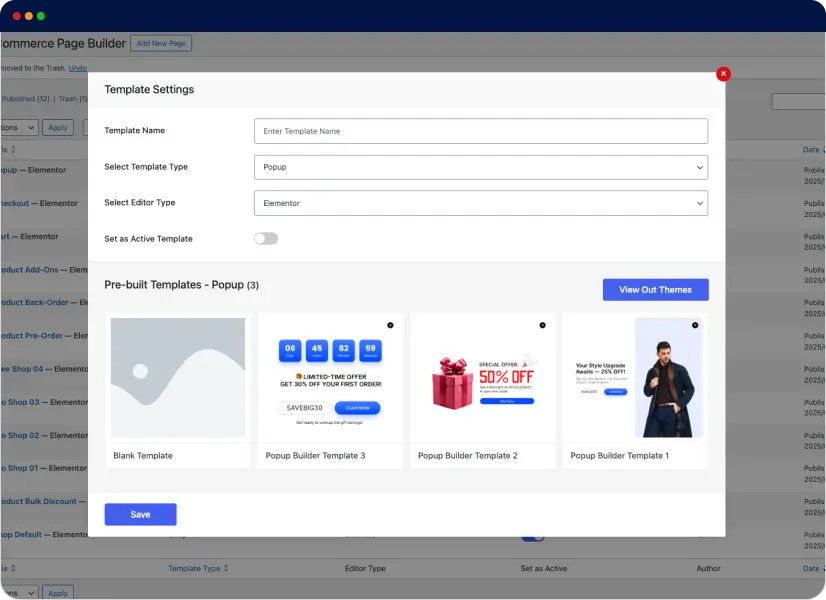
Pre-built Popup Template
You’ll get three different pre-built templates to create different stunning pop ups. Independently change the color and appearance of the pop up to match your brand’s voice. Design your popup efficiently and grab the user’s attention.
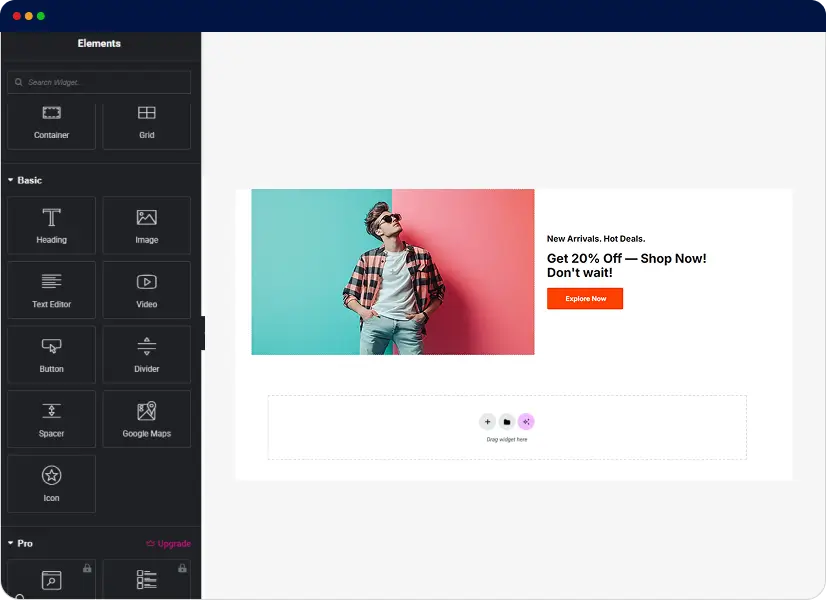
Design Popup From Blank Template
Develop your own popup to create a more customized and unique experience for your WooCommerce browsers. With Shopbuilder’s user-friendly interface, you can create efficient and powerful WooCommerce popups within minutes.
With Just a Few Clicks, Display Highly Converting Popups to Attract Customers
The Popup Builder Module of ShopBuilder is crucial for WooCommerce stores. It drives engagement, boosts sales, collects lead info, and reduces cart abandonment.
Reduce Cart Abandonment
The Popup notification helps you design attractive popup visuals to encourage visitors make your desired actions (making purchases or subscribing to a newsletter).
Control Pop-Up Animation
Choose the appropriate and desired popup entry and exit animations to enhance the visual appearance of your WooCommerce store.
Testimonials
Customer Reviews
Read genuine and unfiltered reviews of our customers regarding
our products and services and make informed decisions.
This is the best of the best!
Absolutely unique product.
It is exactly what I am looking for, Great plugin, works exactly as expected.
FAQs
Frequently Asked Questions
ShopBuilder is a top-notch WooCommerce page builder that works seamlessly with Elementor and enhances its functionality.
This plugin provides users with an intuitive and user-friendly interface and helps them create and manage professional WooCommerce stores without hassle.
Here are some FAQs about ShopBuilder and its Popup Builder Module.
The simplest way is to install ShopBuilder and enable the Popup Builder Module. Here’s how to do that: navigate to your WordPress Admin Dashboard after installing the plugin.
Then, head to ShopBuilder’s Settings > Modules > Popup builder. Finally, enable it and customize it as per your needs.
Your WordPress website should meet the following requirements to use ShopBuilder:
PHP: 7.4+ recommended
WordPress: 6.1 or later
Elementor: Latest version recommended
WooCommerce: Latest version recommended

100% Money-Back Guarantee
30-day refund, no questions asked.
Fully Documented
Comprehensive, easy-to-follow solutions.
Expert Support Team
24/7 professional assistance available.