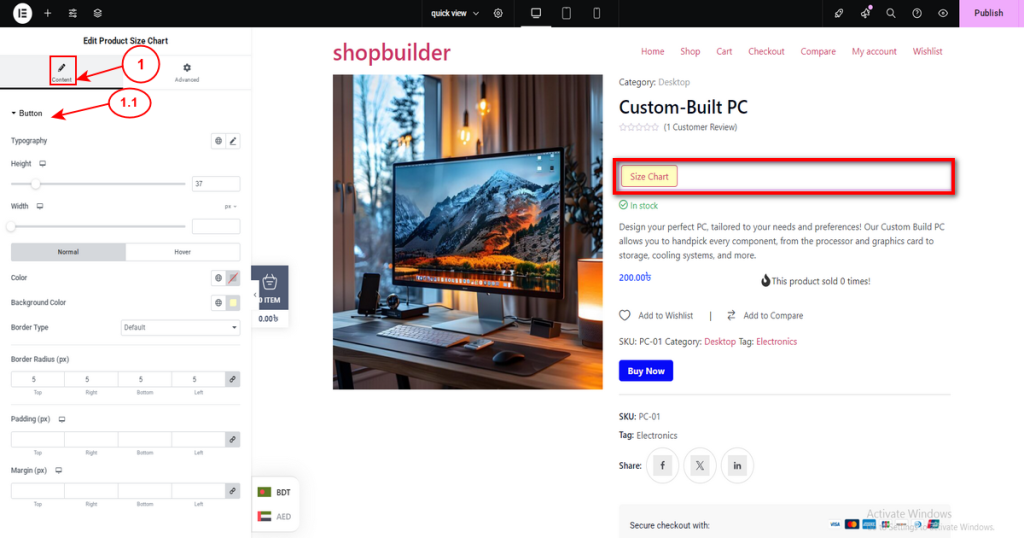
Look for the “Product Size Chart” widget in the list of available Quick View widgets. Configure the widget’s settings, appearance, and content according to your preferences.
It has 2 tabs: Content and Advanced.
1. Content
This tab has a Button section.
1.1 Button. Change the button typography, color, background color, and border type according to your choice.