

Let Customers Buy Out-of-Stock Products With Backorder Power
Earn revenue and increase customer engagement without disappointing them through your ‘Out-of-Stock’ notice.
Hence, your customers stay updated and happy. This module is incredibly easy to use and ideal for boosting Sales and Customer Satisfaction.


Explore The Benefits of ShopBuilder’s Back-Order Module For Your WooCommerce Store
Manage sales of out-of-stock products with the Back Order Module. It lets you
manage inventory and allow customers to place orders effortlessly.
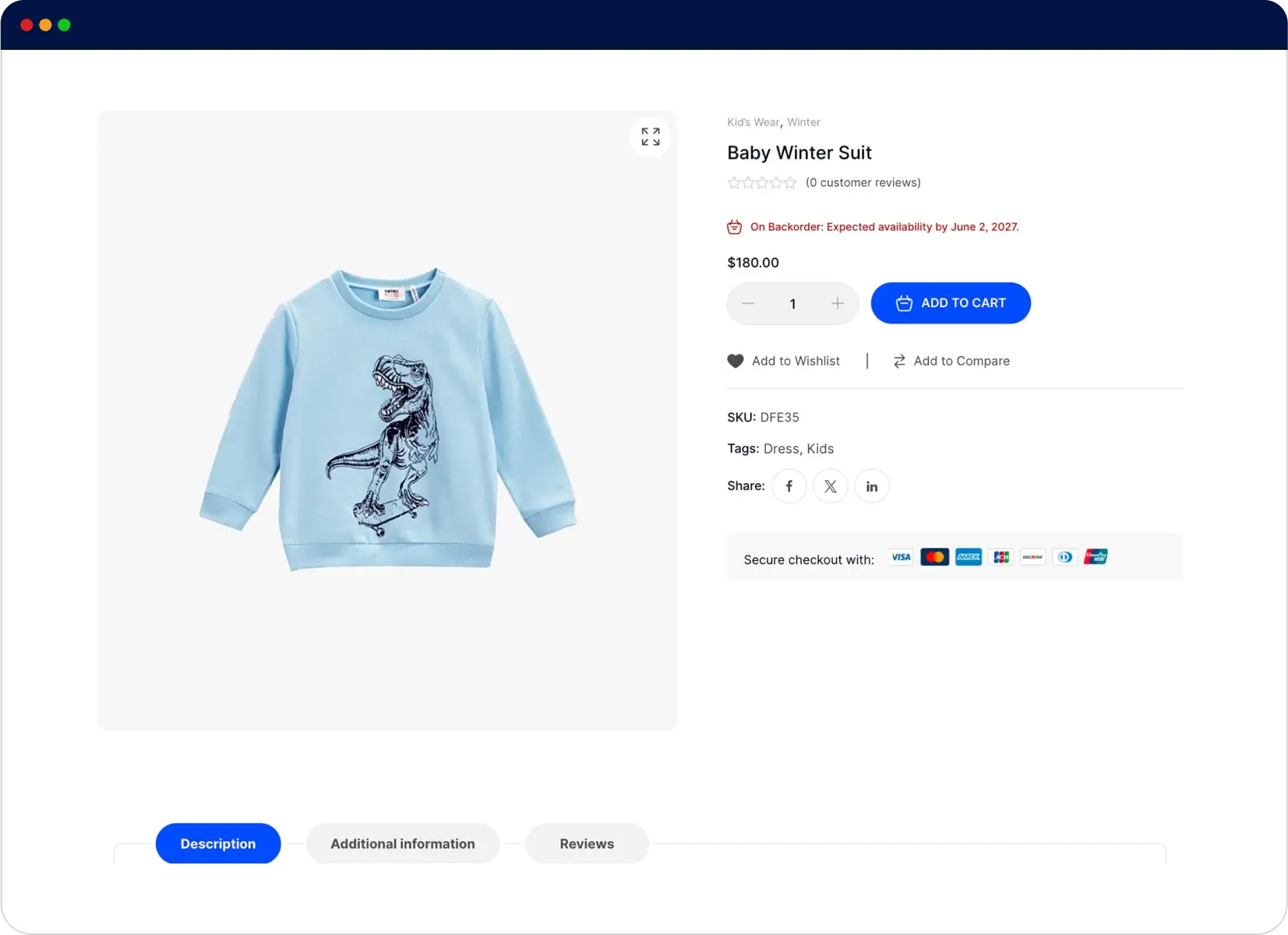
Back-Order Notice on Product Page
Showcase back-order notification on product page. Convert inventory challenges into sales opportunities. You can also include the expected delivery date. This will assist users in making buying decisions without any confusion.
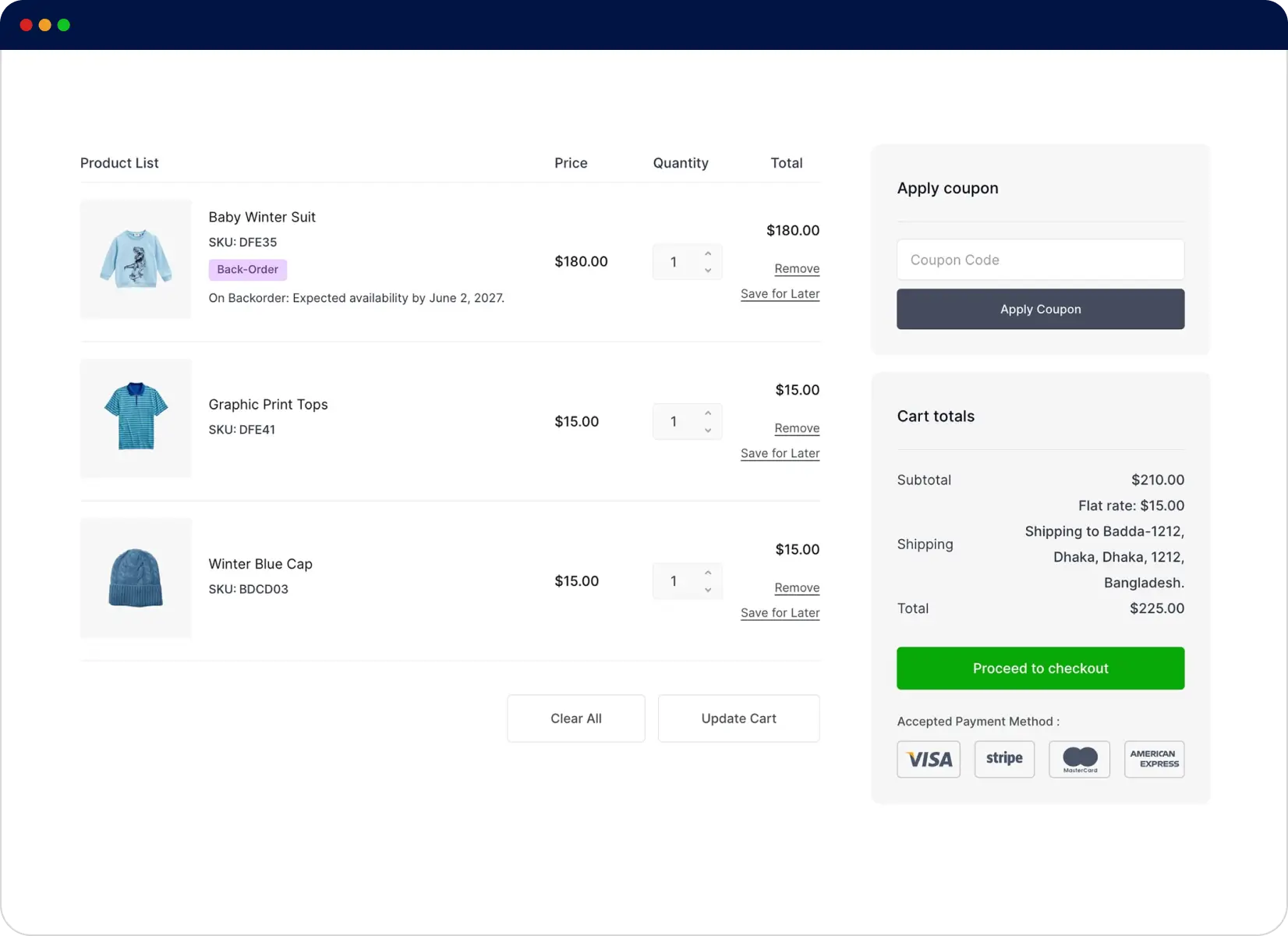
Cart Page With Backordered Item
When a backordered item is added to the cart, customers can clearly view the item as a back-ordered title, including the expected availability date. This aids in managing customers’ expectations of potential shipping delays.
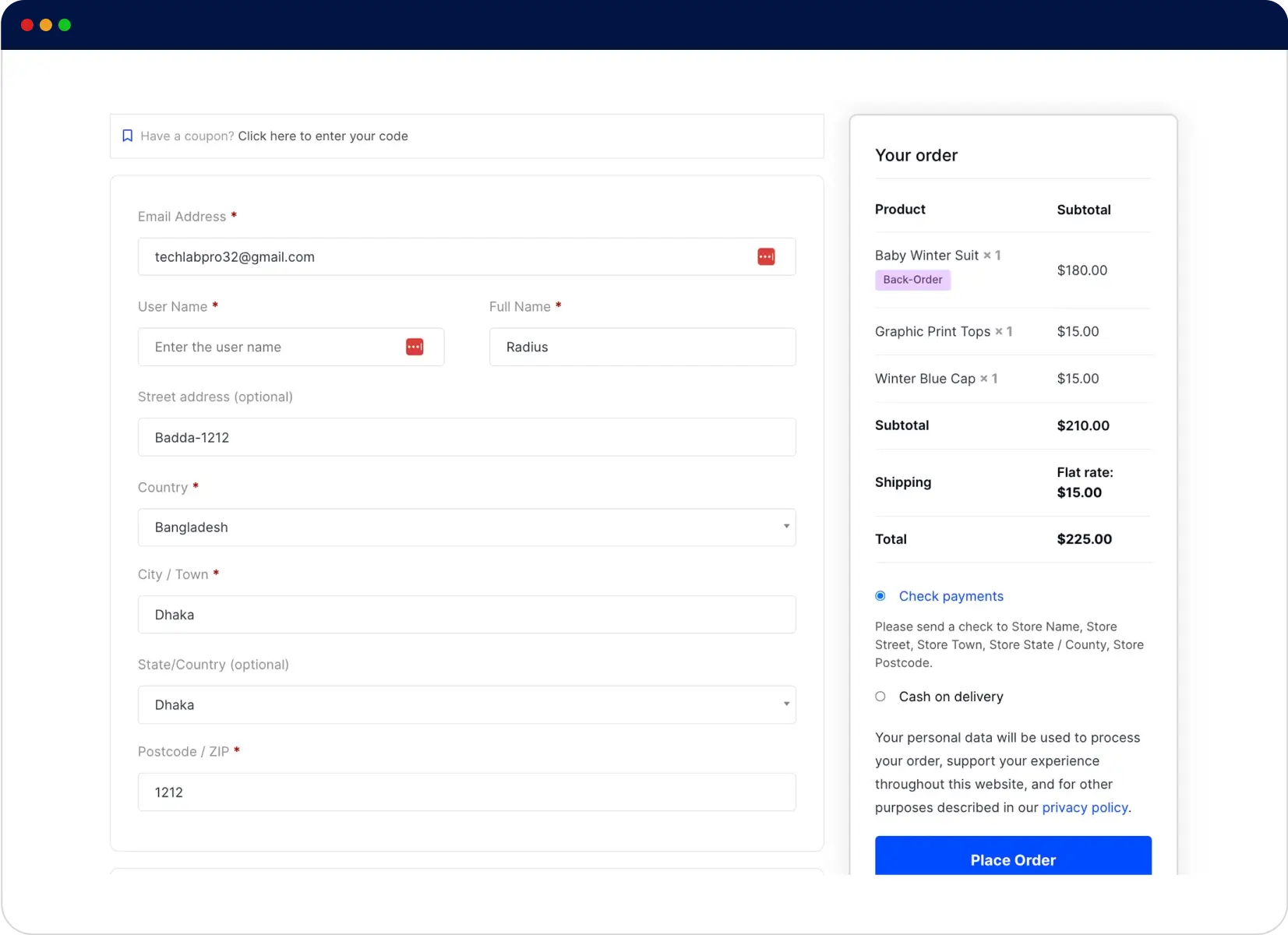
Backordered Item on Checkout Page
For backordered products, the checkout page will continuously show the ‘Back order’ notice to the customer. This will act as the final reminder before placing the order. The customers can finish the buying process and pay for the back-ordered item, as well.
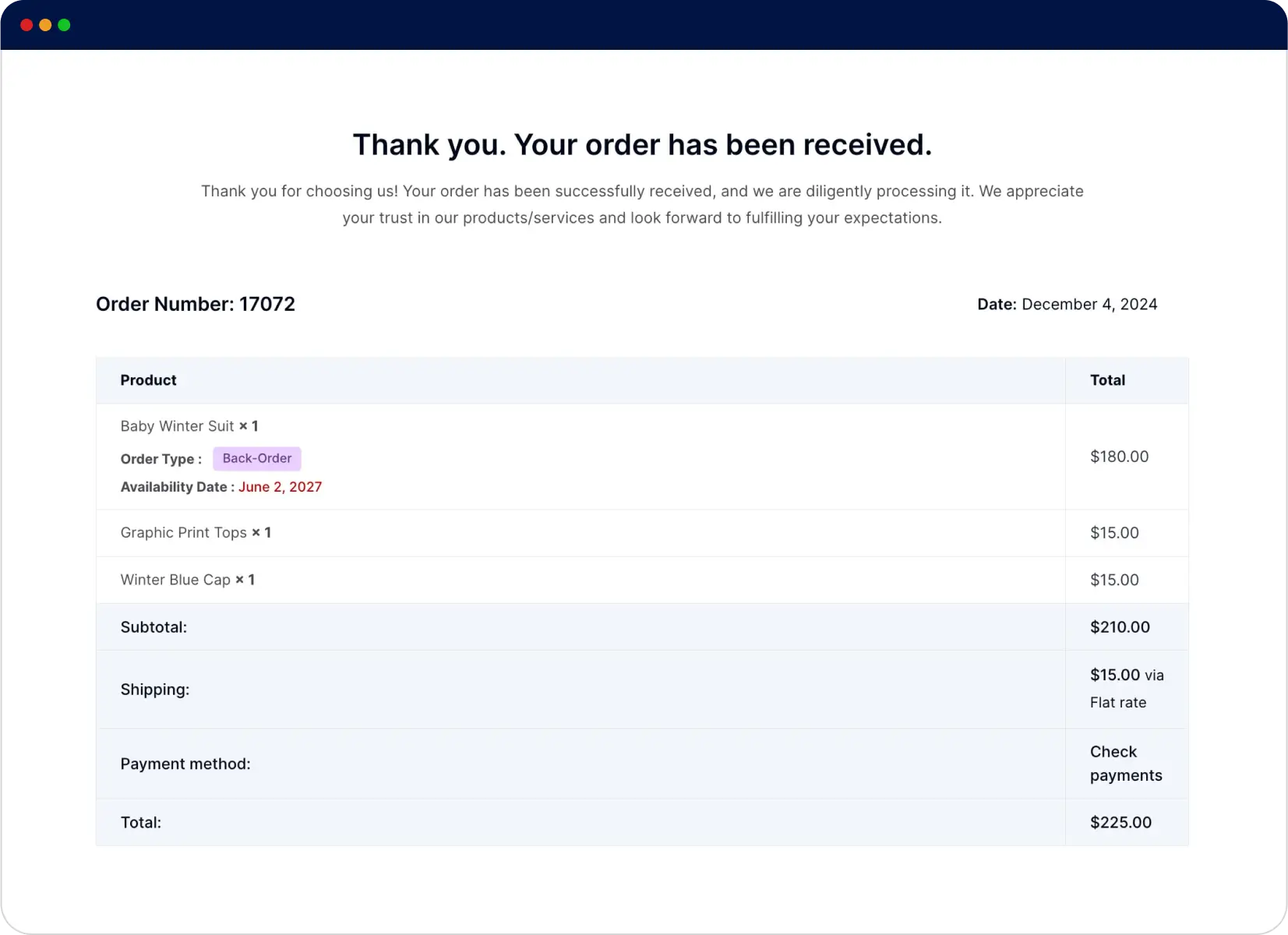
Order Confirmation Page With Back-ordered Item
WooCommerce’s order confirmation page also displays the back-order item notice after the successful purchase. The ‘Back-order’ and ‘Expected Availability Date’ notices appear beside the product line.
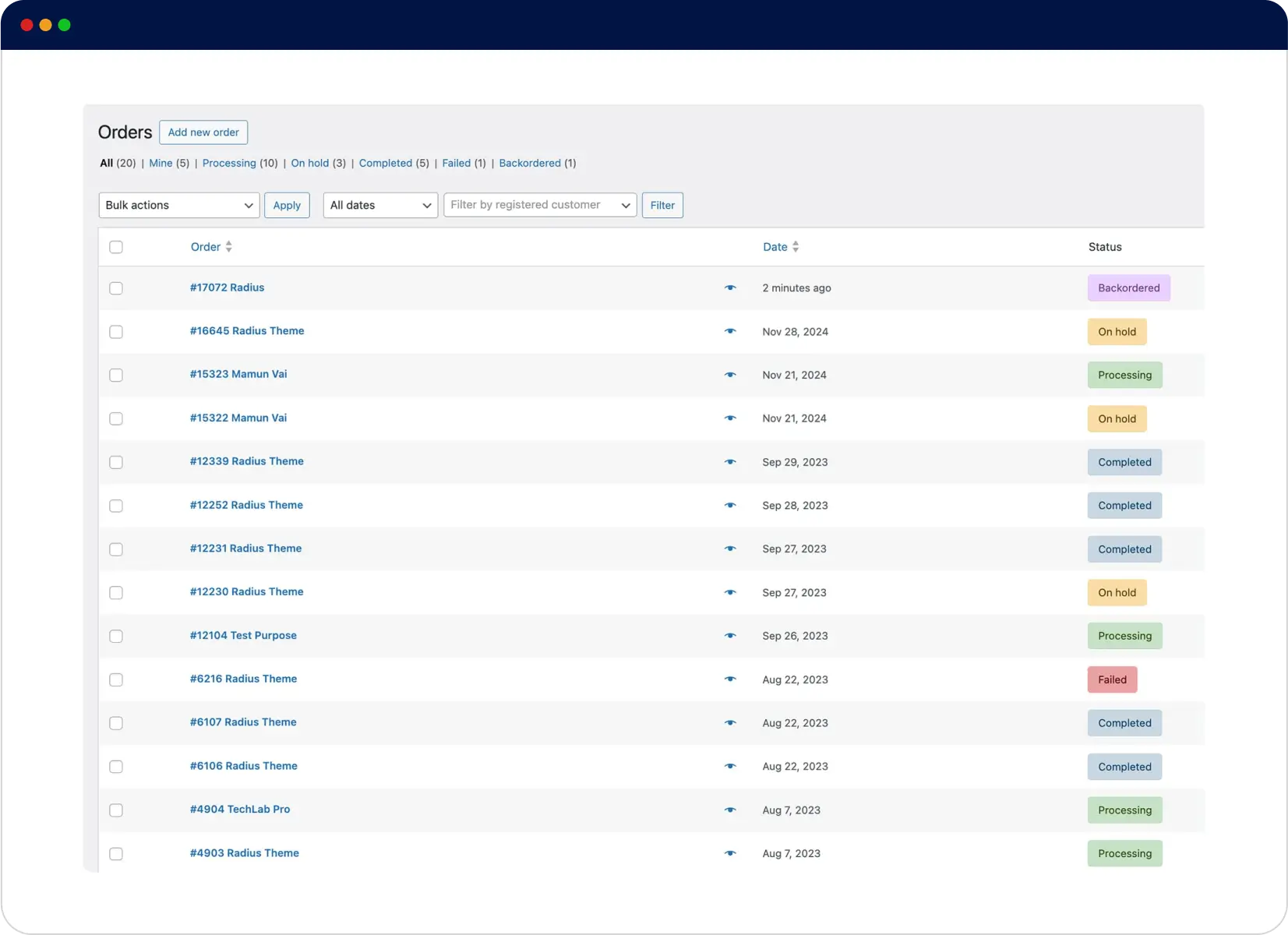
Custom Order Status of ‘Backordered’
This module will label back-ordered items with Backordered status. So, as the store admin, you can instantly spot those orders on Dashboard’s Orders list. This will assist you in managing the inventory without any hassle.
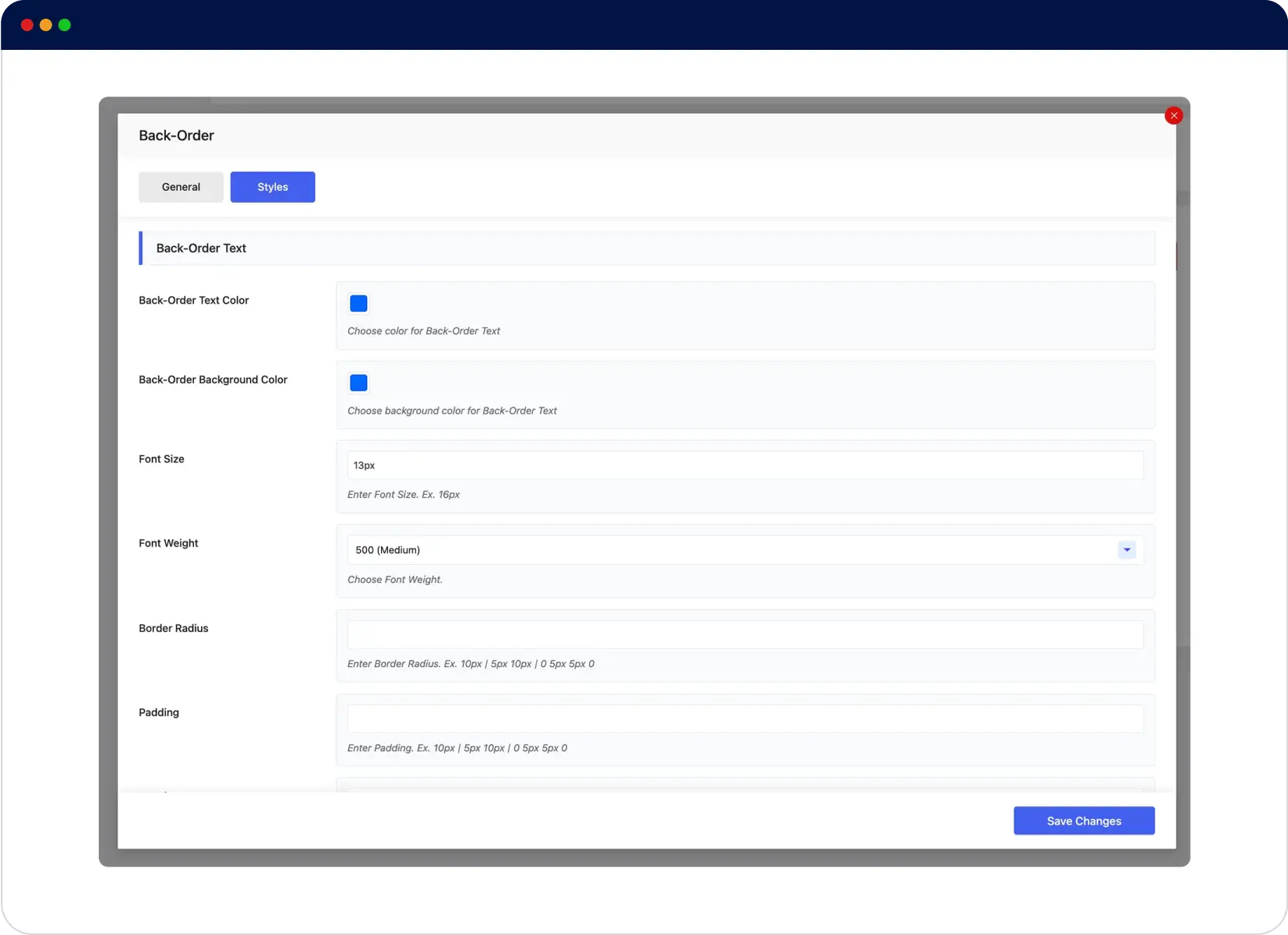
Back-Order Style Customization
Modify the text and design of backorder notifications so that they perfectly match your brand voice and style. Utilize this interactive configuration to transform stock limitations into sales opportunities.
Employ Backorder as a Smart Solution to Solve Inventory Gaps and Retain Potential Customers
Back-Order Module helps you by enabling shoppers to place orders for out-of-stock
products. Thus, it Increases Sales and Improves Inventory Management.
Maximum Backorder Limit
Set the limit for the maximum number of back-order placements using this module to maintain control over demand.
Product Compatibility
This module supports both simple and variable products. So you can easily place your preferred products for back-order.
Testimonials
Customer Reviews
Read genuine and unfiltered reviews of our customers regarding
our products and services and make informed decisions.
This is the best of the best!
Absolutely unique product.
It is exactly what I am looking for, Great plugin, works exactly as expected.
FAQs
Frequently Asked Questions
ShopBuilder is a top-notch WooCommerce page builder that works in tandem with Elementor and enhances its functionality.
This plugin provides users with an intuitive and user-friendly interface and helps them create and manage professional WooCommerce stores without hassle.
Here are some FAQs about ShopBuilder and its Back-Order module.
A backorder in e-commerce refers to an order for an item currently out of stock. Manufacturers choose this option to sell out-of-stock products, even though these items are presently unavailable.
It’s pretty simple. Just install ShopBuilder and head to Settings > Modules > Back-Order. Finally, toggle it on and customize this module per your needs. That’s how you enable backorders on your WordPress website.
Your WordPress website should meet the following requirements to use ShopBuilder:
PHP: 7.4+ recommended
WordPress: 6.1 or later
Elementor: Latest version recommended
WooCommerce: Latest version recommended

100% Money-Back Guarantee
30-day refund, no questions asked.
Fully Documented
Comprehensive, easy-to-follow solutions.
Expert Support Team
24/7 professional assistance available.