

Description
Track AI Search Engine Traffic in WordPress
Zyflora Analytics helps you understand where your traffic comes from – including the growing wave of AI search engines like ChatGPT, Claude, Perplexity, and Gemini.
See how much traffic comes from:
* AI search engines (ChatGPT, Claude, Perplexity, etc.)
* Traditional search engines (Google, Bing, DuckDuckGo, etc.)
* Social media platforms (Facebook, Twitter, LinkedIn, etc.)
⚡ Fast & Privacy-Friendly
- Performance – Uses WordPress shutdown hook to track after page is sent
- Works with caching – Compatible with WP Rocket, W3 Total Cache, Cloudflare, etc.
- Small footprint – Lightweight plugin
- No external services – All data stays on your server
- GDPR compliant – No personal data collected
🤖 AI Search Tracking
Track traffic from:
* ChatGPT – OpenAI’s search
* Claude – Anthropic’s AI assistant
* Perplexity AI – Answer engine
* Gemini – Google’s AI
* You.com – AI search
* Phind – Developer search
* Bing AI – Microsoft Copilot
* Grok – X’s AI
🔒 Privacy First
- All data stays on your server – No external services
- No cookies – No tracking pixels
- No user tracking – Just page views
- GDPR compliant – Privacy by default
🎯 Features
Stats
* Track AI search engine traffic
* Top performing posts
* Views column in posts/pages
* AI vs Traditional comparison
Screenshots
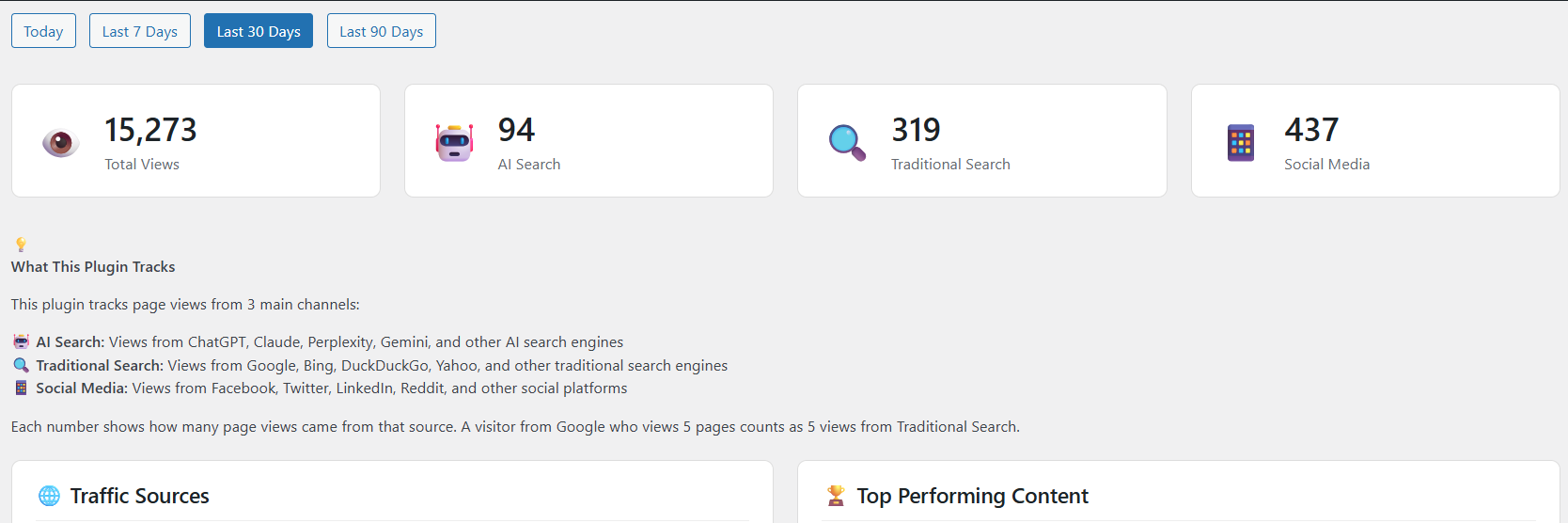
Main dashboard showing AI vs Traditional search traffic 
Traffic source breakdown with all AI search engines 
Top performing content 
Views column in WordPress posts list 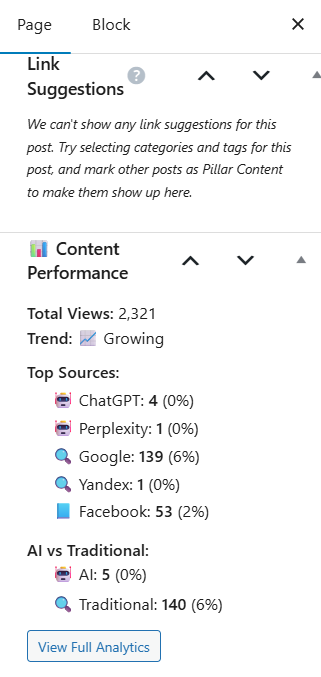
Per-post analytics in the edit screen 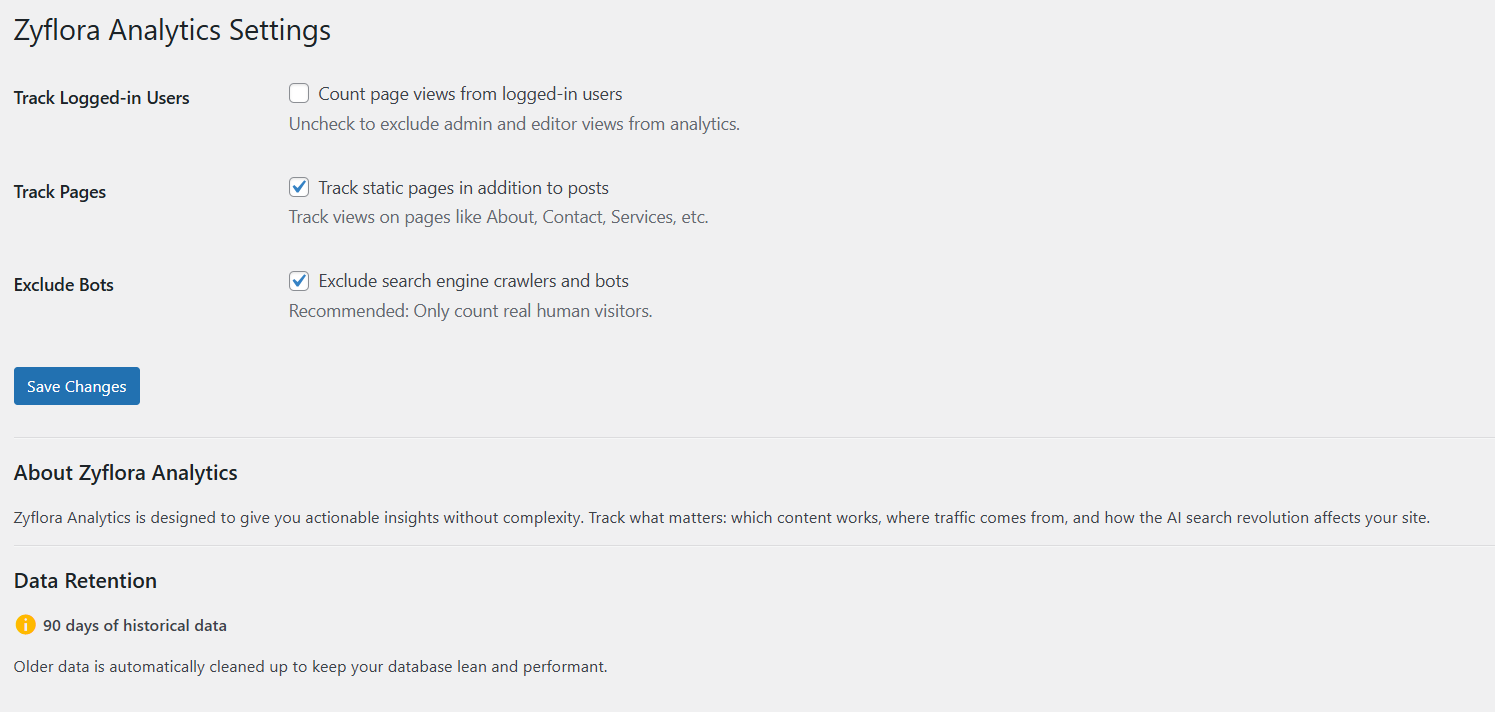
Settings page
Installation
- Install and activate the plugin
- That’s it! Analytics starts tracking automatically
- View your dashboard at Analytics in WordPress admin
Optional Settings:
* Go to Analytics Settings
* Choose whether to track logged-in users
* Enable/disable page tracking
* Configure bot exclusion
FAQ
-
Is this GDPR compliant?
-
Yes. All data stays on your WordPress server. No cookies, no external tracking, no personal data collected. Just page view counts.
-
How do you detect AI search engines?
-
We analyze the HTTP referer (where visitors came from) to identify traffic sources. When someone clicks a link in ChatGPT, Claude, Perplexity, etc., the referer tells us which AI engine sent them.
-
Will my data be lost if I deactivate?
-
No. All analytics data is stored in your WordPress database and stays there even if you deactivate the plugin.
-
Can I exclude my own views?
-
Yes. By default, logged-in users aren’t tracked. You can change this in Analytics Settings.
-
Does this track bots/crawlers?
-
By default, no. It automatically exclude search engine bots and crawlers so your stats show real human visitors only.
Reviews
There are no reviews for this plugin.
Contributors & Developers
“Zyflora Analytics” is open source software. The following people have contributed to this plugin.
Contributors
Translate “Zyflora Analytics” into your language.
Interested in development?
Browse the code, check out the SVN repository, or subscribe to the development log by RSS.
Changelog
1.0.0
- Initial public release
- AI search engine tracking (ChatGPT, Claude, Perplexity, Gemini, etc.)
- Traditional search tracking (Google, Bing, DuckDuckGo, etc.)
- Social media source tracking (Facebook, Twitter, LinkedIn, etc.)
- UTM parameter support for accurate social media tracking
- Traffic source breakdown
- AI vs Traditional comparison
- Top performing posts
- Trend detection
- Views column in admin
- Post meta box with detailed stats
- Settings page
- Zero performance impact (uses shutdown hook)
- Privacy-first approach (no external services)
- GDPR compliant