

Description
Quiet Proof for Your Website
Most websites are having conversations you never see.
Visitors ask questions, express confusion, or look for answers without ever filling out a form or opening a ticket. Traditional analytics don’t show this. Chat logs are too noisy to monitor at scale.
Kognetiks Chatbot turns those invisible interactions into quiet proof of value.
Instead of guessing whether your chatbot is helping, you receive clear, human-readable summaries that show what visitors asked, where AI helped, and where attention may be needed.
No dashboards to babysit.
No transcripts to dig through.
Just insight, delivered.
What Makes This Different
Kognetiks is not a novelty chatbot. It is build for understanding, oversight, and long-term use.
It is designed for visibility, oversight, and measurable outcomes, so you can understand how AI is actually being used on your site.
AI assists.
Humans decide.
Who This Is For
This plugin is a strong fit if you:
- Want to know what visitors are really asking
- Care about intent, not just answers
- Need proof that AI is providing value
- Prefer insight delivered automatically
- Value transparency over black-box automation
Common users include:
- Agencies managing client websites
- Consultants and site owners
- Product and content teams
- Founders who want clarity, not noise
Who This Is Not For
This plugin may not be a fit if you:
- Only want a novelty chatbot
- Expect AI to operate without human oversight
- Prefer opaque or fully autonomous systems
- Don’t want visibility into AI behavior
Key Outcomes
With Kognetiks, you can:
- See what visitors asked without reading every transcript
- Understand engagement and intent patterns over time
- Identify unanswered questions and content gaps
- Demonstrate real, ongoing value from conversational AI
Conversation Digest
Automatically summarizes real chatbot interactions, including:
- Common questions and themes
- Signals of confusion, friction, or opportunity
- High-level engagement and sentiment indicators
Reports are delivered automatically to your inbox.
No dashboards required.
Proof-of-Value Reporting
Turns invisible chatbot activity into visible outcomes:
- Usage and engagement trends
- Evidence of support and efficiency gains
- Insight you can act on or share
Ideal for agencies, consultants, and teams who need to justify ongoing value.
Key Features
- Conversation Digest summaries
- Proof-of-value reporting
- Reports are designed to be shared as-is, without explanation
- Supports multiple AI engines (OpenAI, Azure OpenAI, NVIDIA, Anthropic, Mistral, DeepSeek, Google, JAN.AI)
- Knowledge Navigator for site-aware responses
- Custom assistants for specific purposes
- Conversation logging with export options
- Sentiment and engagement signals
- Optional voice and speech support
- Embedded or floating chat via shortcode
Philosophy
Designed for visibility, not guesswork.
The Kognetiks Chatbot helps you understand when AI is helping, when it needs adjustment, and where small changes can quietly make a big difference.
External Services
The Kognetiks Chatbot plugin relies on external AI services to provide chatbot functionality. It sends user queries and related data to a third-party AI provider for processing and response generation. By using this plugin, you agree to abide by each service’s terms of service and privacy policy:
- OpenAI: Terms of Use | Privacy Policy
- Azure OpenAI: Terms of Use | Privacy Policy
- NVIDIA: Terms of Use | Privacy Policy
- Anthropic: Terms of Service | Privacy Policy
- DeepSeek: Terms of Use | Privacy Policy
- Mistral: Terms of Service | Privacy Policy
- Google: Terms of Use | Privacy Policy
- JAN.AI: About | Privacy Policy
IMPORTANT:
-
This plugin requires an API key from OpenAI, NVIDIA, Anthropic, DeepSeek, Mistral, Google, or JAN.AI to function. Without an API key, the chatbot cannot process user queries.
-
Obtain API keys here:
-
By entering your API key from the AI provider of your choice and activating the chatbot, you:
- Consent to sending user queries and related data to the selected AI provider for processing and response generation.
- Agree to abide by the provider’s terms of service, pricing, and privacy policy.
- Acknowledge that your data, including text submitted by users, may be transferred to and processed by the AI platform in accordance with its privacy policy.
NOTE: You are responsible for any fees associated with the use of the selected AI platform. Be sure to review each provider’s pricing and usage policies before proceeding.
Disclaimer
WordPress, OpenAI, ChatGPT, NVIDIA, NIM, Anthropic, Claude, DeepSeek, Mistral, Azure and related trademarks are the property of their respective owners. Kognetiks is an independent entity and is not affiliated with, endorsed by, or sponsored by WordPress Foundation, OpenAI, NVIDIA, Anthropic, DeepSeek, or Mistral.
Screenshots

Proof-of-value reporting 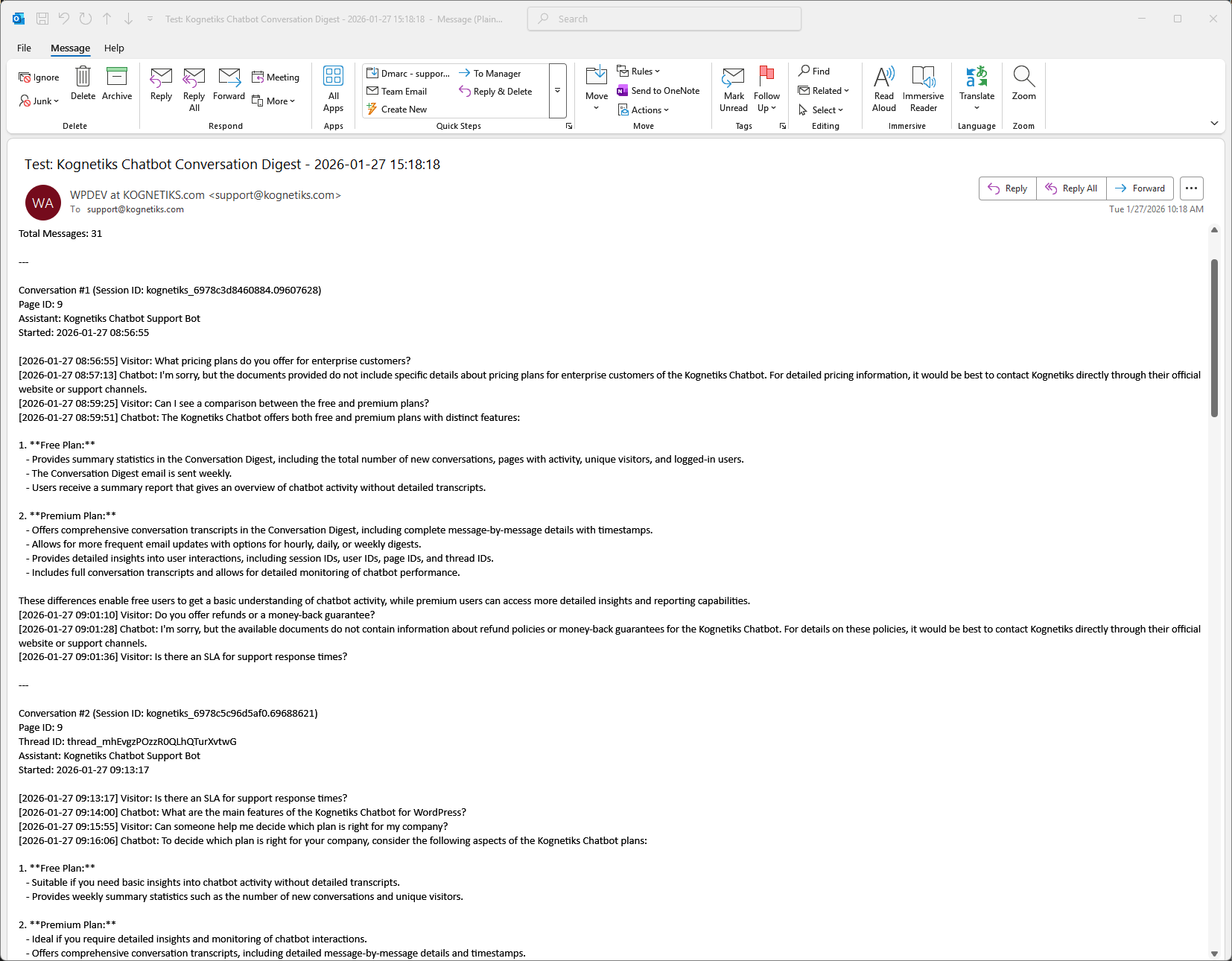
Conversation Digest summary 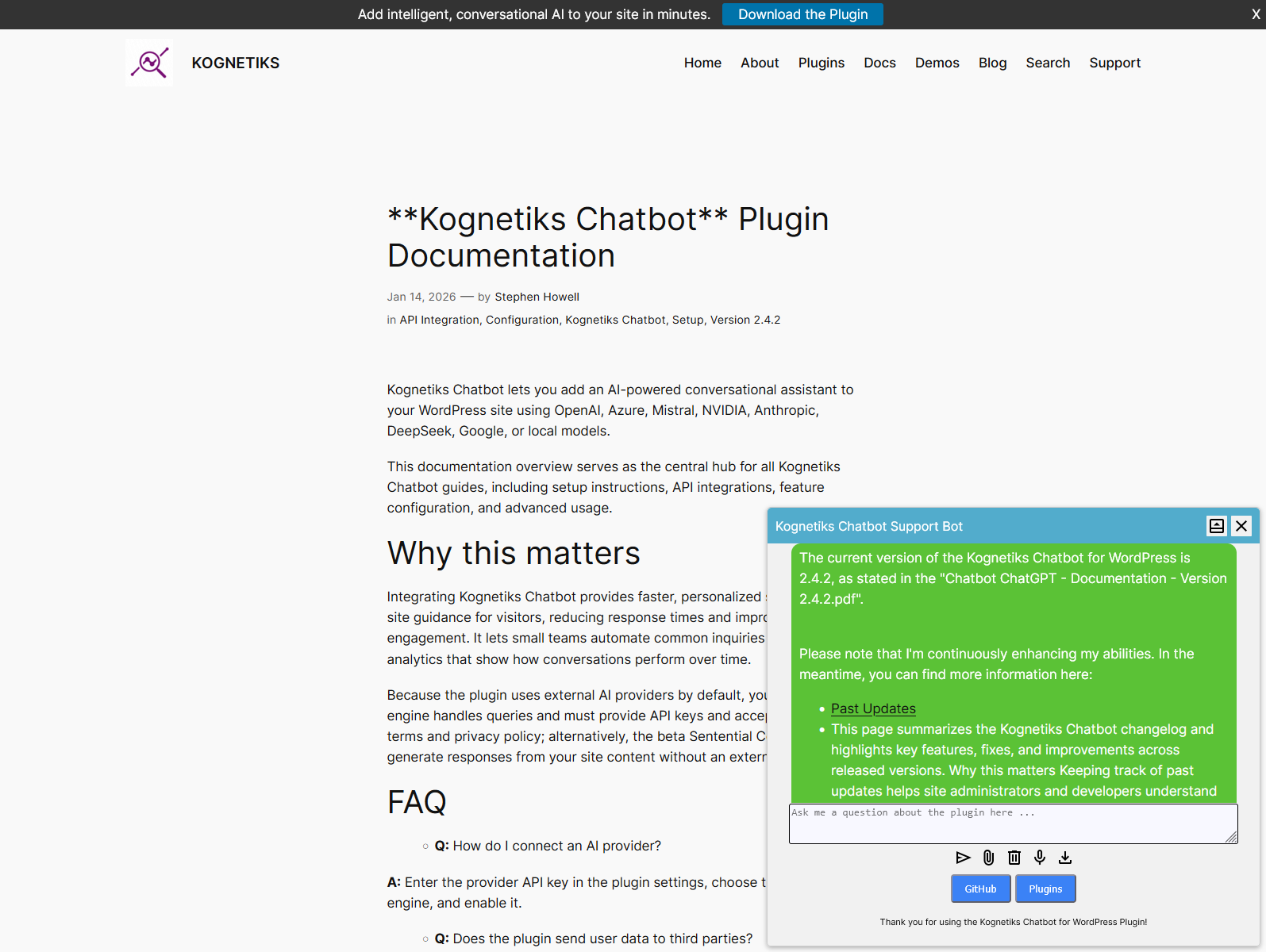
Floating chatbot 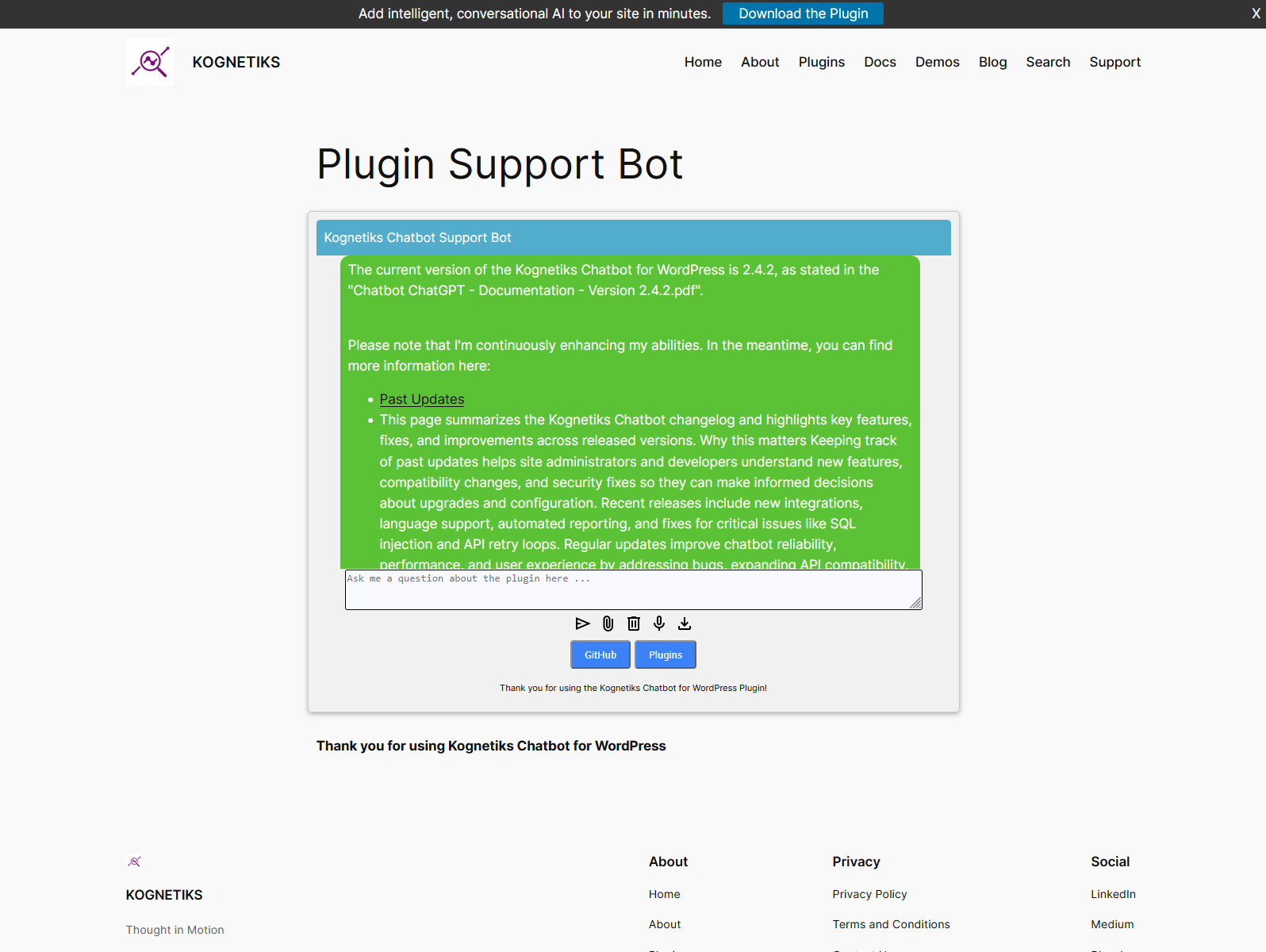
Embedded chatbot 
Chatbot settings and configuration
Installation
- Upload the plugin via Plugins Add New Upload Plugin
- Activate the plugin
- Go to Settings Kognetiks Chatbot and choose an AI engine
- Enter your API key (or connect to a local JAN.AI server)
- Add the chatbot using
[chatbot],[chatbot style=floating],[chatbot style=embedded]or[chatbot style=embedded assistant="asst_xxxxxxxxxxxxxxxxxxxxxxxx"] - Optionally use the Knowledge Navigator to teach the chatbot your site content
FAQ
-
Does this require coding?
-
No. Setup is point-and-click simple.
-
Which LLM engines are supported?
-
You can use ChatGPT, NVIDIA, Anthropic, Mistral, DeepSeek, Google, Azure, or a local JAN.AI server.
-
How do I know if the chatbot is helping?
-
Kognetiks provides conversation digests and proof-of-value summaries so you can see usage patterns, intent, and engagement without reviewing every conversation.
-
Is it GDPR compliant?
-
You control which AI engine processes data. Local AI options keep data on your own server.
Reviews


Contributors & Developers
“Kognetiks Chatbot for WordPress” is open source software. The following people have contributed to this plugin.
Contributors
“Kognetiks Chatbot for WordPress” has been translated into 1 locale. Thank you to the translators for their contributions.
Translate “Kognetiks Chatbot for WordPress” into your language.
Interested in development?
Browse the code, check out the SVN repository, or subscribe to the development log by RSS.
Changelog
2.4.6 – Released 2026-02-13
Bug Fixes
- Uninstall: Fixed uninstall process and version handling.
2.4.5 – Released 2026-02-12
New Features
- OpenAI Prompts (Responses API): Shortcode now supports prompt IDs (
pmpt_...) in addition to assistant IDs (asst_...) for OpenAI Responses API usage. - Conversation Logging: Added option to retain conversation logs indefinitely.
Improvements
- Documentation: Updated documentation for OpenAI Prompts (Responses API) and Conversation Logging.
Bug Fixes
- PHP execution time: Fixed timeouts on long-running API calls by temporarily adjusting and restoring
max_execution_timefor OpenAI Chat Completions and Assistants API requests.
2.4.4 – Released 2026-02-07
Improvements
- Documentation: Added Unanswered Questions Detection Analysis documentation.
- Vendor management: Refined freetrialpremium upgrade path and messaging.
- Reporting: Modal prompts conversation logging when enabling digest or proof-of-value reports.
- Uninstall: Improved uninstall process and version handling.
Bug Fixes
- Suppressed vendor notices and quieted third-party warnings.
- Replaced select error_log calls with back_trace for cleaner debugging.
2.4.3 – Released 2026-01-24
Bug Fixes
- Bug Fixes: Fixed unsaved changes modal and assistant management.
2.4.2 – Released 2026-01-14
Bug Fixes
- Bug Fixes: Premium features bug fixes and improvements.
2.4.1 – Released 2026-01-06
New Features
- Automated Email Reports: Added Conversation Digest and Proof of Value Reports email functionality with scheduling options
- Enhanced Fallback Pattern Matching: Improved detection of unanswered questions by including human messages with clarification/confusion patterns in top unanswered questions query
- Unsaved Changes Modal: Added modal to warn users about unsaved changes in settings
- Insights Tab UI Enhancements: Minor UI upgrades to the Insights tab for better user experience
Improvements
- Email Scheduling: Enhanced scheduling system for Conversation Digest and Proof of Value emails with proper enable/disable functionality
- Query Execution: Added detailed comments and debug logging for SQL query execution in fallback pattern matching
- Internationalization: Added global translations for fallback pattern values to various language files
- Terminology Update: Renamed “analytics” to “insights” throughout the codebase for better clarity
- Documentation: Updated documentation including proof of value email examples and conversation digest email guides
- Settings UI: Added links to view reports, “remind me later”, and dismiss buttons for better user workflow
Bug Fixes
- Fixed options saving functionality in settings
- Fixed unscheduling of automated emails when disabled
- Corrected footer content for free and premium tiers in Proof of Value reports
- Removed redundant sections from Proof of Value reporting
2.4 – Released 2025-12-23
New Features
- Ukrainian Language Support: Added comprehensive Ukrainian language translation support with 131+ translated strings for chatbot-user interaction messages.
Bug Fixes
- Fixed “headers already sent” errors affecting assistant API calls and conversation handling.
- Resolved infinite retry loop issues with OpenAI and Azure assistants.
- Improved graceful fallback handling when translation files are missing.
- Enhanced error handling for “system is busy processing” scenarios.
- Fixed deprecated error messages and warnings for PHP 8.5.0 compatibility.
- Fixed duplicate request detection errors and clear conversation failures across all API providers.
- Resolved SQL injection vulnerabilities in transient cleanup functions.
Improvements
- Adjusted Token Usage font styling in dashboard widget to eliminate overflow issues.
- Updated OpenAI documentation links and fixed formatting issues throughout documentation.
- Improved code organization and maintainability.
2.3 – Released 2025-04-24
New Features
- Google API: Added support for Google’s API for advanced conversational capabilities.
- Insights Dashboard: Comprehensive dashboard providing conversation statistics, sentiment analysis, engagement metrics, and token usage tracking.
- Mistral API: Added Settings and API for Mistral’s chat completions and agents, including realtime websearch support.
- Conversation Digest: Added feature to send conversation digest to site admin via email.
- Conversation Locking: Implemented mechanism to prevent multiple simultaneous requests.
- JAN.AI Local Server: Updated support for JAN.AI local server v0.6.8 with API key support.
Improvements
- Improved conversation history display for logged-in users.
- Enhanced input processing to handle impatient user interactions more gracefully.
- Fixed dashboard widget errors and improved LaTeX rendering functionality.
- Improved error logging for developers.
2.2 – Released 2024-11-22
New Features
- Azure OpenAI: Added support for Azure OpenAI API.
- DeepSeek API: Added support for DeepSeek’s API and Reasoner model (DeepSeek-R1).
- Anthropic API: Added support for Anthropic’s API.
- Multiple Language Translations: Added translations for Czech, German, Spanish, French, Italian, Polish, Portuguese, and Russian.
- Customizable Icons: Added support for custom icons to replace default chatbot icons.
- Sentential Context Model: Added beta support for response generation using site content without external AI platforms.
- Display Message Count: Added setting to display message count in chatbot responses (e.g., 29/50).
- Conversation Transcript: Added feature to send conversation transcript to site admins.
- Dashboard Widget: Added widget to display chatbot statistics and token usage in WordPress admin.
- Custom Post Types: Added support for custom post types to Knowledge Navigator.
Improvements
- Enhanced Assistant context with site content for improved responses.
- Improved Knowledge Navigator for more accurate and relevant responses.
- Added glyph rendering support (enable/disable).
- Improved response formatting for better readability.
- Added option to include post/page excerpts in chatbot responses.
- Enhanced security for assistant management and support page access.
- Improved rate limit exceeded error handling with automatic retry.
- Performance improvements with minimized database calls.
2.1 – Released 2024-08-22
New Features
- NVIDIA NIM API: Added support for NVIDIA’s NIM API.
- Speech Recognition: Added support for speech recognition to transcribe speech into text.
- Remote Server Access: Added feature to allow access to assistants from remote servers with whitelisting mechanism.
- Message Limit Periods: Added options to set message limits for visitors and logged-in users (Hourly, Daily, Weekly, Lifetime).
- Math Handling: Enhanced chatbot’s ability to render complex mathematical expressions.
Improvements
- Improved conversation continuity for visitors and logged-in users across sessions.
- Enhanced Knowledge Navigator algorithm to prioritize search results by relevance and recency.
- Improved table formatting in chatbot responses.
- Fixed script load order to prevent incorrect style application.
- Code cleanup and optimization with standardized variable names.
- Added JavaScript version control for cache busting.
- Improved conversation log CSV export handling.
- Fixed charset fallback to utf8 when utf8mb4 is not supported.
- Added option to suppress footer chatbots when embedded on page.
2.0 – Released 2024-05-09
New Features
- Enhanced Assistant Management: New intuitive interface for managing all chatbot Assistants.
- Assistant Configuration: Added Max Prompt Tokens, Max Completion Tokens, Temperature, and Top P settings for Assistants.
- Dynamic Shortcodes: Added support for dynamic shortcodes with Assistant ID selection.
- Transcript Download: Added option for users to download conversation transcripts.
- File Download Support: Added support for downloading files generated on OpenAI platform.
- Custom Error Handling: Added option to display custom error messages to users.
- Model Support: Dynamic addition of latest OpenAI models including gpt-4o and gpt-4o-mini.
- Error Log Management: Added ability to manage, download, and delete chatbot error logs.
- Conversation Continuation: Added setting to enable conversation continuation after returning to previously visited pages.
- Whisper API Prompting: Improved speech-to-text prompting capabilities.
- Interaction Limiting: Expanded interaction limiting for visitors and logged-in users.
Improvements
- Improved Knowledge Navigator settings tab organization.
- Enhanced security for file upload options.
- Improved shortcode handling and Assistant selection.
- Revised reporting settings layout and export functions.
- Fixed conversation logging and session handling.
- Improved image sizing and Knowledge Navigator analysis capabilities.
1.9 – Released 2024-02-21
New Features
- Plugin Rebranding: Changed name to Kognetiks Chatbot.
- Voice Options: Added voice options (Allow, Echo, Fable, Onyx, Nova, Shimmer) and output formats (MP3, Opus, AAC, FLAC, WAV, PCM).
- Image and Speech Generation: Added support for DALL-E image generation and TTS text-to-speech models.
- Multiple File Uploads: Enabled multiple file uploads to Assistants.
- Conversation History Shortcode: Added [chat_history] shortcode for logged-in users.
- Hot Prompts: Added option to call chatbot with hot prompts via shortcode.
- Thread Retention: Added thread retention periods (default 36 hours, up to 720 hours) for Assistant conversation continuity.
- Transcript Downloads: Added option to download transcripts to text files.
- Customizable Input Rows: Added option to set number of rows for message input (1-10).
- Assistant API Versioning: Added option to select OpenAI Assistants v1 or v2 API.
- Daily Message Limits: Added daily chatbot message limit (defaults to 999).
Improvements
- Improved chatbot responses with bullet points and titles for links.
- Enhanced Knowledge Navigator for large sites with TF-IDF scoring depth parameter.
- Expanded enhanced responses from 1 to selectable number (1-10).
- Improved conversation clearing and inter-page handling.
- Enhanced HTML markup handling in responses.
- Improved Knowledge Navigator to include/exclude posts, pages, products, and comments.
- Re-sequenced custom CSS loading for easier customization.
- Added audience choice options (All Audiences, Logged-in Only, Visitors Only).
- Comprehensive cleanup upon plugin uninstallation.
1.8 – Released 2024-01-24
New Features
- Custom Avatars: Added support for custom avatars with settings page.
- Appearance Settings: Added Appearance Chatbot settings tabs to override CSS.
- Token Reporting: Added reporting and data export for prompt, completion, and total tokens.
- Conversation Logging: Added conversation logging to retain visitor and chatbot exchanges.
- Alternate API Endpoints: Added support for alternate API endpoints via URL setting.
- Timeout Settings: Added adjustable timeout settings to prevent long-running queries.
Improvements
- Improved mobile experience with active adjustments for orientation changes.
- Enhanced conversation continuity for longer interactions.
- Added conversation reset functionality.
- Improved CSS organization and removed unnecessary styling.
- Fixed font color in appearance settings.
- Added user customizable CSS rules support.
- Fixed iOS and Chrome mobile issues.
- Improved file download handling for conversation and interaction data.
1.7 – Released 2023-12-07
New Features
- OpenAI Assistants Support: Added support for Custom GPTs developed in OpenAI Playground.
- Unlimited Assistants: Added support for unlimited Assistants with shortcode parameters.
- Embedded and Floating Chatbots: Added support for embedded or floating chatbot styles via shortcode.
- Learning Messages: Added option for none, random, or custom learning messages.
- File Uploads: Added file uploads to Assistants for processing, search, and retrieval.
- Multi-line Input: Expanded input to accommodate multi-line for both embedded and floating styles.
- Conversation Logging: Added conversation logging to retain visitor and chatbot exchanges.
Improvements
- Improved Custom GPT Assistants with update thread handling.
- Enhanced Knowledge Navigator with expanded HTML tag removal and special character handling.
- Added localization for stop words, learning messages, and error messages.
- Improved conversation continuity across pages.
- Enhanced multithreading processing for multiple simultaneous interactions.
- Reduced wait duration when using Assistants.
- Fixed GPT Assistant selection in shortcodes.
- Improved conversation reset and clearing functionality.
1.6 – Released 2023-07-31
New Features
- Knowledge Navigator: Added innovative component to perform in-depth analysis of website for better, context-aware responses.
- Cron Scheduling: Added cron scheduling for Knowledge Navigator to refresh knowledge base (hourly, daily, weekly).
- Knowledge Navigator Analysis: Added analysis tool to download results as CSV for insights.
- Custom Buttons: Added option for two user-configurable buttons at bottom of chatbot.
- API Key Validation: Added option to check API key validity.
- Echo Knowledge Base Support: Added support for Echo Knowledge Base (EKB) post_type.
- GPT-4 Turbo Support: Expanded OpenAI models to include GPT-4 Turbo.
- Seasonal Avatars: Added expanded selection of seasonal avatars (Chinese New Year, Christmas, Fall, Halloween, Spring, Summer, Thanksgiving, Winter).
Improvements
- Updated Knowledge Navigator acquisition of site content.
- Added reporting of chatbot interactions to Knowledge Navigator.
- Improved Knowledge Navigator handling of site content.
- Enhanced CSS adaptation for theme compatibility.
- Improved formatting of chatbot responses.
- Added custom chatbot message prompt option.
- Enhanced diagnostic and error logging for developers.
- Added output buffering.
1.5 – Released 2023-07-26
New Features
- Avatar Support: Added support for avatars and avatar greetings.
- Visitor Detection: Added support to open chatbot for new visitor vs returning visitor.
- AI Disclaimer: Added additional phrases to add or remove default AI disclaimer.
- Diagnostics Toggle: Added option to turn on/off diagnostics for developer support.
Improvements
- Fixed conversation appending multiple times.
- Fixed inconsistent variable names.
1.4 – Released 2023-04-16
New Features
- GPT-4 API Support: Added support for GPT-4 API in settings.
- Max Tokens: Added support for max tokens (maximum number of tokens to generate).
- Bot Message Modes: Added support for narrow or wide bot message modes.
Improvements
- Updated start bot open or closed option.
- Updated Setting Page with tabs for API/Model, Greetings, and Support.
- Updated directory assets.
1.3 – Released 2023-04-16
- Updated Setting Page adding tabs for API/Model, Greetings, and Support.
- Updated directory assets.
1.2 – Released 2023-04-09
- Removed initial styling on bot to ensure proper rendering timing.
- Added local storage to save conversation between bot sessions.
1.1 – Released 2023-04-08
- Added bot state persistence when navigating between pages (stays open or closed).
- Ensured Dashicons font is properly enqueued.
- Added options to change Bot Name, start with bot Open or Closed, and personalize Initial and Subsequent Greetings.
1.0 – Released 2023-03-28
- Initial release.