Creating Multisite Settings Pages
This is all-in-one tutorial where I’m going to show you how to create two types of WordPress multisite settings pages.
Network options pages – they look just like regular WordPress options pages, but in the Network Admin dashboard.

Site-specific settings pages – they are displayed in tabs, so if you go to Sites > All Sites page and then click “Edit” link, you can find them there.

Add custom plugin_action_links and plugin_row_meta to a plugin
In this tutorial, you will learn how to add custom action links to your plugin, like on this screenshot:
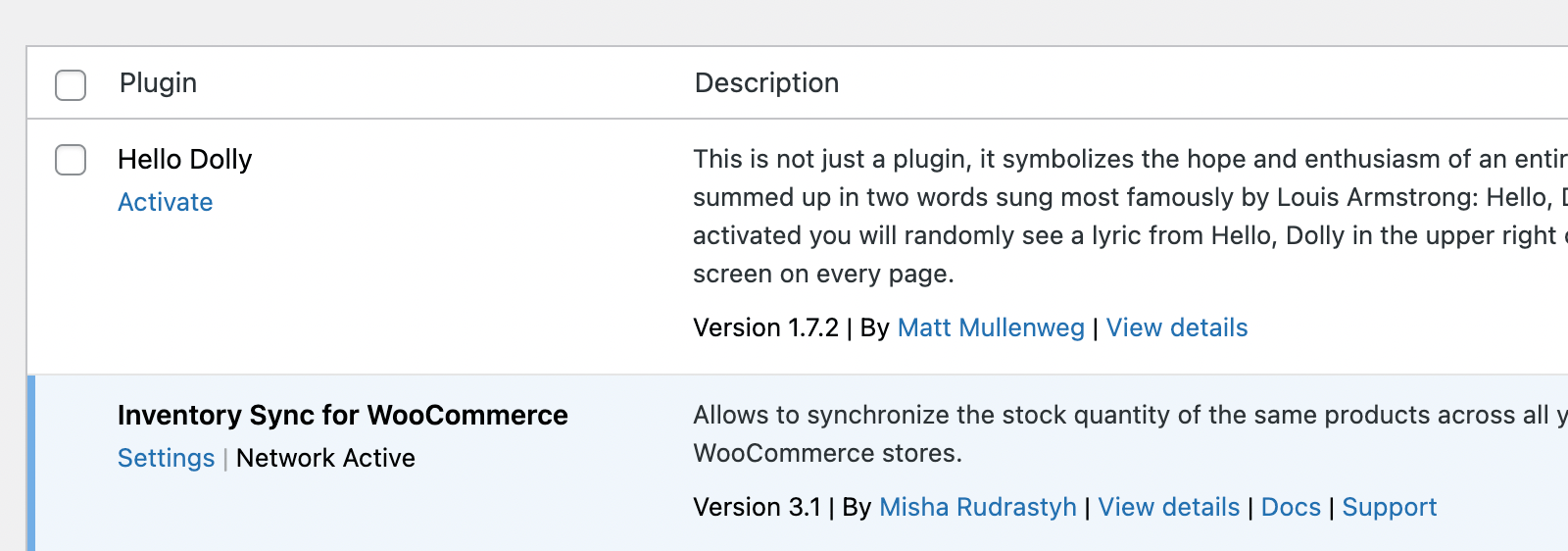
plugin_action_links hook and “Docs” and “Support” links using plugin_row_meta, to my Inventory Sync for WooCommerce plugin.Polylang in WordPress Multisite
This tutorial is intended to show you how exactly Polylang plugin works, what database tables it uses and how to get posts filtered by a language if you’re using it within a WordPress Multisite network.
Worth mentioning that at the moment of updating this tutorial Polylang is still my favorite multilingual solution for WordPress.
Manage Posts in WordPress Multisite in One Place
In this tutorial, we will talk about WordPress multisite posts management. The thing is that if you have a multisite network installed, by default there is no place in the network admin dashboard where you can manage posts from all sites at the same time.
But I created a solution for you, guys, please take a look at this screenshot:

WordPress Multisite Database Tutorial
In this tutorial I would like to dive deep into how the database works with WordPress Multisite installed, so if you’re still wondering, “Does wordpress multisite use one database?” then this tutorial is exactly for you.
However, having some basic WordPress database knowledge before reading this tutorial wouldn’t hurt.
As you probably know WordPress Multisite network isn’t being installed out of the box, usually a normal WordPress site gets upgraded into a Multisite. What does it mean? Of course, it means that we will have all the default database tables like wp_posts, wp_postmeta, wp_users even wp_options unchanged after the migration into a multisite.
But once you hit the “Install” button all the new tables are going to be created.
