How to Move WordPress Media Library to a New Site
In this tutorial, I am going to discuss different ways of moving the WordPress media library to a new site – both for multisite installations and standalone WordPress sites.
How to Add a User to All Sites in a Multisite Network
Here I will show you three ways how we can add a user to all sites in a multisite network:
- First of all, we will do it with the help of a WordPress plugin,
- Second, I will show you how to do it manually,
- And finally, we will take a look at a programmatic approach (both when adding a user to a site automatically every time a user is self-registered or created in the Network Admin > Users page, and with the help of custom bulk actions).
Now, let’s dive straight into it.
Copy Pages Between Sites in Multisite Network
Let me show you an easy way to duplicate WordPress pages between any of your sites within a multisite network.
Or to be more specific, I am about to show you two ways how you can do that:
- The first one – we’re going to it programmatically,
- The second one – we’re going to use my WordPress plugin to achieve the same result,
Either way, by the end of this tutorial, we will have brand-new bulk actions on the “All Pages” admin page. However, each page can also be copied individually to a specific sub-site in case you decide to go for the plugin approach.

WooCommerce Network Orders Dashboard Widget
Today I am going to talk about a very interesting widget in WooCommerce which is available to you only when you’re using WooCommerce within a WordPress Multisite network:
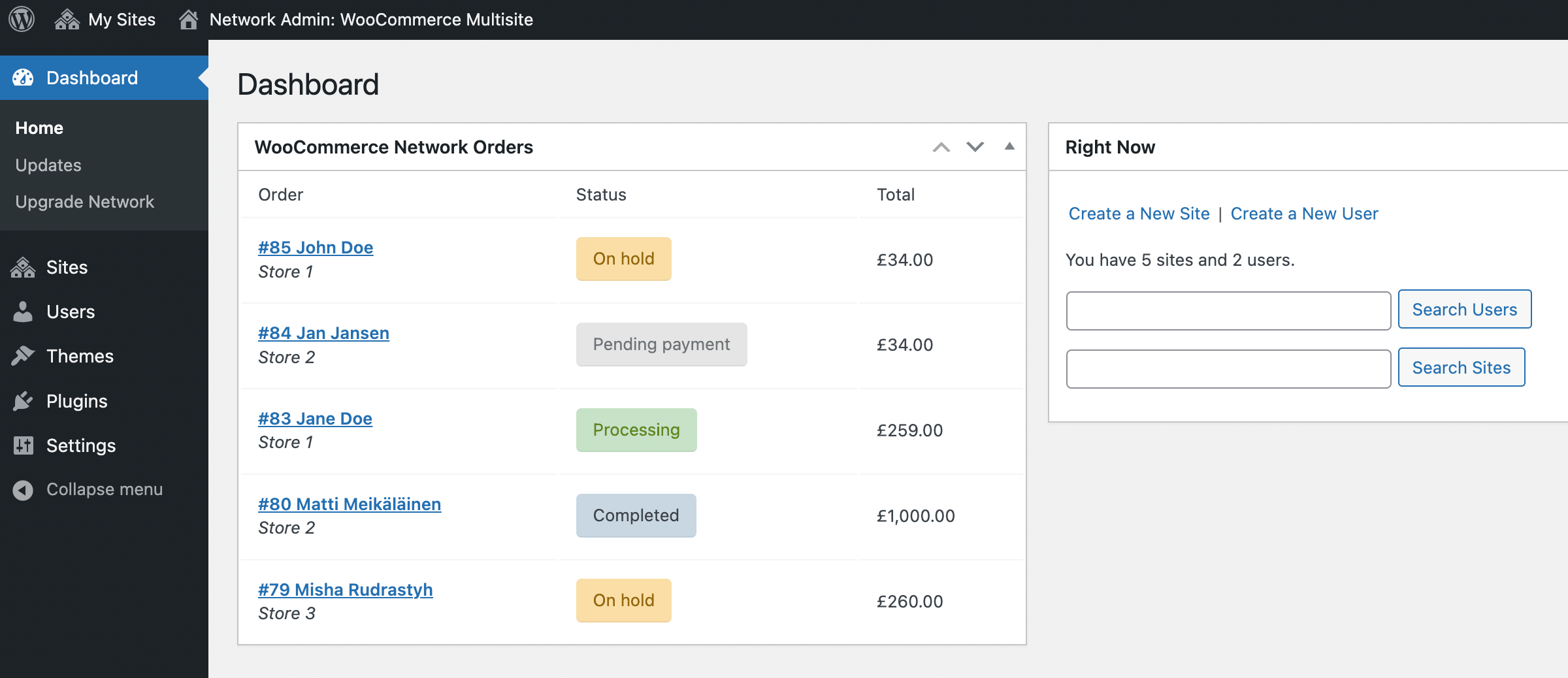
This widget appears in two places:
- Network admin dashboard,
- Admin dashboard of a main site of your multisite network (usually a site with ID = 1).
In order for this widget to appear, WooCommerce has to be either network activated or activated for the main site of your network.
Let’s take a look how this widget really works.
Using Global Product Images in WooCommerce Multisite
In this tutorial we’re going to talk about how to make WooCommerce display images from the main store (and we decide which store is going to be the main). The next question that you may have is how did that happen that you have the same products across different stores of your multisite network. And the reasons can be pretty much different, for example:
- Probably you’re using WooCommerce Multisite as a multilingual solution, so basically you have the same stores with the same products but in different languages.
- Or maybe you’re using my multisite crossposting plugin to publish your products to the other stores of your network.
And the whole idea of this tutorial is to prevent the product images from being duplicated to every sub-store uploads folders like /uploads/sites/2, /uploads/sites/3 and so on.
How to Create a Language Redirect in Multisite
Recently I got a request from my client and what she was needed is to automatically redirect users to a language-specific store within the WordPress multisite network depending on a customer IP address.
For example:
no.example.com– redirect customers here if they have a norwegian IP address,dk.example.com– redirect customers here if they have a danish IP address,example.com– let customers to stay on this website if there is no specific language website version for them (based on their IP again).
What is the easiest way to accomplish it?
Tapping into switch_to_blog() Function Performance
It just happened that in my WordPress-related work I focused mostly on WordPress Multisite. I had a couple of big client projects in the past, then I developed WordPress plugins for multisite specifically, for example this one or this another one and here we go.
So I have quite a picture in my mind how the things should work the best.
In this tutorial I am about to talk about switch_to_blog() function, especially about its usage within a loop:
- How does it work exactly?
- Is it slow?
- Can we improve it somehow?
First of all let me show you a code snippet I am talking about.