
Описание
Улучшите свое SEO с помощью обратной связи в реальном времени, схемы и четких указаний. Обновитесь, чтобы получить инструменты искусственного интеллекта, интеграцию с Документацией Google и круглосуточную поддержку без скрытых комиссий.
Yoast SEO: плагин № 1 для SEO в WordPress
Since 2008, Yoast SEO has helped millions of websites worldwide improve their visibility and SEO performance.
Our mission is SEO for Everyone — from small local businesses to some of the most visited sites on the web.
Yoast SEO gives you everything you need to manage your on-site SEO effectively.
The Yoast SEO Premium plugin and its extensions unlock even more advanced and AI-powered tools.
Handing you the competitive edge
SEO is the most consistent and cost-effective source of website traffic — but it can be complex. Whether you’re just starting out or an advanced user, Yoast SEO helps you handle SEO confidently and efficiently.
Don’t have time to stay on top of AI search and best practices? Keeping Yoast SEO updated means you automatically benefit from ongoing technical improvements, schema updates, and AI advancements — all guided by our signature traffic light approach.
Empower search engines to better understand your website using Schema.org structured data integration, and access in-depth content and readability analysis tools that help you create content designed to perform well in search.
Быстрая и простая установка
Setting up Yoast SEO is quick and straightforward — no technical background required.
Our step-by-step configuration wizard walks you through essential setup details so Yoast SEO can generate accurate structured data that helps search engines understand your site.
Switching from another SEO plugin like Rank Math or AIOSEO? Migration is seamless.
Import your existing SEO data and settings safely with our built-in import/export tools.
Контент и функции искусственного интеллекта
Unlock your content’s full potential with Yoast SEO’s advanced content analysis and AI-powered tools.
Content optimization features:
— Detailed SEO analysis to guide keyword targeting and site performance.
— Readability analysis for clear, engaging, and user-friendly writing.
— SERP previews for both desktop and mobile results.
— HowTo and FAQ blocks with built-in schema support.
— Breadcrumbs block for improved navigation.
— Inclusive Language Analysis to make your content more considerate and accessible.
— Semrush integration for keyword research directly in Yoast SEO.
— Wincher integration to track keyword performance inside your dashboard.
— Elementor integration for seamless optimization within your favorite builder.
AI features (included in Premium):
— Yoast AI Generate – Instantly create five SEO-friendly titles and meta descriptions, with one-click regeneration for more options.
— Yoast AI Optimize – Improve keyphrase placement (introduction, distribution, density) automatically.
— Yoast AI Summarize (New 2025) – Generate quick content summaries for briefs or social posts.
— All AI tools included – No extra accounts, limits, or hidden costs.
These tools help you craft optimized, helpful content that resonates with readers and performs strongly across search platforms.
Позаботьтесь о своем техническом SEO
Yoast SEO automatically handles much of your site’s technical SEO, freeing you to focus on your content.
Key technical SEO features:
— Automated meta tag optimization right out of the box.
— Canonical URLs to prevent duplicate content issues.
— Advanced XML sitemaps for clear site indexing.
— Best-in-class Schema.org integration to improve search understanding and appearance.
— Complete breadcrumb control for visitors and crawlers.
— Performance improvements that help reduce load times.
— Crawl settings to manage how bots access your site and reduce environmental impact.
— LLMs.txt management to guide how large language models interact with your content.
Every update delivers ongoing technical SEO enhancements automatically.
Поддерживайте свой сайт в идеальной форме
Whether you’re a creator, business owner, or developer, Yoast SEO helps maintain your website’s SEO health:
- Cornerstone content tools to organize and prioritize key pages.
- Front-end SEO inspector to view and edit titles, descriptions, and schema live.
- SEO roles to delegate plugin access securely across teams.
- Regular 2-week update cycle to ensure compatibility with the latest SEO standards and search engine changes.
Мощные интеграции
Yoast SEO works seamlessly with popular WordPress tools to enhance your workflow and results:
- Google Site Kit: Access insights from Search Console, Analytics, and PageSpeed directly inside WordPress.
- Advanced Custom Fields (ACF): Combine with ACF Content Analysis for Yoast SEO for advanced field optimization.
- Elementor: Use full Yoast SEO functionality inside Elementor’s editor.
- Algolia: Enhance internal search accuracy and performance.
- Semrush: Discover and optimize for high-value keywords.
- Wincher: Track keyword positions and trends in Google Search.
- Jetpack: Manage SEO and social previews all in one place.
- Easy Digital Downloads (EDD): Improve digital product visibility with integrated schema.
- Mastodon: Verify your website on Mastodon with Yoast SEO Premium.
- WooCommerce: Optimize ecommerce SEO with the dedicated WooCommerce extension.
Yoast SEO Premium — SEO для WordPress с поддержкой искусственного интеллекта
Yoast SEO Premium enhances everything in Yoast SEO with advanced automation, AI tools, and professional support.
Trusted by millions, it helps you optimize efficiently for both traditional and AI-driven search.
Tackle your SEO challenges:
— Keep pace with algorithm and AI search updates.
— Target the right audience effectively.
— Automate redirects, crawl controls, and internal linking.
— Identify orphaned content and improve site structure.
— Get support when you need it.
Premium highlights:
— AI-generated titles and meta descriptions.
— Smart internal linking suggestions.
— Social previews for Facebook and X.
— Redirect Manager with bulk tools and automatic prompts.
— Bot Blocker for AI crawlers (GPTBot, CCBot, Google-Extended).
— IndexNow integration for fast content updates.
— Front-end SEO Inspector for real-time editing.
— SEO Workouts to improve orphaned and cornerstone content.
— Google Docs add-on for seamless SEO writing in Docs.
— 24/7 premium support from SEO specialists.
Includes at no extra cost:
— Yoast Local SEO: Optimize for local audiences and Google Maps.
— Yoast Video SEO: Ensure Google understands your videos with video sitemaps and schema.
— Yoast News SEO: Increase visibility in Google News and Top Stories.
Yoast WooCommerce SEO — продвинутое SEO для интернет-магазинов
Yoast WooCommerce SEO builds on Yoast SEO Premium with ecommerce-specific tools to improve your store’s visibility and conversion potential.
Key ecommerce SEO features:
— WooCommerce-specific XML sitemap excluding non-shopping content.
— Product structured data for enhanced rich results (price, reviews, availability).
— Canonical URL management to prevent duplicates.
— Ecommerce-focused content analysis for GTINs, SKUs, and short descriptions.
— AI Generate for ecommerce – Instantly create optimized titles and meta descriptions for product and category pages.
Benefits:
— Improve product visibility with automated structured data.
— Enhance crawl efficiency for large catalogs.
— Save time through metadata templates and automation.
— Increase engagement with AI-optimized ecommerce metadata.
Built for WooCommerce, trusted by thousands of online stores worldwide.
Для разработчиков
Yoast SEO is built with developers in mind. With modern APIs, hooks, and a unified indexables system, you can extend or integrate SEO functionality across custom themes, plugins, or headless setups.
REST API
Retrieve SEO metadata for any post or URL, including meta tags, Open Graph, Twitter Cards, and Schema.org data.
Learn more about the REST API.
Surfaces API
Access SEO data directly in code via YoastSEO()->meta->for_current_page().
Supports titles, descriptions, canonicals, and schema.
Read the Surfaces API documentation.
Metadata API
Use the Metadata API to filter, override, or extend meta tags with WordPress hooks such as wpseo_title, wpseo_metadesc, and wpseo_canonical.
Schema API
The Schema API lets you modify or extend Schema.org graph pieces, including Article, Organization, Person, Breadcrumb, and WebPage entities.
Block Editor compatibility
Yoast SEO integrates directly with the WordPress Block Editor (Gutenberg).
It outputs schema for HowTo and FAQ blocks by default, and developers can extend schema for custom blocks.
Indexables
At the core of Yoast SEO lies the indexables system, unifying all SEO data for faster queries and consistent metadata across outputs.
Ongoing support and education
Yoast is powered by expert developers, testers, and SEO specialists who keep improving the plugin.
We’re committed to helping users grow their SEO skills with resources such as:
- Yoast SEO Academy: Free and premium SEO courses (included in all paid plans).
- Yoast SEO blog, newsletter, and webinars.
- Yoast SEO Update podcast for the latest SEO insights.
- Bug reports on GitHub (for issue tracking, not support).
Yoast SEO — built to make search optimization accessible, reliable, and ready for the future of AI search.
Скриншоты
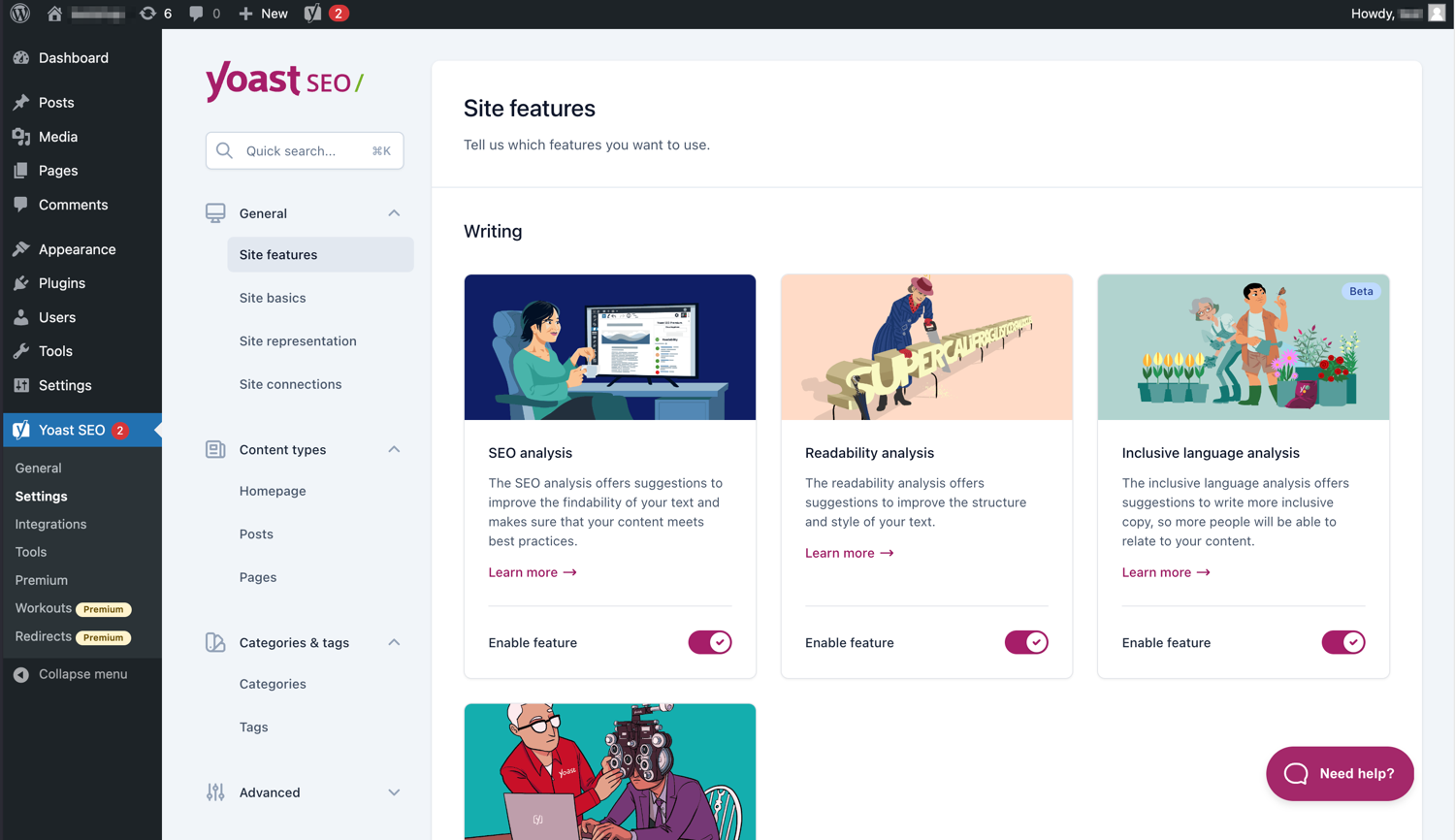
Современный интерфейс упрощает работу с Yoast SEO. 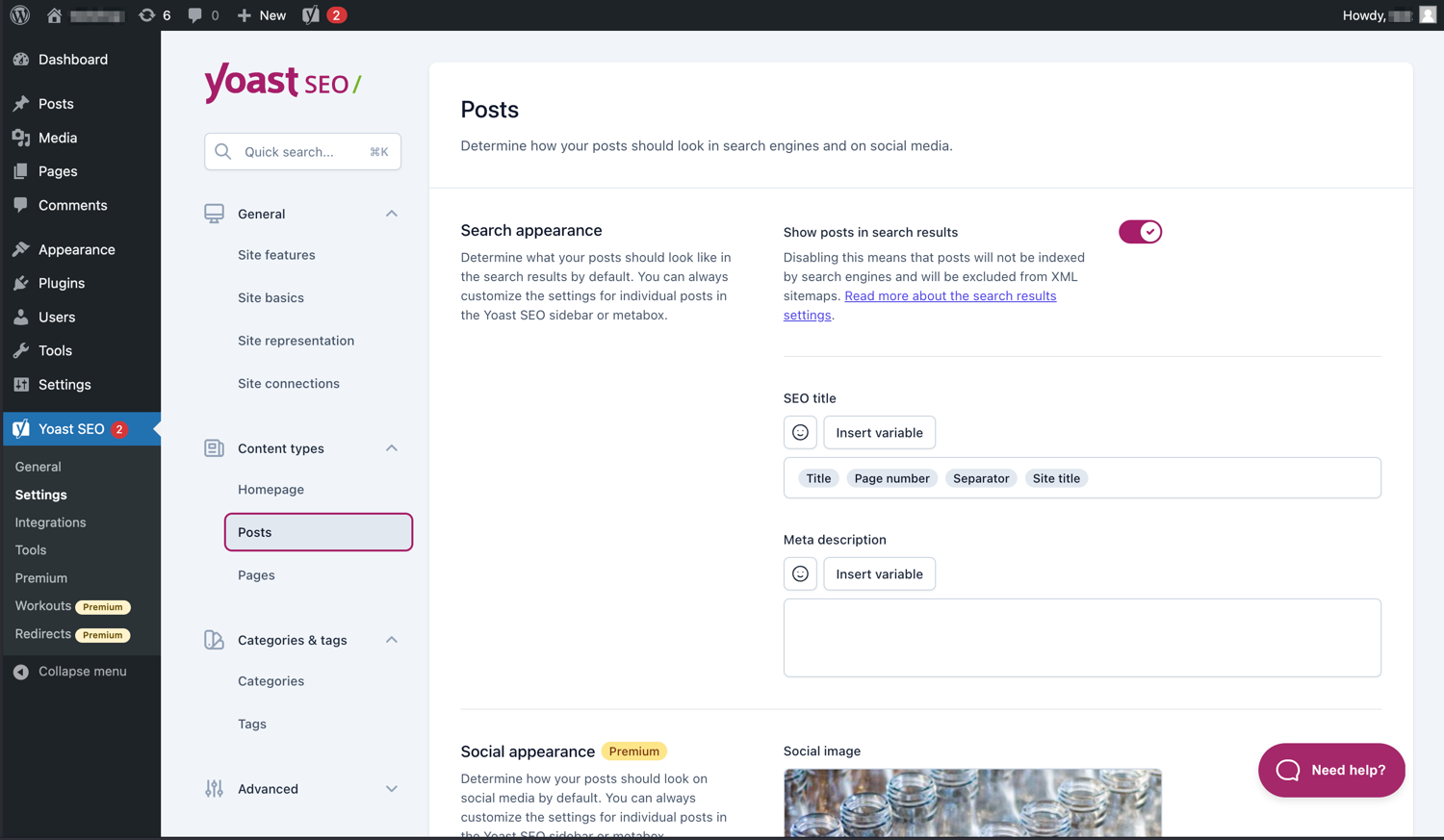
Легко управляйте тем, как ваши сообщения и страницы отображаются в поисковой выдаче. 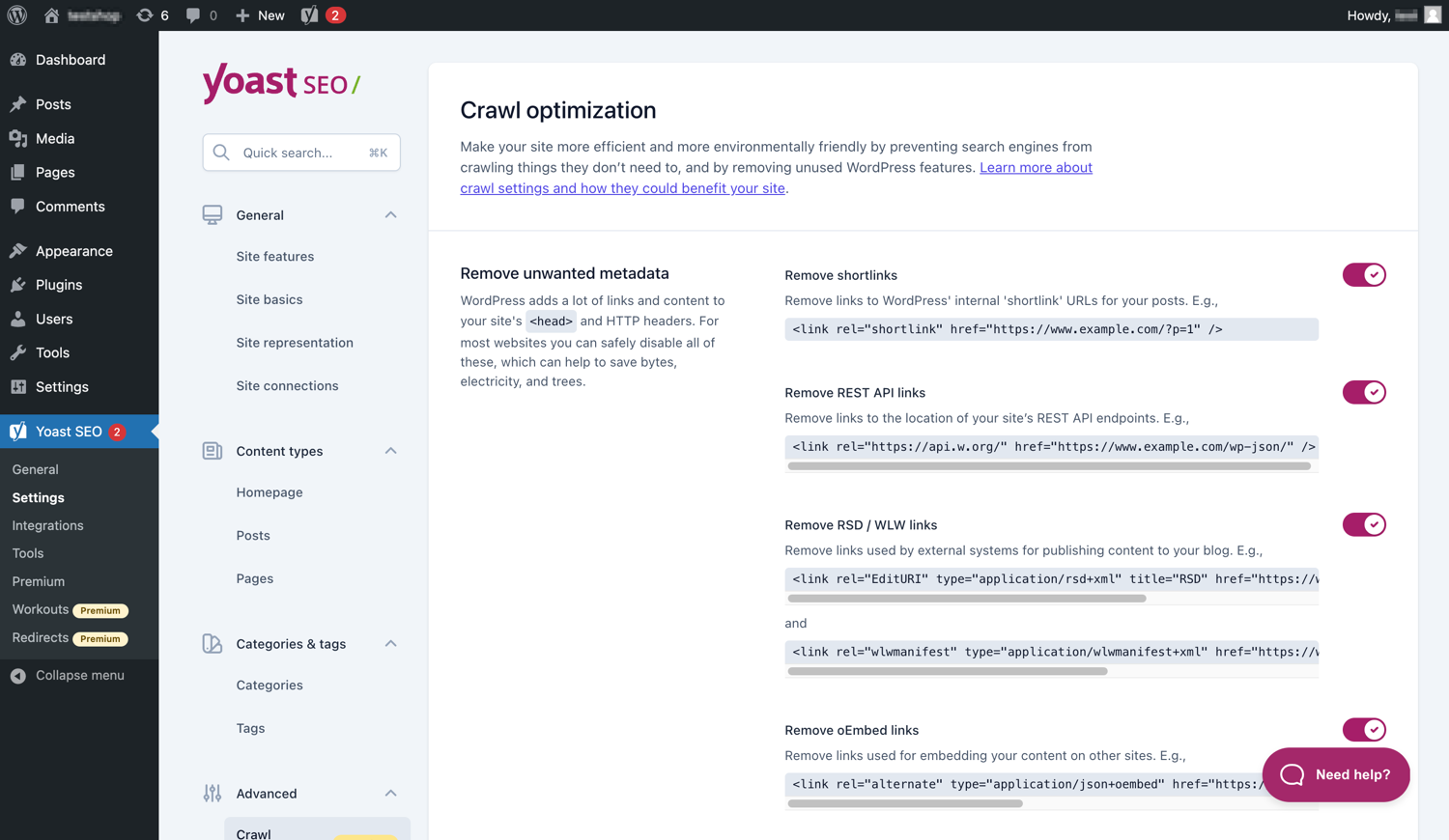
Yoast SEO Premium имеет дополнительные параметры оптимизации сканирования. 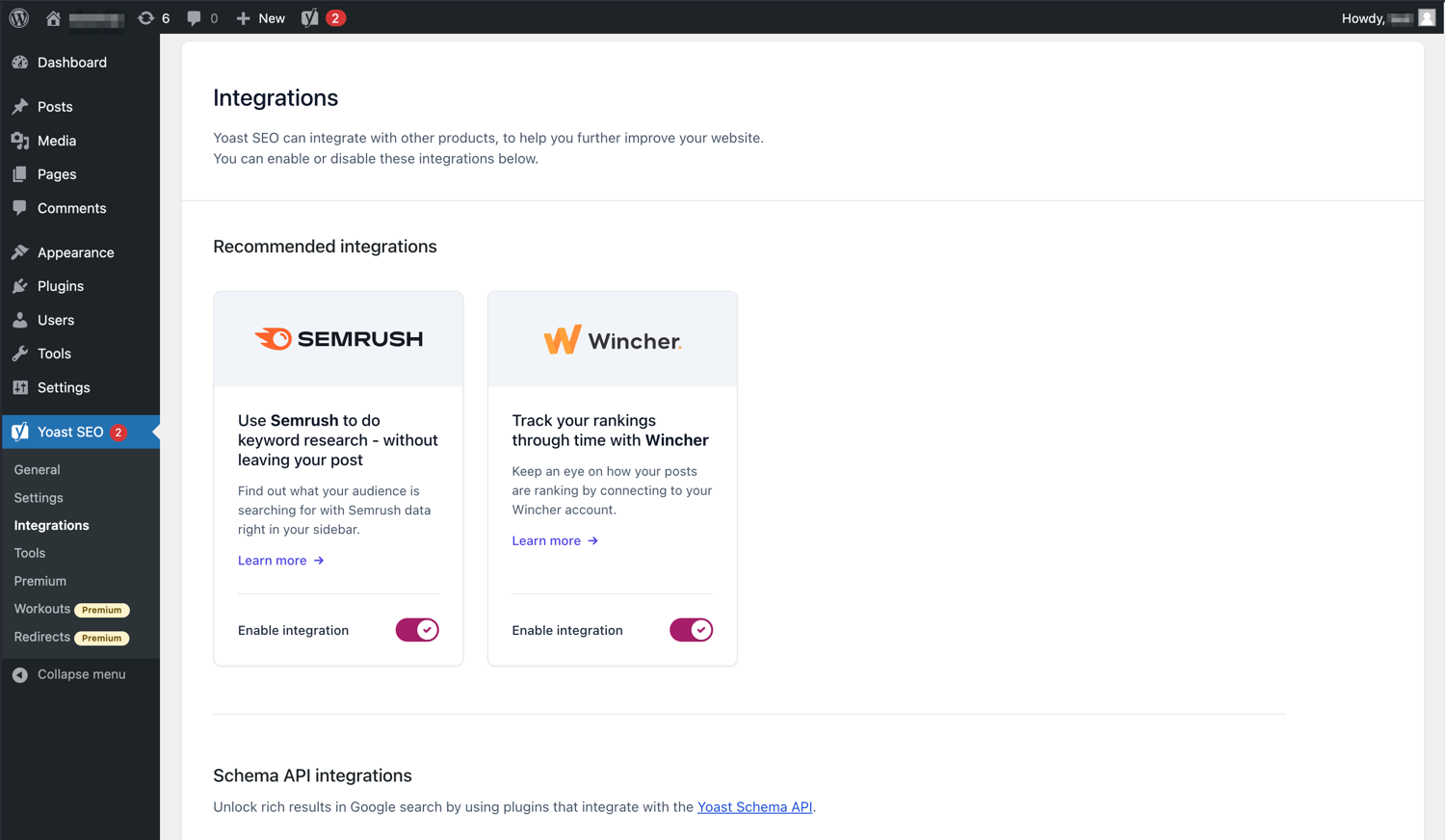
Yoast SEO интегрируется с такими инструментами, как Semrush и Wincher. 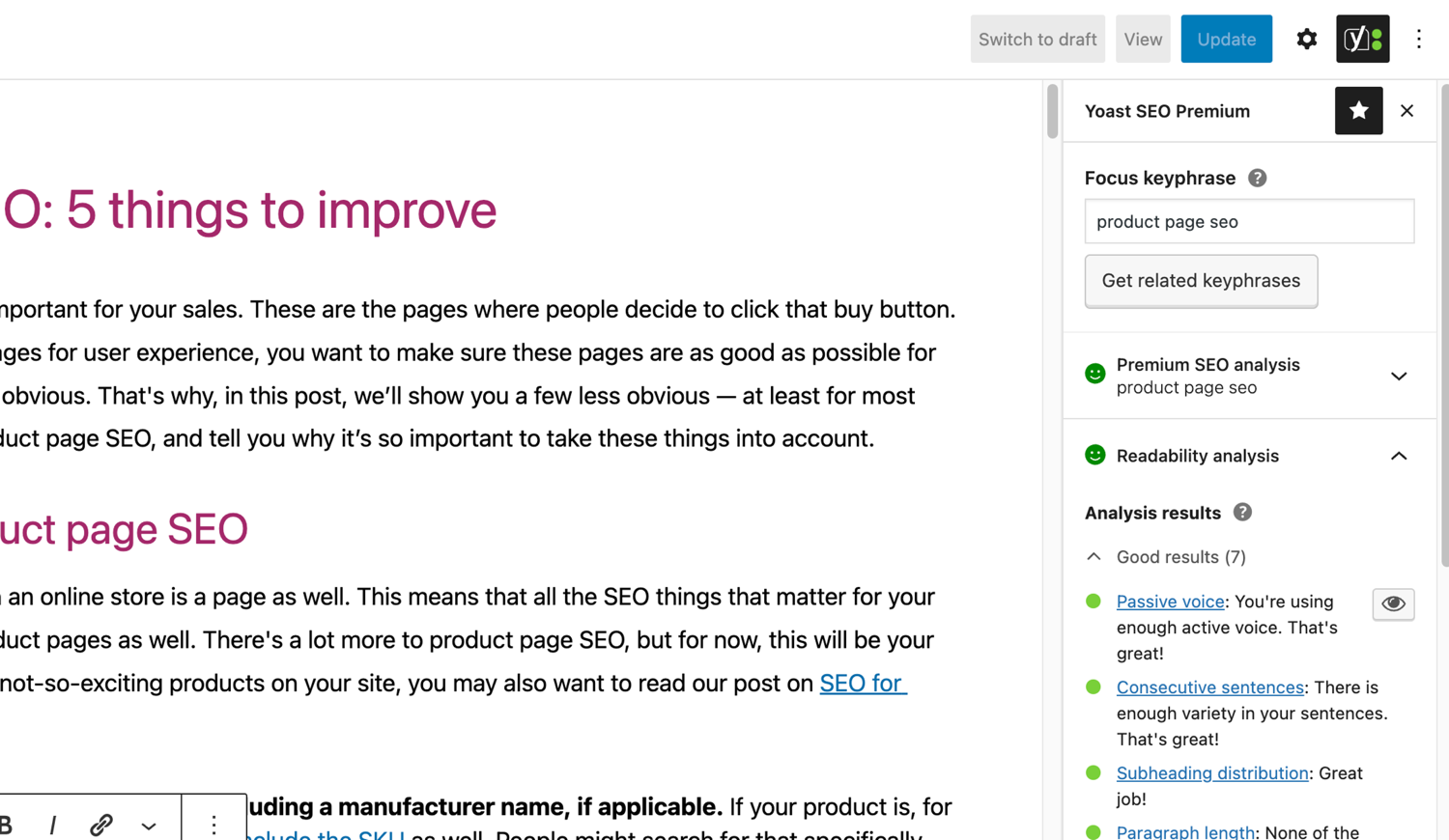
Знаменитый анализ SEO и удобочитаемости в Yoast SEO. 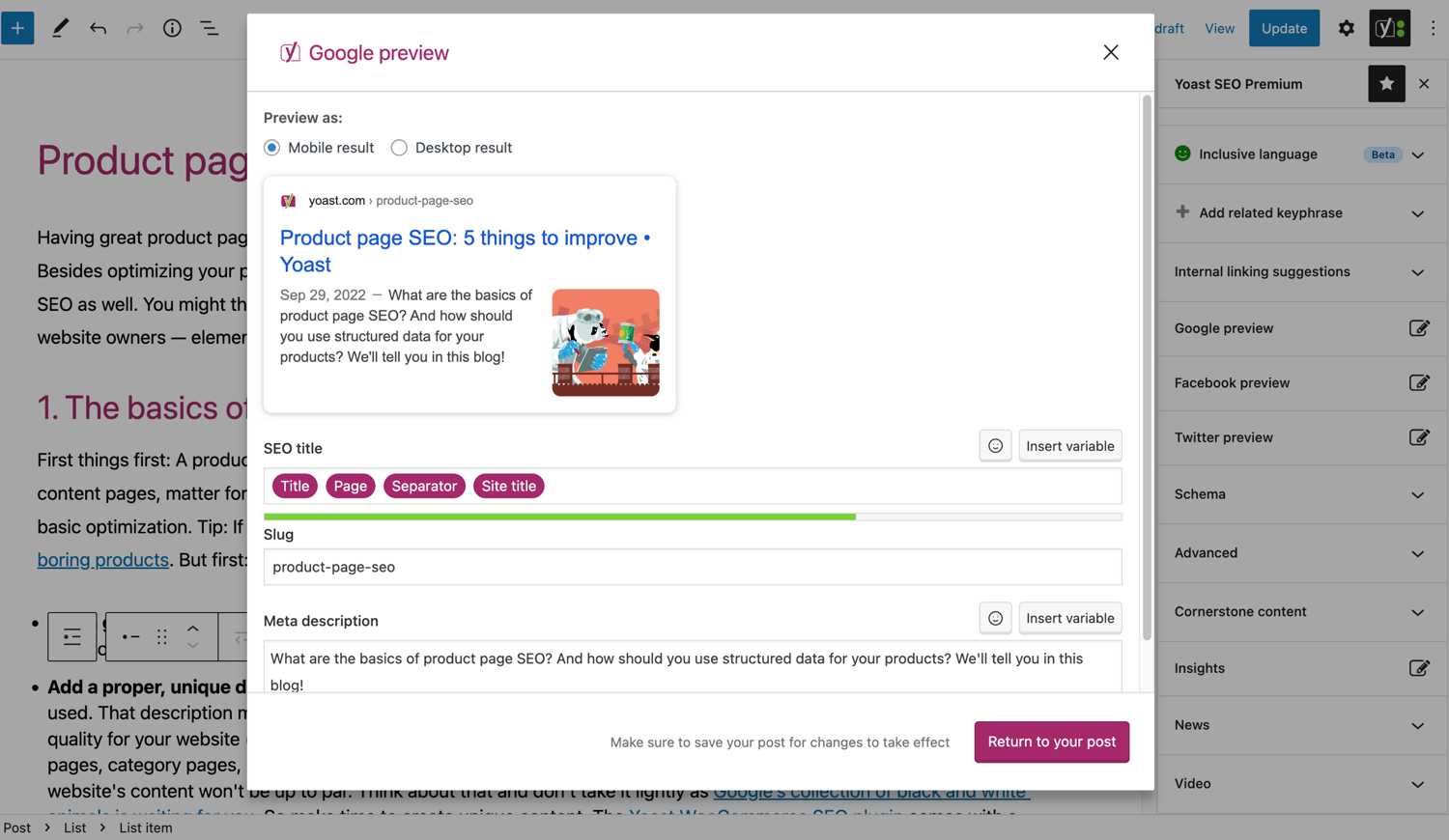
Посмотрите, как ваш пост выглядит в Google. 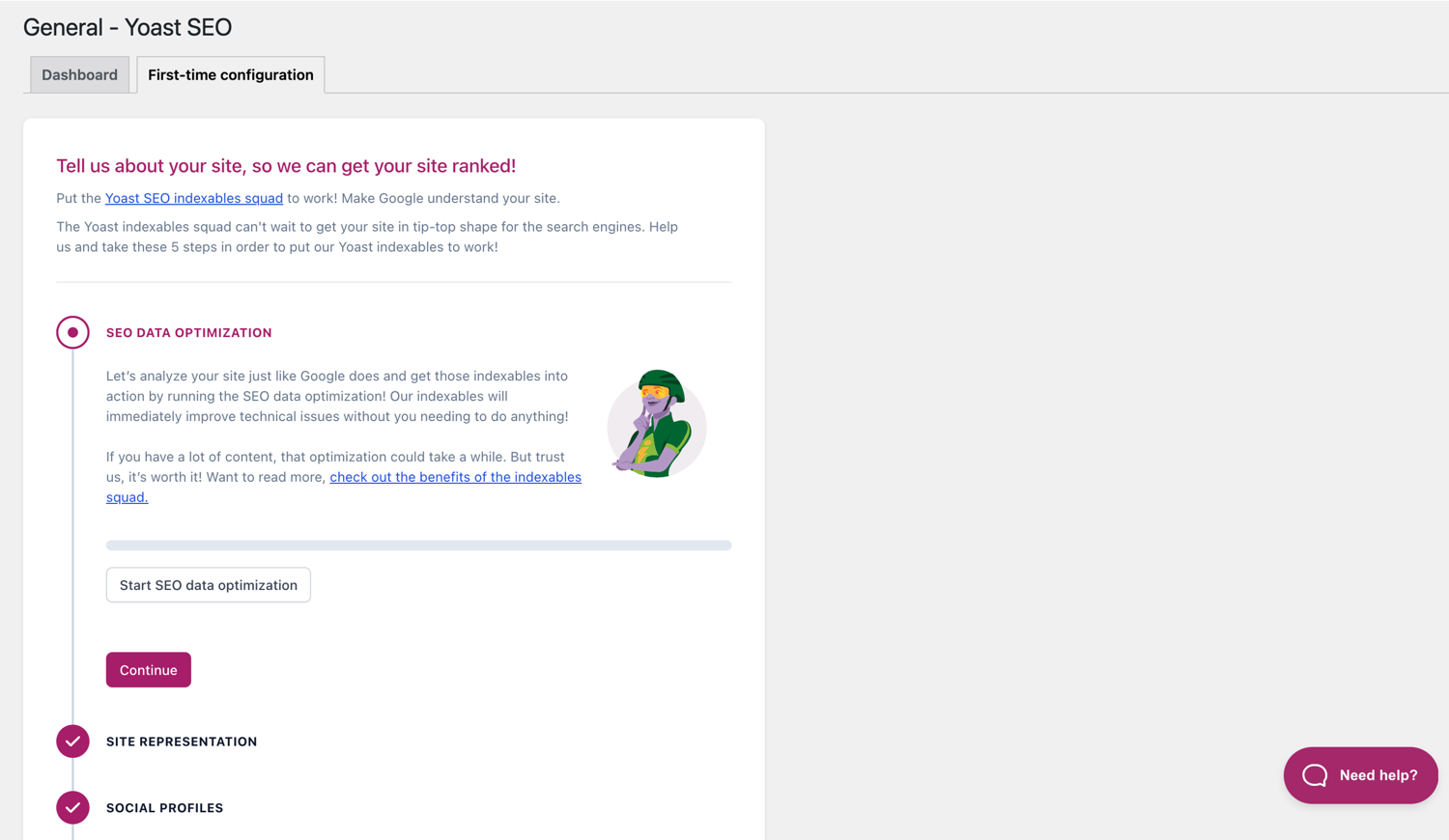
Первоначальная конфигурация поможет вам быстро приступить к работе. 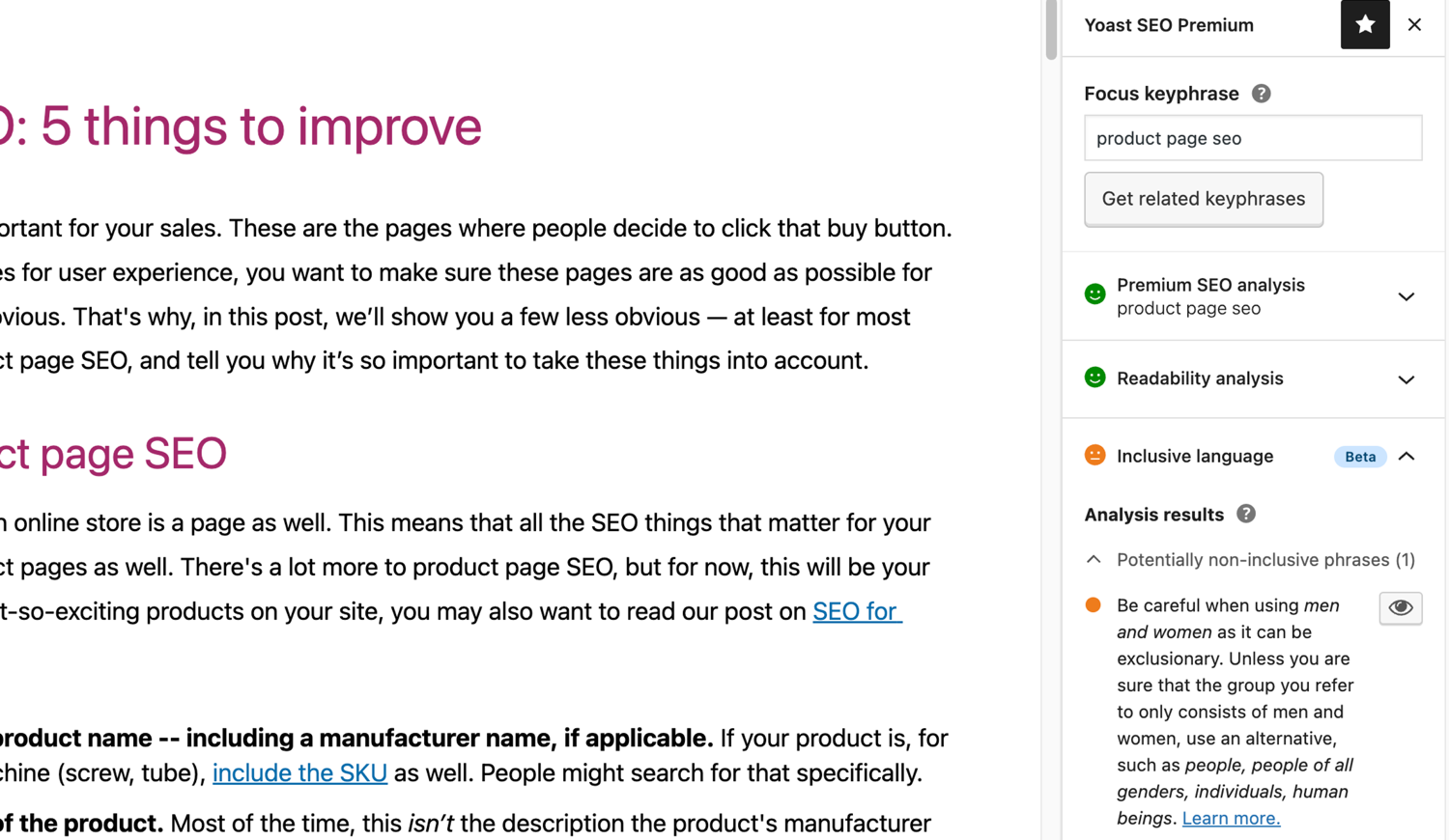
Инклюзивный языковой анализ в Yoast SEO. 
Блоки
Этот плагин предоставляет 2 блока.
- Yoast How-to Create a How-to guide in an SEO-friendly way. You can only use one How-to block per post.
- Yoast FAQ List your Frequently Asked Questions in an SEO-friendly way.
Установка
Начало работы с Yoast SEO состоит всего из двух шагов: установка и настройка плагина. Yoast SEO разработан для работы с конкретными потребностями вашего сайта, поэтому не забудьте выполнить первую настройку Yoast SEO, как описано в шаге «После активации»! Для получения наиболее актуальных инструкций по установке продуктов Yoast SEO, пожалуйста, посетите наш центр помощи.
Часто задаваемые вопросы
-
Как работают XML Sitemaps в плагине Yoast SEO?
-
Наличие XML-карты сайта может быть полезным для SEO, поскольку Google может очень быстро получать важные страницы веб-сайта, даже если внутренние ссылки сайта не безупречны.
Индекс карты сайта и отдельные карты сайта обновляются автоматически при добавлении или удалении контента и включают в себя типы сообщений, которые поисковые системы должны индексировать. Типы сообщений, помеченные как noindex, не будут отображаться в карте сайта. Подробнее о файлах Sitemap в формате XML. -
Как мне добавить свой сайт в Google Search Console?
-
Добавить свой сайт в Google Search Console очень просто.
1. Создайте учетную запись Google Search Console и войдите в свою учетную запись.
2. Нажмите «Добавить свойство» в раскрывающемся списке поиска.
3. Введите URL своего веб-сайта в поле и нажмите «Продолжить».
4. Щелкните стрелку рядом с «Тег HTML», чтобы развернуть параметр.
5. Скопируйте метатег.
6. Войдите на свой сайт WordPress.
7. Нажмите «SEO» на панели инструментов.
8. Нажмите «Общие».
9. Перейдите на вкладку «Инструменты для веб-мастеров».
10. Вставьте код в поле Google и нажмите «Сохранить изменения».
11. Вернитесь в Google Search Console и нажмите «Подтвердить».Если вам нужны более подробные инструкции, посетите нашу статью в нашем справочном центре.
-
Приведенные ниже шаги являются временным решением, поскольку ручное редактирование файлов темы может быть перезаписано будущими обновлениями темы. Пожалуйста, свяжитесь с разработчиком темы для постоянного решения. Мы написали статью о важности цепочек навигации для SEO.
Чтобы реализовать функцию хлебных крошек в Yoast SEO, вам придется отредактировать свою тему. Мы рекомендуем перед любым редактированием файлов темы сделать резервную копию. Ваш хост-провайдер может помочь вам сделать резервную копию.
Скопируйте следующий код в свою тему, где вы хотите разместить хлебные крошки. Если вы не уверены, вам нужно будет поэкспериментировать с размещением:<?php if ( function_exists( 'yoast_breadcrumb' ) ) { yoast_breadcrumb( '<p id="breadcrumbs">','</p>' ); } ?>Общие места, где вы могли бы разместить свои хлебные крошки, находятся внутри файла
single.phpи/илиpage.phpпрямо над заголовком страницы. Другой вариант, который действительно упрощает работу в некоторых темах, — просто вставить код вheader.phpв самом конце.В большинстве тем, отличных от WooTheme, этот фрагмент кода не следует добавлять в файл
functions.php.
Кроме того, вы можете вручную добавить шорткод хлебных крошек к отдельным сообщениям или страницам:[wpseo_breadcrumb]Если вам нужна дополнительная информация или пошаговое руководство, прочтите наше руководство по внедрению хлебных крошек Yoast SEO.
-
Как установить noindex для URL?
-
Yoast SEO предоставляет несколько вариантов установки URL-адреса или группы URL-адресов как noindex. Подробнее о том, как это сделать, читайте в этом руководстве.
-
Google показывает неправильное описание, как мне это исправить?
-
Если вы создали хорошие мета-описания для своих сообщений в блоге, нет ничего более раздражающего, чем Google, полностью показывающий другое описание вашего сайта во фрагменте результатов поиска.
Возможные причины:
1. Неправильное описание в коде
2. Кеш Google устарел
3. Манипулирование поисковыми терминами
4. Google игнорировал мета описаниеВы можете прочитать здесь больше о том, как решить проблему с неправильным описанием.
-
Как часто обновляется Yoast SEO?
-
Yoast SEO Обновляется каждые две недели. Если вы хотите узнать почему, прочитайте эту запись!
-
Как мне получить поддержку?
-
Поскольку наш бесплатный плагин используется миллионами людей по всему миру, мы не можем предложить вам поддержку один на один. Если у вас возникли проблемы с плагином Yoast SEO для WordPress, вы можете получить помощь на форумах поддержки по адресу wordpress.org или посетите наш справочный центр по адресу yoast.com/help/.
Плагины, которые вы покупаете в Yoast, называются «плагинами премиум-класса» (даже если «Премиум» не входит в его название) и включают в себя полный год бесплатных обновлений и премиум-поддержку. Это означает, что вы можете связаться с нашей службой поддержки, если у вас есть какие-либо вопросы об этом плагине.
-
Что произойдет с моими данными, если я включу отслеживание использования?
-
На этой странице yoast.com объясняется, какие данные мы собираем для улучшения Yoast SEO. Мы собираем данные только в том случае, если вы даетё явное согласие. Подробнее о том, как мы обрабатываем ваши данные, читайте в нашей Политике конфиденциальности.
-
У меня вопрос, которого нет в списке
-
Ваш вопрос, вероятно, уже имеет ответ в нашей базе знаний: yoast.com/help/.
Отзывы


Участники и разработчики
«Yoast SEO — продвинутый SEO с руководством в реальном времени и встроенным искусственным интеллектом» — проект с открытым исходным кодом. В развитие плагина внесли свой вклад следующие участники:
Участники


«Yoast SEO — продвинутый SEO с руководством в реальном времени и встроенным искусственным интеллектом» переведён на 58 языков. Благодарим переводчиков за их работу.
Заинтересованы в разработке?
Посмотрите код, проверьте SVN репозиторий, или подпишитесь на журнал разработки по RSS.
Журнал изменений
27.7
Release date: 2026-05-27
Yoast SEO 27.7 brings more enhancements and bugfixes. Find more information about our software releases and updates here.
Исправление ошибок
- Fixes a bug in Schema aggregator where products Schema pieces had incorrect
@idvalues formainEntityOfPageandimageproperties. - Fixes a bug where a
FocusTrapwarning was thrown and the X button did not receive focus when the replace content confirmation modal from the AI Content Planner was opened. - Fixes a bug where a warning was triggered in the console when editing a post with the Content Planner feature enabled.
- Fixes a bug where only the first piece was returned when indexables were not available.
- Fixes a bug where the AI features section was rendered twice on the user profile page.
- Fixes a bug where the block editor was crashing when some AI features were triggering errors.
- Fixes a bug where the Content Planner inline banner was displayed when editing a template or template part.
Other
- Makes the Academy, Upgrade and Brand insights links visible to more user roles.
27.6
Дата выпуска: 12 мая 2026
Introduces Yoast AI Content Planner to Yoast SEO Premium, giving five site-specific post ideas and a structured starter draft the moment you open a new post. Haven’t used your free AI sparks yet? Give it a try on us. Read the full release post here.
Улучшения
- Adds the Content Planner feature, which allows users to get AI-powered content suggestions and structured outlines for new posts directly from the block editor. This is available as part of the free sparks allowance in Yoast SEO Free.
Other
- Improves documentation in a docblock. Props to @MukundaKatta.
- Introduces a shared contributor guide for humans and AI coding tools.
Earlier versions
Для списка изменений более ранних версий, пожалуйста, обратитесь к списку на yoast.com.