
Описание
Shopping cart software modules for online stores offer a quick and easy integration process as well as smooth shopping experience for your customers. this payment module extends WooCommerce and allows you to accept payments via OKPAY.
Скриншоты

Here you can configure your Gateway settings. 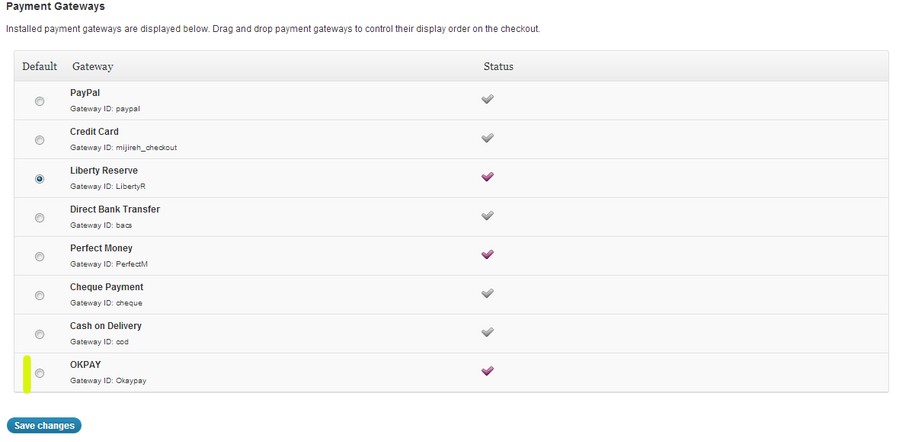
Here you can see installed payment gateways and contorol their display order on checkout.
Установка
- Ensure you have latest version of WooCommerce plugin installed
- Download the plugin zip file
- Upload the files to the /wp-content/plugins
- Activate the plugin through the «Plugins» menu in WordPress
- Open the settings page for WooCommerce and click the «Payment Gateways» tab
- Click on the sub tab for «OKPay»
- Configure your OKPay Commerce Gateway settings
Часто задаваемые вопросы
- Do I need a account before I can use the OKPAY Payment gateway plugin?
-
Yes. In order to use this plugin you will need a merchant services account
Отзывы
Нет отзывов об этом плагине.
Участники и разработчики
«OKPAY Payment gateway» — проект с открытым исходным кодом. В развитие плагина внесли свой вклад следующие участники:
Участники
Перевести «OKPAY Payment gateway» на ваш язык.
Заинтересованы в разработке?
Посмотрите код, проверьте SVN репозиторий, или подпишитесь на журнал разработки по RSS.
Журнал изменений
1.0
- First Public Release.