

Описание
Comblock Login is a professional and secure frontend authentication system designed to provide a seamless user experience outside the WordPress admin area. Unlike standard login plugins, Comblock allows you to transform your site into a multi-level portal through dynamic Custom Dashboards assigned to specific user roles.
The standout feature of this plugin is the Global Logout (Logout from all devices): an advanced security mechanism that enables users to terminate all active sessions across all devices with a single click, ensuring total protection if credentials are compromised. Every aspect of the login process is fortified with Nonce verification (anti-CSRF) and rigorous data sanitization, utilizing native WordPress core functions for maximum reliability.
With Comblock Login, you can:
* Create multiple private areas by assigning each dashboard to specific user roles (RBAC).
* Manage the entire user journey through dynamic shortcodes (Login, Logout, User Info).
* Protect data privacy by filtering which metadata to display via developer-friendly hooks.
* Monitor site security through integrated logging of access errors and permission violations.
This plugin doesn’t just hide the backend; it creates a secure, tailored ecosystem for your members, ensuring a smooth transition between public content and private dashboards.
Features
- Global Session Control: A high-end security feature allowing users to perform a simultaneous logout from all devices, instantly terminating every active session.
- Multi-Dashboard Management: Create unlimited and dynamic restricted areas (based on Custom Post Types) by assigning granular permissions based on user roles.
- Secure Frontend Login: A complete authentication system integrated directly into your site’s layout via shortcodes, removing the need for users to access
/wp-login.php. - Smart Redirect & Access Control: Intelligent management of post-login redirects and automatic content protection, with immediate redirection for unauthorized users.
- Bulletproof Security: Advanced protection featuring Nonce (CSRF) verification, input sanitization, and authentication through the secure
wp_signon()native function. - Extensible User Info: A dedicated shortcode to display profile data, featuring developer hooks (PHP filters) to customize which meta fields are shown or hidden.
- Security Error Logging: Integrated monitoring system that records login errors and permission breaches for total security oversight.
Usage
-
Use the shortcode
[comblock_login]to display the login form. You can insert this shortcode into any page or post.
Simple example (only required attribute):
[comblock_login dashboard-post-id="8"]
Complete example (with all optional attributes):
[comblock_login id="subscriber-login" class="subscriber-form-login" dashboard-post-id="8" privacy-page-id="2"]
Where:dashboard-post-idis mandatory and represents the ID of a Dashboard post type created in the back office.id,class, andprivacy-page-idare optional, whereprivacy-page-idrefers to the privacy policy page ID.
-
Use the shortcode
[comblock_logout]only within thedashboardpost type to display the logout link.
Simple example (without optional attributes):
[comblock_logout]
Complete example (with optional attributes):
[comblock_logout id="logout-link" class="btn-logout"] -
Use the shortcode
[comblock_disconnection]within thedashboardpost type to display the disconnection link.
Simple example:
[comblock_disconnection]
Complete example:
[comblock_disconnection id="disconn-link" class="btn-disconnect"] -
Use the shortcode
[comblock_user_info]within the dashboard post type to display user information.
Complete example:
[comblock_user_info title="Profile Details" fields="display_name,user_email,billing_phone"]The
fieldsattribute accepts comma-separated user meta keys. For security, you can control which fields are accessible using the following PHP filters:comblock_login_user_ban_fields: Add keys to this blacklist to prevent them from being displayed, even if requested in the shortcode.comblock_login_user_info_allowed_fields: Use this whitelist to explicitly permit custom meta keys (like WooCommerce or ACF fields).
Example: How to allow a custom field
Add this to yourfunctions.php:
add_filter(‘comblock_login_user_info_allowed_fields’, function($allowed) {
$allowed[] = ‘billing_phone’;
return $allowed;
});These hooks enable developers to customize which user data can be displayed via the shortcode while maintaining control over security and privacy.
Security
The plugin implements the following security mechanisms:
- Nonce verification for all critical login and logout actions to protect against CSRF.
- Sanitization of input from login forms to prevent injection.
- Authentication via WordPress’ secure
wp_signon()function. - Strict session cookie management with SSL support.
- Granular control of access permissions based on user roles defined for each dashboard.
- Complete destruction of user sessions upon logout from all devices.
Скриншоты
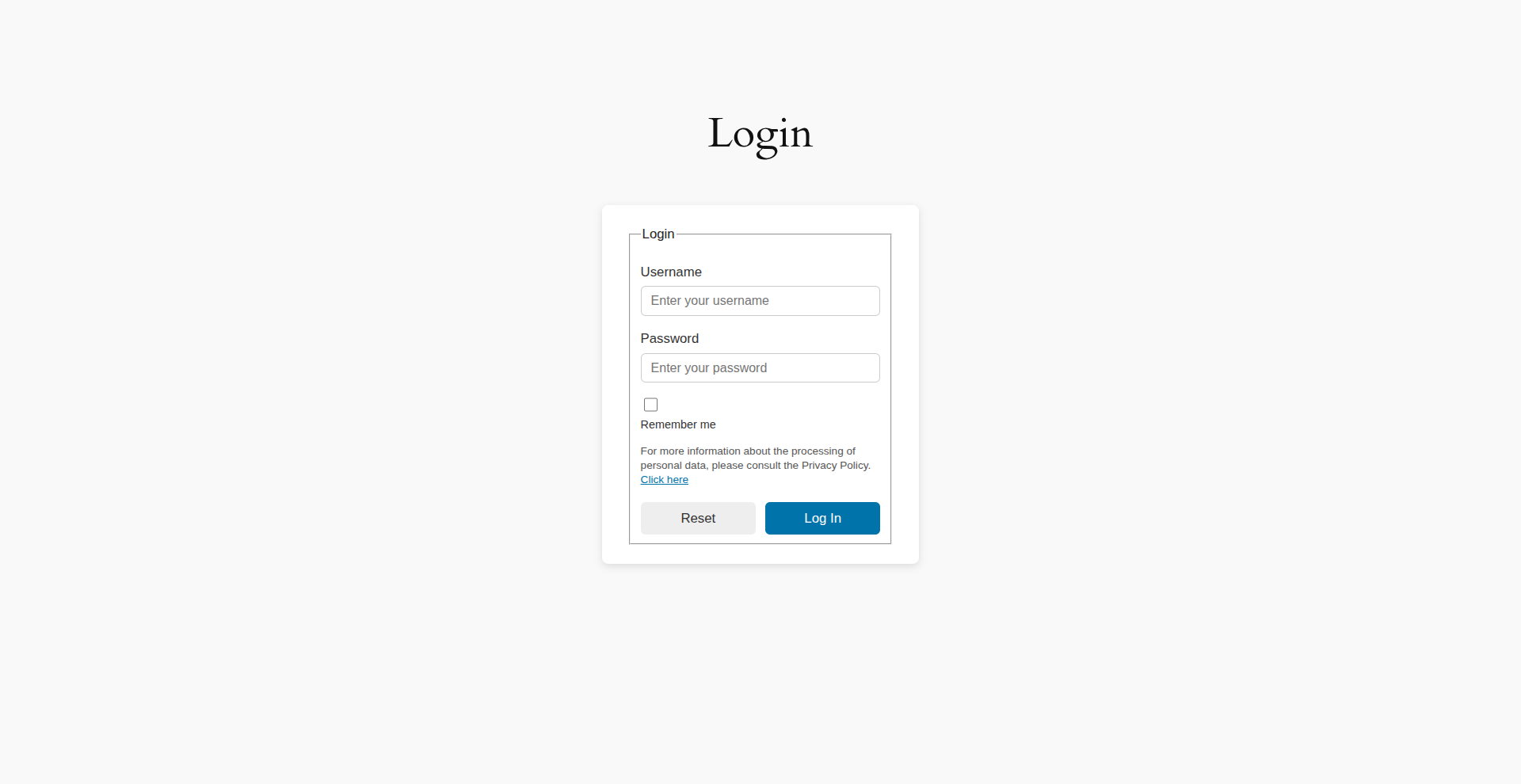
Login form with shortcode 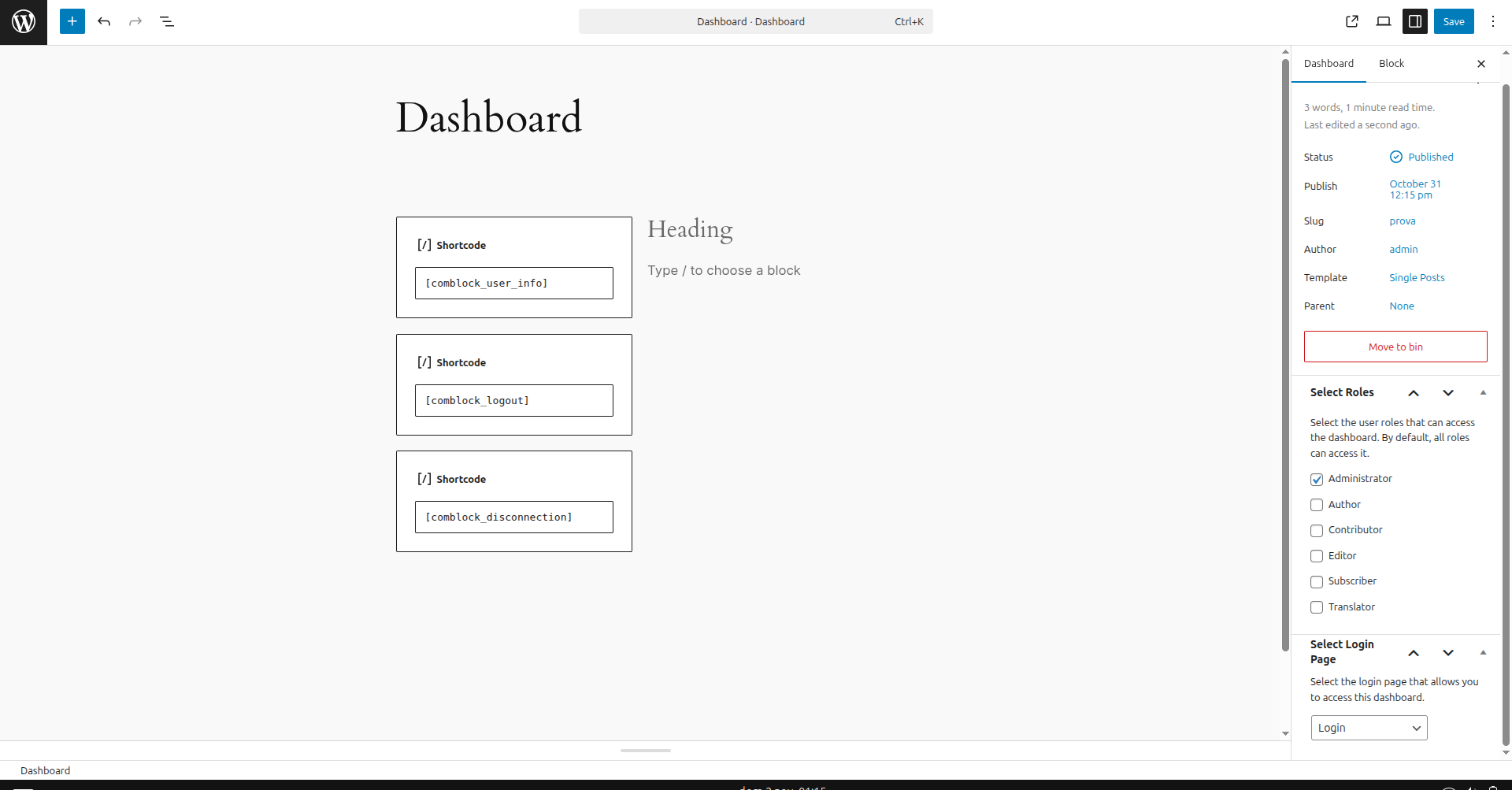
Editing Front-end dashboard with role-controlled access 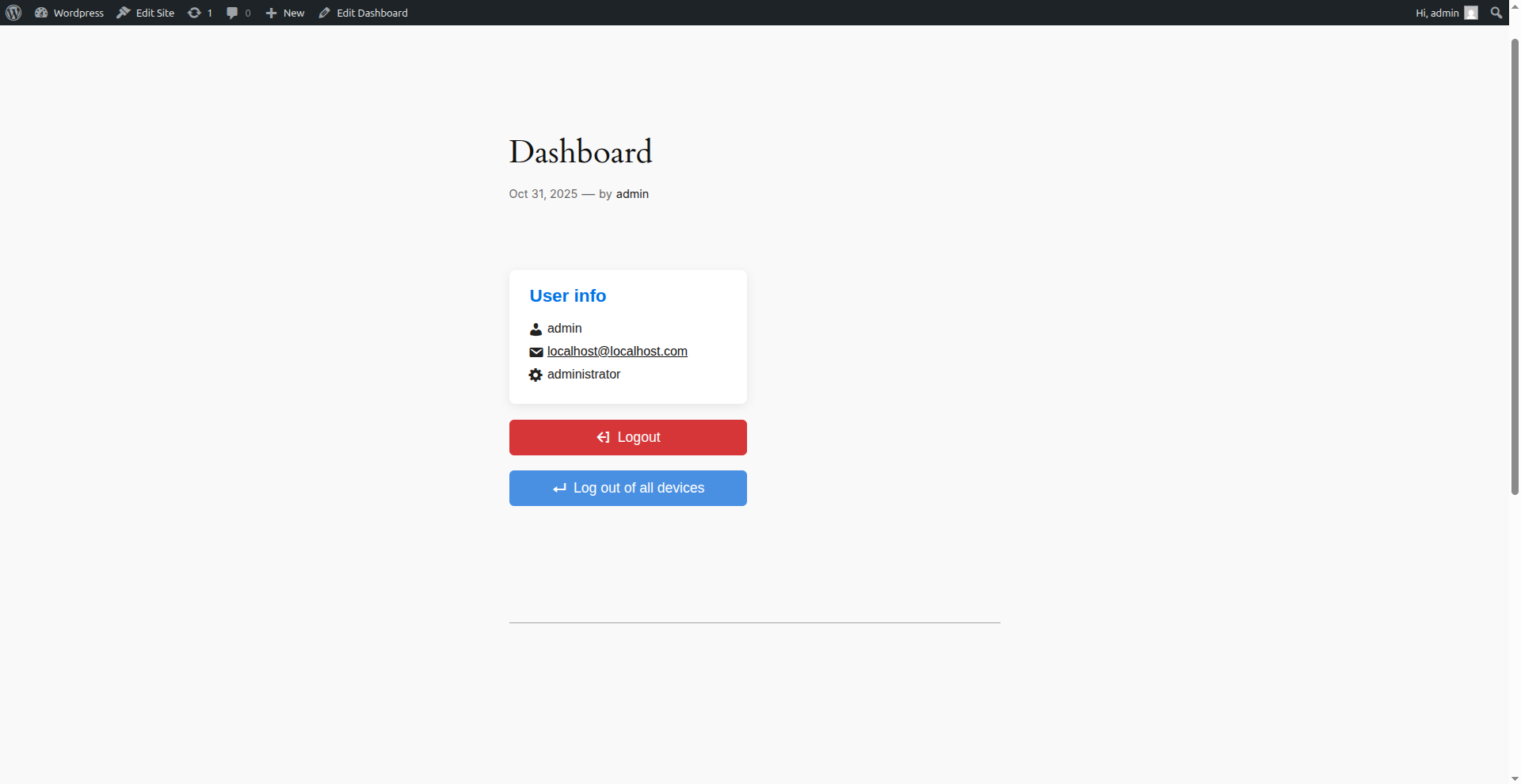
Page with user information and logout option from all devices
Установка
- Upload the plugin folder to the
/wp-content/plugins/directory. - Activate the plugin via the ‘Plugins’ menu in WordPress.
- Configure the dashboards, the user roles that can access them, and the login page to which users will be redirected.
- Insert the shortcodes into pages or posts to display the login, logout, etc. forms.
Часто задаваемые вопросы
-
What happens if a user tries to access a dashboard without the correct role?
-
The plugin automatically checks permissions. If a user lacks the required role or is not logged in, they will be redirected to the login page configured in the settings, and the unauthorized attempt will be recorded in the security logs.
-
Can I use this plugin alongside other membership plugins?
-
Yes. Comblock Login works independently using native WordPress roles and sessions. It is designed to be lightweight and won’t conflict with plugins like WooCommerce or MemberPress.
-
Does the «Logout from all devices» feature affect other users?
-
No. It only terminates sessions for the currently logged-in user who clicks the button. It is a per-user security feature.
-
How can I customize the look of the login form?
-
The login form is generated with standard HTML classes. You can easily style it using your theme’s CSS or by passing a custom class through the
classattribute in the shortcode:[comblock_login class="my-custom-form"]. -
Are custom meta fields from ACF or WooCommerce supported?
-
Yes, but for security reasons, they must be explicitly allowed using the
comblock_login_user_info_allowed_fieldsPHP filter. Please refer to the «Usage» section for a code example. -
Does the plugin support SSL/HTTPS?
-
Absolutely. The plugin uses secure session cookie management and follows WordPress best practices for SSL-encrypted connections.
Отзывы
Нет отзывов об этом плагине.
Участники и разработчики
«Comblock Login» — проект с открытым исходным кодом. В развитие плагина внесли свой вклад следующие участники:
Участники
Перевести «Comblock Login» на ваш язык.
Заинтересованы в разработке?
Посмотрите код, проверьте SVN репозиторий, или подпишитесь на журнал разработки по RSS.
Журнал изменений
1.0.0
- Initial version with login, logout, multiple dashboards, and integrated security management.