

Описание
The Most Trusted WordPress Migration & Backup Plugin Since 2013
All-in-One WP Migration is the gold standard for WordPress site migration and backup, used by over 60 million websites worldwide — from small blogs to Fortune 500 companies and government agencies. Whether you need to migrate WordPress to a new host, create a full site backup, or restore a previous backup, our plugin offers enterprise-grade reliability with beginner-friendly simplicity.
Why Choose All-in-One WP Migration?
- Effortless Migration: Migrate your entire site with a single click — including database, media, themes, and plugins
- One-Click Backup: Create a complete WordPress backup before you migrate, so you can restore anytime
- Zero Downtime: Complete your migration with no service interruptions
- Universal Compatibility: Migrate between any hosting providers — from budget shared hosting to high-end dedicated servers
- Technical Excellence: Engineered for reliability with memory-efficient processing (512KB chunks), ideal for resource-limited environments
- No Technical Skills Required: Intuitive interface lets anyone migrate or backup a WordPress site without technical expertise
- Cross-Database Support: Migrate seamlessly between MySQL, MariaDB, and SQLite databases
- Secure & Reliable: Trusted by Boeing, NASA, Harvard, Stanford, Automattic, and government agencies worldwide
How to Migrate WordPress — Simple as 1-2-3:
- Install the migration plugin on your source and destination sites
- Backup & Export your site to a .wpress backup file with one click
- Import & Migrate using our drag-and-drop importer on your destination site
For Developers & Power Users:
- Advanced Find & Replace: Control exactly what changes when you migrate
- Selective Migration & Backup: Include or exclude specific content types from your migration or backup
- PHP 5.3-8.4 Compatibility: Works across virtually all hosting environments
- Custom WPress Format: Our optimized archive format ensures data integrity
- Hook System: Extensive API for custom integration and workflows
- Command-Line Support: Automate migrations and backups via WP-CLI
Premium Extensions:
Enhance your migration and backup workflow with our premium extensions:
- Unlimited Migration Size: Migrate sites of any size with no file limits
- Cloud Backup & Migration: Backup and migrate directly to/from Dropbox, Google Drive, OneDrive, and more
- Multisite Migration: Migrate complex WordPress multisite networks
- Scheduled Backups: Automated, recurring WordPress backups on your schedule
- Database Filtering: Exclude specific tables or data from your migration or backup
Возможности:
- WCAG 2.1 AA Level accessibility compliance
- Mobile-responsive interface
- Browse WPRESS files online or extract locally
- Automatic URL and path replacement during migration
- WordPress Playground integration — migrate between SQLite and MySQL
- Regular bi-weekly updates ensuring your backup and migration plugin stays compatible
- Available in 50+ languages including Japanese
Доверие правительства и крупных корпораций:
Many enterprise customers, government organizations, and universities use, love, and trust All-in-One WP Migration. Here are some: Boeing, NASA, VW, IBM, Harvard University, Stanford University, Lego, P&G, Automattic, State of California, State of Hawaii.
This broad adoption demonstrates how safe, reliable and adaptable this WordPress migration and backup plugin is for any website migration need.
Update Frequency:
Our team is dedicated to keeping this WordPress migration and backup plugin up-to-date and secure. We release updates every two weeks or at least once a month, ensuring your migration and backup workflows remain compatible with the latest WordPress versions, including beta releases. Our proactive testing and feedback to the WordPress core team help in preemptively addressing any potential issues, so you can always migrate and backup with confidence.
Полная совместимость и поддержка:
All-in-One WP Migration has been extensively tested and confirmed to be compatible with most WordPress plugins and themes, so you can migrate and backup without worrying about conflicts.
This means you don’t experience cross-plugin compatibility issues that can slow down or break your WordPress site when you migrate.
All-in-One WP Migration has partnered with multiple theme and plugin vendors to distribute their products with us as a single, easy-to-install migration and backup package.
These vendors trust our migration plugin to provide their customers with reliable product delivery, support, migrations, and backups.
Поддерживается облачное хранилище:
All-in-One WP Migration supports backup and migration to all major cloud storage services.
The plugin comes preinstalled on all Bitnami WordPress sites running on AWS, Google Compute Cloud, and Microsoft Azure — ready to migrate and backup out of the box.
Примеры использования:
- Small Business Migration: A small online retailer used All-in-One WP Migration to migrate to a more robust hosting solution, creating a full backup before the migration and completing the move without downtime during peak shopping season.
- Educational Migration: A prominent university utilized All-in-One WP Migration to migrate and consolidate multiple departmental sites into a single WordPress network, with automated backups ensuring no data was lost during migration.
- Government Migration: Following a directive to improve digital accessibility, a government agency used our migration plugin to migrate their content to a new, compliant platform without impacting public access to critical information.
Свяжитесь с нами
- Сообщите об уязвимости в системе безопасности
- Получите бесплатную помощь от нас здесь
- Сообщить об ошибке или запросить функцию
- Подробнее о нас
Политика конфиденциальности
All-in-One WP Migration разработан для полного уважения и защиты личной информации своих пользователей. Он запрашивает ваше согласие на сбор адреса электронной почты пользователя при заполнении контактной формы плагина.
All-in-One WP Migration полностью соответствует требованиям General Data Protection Regulation (GDPR).
Смотрите наши Политика конфиденциальности в соответствии с GDPR здесь.
Скриншоты
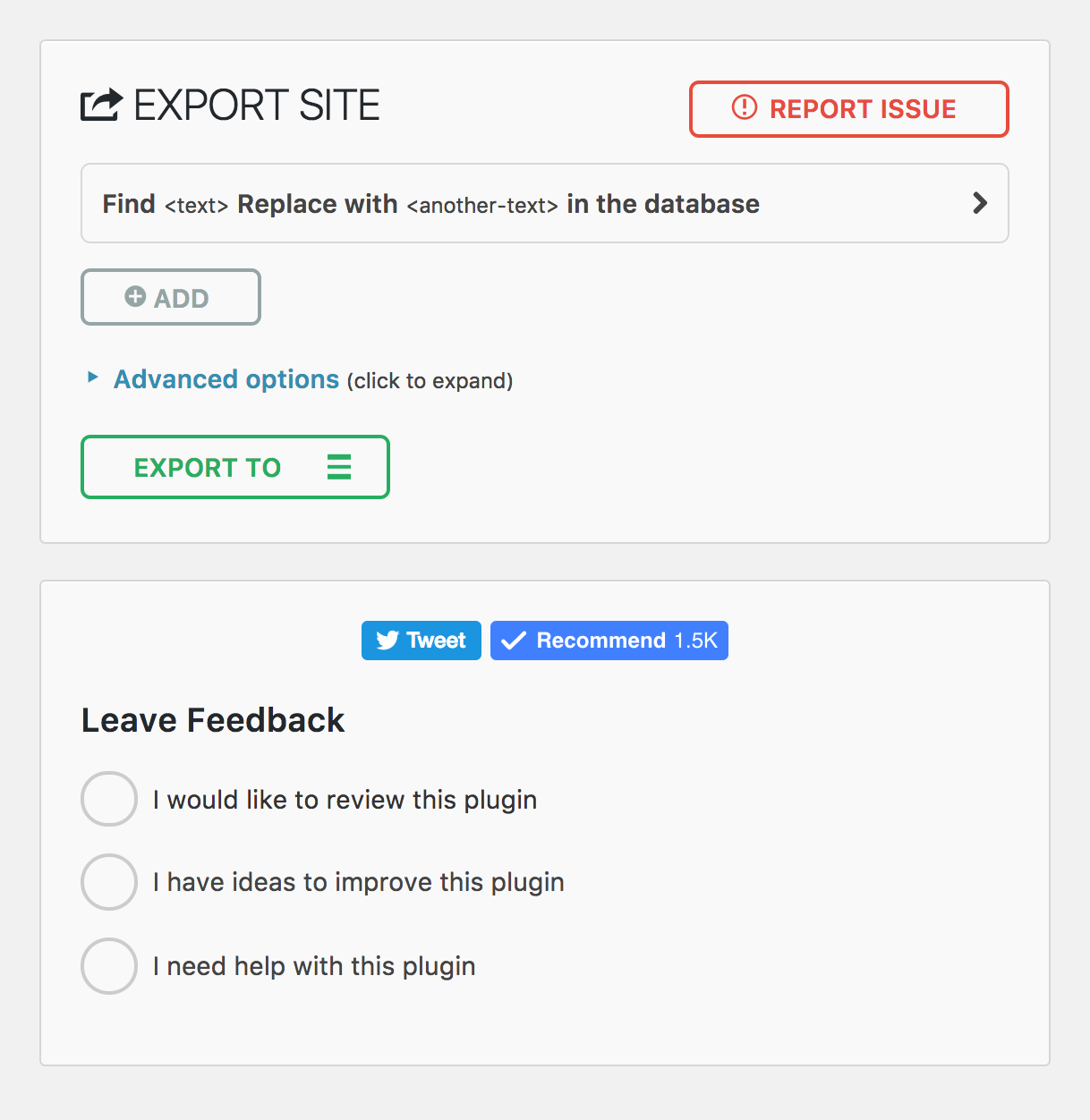
Страница мобильного экспорта 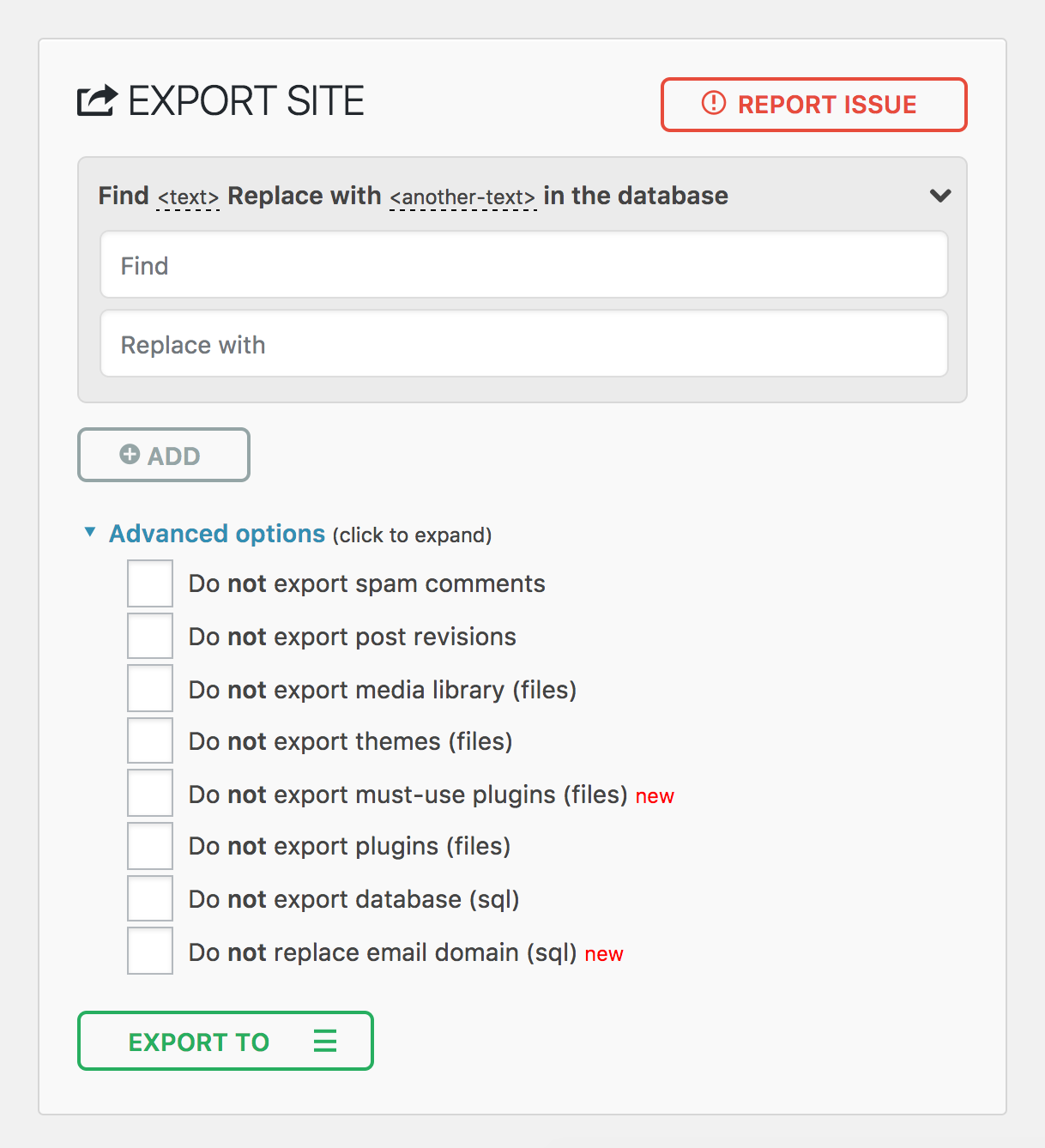
Страница мобильного импорта 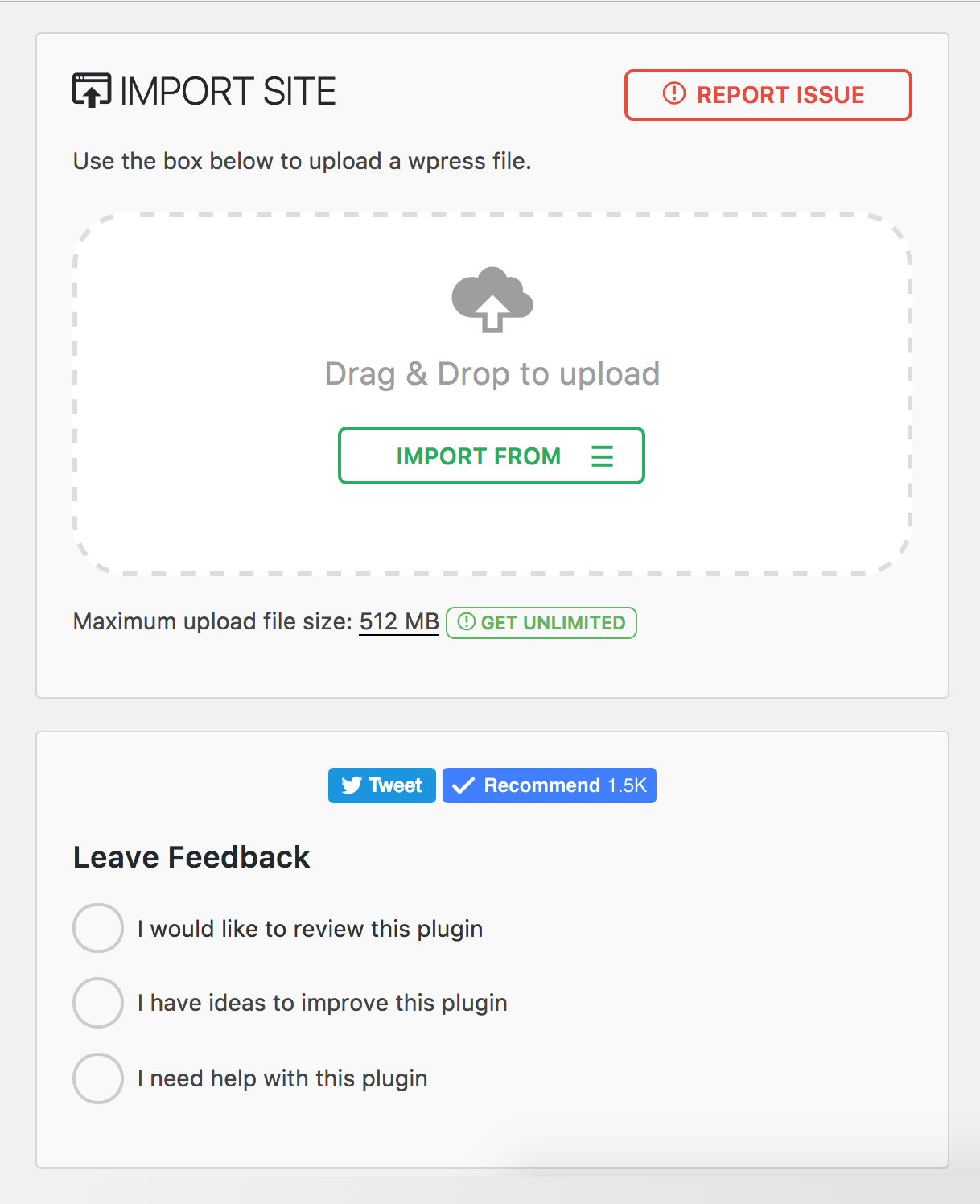
Меню плагина 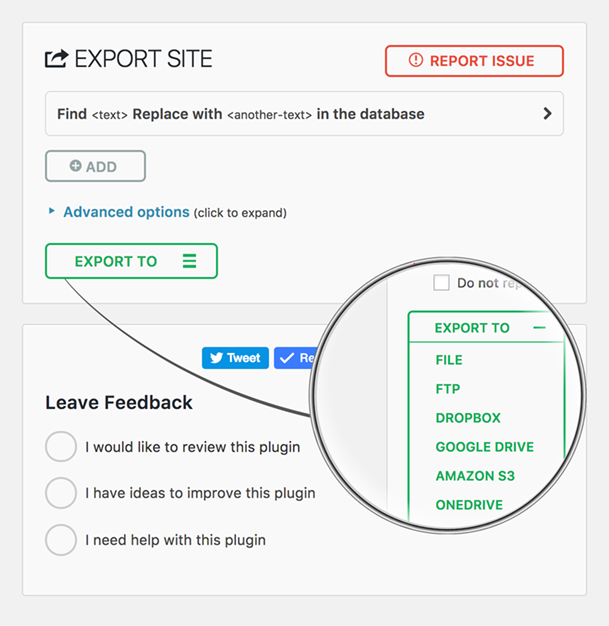
Установка
- All-in-One WP Migration можно установить непосредственно через панель управления плагинами WordPress.
- Щелкните «Добавить новый» и найдите «All-in-One WP Migration»
- Установить и активировать
В качестве альтернативы вы можете загрузить плагин, используя кнопку загрузки на этой странице, а затем загрузить папку all-in-one-wp-migration в каталог /wp-content/plugins/ и активировать через консоль Plugins в WordPress
Часто задаваемые вопросы
-
How do I migrate my WordPress site to a new host?
-
Install All-in-One WP Migration on your current site and click Export. The plugin creates a single
.wpressfile containing your entire WordPress site — database, media, themes, and plugins. Then install a fresh copy of WordPress on your new host, install the plugin there as well, and use the Import feature to upload the.wpressfile. The plugin will migrate everything automatically, including updating all URL references and handling serialized data safely. You can migrate between any hosting providers — from shared hosting to dedicated servers.Before you migrate, we recommend lowering your DNS TTL to 300 seconds at least 48 hours in advance, and keeping your old host active for 7–14 days as a safety net in case you need to roll back.
-
How do I backup and restore my WordPress site?
-
To create a backup, go to All-in-One WP Migration > Export and choose your backup destination — local download or cloud storage. The plugin creates a complete backup of your entire WordPress site in a single
.wpressfile. To restore a backup, go to All-in-One WP Migration > Import and upload or select your.wpressbackup file. The plugin will restore your database, themes, plugins, and media files automatically. After restoring a backup, clear all caches and re-save your permalink settings under Settings > Permalinks.For best results, use a hybrid backup strategy: cloud storage for automated daily backups and local copies for fast recovery. Follow the 3-2-1 rule — maintain three copies of your data across two different storage types, with one stored off-site.
-
Can I migrate a WordPress multisite network?
-
Yes. The Multisite Extension allows you to migrate an entire WordPress multisite network as a single
.wpressfile. You can also extract a single subsite — when you migrate a subsite, the plugin automatically converts table prefixes and reorganizes media file paths. Multisite migrations require special handling because the network uses shared database tables for users and per-site tables with unique prefixes. We recommend at least 512 MB of PHP memory for large multisite migrations. -
What if my backup file exceeds the upload size limit?
-
If your server rejects a backup file as too large during import, you have several options. You can increase the PHP upload limit by adding
php_value upload_max_filesize 512Mandphp_value post_max_size 512Mto your.htaccessfile, or setclient_max_body_size 512mfor Nginx servers. For sites that require unlimited upload size, the Unlimited Extension removes all file size restrictions set by your host. -
How do I migrate a WooCommerce store?
-
You can migrate a WooCommerce store the same way you migrate any WordPress site — export on your current host and import on the new one. However, after you migrate a WooCommerce store, you should immediately verify that payment gateway API keys are configured correctly, update any webhook URLs to reference your new domain, and run a small real transaction to confirm checkout works end-to-end. We recommend enabling maintenance mode on your old server after DNS propagation to prevent split orders during the transition. See our full WooCommerce migration guide for detailed steps.
-
Will my SEO rankings be affected when I migrate?
-
If you migrate to the same domain on a new host, your SEO rankings should remain intact because All-in-One WP Migration preserves all your content, URLs, and metadata exactly as they were. If you migrate to a new domain, set up proper 301 redirects mapping every old URL to its new equivalent and use Google Search Console’s «Change of Address» tool. A temporary ranking fluctuation of 10–20% in the first 1–2 weeks after a domain migration is normal. Keep your redirects active for at least one year. See our SEO migration checklist for a complete guide to preserving your rankings when you migrate.
-
How do I troubleshoot a failed migration or import?
-
The most common issues after you migrate and their solutions:
- White screen: Enable
WP_DEBUGinwp-config.phpto see the actual error. Verify PHP version compatibility between your old and new servers. - Database connection error: Check that
DB_NAME,DB_USER,DB_PASSWORD, andDB_HOSTinwp-config.phpmatch your new server’s settings. - 404 errors on all pages: Re-save permalinks under Settings > Permalinks to regenerate rewrite rules.
- Broken images: Verify the
wp-content/uploads/directory transferred completely with correct permissions (755 for directories, 644 for files). - Import stuck or frozen: Increase PHP
max_execution_timeandmemory_limit, or use WP-CLI to migrate from the command line:wp ai1wm restore backup.wpress.
For a comprehensive list of migration troubleshooting tips, see our migration troubleshooting guide.
- White screen: Enable
-
Can I migrate between different database types?
-
Yes, All-in-One WP Migration supports cross-database migration between MySQL, MariaDB, and SQLite. This is especially useful when you migrate sites to or from WordPress Playground, which uses SQLite. The plugin handles all database schema differences automatically — you simply export from one environment and import into the other.
-
Can I automate my backups and migrations using WP-CLI?
-
Yes. All-in-One WP Migration includes full WP-CLI support for command-line automation. Use
wp ai1wm backupto create a backup andwp ai1wm restore backup.wpressto restore or migrate from a backup file. This is ideal for developers who need to migrate sites in automated workflows, CI/CD pipelines, or scheduled backup scripts. Combined with cron jobs, WP-CLI lets you automate your entire backup strategy without touching the WordPress dashboard.
Отзывы


Участники и разработчики
«All-in-One WP Migration and Backup» — проект с открытым исходным кодом. В развитие плагина внесли свой вклад следующие участники:
Участники


«All-in-One WP Migration and Backup» переведён на 58 языков. Благодарим переводчиков за их работу.
Перевести «All-in-One WP Migration and Backup» на ваш язык.
Заинтересованы в разработке?
Посмотрите код, проверьте SVN репозиторий, или подпишитесь на журнал разработки по RSS.
Журнал изменений
7.103
Добавлено
- MariaDB-specific database driver with support for INET4, INET6, UUID, XMLTYPE, and VECTOR column types
- Server version parsing utility for improved database version detection
Исправлено
- Path traversal vulnerability in download_file() that could allow arbitrary file reads
- Path traversal validation when extracting files from archives
- Stale backups path option after server migration now auto-resets to default
Улучшен
- Database export and import refactored for better separation of concerns — column types, column options, table options, and collations are now handled independently
- Expanded collation downgrade support including utf8mb4_0900_as_ci, utf8mb4_0900_as_cs, utf8mb3_* variants
- MariaDB-specific table options now properly handled (Aria engine, page compression, system versioning, encryption)
- Additional MariaDB storage engines (S3, ColumnStore, Spider, CONNECT, Mroonga) now convert to InnoDB on import
- Social share buttons replaced with lightweight static links (removed third-party JavaScript from Facebook, Twitter, and YouTube)
- Cached database server info calls for better performance
- functions.php now loads before constants.php for correct initialization order
7.102
Добавлено
- Clean storage folder option on backups page
- Archive validation before listing files for improved reliability
- Minimum required versions check
Исправлено
- Offset handling in archiver for correct data processing
- File extractor offset and file read operations
- Missing esc_html() function call for improved security
- FDP must-use plugin disabled to prevent plugin activation issues during import
Улучшен
- CSS styling alignment with schedules page
- WordPress 6.9 compatibility
7.101
Исправлено
- File size and modification time type handling in archive for improved compatibility with PHP strict mode
- Post revisions exclusion to properly exclude associated postmeta entries during export
Улучшен
- Upgraded to full Vue 3 framework for enhanced performance and reduced bundle size
7.100
Улучшен
- Upgraded PHP and JavaScript dependencies to their latest versions
7.99
Добавлено
- Gzip compression support for file operations to improve backup file handling
Исправлено
- jQuery deprecated bind() method replaced with on() for better compatibility
- File upload security by removing stripslashes_deep on $_FILES input
Улучшен
- Stream operations replaced with ai1wm_write() for enhanced reliability
- Update javascript dependencies to use latest versions
7.98
Добавлено
- WP_IMPORTING constant for better hosting providers compatibility
Исправлено
- Stored Cross-Site Scripting vulnerability in file upload (CVE-2025-8490). Thank you WordFence and Jack Pas for reporting this. What you need to know.
- File upload exceptions handling for better error reporting
Улучшен
- PHP 8 compatibility issues in MySQLi database handler
- File uploader refactored for enhanced security and reliability
7.97
Добавлено
- SQLite support in AUTO_INCREMENT check
Исправлено
- Database replacement for serialized values to handle edge cases with string length validation
7.96
Добавлено
- Admin notice warning when AUTO_INCREMENT is missing on wp_options table
7.95
Добавлено
- New action hook ai1wm_status_export_init for developers on export initialization
Исправлено
- Theme export progress display showing incorrect percentage
- Uninstall.php script functionality
- Export and import button ordering
- Dropdown height styling issues
7.94
Добавлено
- Refresh Elementor plugin cache on import
7.93
Исправлено
- Compatibility issue with PHP 7 and PHP 5 due to trailing comma in style registration
7.92
Улучшен
- Passed Plugin Check Plugin (PCP) validation
- Archive name generation
7.91
Добавлено
- Поддержка CiviCRM для WordPress
7.90
Добавлено
- Введена константа отключения позднего поиска строк в MySQL для повышения производительности базы данных
Улучшен
- Улучшенная интеграция базы данных SQLite для повышения стабильности и эффективности
- Усилен механизм замены сериализации для устранения неаутентифицированной уязвимости PHP Object Injection (CVE-2024-10942). Особая благодарность Webbernaut за ответственное раскрытие этой проблемы
- Сохранили опцию wp_rocket_settings при экспорте для улучшения пользовательского опыта
Исправлено
- Решенные предупреждения об устаревании PHP 8.4
7.89
Улучшен
- Обновлен до Node.js 22 для повышения производительности и безопасности
- Обновление всех зависимостей плагинов для обеспечения бесперебойной и безопасной работы
7.88
Исправлено
- Исправлена проблема, из-за которой прогресс загрузки застревал на отметке 100%
- Исправлена проблема, из-за которой загрузку нельзя было отменить до ее завершения
Улучшен
- Улучшены сообщения для пользователей: они стали более дружелюбными, прямыми, последовательными и информативными.
7.87
Исправлено
- Resolved a vulnerability where error logs were publicly accessible with a known name by appending random affixes to error log filenames, making them unguessable. Error logs are now automatically deleted daily and during plugin updates. Special thanks to villu164 for responsibly disclosing this issue.
- Устранена уязвимость, при которой пользователь-администратор мог внедрить произвольный PHP-код через определенные входные данные. Для устранения этой уязвимости требуется доступ на уровне администратора, что гарантирует, что неавторизованные пользователи не смогут выполнить это действие. Особая благодарность Ryan Kozak за ответственное раскрытие этой проблемы.
7.86
Исправлено
- Решена проблема с совместимостью с PHP 8.4 и восстановлением файлов резервных копий через WP-CLI
7.85
Добавлено
- Совместимость с PHP 8.4
7.84
Добавлено
- Новые крючки в процессах экспорта и импорта, позволяющие выполнять пользовательские действия и интеграции
7.83
Исправлено
- Решена проблема, из-за которой скачивание файлов резервных копий не удавались на среде WordPress Playground
7.82
Добавлено
- Поддержка SQLite
- Поддержка WordPress Playground
7.81
Добавлено
- Reset Hub Page: Introducing a new reset hub page, providing users with powerful reset tools for efficient site management. This feature allows for easier resets of WordPress environments, facilitating smoother development and testing workflows.
Улучшен
- Улучшенная поддержка W3TC
- Проверка совместимости с PHP: отображение предупреждения при переносе/восстановлении сайта на другую версию PHP.
7.80
Добавлено
- Поддержка плагина update-services
- Преобразование доменного имени в тире из точек в резервном имени для улучшения совместимости с хостинг-провайдерами
Улучшен
- Улучшенная поддержка экспорта и импорта из мульти-сайтового режима в автономный и из автономного в мульти-сайтовый, что упрощает процесс миграции
7.79
Добавлено
- Support for WordPress v6.4
7.78
Добавлено
- В плагине реализована новая страница «Расписания», на которой отображаются различные расширенные функции, эксклюзивные для расширений премиум-класса.
7.77
Добавлено
- Протестировал новую версию WordPress 6.3.
7.76
Исправлено
- Удален ярлык [beta] из расширенных настроек