1. Go to WordPress Dashboard > RS Header-Footer > All Header Footer
2. Click Add New Template and choose Header

3. When you want to use the header for entire website then select the display condition entire website.

4. When you want to use the specific header then choose the display condition specific page.

5. If you want to enable elementor default canvas layout then check the box.

6. Header Footer Widget Enable Disable.

Header Layout With Topbar
A header with topbar have to placed inside a wrapper container.

Sticky Header
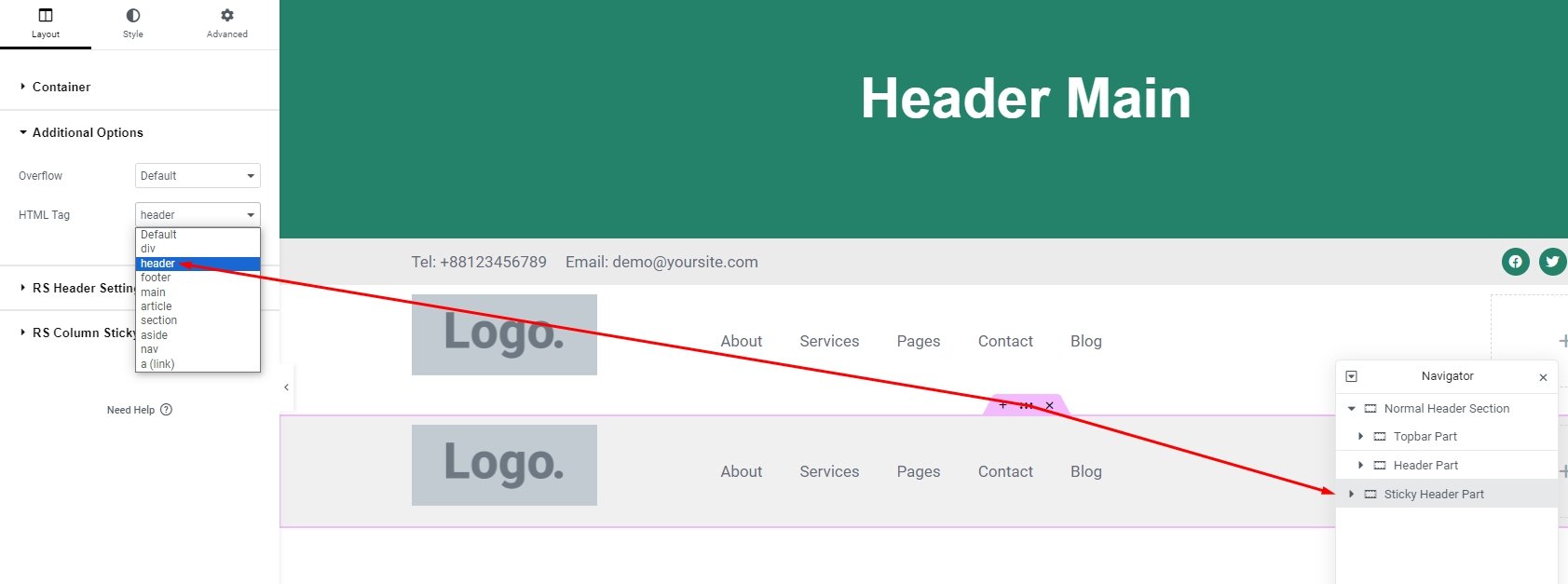
1. Create a new container after normal header section & select this one as sticky part like screen shoot below.

2. Make sure sticky header part have selected header tag like this screen shoot.