

Descripziun
MultiWeather lets you drop gorgeous, data-rich weather cards into any page or post using shortcodes.
Powered by OpenWeather (weather) and Open-Meteo (marine/tide), MultiWeather supports:
– Current conditions
– Hourly & daily forecasts
– Moon phase & icons
– Sunrise/sunset with local time
– Marine data (waves, sea surface temperature, sea level)
– Tide gauges and tide trend visuals
Works with Classic Editor, block themes, page builders, and multiple cards per page.
What you get with MultiWeather Pro
– Auto location selector (user-controlled): Visitors can use their current location (optional + permission-based) so the same page can show their local weather.
– 50+ additional weather & tide cards: A large library of layouts including compact cards, detailed forecast cards, marine cards, and tide-focused cards.
– Extra Info page (Pro-only):
– Today’s Weather Overview
– Next 96 hours (hour-by-hour)
– Next 60 minutes precipitation (where supported by the data source)
– Extended tide range: Up to 1 month of tides, displayed in calendar and graph formats (cards that support tides).
– Future upgrades included: Pro users receive all feature upgrades and improvements released for MultiWeather Pro.
Note: Some features depend on data availability for your location (especially marine/tide and minute precipitation).
Highlights
– 60+ responsive card layouts (16 with free version) (current, hourly, daily, marine, tide)
– Multiple locations via shortcode attributes (lat, lon, label, units)
– Metric & imperial units (°C/°F, km/h/mph)
– Tide and marine integration (where supported)
– Local-time rendering via JavaScript for sunrise/sunset and “last updated”
– Caching of external API calls with transients to reduce load
– Translation-ready (text domain: multiweather)
Maletgs dal visur

Example current + 3-day forecast card 
Tide and marine card with gauge and moon phase 
Compact card with icons and precipitation 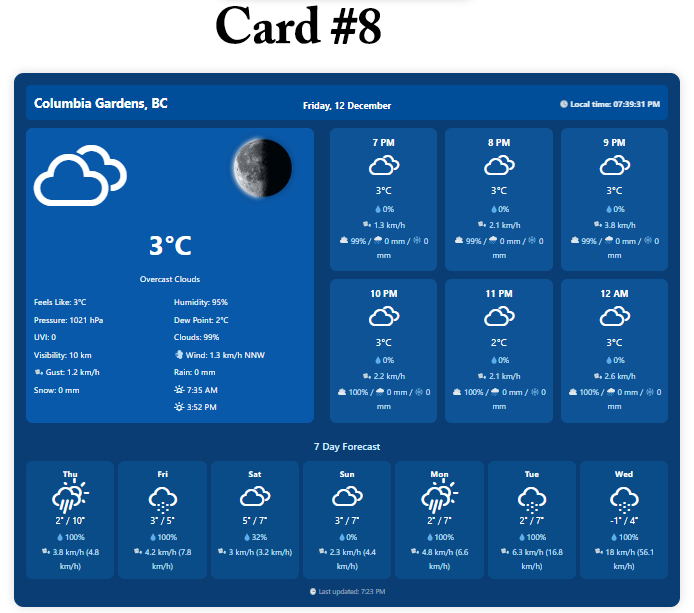
Large full weather card 
Settings page showing API configuration and defaults 
(Cards 6–65) Additional examples of available card layouts (images labeled by card number) 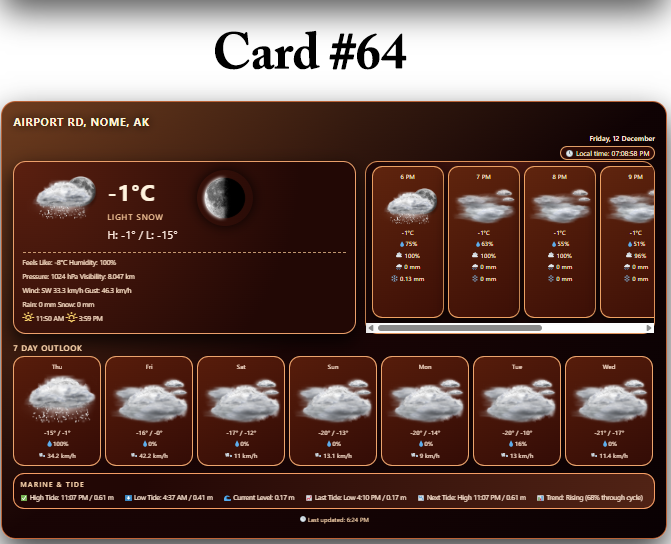


Installaziun
- Upload to
/wp-content/plugins/multiweather/or install via WP Admin (Plugins Add New Upload Plugin). - Activate MultiWeather Pro. ( Be sure to opt in)
- Go to Settings MultiWeather and:
- Enter your API key(s)
- Choose default units and options
- Insert a shortcode into a page/post, for example:
[mwpl_weather_card lat=“49.2827″ lon=“-123.1207″ label=“Vancouver, BC“ card=“8″ units=“metric“]
FAQ
-
Does it work with block themes and the Block Editor?
-
Yes. You can insert the shortcode into blocks, classic editor content, or compatible page builders. A dedicated block may be added in a future release, but shortcodes work everywhere.
-
Where does the weather data come from?
-
Current and forecast data are fetched from OpenWeather (One Call API). Marine and tide-related data are pulled from Open-Meteo and, where configured, an external tide API.
-
How often does it update?
-
Requests are cached in WordPress transients to reduce API load. You can control cache duration via filters or settings. Each card uses the latest data from the cached response.
-
Can I use multiple cards on one page?
-
Yes. You can display different locations and card styles on the same page by using multiple shortcodes with different
lat,lon, andcardattributes. -
What shortcode attributes are available?
-
Common attributes:
– lat (required): Latitude, e.g. 49.2827
– lon (required): Longitude, e.g. -123.1207
– label: Display name for the location, e.g. „Vancouver, BC“
– card: Card layout ID, e.g. 8, 14, 18, 20, 22
– units: metric or imperialAdditional attributes may be documented on the settings page or in future docs.
-
Does it support translation?
-
Yes. The plugin uses the
multiweathertext domain so you can translate all strings with standard WordPress tools (Loco Translate, Poedit, etc.).
Reviews
There are no reviews for this plugin.
Contributors & Developers
“MultiWeather” is open source software. The following people have contributed to this plugin.
Contributors
Translate “MultiWeather” into your language.
Interested in development?
Browse the code, check out the SVN repository, or subscribe to the development log by RSS.
Changelog
1.0.0
- Initial public release of MultiWeather Pro
- Multiple card layouts for current, hourly, daily, tide, and marine data
- Metric/imperial unit support
- Local time rendering for sunrise/sunset and “last updated”
- Basic transient-based caching for API calls