My slides and some example scripts from my talk, “Ruby for MacAdmins”, is posted on my Github. Thanks to everyone who helps to put the conference on, it really is top notch.
Link for Ruby for MacAdmins session.
My slides and some example scripts from my talk, “Ruby for MacAdmins”, is posted on my Github. Thanks to everyone who helps to put the conference on, it really is top notch.
Link for Ruby for MacAdmins session.
Here’s a practical example of using the ARD ruby gem to help organize your Apple Remote Desktop Commands.
Let’s say you already have one saved command, named “command1”.
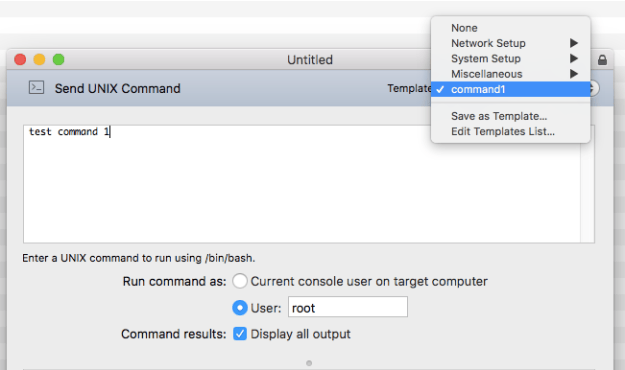
existing saved command
But you want to move “command1” into a folder named “Folder1”.
Let’s create the folder by using the ARD gem, with this command:
#usage
ARD.create_empty_folder("Name of new folder")
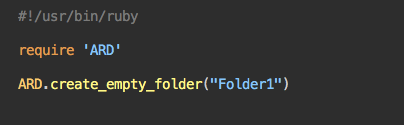
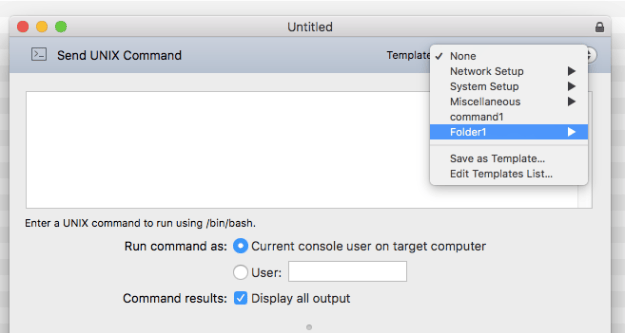
the results of running the above command
Now lets move “command1” inside “Folder1” with this command:
 #usage
 ARD.move_command("Name of command to move", "Name of folder to move to")
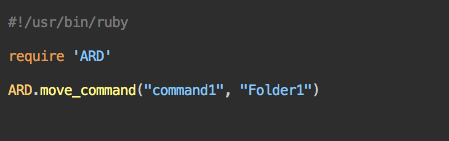
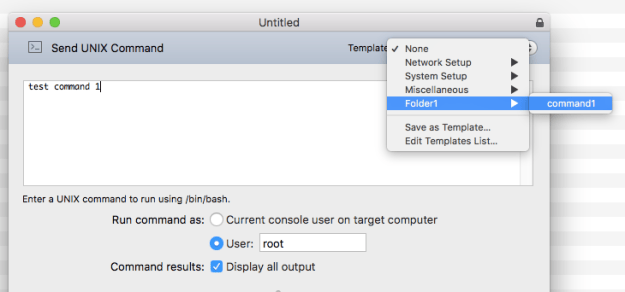
results of running the above command
“command1” is now inside the folder. You can run this command as many times as you want just replacing the name of the command, until you have everything you want moved into a specific folder. For example .. a folder named “Printer Commands” that has four commands that help you administrate printers.
Best practice is to make sure Apple Remote Desktop is closed while running the commands, then open afterwards to see results. If the “Send Unix Command” window is open in Apple Remote Desktop, you may receive an error while running the command.

