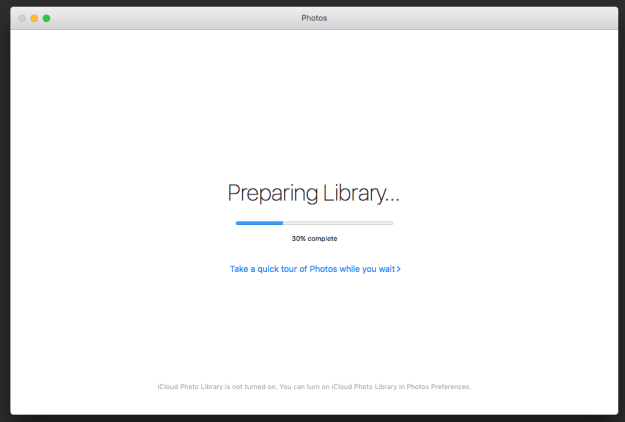
I ran into a weird issue the other day when switching a user to a new laptop. Part of the process is transferring data, usually via target disk mode. In this case an old iPhoto library from a OS X 10.9 Mavericks machine to Photos on an OS X 10.11 El Captain machine. This has been seamless in the past, as you just move the iPhoto library into the Pictures folder and double-click on it. Photos opens and automatically converts the library to a new “Photos” library.
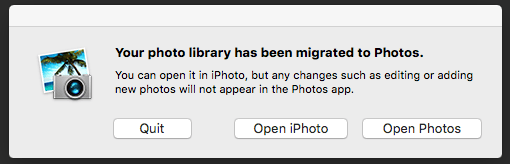
This time something strange happened, I’m not even sure what. I suspect the user created a new Photos library by importing photos from his phone. Then dragged the iPhoto library in and tried to double-click it. Either way, the user got an error message, “Your Photo Library has been migrated to Photos”. But on opening “Photos”, only the new photos imported from his phone were there.
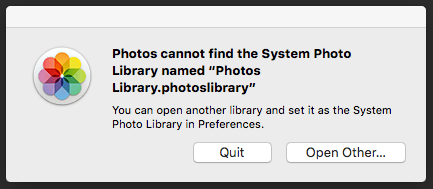
This lead to a cycle of deleting the “Photo” library and trying to double-click the iPhoto library over and over. Now “Photos” complained that the it can’t find the Systems Photo Library. Which means you have to make a new Library that’s empty, which leads back to the iPhoto Library already being migrated.
After deleting every preference file, cache, container, group container, and application support folder I thought might apply … I still had the same issue.
That’s when I decided to look in the Pictures folder for a hidden file, something to do with “migrated”. To my surprise, I noticed the extension of the iPhoto library had been changed to .migratedphotolibrary. I figured if I changed the extension to .photoslibrary, Maybe Photos would migrate library again.

Sure enough on changing the extension, the icon changes from the old iPhoto to the new Photos.
 >

On a double click. “Photos” open and re-migrates the library.