
What is root on Linux?
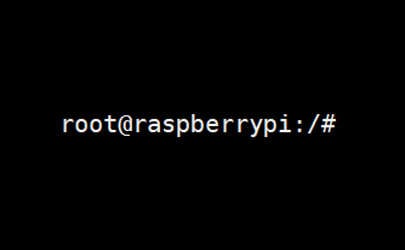
In most cases, the term “root” on Linux refers to the system administrator account. “root” is the username for this account (like “administrator” on Windows). The root user has access to everything on the system (files, services, commands, etc.).
Typically, when you install Linux on a computer or Raspberry Pi, the root user is created by default, but not always enabled. You’ll usually create and use another user account (for yourself) that has more limited privileges on the system.
Security risks
Root has superuser privileges, which means it has the highest level of access to the system.
This is convenient for system administrators, but can also be harmful, as the slightest wrong command or parameter can break everything. Using the root session directly is also risky in terms of malicious software, as installing it can break the entire system in a flash.
Bonus tip: If the terminal still feels confusing, I made a simple cheat sheet with 74 commands explained in plain English. You can grab it here for free..

If you want a clearer path than jumping from tutorial to tutorial, my book gives you a step-by-step roadmap to really understand your Raspberry Pi.
Check the book hereFor this reason, it’s not recommended to use the root user account directly. Instead, stay with your user account for day-to-day tasks, and only temporarily switch to the root session when necessary.
When connecting to a Linux server or Raspberry Pi via SSH, the root account is often forbidden and it’s not recommended to enable it (always connect as a normal user first).
Read more about security here: 17 Security Tips From A Pro To Protect Your Linux Server.
Sudo command
In most cases, you don’t even have to use the root session, as all the main distributions are now using “sudo” instead.
Bonus tip: If the terminal still feels confusing, I made a simple cheat sheet with 74 commands explained in plain English. You can grab it here for free..
Sudo is a command that is prefixed to another command and allows you to temporarily gain root privileges just to run that specific command. This is a safe way to perform tasks that require more privileges than your current user account has.

You can easily configure which users can or can’t use sudo, whether a password is required or not, etc. See the linked articles below for more details.
Root directory
Just a quick word about another use of the term “root” that you may find in some tutorials.
The term “root” also refers to the top-level directory of the Linux file system (“/”).
Something not working? Don't waste hours going in circles. Ask in the RaspberryTips Community and get help from people who've already figured it out. Get unstuck now.
Related articles
- Debian: How To Enable The Root User (Login & SSH)
- How to Easily Log In as Root on Raspberry Pi OS
- How does the Raspberry Pi File System Work?
Not getting the same result?
Even when you follow every step, small differences in OS version, hardware or config can change the outcome. Instead of wasting time guessing, get help from people who have already fixed the same kind of issue.
- Get help on your exact issue
- Access step-by-step videos for tricky setups
- Browse the website without ads