

Building links in 2026 is no longer about collecting random backlinks. Search engines and AI systems pay attention to brands that earn citations from credible sources, trusted websites, and real people.
Whether a user discovers you on Google, in an AI Overview, or through a voice assistant, your authority often comes down to who links to you, why they linked, and how relevant that connection is.
The challenge for most website owners and marketers is not whether link building works. It clearly does. The real struggle is knowing which tools genuinely help you build high-quality links without wasting time, money, or risking penalties.
You do not need fifty different platforms promising shortcuts. You need the essential ones that support discovery, outreach, optimization, and verification.
This guide will walk you through the best link-building tools to use in 2026. It covers effective tools that attract links, improve AI-driven search visibility, and build lasting online authority.
Table Of Contents
- The Only Link Building Tools You Actually Need in 2026
- The 10 Best Link Building Tools in 2026
- Rank Math SEO
- Google Search Console
- Ahrefs
- Semrush
- Google Search Operators
- BuzzStream
- Pitchbox
- Moz Link Explorer
- Respona
- Hunter.io
- How These Tools Work Together in a Real Link Building Process
- Frequently Asked Questions
- Conclusion
1 The Only Link Building Tools You Actually Need in 2026
You don’t need dozens of tools to build links, just the right stack in the right order.
| Category | Tool | Why it matters |
| On-page optimization | Rank Math | Makes your pages link-worthy, crawl-ready, and optimized so links deliver ranking value |
| Search verification | Google Search Console | Confirms real backlinks, anchor text variations, and index status seen by Google |
| Competitor research | Ahrefs or Semrush | Reveals where competitors get links and shows the exact pages you can target next |
| Outreach | BuzzStream, Respona, or Pitchbox | Turns prospects into conversations and manages follow-ups and replies at scale |
| Email finding | Hunter.io | Provides verified email addresses for decision makers and reduces outreach bounce rates |
| Free prospecting engine | Google search operators | Finds guest posts, linkable assets, resource pages and unlinked brand mentions without spending a cent |
2 The 10 Best Link Building Tools in 2026
Here are the top 10 link-building tools you actually need to find prospects, manage outreach, and track the backlinks that matter.
2.1 Rank Math SEO
Rank Math is the #1 plugin that prepares your website for the links you want to build. You can earn a thousand backlinks, but if your pages are weak or poorly optimized, those links won’t move your rankings.
Rank Math solves that at the foundation by ensuring every page is structured correctly, crawlable, and ready to absorb link authority.
What makes it stand out is real-time guidance while you create content. Rank Math checks keyword usage, headings, metadata, readability, and internal links, so you fix issues before publishing.
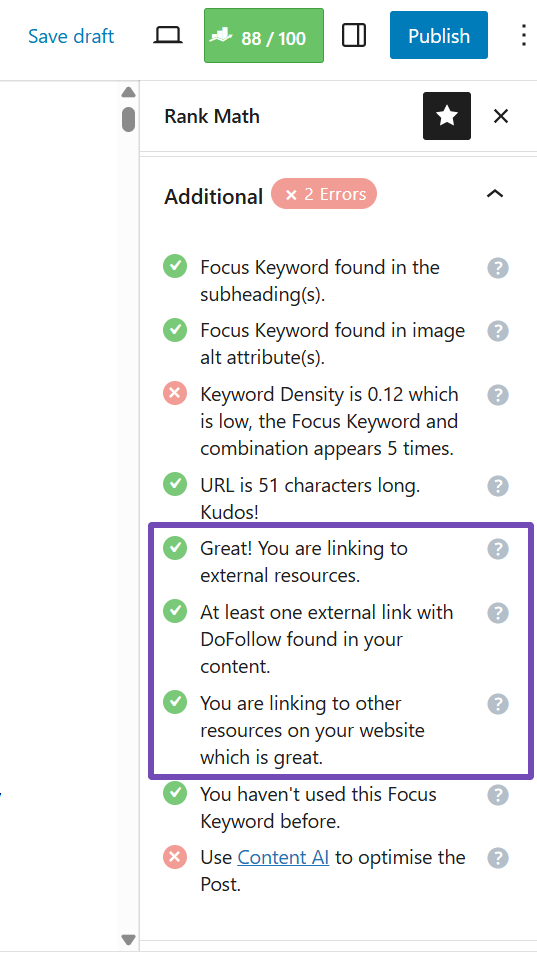
When editing a page or post, open the Rank Math meta box and check the Additional section. It clearly shows whether you’ve added internal or external links, making optimization impossible to miss.
That alone puts you ahead of sites that chase backlinks without preparing the content they want people to link to.
Rank Math also strengthens internal linking, a core element many link builders overlook. Getting a backlink to one page is helpful, but its impact multiplies when that authority flows through your site via smart internal links.
Rank Math improves internal linking, which link builders often neglect. A backlink to one page is beneficial, but its value increases as authority flows through strategic internal links.
It identifies pillar pages, which are high-value pages, and suggests link placements, transforming every backlink into a site-wide asset.

When you visit your All Posts or All Pages section, you can instantly see each page’s internal and external link count, plus whether it has incoming links from other pages on your site.

That visibility makes it easier to spot orphaned content and fix weak link structures before they hurt your rankings.
The Content AI analysis takes it further by highlighting your link counts directly in the editor and recommending relevant external link opportunities as you write.
To view this data, open the page or post you are working on and access the Content AI panel. Inside it, you will find the Link Count tab, which displays how many internal and external links your content currently has. Also, suggests external links in the Links tab.

Who should use it: Anyone serious about link building in 2026, whether you’re a small site or managing a large content library.
Best use case: Install it before starting any outreach campaign. Use it to ensure pages are technically sound and structured for both crawlers and humans. Links built on flawed on-page SEO rarely deliver results.
Skip it if: You’re not running WordPress. Otherwise, it’s essential.
Pricing: Free version available. PRO plan starts at $95.88/year.
2.2 Google Search Console
If Rank Math prepares your pages for links, Google Search Console tells you which of those links actually count in Google’s eyes.
It gives you the real backlink data Google has discovered for your domain, along with anchor text and target pages. That makes it the best source of truth when verifying whether your link-building efforts are working.
Many marketers get excited when third-party tools show hundreds of backlinks, then open Google Search Console and realize that Google has indexed only a portion of them. Those are the links that influence rankings. Everything else is noise.
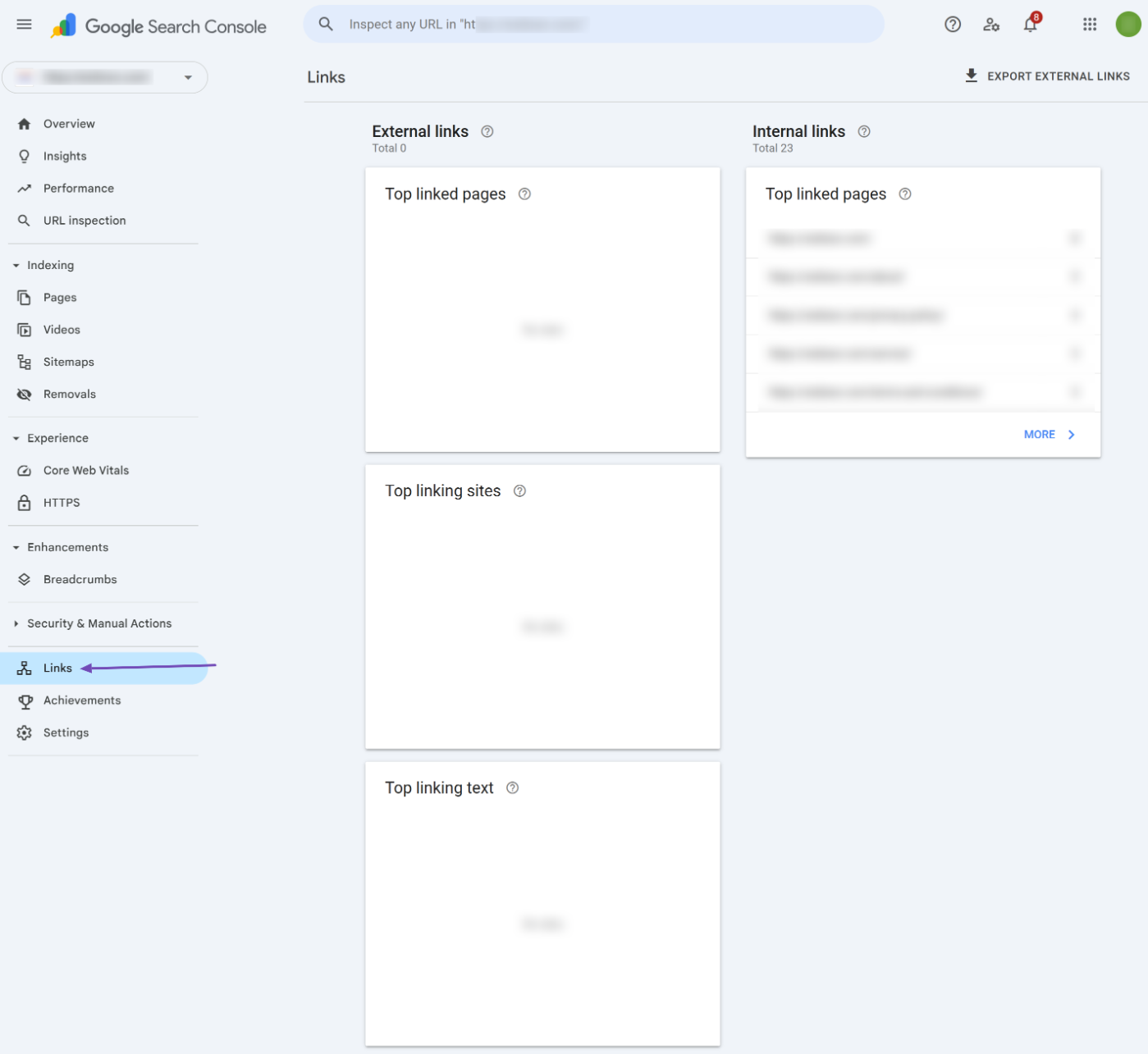
The Links report shows your top linking domains, top pages receiving backlinks, anchor text patterns, and internal link structure.
These insights reveal which pages attract natural references, which topics deserve more content, and which anchor texts might look suspicious. You can spot low-quality domains before they become a problem.
Who should use it: Everyone building links. Beginners, agencies, publishers, and SaaS teams all benefit from first-party backlink data.
Best use case: Use other tools to find opportunities and build links. Use Google Search Console to confirm which links matter and how Google interprets them.
Skip it if: You only want numbers that look good and not data that actually improves your rankings.
Pricing: Free
2.3 Ahrefs
Ahrefs is the engine room of modern link building. If Google Search Console tells you which backlinks Google has recognized, Ahrefs shows you where your competitors got theirs and which you can replicate or outperform.
Site Explorer lets you investigate any domain or URL in your niche. You can see every backlink pointing to it, the authority of referring domains, the anchor text being used, and the exact pages competitors are pushing.

Instead of asking for backlinks, you can identify link patterns that already exist. See which websites link to resources, tools, guides, or case studies in your industry, then create something better and get links from the same or higher-quality sources.
Where Ahrefs truly shines is in merging link building with content strategy. Keyword Explorer and Content Explorer reveal what people search for, what topics generate backlinks, and which pages have proven link potential.
It stops you from creating content that goes unnoticed and helps you publish material others want to reference and link to.
Who should use it: Use Ahrefs if you want to build links with intention rather than hope. Agencies, SEO teams, and brands in competitive markets rely on it because it turns link building into a measurable, replicable process.
Best use case: Start every campaign in Ahrefs. Identify pages that already attract links in your niche, study the content those sites link to, build something more useful, then move high-quality prospects into your outreach tool.
Skip it if: Your site is small, experimental, or not ready for serious SEO.
Pricing: Starts at $129/month.
2.4 Semrush
Semrush brings everything under one roof. Where Ahrefs shines in competitor backlink intelligence, Semrush adds layers of insight that support link building, content strategy, and technical SEO in a single workflow.
Most link building fails because content is chosen at random or the SEO structure beneath it is weak. Semrush solves that before you build a single link. It shows what people search for, how competitors earn links, and which content formats get referenced repeatedly. The Link Building tool helps you identify prospects, send outreach, and track replies.

Backlink Audit highlights suspicious domains and helps you decide what to remove or disavow. Not all links are good. Some can damage your authority and drag down rankings.
The Keyword Magic Tool reveals which topics people care about and which keywords have real demand. When you produce content built on that data, your pages become natural link targets. Serious brands create assets proven to attract links because there’s already interest and search volume behind the topic.
Semrush also shows backlink gaps, websites that link to your competitors but not to you. That’s an opportunity list. Approach those sites with something better and earn placements where others have already succeeded.
Who should use it: Use Semrush if you want a central system that supports the entire SEO and link-building process. Agencies, SaaS brands, eCommerce companies, and serious publishers benefit from the depth and cohesion.
Best use case: Plan campaigns in Semrush. Research keywords that matter, find backlink gaps, audit pages for technical health, then move into outreach. Monitor new links and track rankings in the same dashboard.
Skip it if: You’re running a tiny website with no real plan. Semrush becomes powerful when you have goals and the intention to build authority over time.
Pricing: Starts at $199/month.
2.5 Google Search Operators
Google might not look like a link-building tool at first glance, but in the hands of someone who knows what to search for, it becomes one of the most powerful prospecting engines available.
While paid platforms help you analyze backlinks, Google reveals real websites, real pages, and real opportunities that are already indexed and active.
Search operators turn Google into a precision instrument. Instead of scrolling endlessly, you can filter billions of pages down to exactly what you want.
Looking for blogs that accept guest posts? Use intitle:"write for us" + your topic.

Want resource pages in your niche? Try inurl:resources followed by your keyword.
Curious which sites talk about your topic but don’t mention you yet? Use "your keyword" -site:yourdomain.com.
These are shortcuts to real websites that have already shown a willingness to link or reference external content.
What makes this approach valuable is context. Every page you discover through operators already exists, has content in your niche, and has a reason to add links. You’re not seeking random companies for backlinks. You’re approaching sites that actively collect resources, publish contributions, or link to helpful material.
Who should use it: Anyone who wants to find link opportunities without relying exclusively on expensive databases. Whether you run a niche site, an agency, or a SaaS company, search operators give you access to hidden corners of the web.
Best use case: Start with a keyword related to your content, then apply operators to find pages that welcome external resources, publish expert contributions, or list relevant tools. Record promising sites, verify contacts with Hunter.io, then run targeted outreach.
Skip it if: You’re looking for automation with no effort. Google operators require judgment, strategy, and human review.
Pricing: Free
2.6 BuzzStream
BuzzStream is where link building transitions from random outreach into a real system. If Ahrefs and Semrush tell you who to target, BuzzStream helps you contact those websites, build relationships, and secure the backlinks that move rankings.
You can collect potential sites, pull in contact details, evaluate domain metrics, and store everything in a searchable database.
BuzzStream personalizes emails at scale, tracks responses, schedules follow-ups, and keeps conversations visible. That separates professionals from amateurs. Professionals follow up, stay visible, and close links.

The platform encourages personalized outreach rather than spam blasts. You can tailor each message to show you read the prospect’s content and have something valuable to offer. Your reply rates go up. Your relationships grow.
Once a backlink goes live, you can record and monitor it inside the dashboard. If a link gets removed or changed, you’ll know.
Who should use it: Choose BuzzStream if you run link building as a campaign rather than a one-time activity. Agencies, link builders, content teams, and businesses that rely on partnerships or digital PR get the most value.
Best use case: Research prospects in Ahrefs or Semrush, confirm relevance, then move those leads into BuzzStream. Write personalized outreach, schedule follow-ups, and track when links go live.
Skip it if: You’re only sending a handful of outreach emails each month.
Pricing: Starts at $24/month.
2.7 Pitchbox
Pitchbox is what BuzzStream becomes when link building stops being a task and turns into an operation. If you’re running multiple campaigns, managing team members, or working in a competitive niche, Pitchbox gives you the infrastructure to scale consistently and with accountability.
Where most outreach tools help you send emails, Pitchbox enables you to run an entire pipeline. It discovers prospects, finds contact details, organizes campaigns, schedules follow-ups, tracks responses, monitors acquired links, and keeps everything visible.

It integrates quality signals into your workflow, letting you filter targets by authority and relevance before sending a message. That means you spend time on websites that can actually move rankings.
The automation features are another advantage. You can create follow-up sequences that run automatically while still sounding like a real person wrote them.
Links rarely happen on the first email. Most are earned on the second or third polite nudge. Pitchbox removes the mental burden of remembering who to follow up with and when.
Pitchbox keeps an eye on your backlinks over time, alerting you if a link disappears, changes, or loses value.
Who should use it: Choose Pitchbox if you run link building at scale, manage multiple team members, or need a reliable system that handles everything from prospecting to follow-up and link tracking.
Best use case: Start with competitor research in Semrush or Ahrefs, pull qualified prospects into Pitchbox, let it collect contact details, then run customized outreach sequences. When links go live, log them and turn on monitoring.
Skip it if: Your outreach volume is low or you’re not ready to commit to a process.
Pricing: Starts at $195/month.
2.8 Moz Link Explorer
Moz Link Explorer is the link analysis tool people turn to for backlink data that makes sense without a PhD in SEO. It gives you a clean picture of who links to your site, which domains carry authority, and whether any parts of your backlink profile could cause trouble.
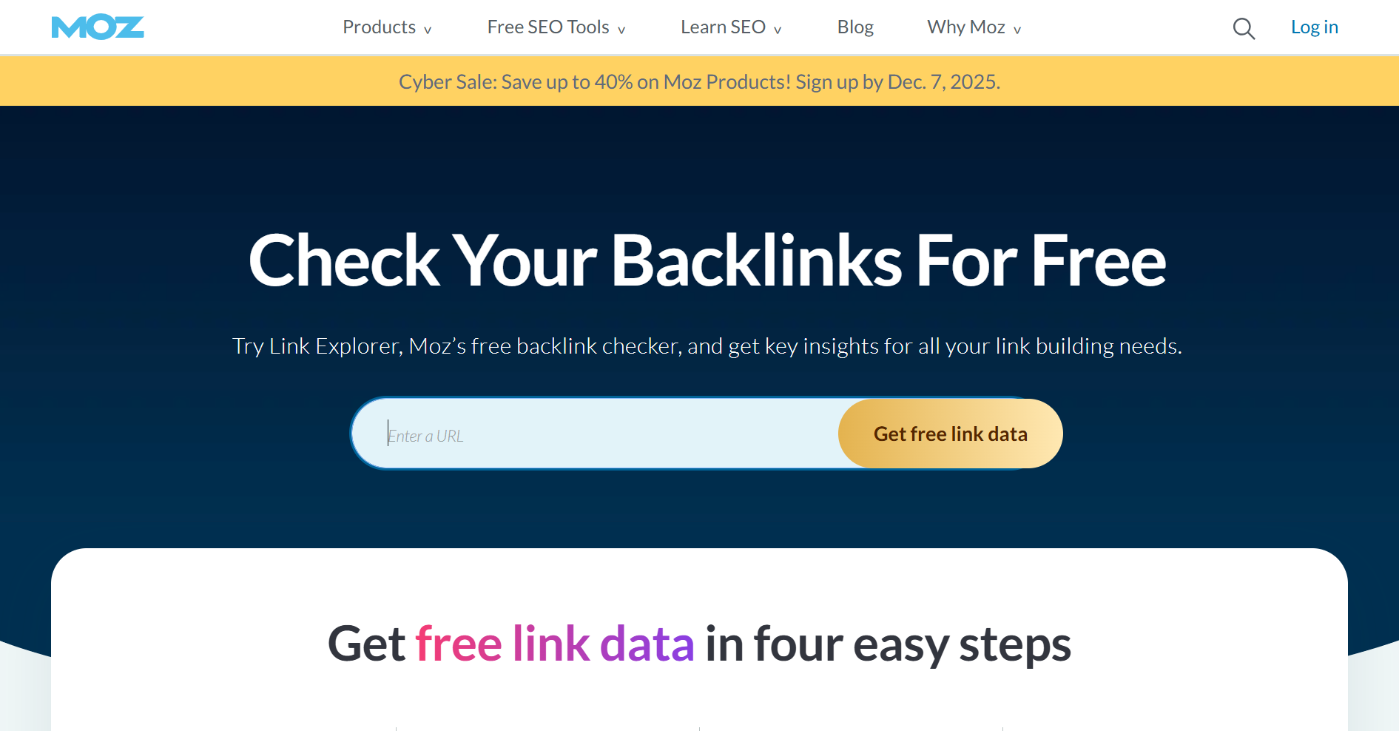
The star here is its trio of metrics: Domain Authority, Page Authority, and Spam Score. These tell you at a glance if the website linking to you is trusted, if the specific page is worth earning a link from, and if anything looks suspicious.
Moz Link Explorer also makes competitor analysis simple. Plug in a competitor’s domain and instantly see where they get links. If multiple sites in your niche are getting links from the same pages, that becomes a target list you can approach with stronger content.
Who should use it: Use Moz Link Explorer if you want an affordable, easy tool that shows your link profile, risks, and opportunities. Small businesses, bloggers, and early-stage brands find it useful because the learning curve is low.
Best use case: Run a link audit here before outreach. Check your current links, evaluate their authority and safety, and uncover sites linking to your competitors but not to you.
Skip it if: You handle enterprise-level link campaigns or need aggressive backlink discovery and real-time competitor monitoring.
Pricing: Starts at $49/month
2.9 Respona
Respona is the outreach tool built for people who want results without drowning in busywork. If Ahrefs or Semrush helps you find link opportunities, Respona helps you turn those opportunities into actual conversations and backlinks.
Instead of copying prospects into a sheet and manually hunting for emails, Respona pulls contact data for you and suggests the right person to speak to. That alone makes your outreach feel professional.
Respona encourages thoughtful outreach. It gives you templates, but it pushes you to personalize them. You can reference the recipient’s content, comment on their recent work, or pitch an idea aligned with their audience. This type of outreach gets replies.

What makes Respona stand out is its flexibility. You can use it for guest posts, broken-link outreach, resource-page pitches, brand-mention campaigns, podcasts, or digital PR. If your strategy changes, the tool adapts.
When a link goes live, you can keep it in your dashboard and monitor outcomes. Campaign data shows which emails worked, which angles landed, and how many touches it took to convert a prospect. Over time, this builds a repeatable process.
Who should use it: Choose Respona if you want to run genuine outreach without spending hours finding prospects and chasing replies. SaaS companies, niche site owners, consultants, and small agencies love it.
Best use case: Use Ahrefs or Semrush to find sites already linking to similar content. Export that list into Respona, pull verified contacts, craft a pitch aligned with what those sites already publish, and let Respona run your follow-ups.
Skip it if: You’re only experimenting with link building or send outreach once in a while.
Pricing: Starts at $198/month.
2.10 Hunter.io
Hunter.io is the part of your link-building stack that turns research into action. When you find websites worth pitching, you need someone to contact. Not a generic support inbox, but a real human who can approve your guest post or add your resource link.
Hunter.io makes that step quick. You enter a domain or a person’s name, and it finds a verified email address.
This removes one of the biggest bottlenecks in link building. Most outreach dies before it starts because people never reach the right inbox. Hunter.io pulls emails from public sources, verifies deliverability, and reduces bounce rates.
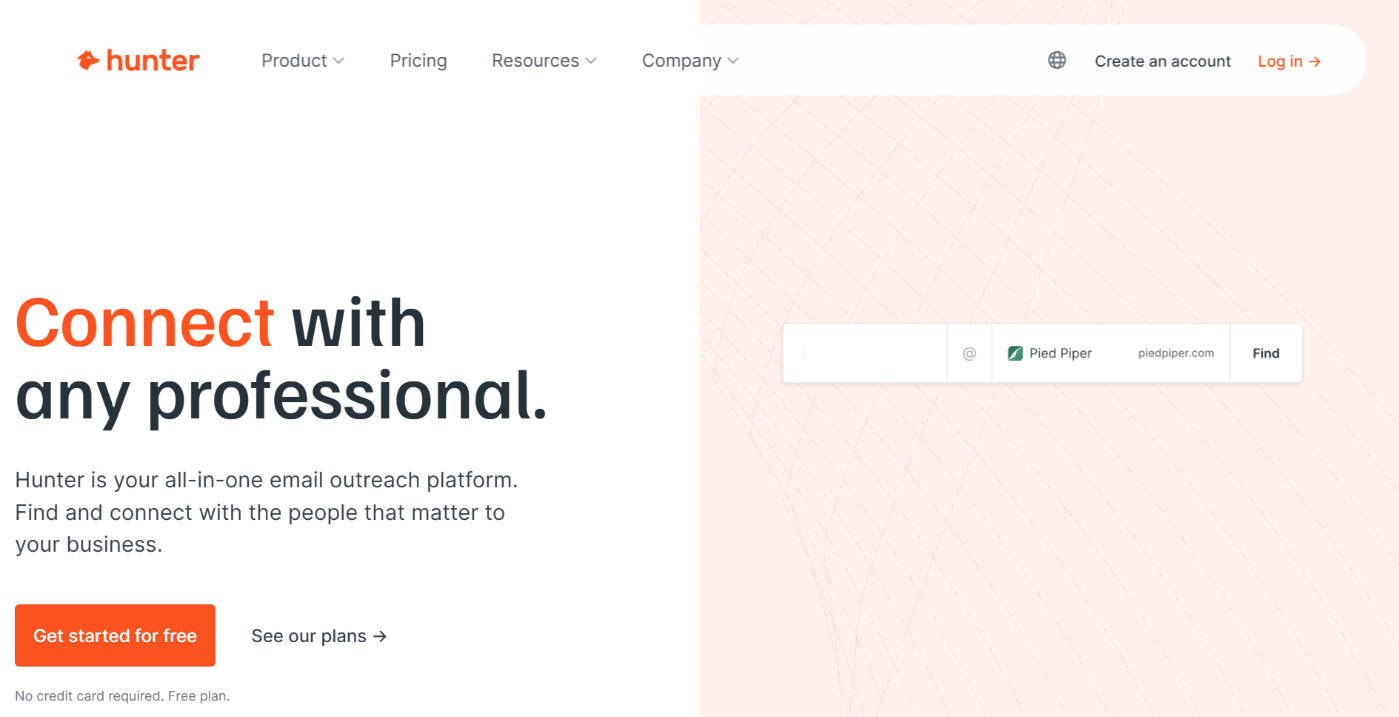
Hunter.io also works at scale. If you plan to reach out to dozens or hundreds of sites, you can upload a list and let Hunter find emails in bulk. It verifies them, flags risky ones, and leaves you with a clean list you can import into BuzzStream, Respona, or Pitchbox.
Because Hunter.io gives you direct access to real inboxes, you can personalize your message. That lifts reply rates instantly. Instead of sounding like another cold email bot, you can reference the recipient’s content and give a genuine reason for them to listen.
Hunter.io doesn’t replace your outreach tool. What it does is remove friction. Without it, you spend hours hunting for emails manually and still end up with incorrect addresses. With it, you move faster and scale outreach.
Who should use it: Use Hunter.io if you already have link opportunities and want verified contact details without wasting hours researching websites manually.
Best use case: Run keyword or backlink research to identify sites linking to similar content. Send those domains to Hunter.io and collect verified emails for editors or content managers. Feed that list into BuzzStream, Respona, or Pitchbox.
Skip it if: You’re not ready to do outreach. Hunter.io multiplies effort, not ideas.
Pricing: Free version available. The paid plan starts at $49/month.
3 How These Tools Work Together in a Real Link Building Process
Tools do not build links. People do. But the right stack turns link building from a trial-and-error into a predictable system.
Each tool in your list handles one part of the journey. When you combine them, you get a process that finds real opportunities, reaches the right people, earns links, and verifies results without wasting effort.
Here is how everything fits together in a real campaign.
3.1 Prepare Your Website
Your pages must be worth linking to. If the content is weak, outdated, or confusing, no amount of outreach will fix it.
Use: Rank Math SEO
Optimize your page structure, internal links, and metadata so the content you promote is something others want to reference.
3.2 Identify What the Market Links To
Before you pitch anyone, you need to know which pages, formats, and topics attract backlinks in your niche.
Use: Ahrefs or Semrush
Study competitors. See which pages earn links, which anchor texts appear, and what content types work. This turns link building from a random effort into a targeted opportunity.
3.3 Validate Your Targets
Knowing where to get links is not enough. You need to avoid spammy or irrelevant sites and prioritize the domains that carry real authority.
Use: Moz Link Explorer
Check Domain Authority, Page Authority, and Spam Score. Remove risky prospects before you waste time.
3.4 Find the Right Contact Person
Outreach only works when you speak to a human who can say yes. Not a support inbox or a generic email.
Use: Hunter.io
Collect verified emails for editors, authors, and site owners. This single step increases reply rates and protects your sender reputation.
3.5 Discover link opportunities others miss
Paid tools give you backlink lists, but Google reveals pages that are live, updated, and waiting for resources.
Use: Google search operators
Find guest post pages, resource lists, article roundups, broken link opportunities, or unlinked mentions. Capture what competitors overlook.
3.6 Run Structured Outreach
This is where theory becomes action. You pitch, follow up, negotiate, and earn links. Without structure, this stage collapses.
Use one of these outreach CRMs depending on your scale:
- BuzzStream if you want relationship-based outreach and clarity without complexity
- Pitchbox if you run large campaigns with teams and need automation and reporting at scale
- Respona if you want fast prospecting, clean workflows, and flexible campaigns without heavy setup
Each one keeps conversations organized, so prospects move from first contact to published link.
3.7 Track the Links You Earn
A link does not matter until Google sees it. Some links disappear, break, or become nofollow later. You must verify which ones count.
Use: Google Search Console
Confirm which backlinks Google recognizes. Track anchor text, page strength, and internal linking flow. This tells you what worked, what moved rankings, and what needs improvement.
3.8 Iterate and scale
Once you know which pages attract links and which messages convert, you rinse and repeat with confidence.
Your stack evolves from a toolbox into a machine.
Here’s a simple visual representation that can always guide you through the process:

4 Frequently Asked Questions
Do I need a dedicated SEO plugin if I’m building links?
Yes. Link building works only when the page being linked to is properly optimized. Rank Math ensures your metadata, schema, and internal links are aligned, so every backlink you earn passes maximum value.
What is the best link-building tool for beginners?
Rank Math is the best link-building tool. It prepares your pages for link building by improving structure, relevance, and on-page optimization, so any backlinks you earn have a real impact.
Do backlinks still matter in 2026?
Yes. Links remain one of the strongest signals of trust, credibility, and authority. Search engines and AI systems evaluate who references your content and why. Quality links drive rankings, visibility, and brand authority.
How do I know if the backlinks I earned are helping?
Use Google Search Console to see which links Google has recognized. Combine those insights with Rank Math’s analytics and link suggestions to strengthen pages receiving backlinks.
What is the biggest mistake people make in link building?
They chase links before fixing their site. Rank Math exists to prevent that mistake. Optimize first, then promote. Doing it backward wastes time and burns opportunities.
5 Conclusion
Link building works when each part of the process supports the next. It is not about chasing every backlink you can get, but about preparing your site so the right links create measurable momentum.
When your pages are well-structured and aligned with search intent, every external link reinforces your authority rather than existing in isolation.
The tools you choose matter because they remove guesswork. They show you what deserves attention, who to reach out to, and whether your efforts are paying off.
When used together, they turn link building from a scattered activity into a repeatable system that compounds over time.
Do not focus on volume. Focus on clarity, relevance, and consistency. Once those elements are in place, links stop feeling like a struggle and start becoming a natural outcome of how you build and promote content.
If you like this guide, let us know by Tweeting @rankmathseo.