Archive
First 15 digits of PI
Look at this verse:
How I want a drink
alcoholic of course
After the heavy lectures
involving complex functions
Take the length of the words and you get the first 15 digits of PI. Here is the proof:
import sys
import math

s = """
How I want a drink
alcoholic of course
After the heavy lectures
involving complex functions
"""

print [len(w) for w in s.split()]
print math.pi
Output:
[3, 1, 4, 1, 5, 9, 2, 6, 5, 3, 5, 8, 9, 7, 9]
3.14159265359   # the last digit is rounded here
Read more on PI at http://www.eveandersson.com/pi/.
And if you didn’t know, here is the PI song :)
Update (20110317)
You can approximate the value of PI with 355/113. The first 6 decimal places are the same. It’s quite easy to memorize it: visualize 113355, split into two (113 and 355), then do the division.
>>> import math
>>> math.pi
3.1415926535897931
>>> 355/113.
3.1415929203539825
Ref.: Kee Nethery at python-list.
Play sound
In Python, for playing sound there are several options (see http://stackoverflow.com/search?q=python+play+sound). However, under Ubuntu I didn’t have much success with portable solutions :( I got most luck with wx.Sound('sound.wav') which used to work for a while but then it stopped… So I’ve decided to just call mplayer to do the job.
#!/usr/bin/env python

import os

SOUND = 'Gong.wav'

command = 'mplayer %s 1>/dev/null 2>&1' % SOUND
os.system(command)
Not too elegant but at least it works…
Notes
If you want to launch mplayer in the background without any verbosity, here is how to do that:
mplayer music.mp3 &>/dev/null </dev/null &
Update (20101016): I forgot to mention that with the help of mplayer, you can play videos too. Just pass an AVI instead of an MP3, for instance.
Pretty print an integer
Exercise: Take an integer and print it in a pretty way, i.e. use commas as thousands separators. Example: 1977 should be 1,977.
Solution:
#!/usr/bin/env python

def numberToPrettyString(n):
    """Converts a number to a nicely formatted string.
       Example: 6874 => '6,874'."""
    l = []
    for i, c in enumerate(str(n)[::-1]):
        if i%3==0 and i!=0:
            l += ','
        l += c
    return "".join(l[::-1])
#

if __name__ == "__main__":
    number = 6874
    print numberToPrettyString(number)   # '6,874'
The idea is simple. Consider the number 1977. Convert it to string ("1977") and reverse it ("7791"). Start processing it from left to right and after every third character add a comma: "7" -> "77" -> "779," (comma added) -> "779,1". Now reverse the string ("1,977"). Done.
Links
- http://stackoverflow.com/questions/1823058/how-to-print-number-with-commas-as-thousands-separators-in-python-2-x (for some more possible solutions)
Update (20131125)
There is an easier way. You can do it with string formatting too:
>>> n = 1977
>>> "{:,}".format(n)
'1,977'
Thanks to Krisztián B. for the tip.
Reverse a string
Exercise #1: Take a string and reverse its characters. For instance “ab12” => “21ba”.
Solution:
#!/usr/bin/env python

s = 'Python adventures'
print s         # Python adventures
print s[::-1]   # serutnevda nohtyP
Slice notation has the form [start:stop:step]. By default, start is at the beginning of a sequence, stop is at the end, and step is 1. So the slice [::-1] returns the full sequence in reverse order.
Exercise #2: Decide if a word is a palindrome.
Solution:
#!/usr/bin/env python

def is_palindrome(str):
    return str == str[::-1]

print is_palindrome('1367631')      # True
print is_palindrome('Python')       # False
ASCII table
Exercise: Print out the ASCII table.
Solution:
#!/usr/bin/env python

for char in range(256):
    print "%d: %c" % (char, char)
Note that range(N) creates a list of elements in the interval [0, N), that is N is excluded. In the example, it will be 0..255.
Output (special characters are removed):
0:
1:
2:
3:
4:
5:
6:
7:
8:
9:
10:
11:
12:
13:
14:
15:
16:
17:
18:
19:
20:
21:
22:
23:
24:
25:
26:
27:
28:
29:
30:
31:
32:
33: !
34: "
35: #
36: $
37: %
38: &
39: '
40: (
41: )
42: *
43: +
44: ,
45: -
46: .
47: /
48: 0
49: 1
50: 2
51: 3
52: 4
53: 5
54: 6
55: 7
56: 8
57: 9
58: :
59: ;
60: <
61: =
62: >
63: ?
64: @
65: A
66: B
67: C
68: D
69: E
70: F
71: G
72: H
73: I
74: J
75: K
76: L
77: M
78: N
79: O
80: P
81: Q
82: R
83: S
84: T
85: U
86: V
87: W
88: X
89: Y
90: Z
91: [
92: \
93: ]
94: ^
95: _
96: `
97: a
98: b
99: c
100: d
101: e
102: f
103: g
104: h
105: i
106: j
107: k
108: l
109: m
110: n
111: o
112: p
113: q
114: r
115: s
116: t
117: u
118: v
119: w
120: x
121: y
122: z
123: {
124: |
125: }
126: ~
127:
128:
129:
130:
131:
132:
133:
134:
135:
136:
137:
138:
139:
140:
141:
142:
143:
144:
145:
146:
147:
148:
149:
150:
151:
152:
153:
154:
155:
156:
157:
158:
159:
160:
161: ¡
162: ¢
163: £
164: ¤
165: ¥
166: ¦
167: §
168: ¨
169: ©
170: ª
171: «
172: ¬
173:
174: ®
175: ¯
176: °
177: ±
178: ²
179: ³
180: ´
181: µ
182: ¶
183: ·
184: ¸
185: ¹
186: º
187: »
188: ¼
189: ½
190: ¾
191: ¿
192: À
193: Á
194: Â
195: Ã
196: Ä
197: Å
198: Æ
199: Ç
200: È
201: É
202: Ê
203: Ë
204: Ì
205: Í
206: Î
207: Ï
208: Ð
209: Ñ
210: Ò
211: Ó
212: Ô
213: Õ
214: Ö
215: ×
216: Ø
217: Ù
218: Ú
219: Û
220: Ü
221: Ý
222: Þ
223: ß
224: à
225: á
226: â
227: ã
228: ä
229: å
230: æ
231: ç
232: è
233: é
234: ê
235: ë
236: ì
237: í
238: î
239: ï
240: ð
241: ñ
242: ò
243: ó
244: ô
245: õ
246: ö
247: ÷
248: ø
249: ù
250: ú
251: û
252: ü
253: ý
254: þ
255: ÿ
Template
Here is the classical “Hello, World!” script in Python. It can be used as a template for writing a new script:
#!/usr/bin/env python

# DESCRIPTION:   hello world
# DATE:          2010.09.21. (yyyy.mm.dd.)

print "Hello, World!"
Tip: If you want to insert source code in your blog at WordPress.com, check out this post: Code » Posting Source Code.
Update (20110503): For a more professional template, see this post, where Guido tells us how he writes his main() functions.
Intro
Hello Everyone!
This is my first post here :) This blog will be mainly about the Python programming language, but it is likely that I will add some posts on different topics too like Ubuntu Linux, Java, etc.
I started to learn Python about one year ago. Half a year ago I put it down but now I want to dig in again. If I find something interesting that can be useful for others too, I plan to post it here. It will also serve as an online repository for me if I want to look up something quickly. I’m also interested to see your feedbacks. As I’m still learning Python, I’m sure I’ll learn a lot from your comments.
If you are ready for some Python adventures, read on! :)
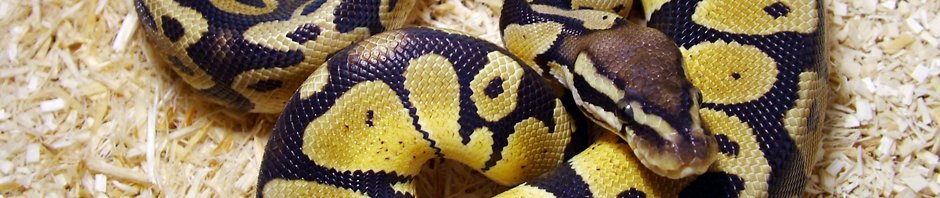
I found the photo of the beautiful Python in the header at Animal Pictures Archive. This is a Python regius, by the way.
Some useful links
As this is my first WordPress.com blog, I collect here some useful links:
- http://learn.wordpress.com/ (intro)
- http://wordpress.com/#fresh (what’s fresh)
- http://botd.wordpress.com/ (blogs of the day)
- http://en.forums.wordpress.com/ (forums)

 Python Adventures