Archive
BeautifulSoup: _detectEncoding error
Problem
While parsing an HTML page with BeautifulSoup, I got a similar error message:
File ".../BeautifulSoup.py", line 1915, in _detectEncoding
    '^<\?.*encoding=[\'"](.*?)[\'"].*\?>').match(xml_data)
TypeError: expected string or buffer
In the code I had this:
text = get_page(url)
soup = BeautifulSoup(text)
Solution
text = get_page(url)
text = str(text)    # here is the trick
soup = BeautifulSoup(text)
Tip from here.
Check Gmail for new messages
Problem
I want to check my new Gmail messages periodically. When I get a message from a specific sender (with a specific Subject), I want to trigger some action. How to do that?
Solution
Fortunately, there is an atom feed of unread Gmail messages at https://mail.google.com/mail/feed/atom. All you have to do it is visit this page, send your login credentials, fetch the feed and process it.
import urllib2

FEED_URL = 'https://mail.google.com/mail/feed/atom'

def get_unread_msgs(user, passwd):
    auth_handler = urllib2.HTTPBasicAuthHandler()
    auth_handler.add_password(
        realm='New mail feed',
        uri='https://mail.google.com',
        user='{user}@gmail.com'.format(user=user),
        passwd=passwd
    )
    opener = urllib2.build_opener(auth_handler)
    urllib2.install_opener(opener)
    feed = urllib2.urlopen(FEED_URL)
    return feed.read()

##########

if __name__ == "__main__":
    import getpass

    user = raw_input('Username: ')
    passwd = getpass.getpass('Password: ')
    print get_unread_msgs(user, passwd)
For reading XML I use the untangle module:
import untangle    # sudo pip install untangle

xml = get_unread_msgs(USER, PASSWORD)
o = untangle.parse(xml)
try:
    for e in o.feed.entry:
        title = e.title.cdata
        print title
except IndexError:
    pass    # no new mail
Links
- How to auto log into gmail atom feed with Python? (I took the script from here)
- Read XML painlessly (the untangle module)
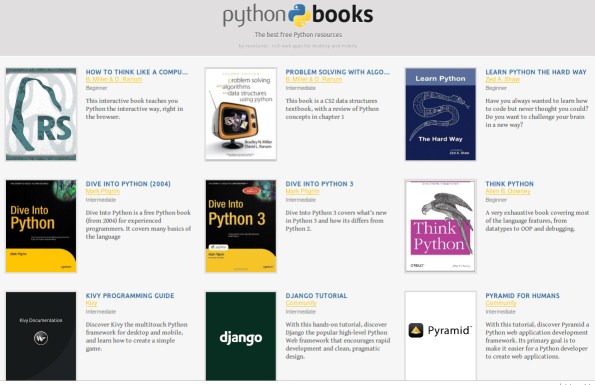
The best free Python resources
Print unicode text to the terminal
Problem
I wrote a script in Eclipse-PyDev that prints some text with accented characters to the standard output. It runs fine in the IDE but it breaks in the console:
UnicodeEncodeError: 'ascii' codec can't encode character u'\xf3' in position 11: ordinal not in range(128)
This thing bugged me for a long time but now I found a working solution.
Solution
Insert the following in your source code:
import sys
reload(sys)
sys.setdefaultencoding("utf-8")
I found this trick here. “This allows you to switch from the default ASCII to other encodings such as UTF-8, which the Python runtime will use whenever it has to decode a string buffer to unicode.”
Related

 Python Adventures
You must be logged in to post a comment.