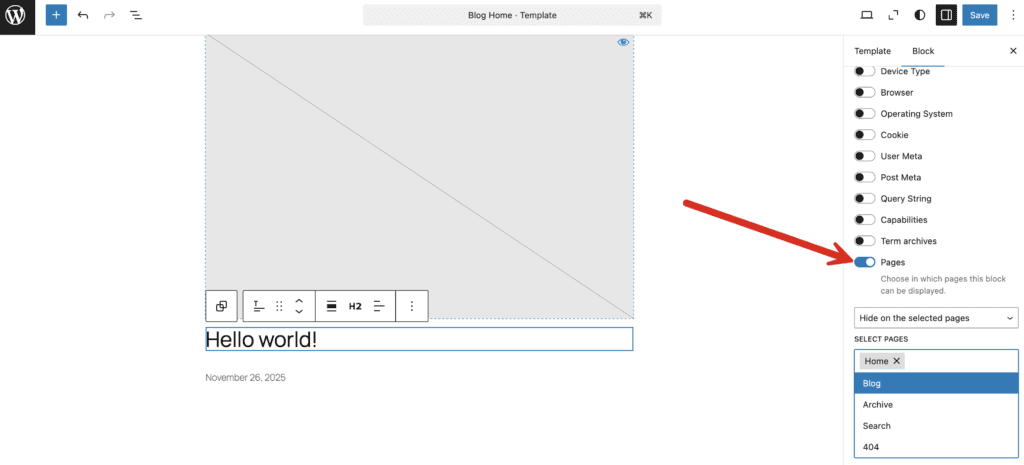
The “Pages Control” feature in the PublishPress Blocks plugin allows you to choose the pages that your block is displayed on.
This feature allow you to show or hide blocks on these pages:
- Home
- Blog
- Archive
- Search
- 404
You can add the following restrictions to any block through the Site Editor screens:
- Hide a block on the selected pages
- Show a block on the selected pages
Here's an introduction to how this feature works:
- Go to “Appearance” then “Editor in your WordPress admin menu.
- Select a block.
- Select “Show on the selected pages” or ““Show on the selected pages”.
- Choose from the next list of options: Home, Blog, Archives, Search, 404.