

Opis
This zero configuration Plugin adds a Page Break Button to TinyMCE Menu for using the Nextpage-Tag in posts.
Only install and activate. That’s all.
Your Theme must support the Nextpage-Tag.
Zrzuty ekranu
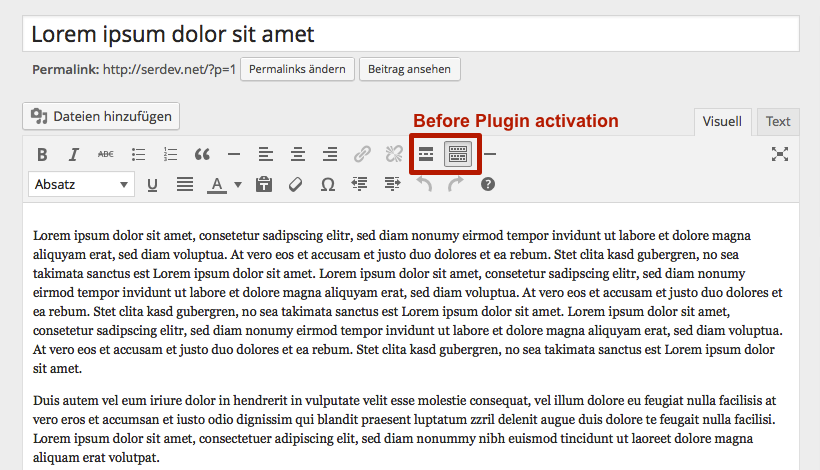
The standard TinyMCE before you have installed and activated the TinyMCE Page Break Button

The standard TinyMCE after you have installed and activated the TinyMCE Page Break Button. You will find the new page brake button in the middle.

Your post without a page break. Now let’s insert one.

Go to your text an insert a page break by pressing the button.

Your post now will have pages 🙂
Instalacja
-
Upload the unziped folder to the /wp-content/plugins/ directory
-or-
install the plugin via WordPress build-in Plugin-Installation-Function. -
Activate the plugin through the 'Plugins’ menu in WordPress.
Najczęściej zadawane pytania
- Installation Instructions
-
-
Upload the unziped folder to the /wp-content/plugins/ directory
-or-
install the plugin via WordPress build-in Plugin-Installation-Function. -
Activate the plugin through the 'Plugins’ menu in WordPress.
-
- I’ve insert a page break but it’s not showing
-
Sorry. Your Theme doesn’t support the page break
Recenzje
Wtyczka nie ma jeszcze żadnej recenzji.
Kontrybutorzy i deweloperzy
„TinyMCE Page Break Button” jest oprogramowaniem open source. Poniższe osoby miały wkład w rozwój wtyczki.
Zaangażowani
Przetłumacz wtyczkę “TinyMCE Page Break Button” na swój język.
Interesuje cię rozwój wtyczki?
Przeglądaj kod, sprawdź repozytorium SVN lub czytaj dziennik rozwoju przez RSS.
Rejestr zmian
1.2.0
Update: February 19, 2018
- Ready for WP 5.0.
1.0.2
Update: July 30, 2016
- Ready for WP 4.6
1.0.1
Update: September 20, 2014
- Prevent Direct Access of PlugIn-File.
1.0.0
Release Date: September 19, 2014
- First Release.