
Opis
This plugin adds a button to the text editor’s toolbar and allows to display your content in a thickbox effect. The plugin can include any inline content, iFramed or Ajax content located on other pages.
Check out a quick Demo Video
Notes
Note: Images will open up in a Thickbox when you insert them via media library as a thumbnail with a link to the original size. Simply add class=”thickbox” to the element around the image.
Zrzuty ekranu

ThickBox Content button in the page/post editing toolbar. 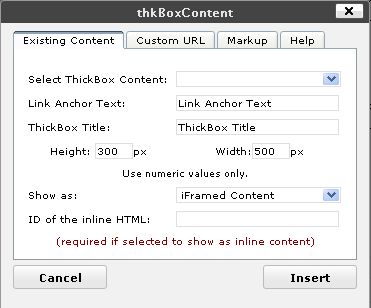
Existing Content Tab 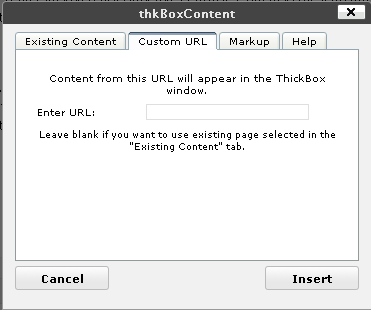
Custom URL Tab 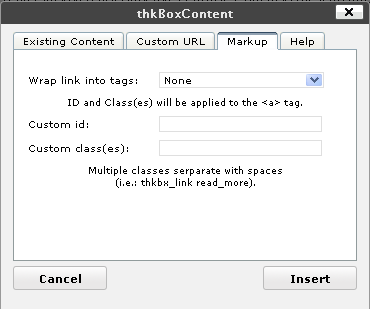
Markup Tab
Instalacja
- Upload the files to the 'wp-content/plugins/thkBoxContent’ directory.
- Activate the ThickBox Content plugin through the „Plugins” menu in WordPress.
- Copy all files from the 'wp-content/plugins/thkBoxContent/COPY-THIS’ to your Theme folder. Those are the template files that will be used for iFraming content via thickbox.
For detailed information visit the official site.
Recenzje
Wtyczka nie ma jeszcze żadnej recenzji.
Kontrybutorzy i deweloperzy
„ThickBox Content” jest oprogramowaniem open source. Poniższe osoby miały wkład w rozwój wtyczki.
Zaangażowani
Przetłumacz wtyczkę “ThickBox Content” na swój język.
Interesuje cię rozwój wtyczki?
Przeglądaj kod, sprawdź repozytorium SVN lub czytaj dziennik rozwoju przez RSS.
Rejestr zmian
1.1.0
- WP 3.8 compatibility update.