

Opis
Old content, broken links, and typos in URL can cause huge loss of traffic, users and conversion. These broken links and 404 errors not only frustrate visitors but also affect your search engine ranking. Here is where our redirection plugin comes in handy and solves all your problems.
We built the WordPress redirection plugin to help you instantly take control over redirects, links, and regain traffic. Now, instead of frustrating your users with 404 pages, redirect them to the page they really wanted to see with our redirection WordPress plugin. Our best 301 redirection WordPress plugin tells the browser that the page it was trying to access has been permanently moved to another URL
You don’t need to be tech-savvy to use the redirection plugin. It lets you do URL redirection without .htaccess editing, coding knowledge, or any complex setup procedure.
What makes this plugin the best redirection plugin is its user-friendly interface. It lets users create individual redirects or import multiple redirects from CSV files. Using our plugin, you can easily automate the redirection process and maintain your site’s health. Besides, the Existing Redirect page lets users access complete redirect management through view, edit, and delete functions.
This WordPress Redirect Plugin is Perfect For
SMBs (small-to-medium) businesses that are planning to set up both permanent and temporary redirects.
Users who want to do bulk-edit redirects.
Maintaining SEO ranking during domain migrations.
Users who need to rename or restructure their website content via page and post URL changes.
WordPress administrators want to set up redirects without writing code.
CSV Format Example (for Bulk Import)
Prepare your CSV file in this structure:
old_url new_url
/old-page /new-page
/blog/post-1 /articles/post-1
/color/red /red-color
The file may include a header row. Only two columns are required: old_url and new_url.
How to Use
Users can access 301 WordPress Redirect Plugin through their WordPress Dashboard.
Users can create new redirects by selecting the Add New Redirect option from the dashboard.
Users can import multiple redirects at once through the Bulk Import via CSV function by uploading their CSV file and clicking Import Redirects.
Users can access the Existing Redirects tab to view and manage their previously created redirects.
The plugin activates redirects immediately after installation without requiring any additional configuration.
Zrzuty ekranu
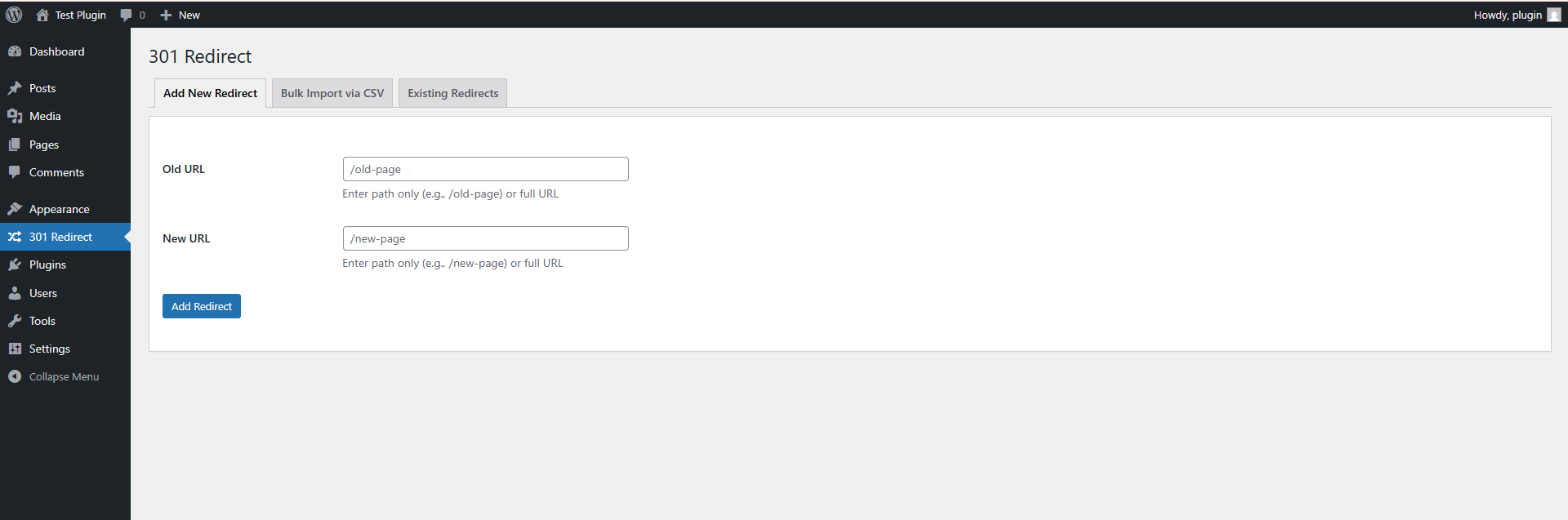
Add a 301 redirect by entering an old URL and its replacement destination. Quick and simple. 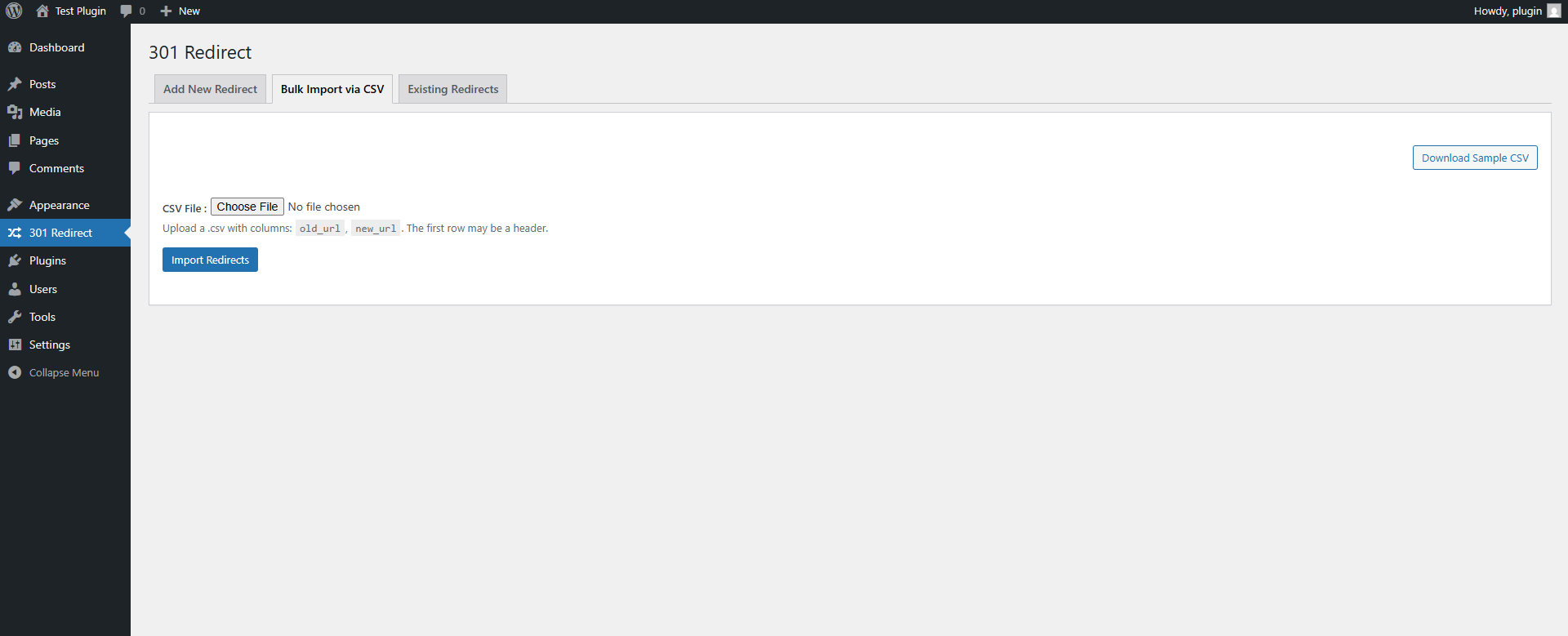
Import multiple redirects in one step using a CSV file — ideal for site migrations and large updates. 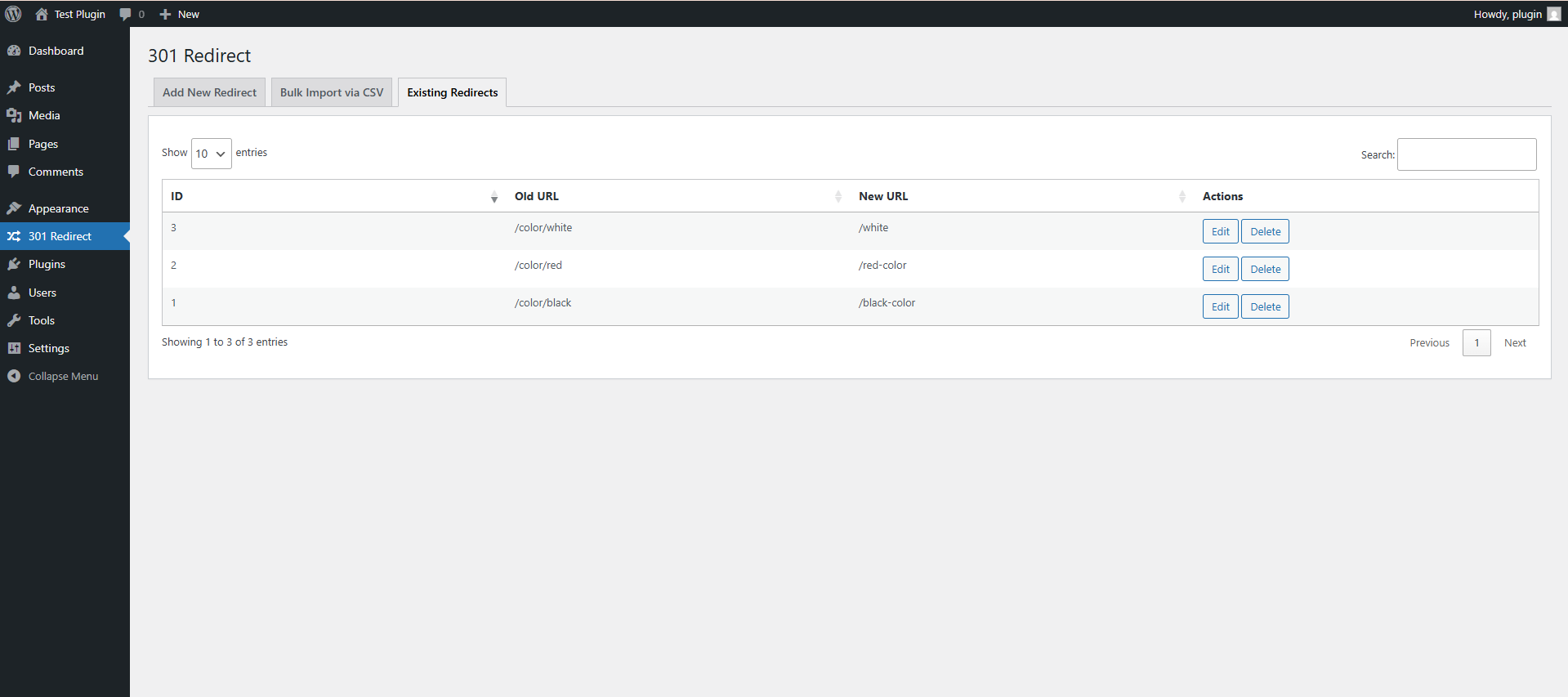
View, edit, or delete all previously created redirects from one clean and organized interface.
Instalacja
- Install 301 WordPress Redirect Plugin either via the WordPress.org plugin directory or by uploading the files to your server.
- Activate the plugin through the Plugins menu in WordPress.
- You will see the 301 WordPress Redirect Plugin option in your WordPress admin area (under the Plugins section). Click on it.
- Configure your redirect settings as needed.
- That’s it! It’s really that simple!
Najczęściej zadawane pytania
-
1. What is a Redirection Plugin in WordPress?
-
A Redirection Plugin in WordPress helps fix broken links and manage URL changes without losing traffic. It automatically redirects visitors from old or incorrect URLs to the right page, improving user experience and SEO performance.
-
2. How does the WordPress Redirect Plugin help fix 404 errors?
-
Our WordPress Redirect Plugin instantly redirects 404 pages to the correct URLs, so users don’t land on error pages. You can create redirects easily. No coding or .htaccess editing needed. It keeps your website healthy and user-friendly.
-
3. Why is this the best 301 redirect plugin WordPress users should install?
-
This is the best 301 redirect plugin WordPress site owners can trust because it combines simplicity with powerful features. It supports bulk redirects, automatic link updates, and SEO-friendly 301 redirections to retain ranking during site migrations or URL changes.
-
4. Can I create bulk redirects using this Redirection WordPress Plugin?
-
No, the plugin operates automatically without requiring .htaccess modifications or coding skills.
-
5. Is the Redirection Plugin beginner-friendly?
-
Yes, the Redirection Plugin is designed for everyone. You can easily set up both temporary and permanent redirects with just a few clicks. No technical or coding knowledge required.
-
6. When should I use a 301 redirect with this WordPress Redirect Plugin?
-
Use a 301 redirect when a page has been permanently moved to a new URL. The WordPress Redirect Plugin will automatically tell search engines about the change, helping you preserve SEO value and redirect users smoothly.
Recenzje
Wtyczka nie ma jeszcze żadnej recenzji.
Kontrybutorzy i deweloperzy
„301 WordPress Redirect Plugin” jest oprogramowaniem open source. Poniższe osoby miały wkład w rozwój wtyczki.
Zaangażowani
Przetłumacz wtyczkę “301 WordPress Redirect Plugin” na swój język.
Interesuje cię rozwój wtyczki?
Przeglądaj kod, sprawdź repozytorium SVN lub czytaj dziennik rozwoju przez RSS.
Rejestr zmian
1.0
- Initial release.