
Opis
Posts/Pages Edit SubPanel Date Format synchronize the wordpress date format with date format in date column of posts edit subpanel.
Currently when admin change the date format of website it does not reflect the changes on posts edit page in date column. This plugin solve this issue.
Zrzuty ekranu

This is what the Date Format of wordpress. 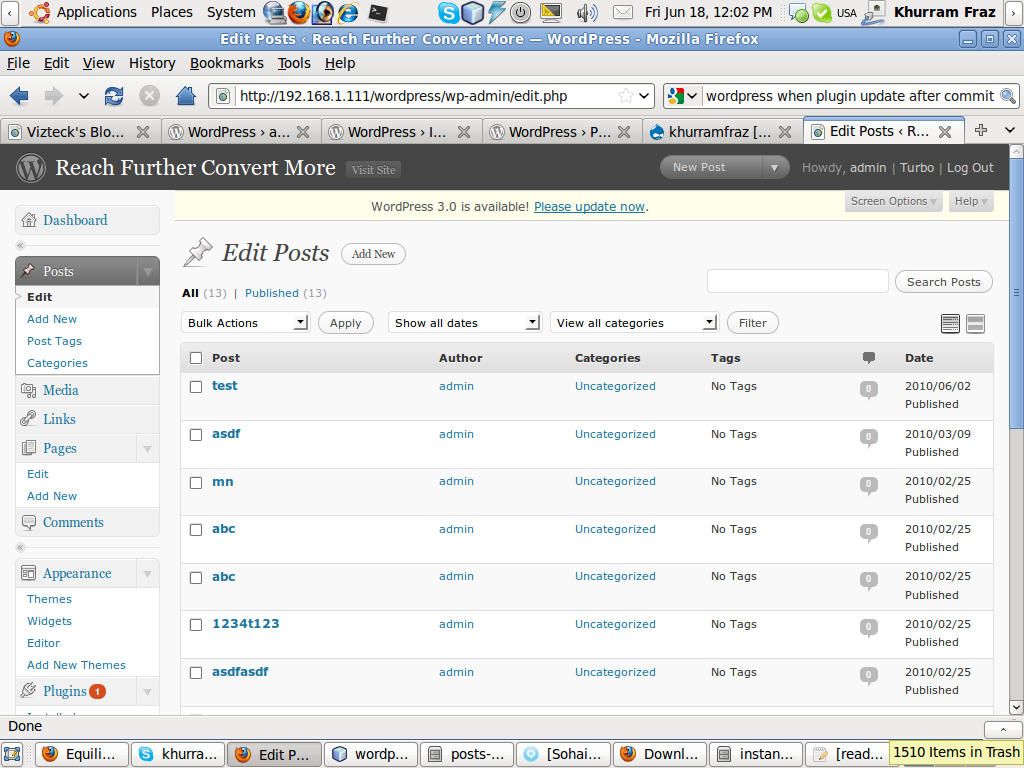
Before Plugin Install: This is what Date Format in Date column in Admin edit posts subpanel. 
After Plugin Install: Date Format in Date column changed according to the Date Format of the site as in screenshot 1.
Instalacja
- Upload the folder „posts-edit-subpanel-date-format” to „/wp-content/plugins/”
- Activate the plugin through the „Plugins” menu in WordPress
- Done!
Recenzje
Wtyczka nie ma jeszcze żadnej recenzji.
Kontrybutorzy i deweloperzy
„Posts Edit SubPanel Date Format” jest oprogramowaniem open source. Poniższe osoby miały wkład w rozwój wtyczki.
Zaangażowani
Przetłumacz wtyczkę “Posts Edit SubPanel Date Format” na swój język.
Interesuje cię rozwój wtyczki?
Przeglądaj kod, sprawdź repozytorium SVN lub czytaj dziennik rozwoju przez RSS.
Rejestr zmian
0.1
- First beta version.
1.0
- First Stable version.
1.0.1
- Minor changes made.
1.0.2
- Author URL changed.
1.0.4
- Upgrade to WordPress 3.0.1
2.0
- Support of Page Edit subpanel date column