

Opis
Your dashboard is the first thing most WordPress admins see when they log in to a website – why not add a space for them to see important dates coming up? With the Important Dates Dashboard Widget – you can do just that. Easily add and manage upcoming events, birthdays, anniversaries and more with this lightweight plugin.
Zrzuty ekranu
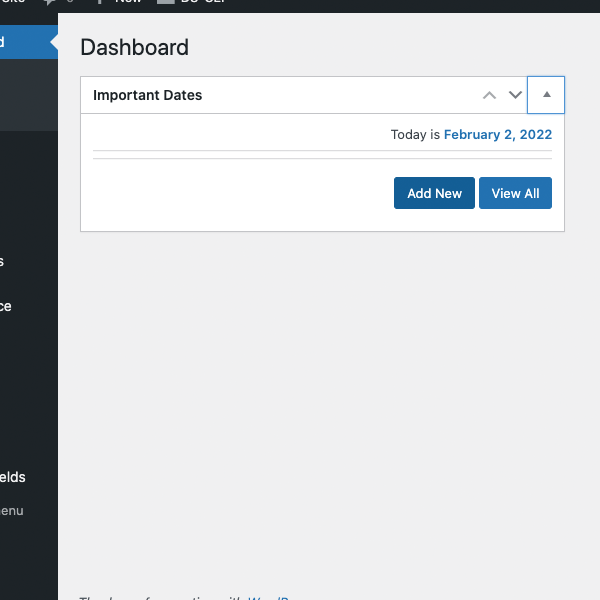
Add your dates from the widget on the dashboard 
The Add New Date Screen 
One Date has been added
Instalacja
- Install via the built-in WordPress plugin installer. Or download and unzip important-dates-dashboard-widget.zip inside the plugins directory for your site (typically wp-content/plugins/)
- Activate the plugin through the ‘Plugins’ admin menu in WordPress
- From the new widget in your admin dashboard, click \”add New\” to add a new date.
Najczęściej zadawane pytania
-
Where do I add the date?
-
Once installed, click on the \”add New\” button to add and name your first date.
-
How many dates can I install?
-
As many as you want – there is no limit.
Recenzje
Wtyczka nie ma jeszcze żadnej recenzji.
Kontrybutorzy i deweloperzy
„Important Dates Dashboard Widget” jest oprogramowaniem open source. Poniższe osoby miały wkład w rozwój wtyczki.
Zaangażowani
Przetłumacz wtyczkę “Important Dates Dashboard Widget” na swój język.
Interesuje cię rozwój wtyczki?
Przeglądaj kod, sprawdź repozytorium SVN lub czytaj dziennik rozwoju przez RSS.
Rejestr zmian
1.0 – initial release
1.01 – Better Notifications, Updated Navigation, Improved Instructions
1.02 – Cleaned up Options Page