

Opis
0 Day Analytics helps detect, inspect and respond to PHP and WordPress-level
errors before they become production incidents. It is optimized for very
large logs and common debugging/operational workflows.
Core capabilities:
– Efficiently reads very large (GB-sized) error logs without full-file reads.
– Error Log Manager with search, filtering, and code-context viewing.
– Cron Manager: list, edit, run, delete scheduled tasks; advanced filters.
– Transients Manager: safely list, edit, delete DB transients.
– Requests Viewer: inspect outgoing HTTP requests.
– Mail Logger & Composer: record email history, view attachments, compose/send.
– SMTP configuration and test email support.
– DB Table Manager: inspect/delete records across tables.
– Server Info: admin-bar badges and dashboard widget (CPU, memory, disk).
– Plugin Version Switcher, Code Snippets module, code viewer, CSV export and dark mode.
– Recovery Mode: one-time recovery links with Slack/Telegram/other channels.
– Randomize error-log filename for security.
– PHP Snippets: generate and execute your own snippets when you need them. Shortcodes are supported.
– WP Hooks capturing / monitoring – very powerful tool to capture and monitor different (defined or custom) WP hooks (actions and filters). You can see selected or added hook output (result of triggering).
Short Description
Real-time error insight and recovery for WordPress — lightweight, fast
troubleshooting toolkit with log management, cron/transient/request viewers,
mail logging/composition, SMTP, and a recovery mode.
Requirements & Compatibility
- WordPress 6.0+ (tested up to 6.9)
- PHP 7.4+ (compatible with PHP 8+)
- Not intended as a multisite recovery tool (see notes below)
Best practices & Security Notes
- Keep log files outside the webroot when possible, or restrict access via
server rules (.htaccess / nginx) to avoid public exposure. - Use a randomized or non-obvious filename for error logs if stored in webroot.
- Limit plugin capabilities to trusted administrators (capability checks).
- Sanitize and escape all output; use nonces for state-changing actions.
- Secure SMTP credentials and prefer TLS/STARTTLS.
- Set file permissions tightly (e.g., 600/640) and restrict ownership to the
web server user. - Backup database/files before bulk delete or run operations.
- Disable or restrict high-frequency background polling in high-load sites.
Usage notes & performance
- Default error history stores the last 999 errors (adjustable via Screen
Options) to preserve performance on high-volume logs. - No pagination on error logs by design to avoid repeated full-file reads.
- Optional DB-based PHP error logger exists for environments without disk
logging; consider DB size and retention.
Support & Notes
- Recommended: secure log paths and consider randomizing filenames.
- Disable unused modules to reduce footprint and attack surface.
- Recovery mode is limited on multisite installs due to WP core behavior.
- For bugs, feature requests or support, open an issue on the plugin page.
Live preview and full details:
https://wordpress.org/plugins/0-day-analytics/
Zrzuty ekranu

Error Log Overview 
Settings Page 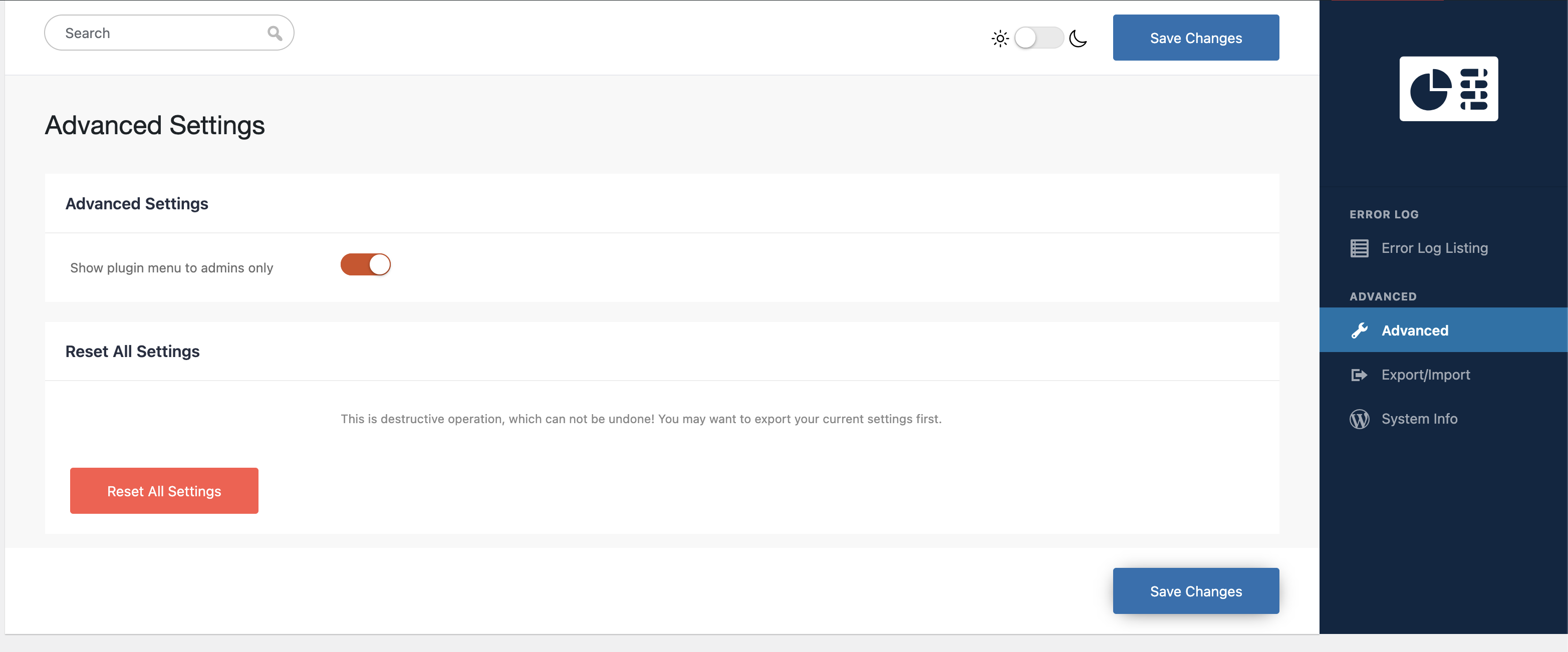
Import / Export Settings 
Cron Manager 
Transients Manager 
Plugin Version Switcher 
Table Manager 
Table Operations View 
Request Details
Instalacja
- Place the
0-day-analyticsfolder into/wp-content/plugins/(or install via
the Plugins screen / WP CLI). - Activate on the WordPress Plugins screen.
- Visit „0 Day” in the admin menu and configure settings.
- Recommended: test on staging before enabling on production.
Najczęściej zadawane pytania
Q: Why only the last 999 errors?
A: Balances useful context against expensive full-file reads. Adjustable.
Q: Why no pagination for errors?
A: Pagination would require full-file reads repeatedly and is inefficient
for very large logs.
Q: How do I enable/disable logging?
A: 0 Day Settings toggle logging. Prefer toggling on staging first.
Q: Is this safe to run on multisite?
A: Recovery mode has core multisite limitations — use caution and test.
Recenzje


Kontrybutorzy i deweloperzy
„0 Day Analytics” jest oprogramowaniem open source. Poniższe osoby miały wkład w rozwój wtyczki.
Zaangażowani

Przetłumacz wtyczkę “0 Day Analytics” na swój język.
Interesuje cię rozwój wtyczki?
Przeglądaj kod, sprawdź repozytorium SVN lub czytaj dziennik rozwoju przez RSS.
Rejestr zmian
4.8.0
- Mail module improvements – better capturing capabilities, added CC BCC fields for mail sending, option to re-send given email. Requests module improvements – now with extended filtering and statistics, export results in CSV for external processing. File manager improvements – now with ZIP capabilities. Code optimizations and refactoring.
4.7.0
- Hooks module improvements – group assignment in bulk. Bug fixes and code optimizations.
4.6.0
- Hooks module improvements and small styling issues fixed.
4.5.2
- Fixes problems with hooks quick actions – enable/disable. Fixed problem with showing human-readable data, when core object is captured, but only its ID is present.
4.5.1
- Fixes problems with settings save and debug log file name.
4.5.0
- Bug fixes and code improvements. Hooks module introduced.
4.4.1
- Small bug fixes and File Manager improvements.
4.4.0
- Now the Table module has the option to insert records.
4.3.1
- Maintenance update – fixes problem with saving snippet for the first time.
4.3.0
- Maintenance, WP 6.9 compatibility, performance tweaks, added Code Snippets
module.
4.2.1
- Minor fixes and environment compatibility improvements.
4.2.0
- New filters and editor/file tools.
4.1.1
Very small maintenance update – optimizations and bug fixes.
4.1.0
Small maintenance update – code optimizations and bug fixes.
4.0.0
Addresses different kinds of problems. Code optimizations. DB table edit introduced. File editor (still experimental) introduced.
Earlier versions
- Progressive additions: mail logger, DB error table, cron/transient managers,
CSV export, recovery mode, plugin version switcher, UI/dark mode
improvements.