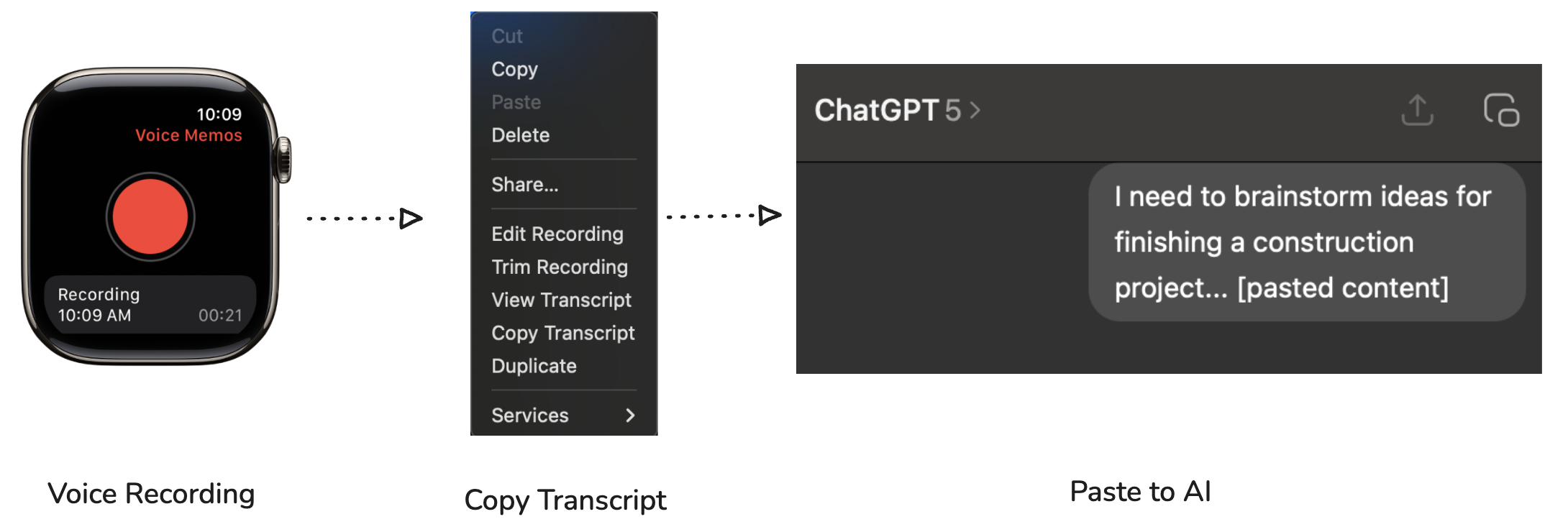
AI is a genuine force multiplier for developers, as I’ve written about before. It can help you communicate, manage your codebase, and ship things faster.
But there’s not really any training on how to use it well, and it’s easy to pick up habits that are counterproductive. Here are some practices and pitfalls I’ve encountered, mostly from doing them myself.
AI Development
1. Your Content Should Still Be Your Own
Let AI edit your thoughts, refine your phrasing, help you research, help you brainstorm. But what you produce should still be your content.
Our expertise as developers is in the choices: design choices, technology choices, API decisions. AI is an input. It gives you options. The expectation is that you iterate with it, consider alternatives, and evaluate tradeoffs. AI may point out something you didn’t think of or present other options, but in the end, you chose that solution over the alternatives, and that’s what matters.
Practically, that means you own the code line by line. If AI inserts something you don’t understand, go look it up. Validate why it did that, whether it’s correct. Either you learn something new, or you find out the AI was wrong. Either way, the expectation is you chose the solution and are ready to defend it.
2. Give AI Context About Your Codebase
AI knows nothing about your code standards unless you tell it. Without documented conventions, styles, or architectural guidance, it’s going to look at whatever patterns already exist and repeat them, whether you like those patterns or not.
Create Agent skills. Write markdown files that describe how you want things done. Without that, every session starts from scratch: AI guesses, you correct, repeat. This is also why I find it less interesting when someone points a model at a cold codebase and demos a feature. That’s neat, but a codebase without documented skills and conventions isn’t really ready for AI yet. The interesting thing to me is what happens when the AI has real context to work with.
Without architectural direction, AI solves the immediate problem by extending whatever’s already there. A 2,000-line class becomes 2,500. It’s not thinking about structure, just shoehorning in the feature. This is how weird patterns start emerging that nobody asked for. Without skills pointing AI in the right direction, it’ll grow a messy architecture faster than a human ever could.
3. Build Feedback Loops for AI
AI should be able to verify whether it got the right result. Unit tests are great for this. But it can also mean a CLI interface that lets AI access your app’s internals, running the same algorithms from the command line. This is especially useful for UI developers who don’t have that by default.
The more ways AI can check its own work, the less you have to catch manually.
Communication
4. Never Answer Someone’s Question With AI
If someone asks you a question, never regurgitate an answer from AI that clearly isn’t your own thinking. That’s a starting point for an answer, maybe, but it shouldn’t be the answer. We’re still humans and we expect to talk to humans. If you don’t have time to answer their question, just send them the prompt. It’s the new “let me Google that for you.” 🙂
5. Leverage AI for Your Writing
If you have a 10-paragraph document that could be 3 concise paragraphs, and you haven’t used AI for that, you’re missing out. If you avoid writing because you hate it, you’re missing out even more. AI can take your complex thoughts and make them coherent with minimal effort.
Use it on Slack posts before sending them to a large channel. Use it to polish technical docs. My first drafts are never good. They always need to be tightened up and made more concise, and that’s where AI shines. Think of it as a free editor that’s always available. Just make sure to ask it to remove those em dashes 🙂
6. Clean Up Your AI-Generated Pull Request Summaries
A pull request summary is used by other developers to understand what your change actually does. If you’re not careful, AI will just spit out what looks like a commit log, and it’s obvious. When that happens, reviewers can’t tell what the true intent is. Start with some background on what the thing does and why, then get into the details. It’s fine to use AI for this, just make sure it tells the real story.
7. Ship Something Real
In the early days of AI, everyone was posting demos. “I built this awesome weather app in 20 minutes.” “I stood up an entire AWS backend in an afternoon.” And for a while, that was genuinely exciting. We were all figuring out what was possible. But people see through that now. We all know you can generate something that looks impressive in a demo but is non-production slop under the hood. The novelty has worn off.
The bar has shifted. What’s impressive now isn’t how fast you built it. It’s whether it actually ships. Whether someone’s using it. Whether you’re using it. Even if the audience is just yourself, putting something into production is a fundamentally different thing than spinning up a demo. I have dozens of unshipped projects myself, and I’ve had to catch myself more than once. Weeks spent on something that never saw the light of day. Your time isn’t free just because AI moves fast.
That’s not to say stop sharing what you’re building. Keep doing that. But lean into sharing what you shipped rather than what you scaffolded.