

ਵੇਰਵਾ
Add Donation to Cart by YouBeHero adds a donation widget to your WooCommerce checkout, allowing customers to support nonprofit organizations during purchase. The widget is optional and seamlessly integrates without disrupting the checkout flow.
Benefits:
* Increase customer loyalty and conversions
* Differentiate your brand as socially responsible
* Build trust through transparent impact reporting
Currently available for Greek e-commerce stores with English locale support.
Key Features:
* Seamless checkout integration featuring configurable positioning options
* Comprehensive integration with Gutenberg blocks, Elementor widgets, WP Bakery, and shortcode support
* Administrative dashboard providing real-time statistics and comprehensive transaction history
* Extensive styling and appearance customization capabilities
* Support for multiple nonprofit organizations (up to 7 organizations)
* Thank you page widget functionality and email integration capabilities
* Translation-ready with support for Greek and English languages
Video tutorials
Step-by-step video guides (in Greek) to get you started:
Installation guide – How to install and configure the Add Donation to Cart plugin on your WordPress store
Gutenberg – How to add the donation widget to checkout using the Gutenberg block editor
Elementor – How to add the donation widget to checkout using Elementor editor
Shortcodes
Donation Form:
* [youbehero_donation_form] – Main donation form widget
Statistics:
* [total-donations] – Total amount of donations (formatted with currency)
* [total-number-of-donations] – Total number of donations made
* [total-number-supported-non-profits] – Number of supported organizations
Works with Elementor, WP Bakery, Gutenberg, and any theme that supports shortcodes.
Admin Dashboard
The dashboard provides:
* Account management (API key, status, balance)
* Statistics (total donations, sales, average cart value, order count, supported organizations)
* Transaction history with links to WooCommerce orders
* Widget configuration (positioning, styling, organizations, donation amounts)
External Services
Privacy and Data Handling
This plugin integrates with the YouBeHero platform. The following data is shared:
* API key, order ID, purchase amount, donation amount, selected organization
Why: To process donations, display widgets, and provide analytics. No payment details are shared. All data transmitted via HTTPS.
Callback URL: YouBeHero may redirect administrators to automatically configure API tokens. Only administrators can access, and tokens are sanitized before storage.
External service: YouBeHero
* Website: https://youbehero.com
* Terms: https://youbehero.com/gr/termsbusiness
* Privacy: https://youbehero.com/gr/privacy
Contributing
Open source contributions welcome! Submit pull requests at https://github.com/YouBeHero/YBH-WP-Plugin
ਸਕਰੀਨਸ਼ਾਟ
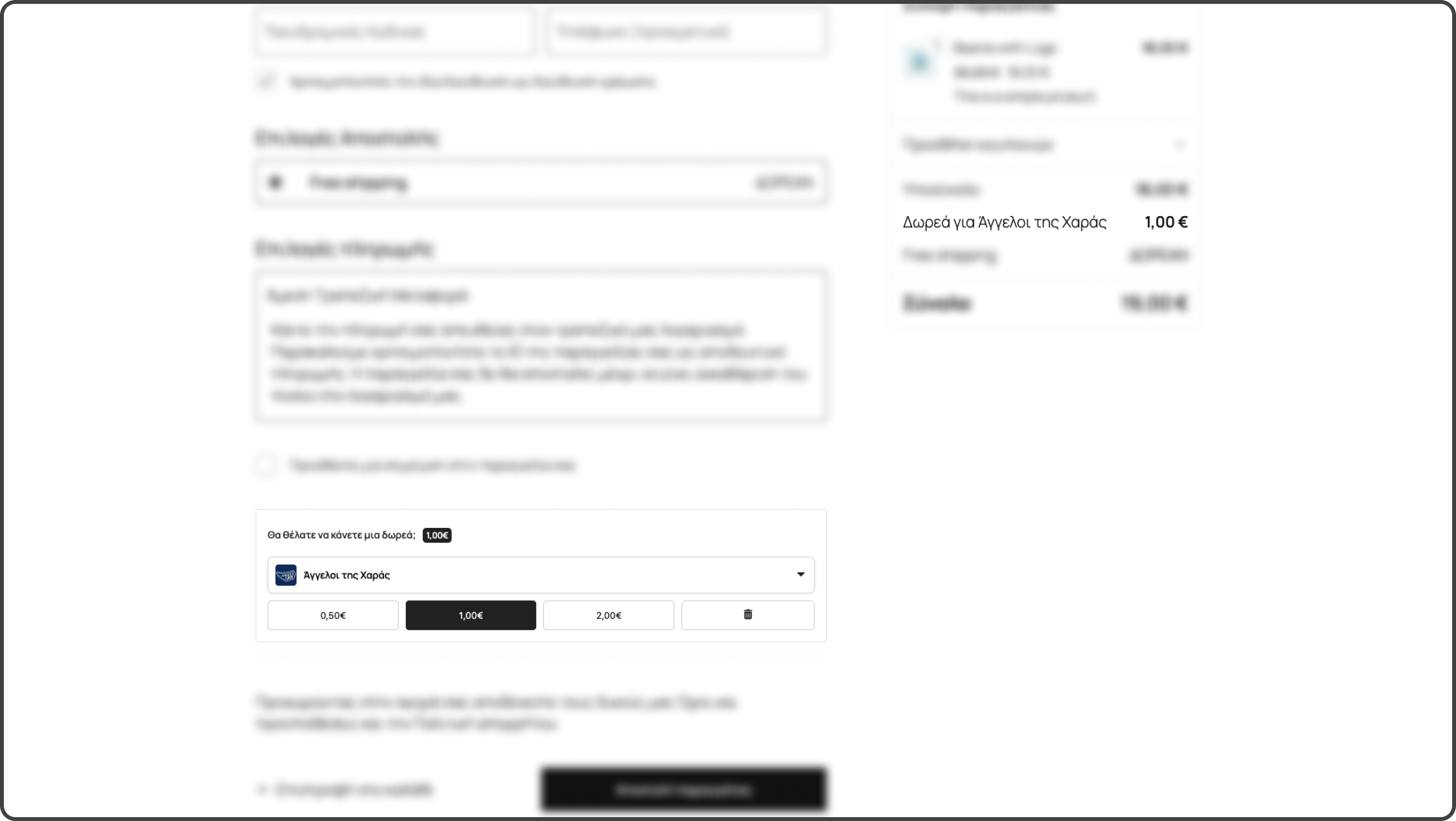
WooCommerce checkout page Support a cause with your order 
Add Donation to Cart dashboard showing donation statistics 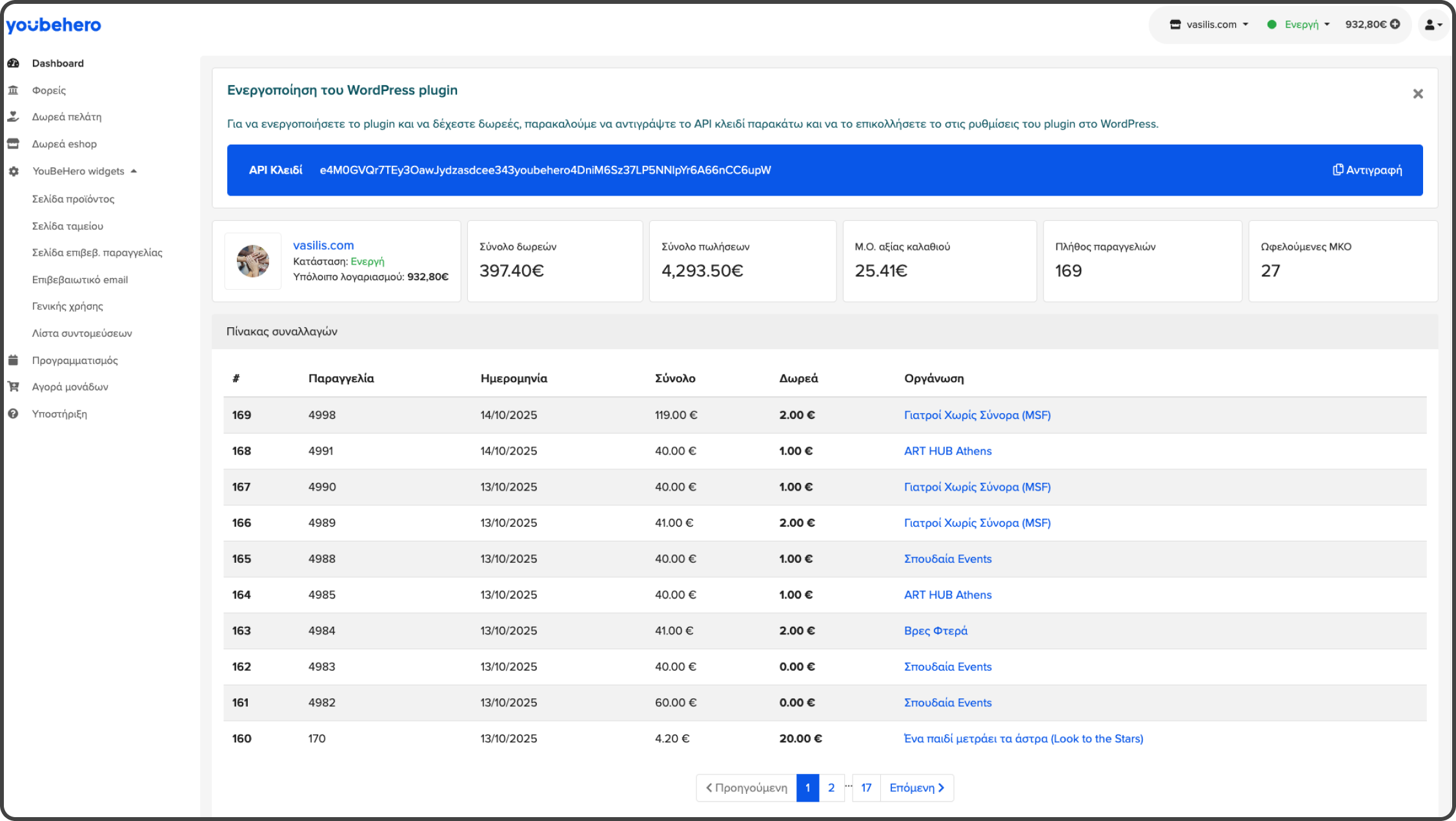
YouBeHero dashboard showing API key and statistics 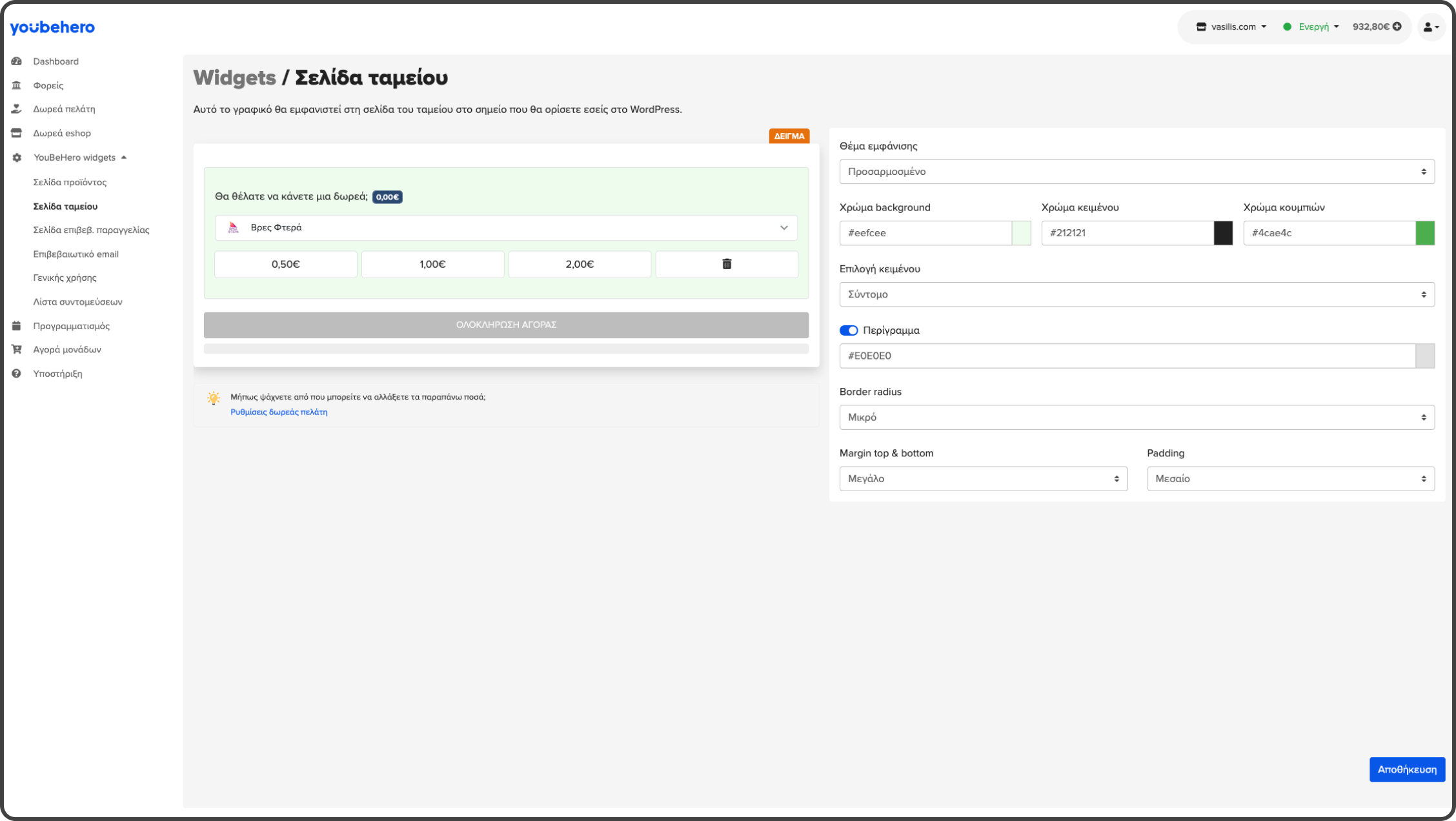
Donation widget style configuration page 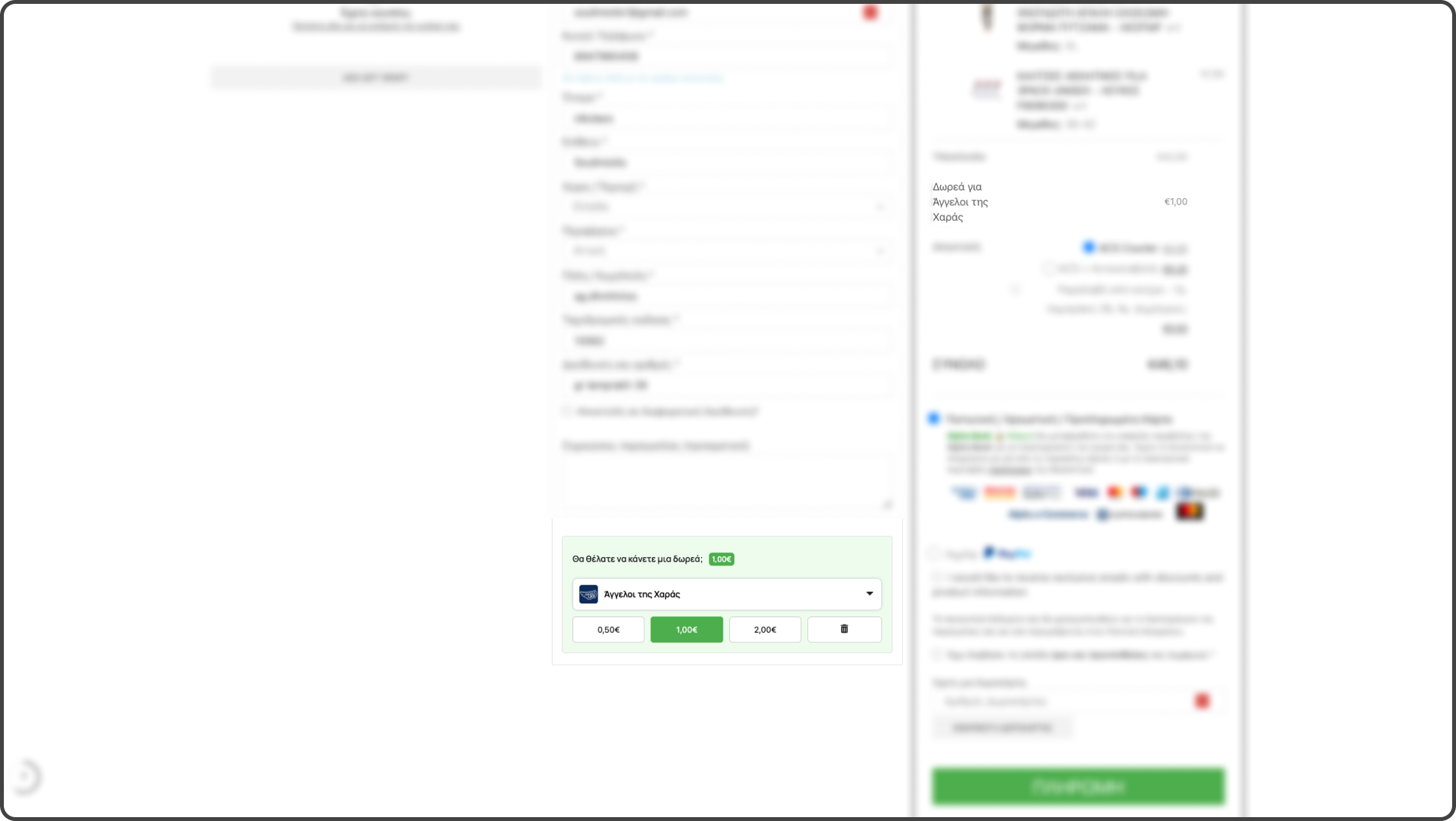
Seamless integration on WP Bakery checkout 
Post purchase thank you page widget 
Email donation widget to inspire 
Donations feed at the Angels of Joy’s page @YouBeHero
ਬਲਾਕ
This plugin provides 1 block.
- YouBeHero Donation Widget A block for adding a donation widget to the checkout page.
ਸਥਾਪਤੀਕਰਨ
- Install the plugin from WordPress plugins dashboard
- Create an account at YouBeHero
- Copy your API key and paste it in YouBeHero settings in WordPress admin
- Add the donation widget using:
- Gutenberg block: “YouBeHero Donation Widget”
- Elementor: “YouBeHero Donation Widget” widget
- WP Bakery: Drag and drop the donation widget
- Shortcode:
[youbehero_donation_form]
ਅਕਸਰ ਪੁੱਛੇ ਜਾਂਦੇ ਸਵਾਲ
-
Does this plugin require WooCommerce?
-
Yes, WooCommerce must be installed and active.
-
Can customers choose the donation amount?
-
Yes, store managers configure preset amounts and customers can select or enter custom amounts.
-
Does this plugin support multiple organizations?
-
Yes, select up to 7 nonprofit organizations. Customers choose which cause to support.
-
Which nonprofit organizations can I choose from?
-
Over 150 verified organizations across Greece in three categories: Animal welfare, Human-centered, and Environmental. Browse at https://youbehero.com/gr/cause-categories
-
What page builders are supported?
-
Elementor, WP Bakery, Gutenberg blocks, and any theme that supports shortcodes.
-
Can I customize the appearance?
-
Yes, full control over colors, borders, spacing, fonts, and layout through admin settings.
-
How do I track donations?
-
The admin dashboard shows total donations, sales, average cart value, order count, and supported organizations.
-
What are the pricing and costs?
-
- Free for first use (prepaid donations)
- 0.07€ (including VAT) per donation after initial period
- No setup fees or monthly subscriptions
-
What technical support is available?
-
Email support, WordPress plugin forum, and help center at help.youbehero.com
ਸਮੀਖਿਆਵਾਂ
There are no reviews for this plugin.
ਯੋਗਦਾਨੀ ਤੇ ਵਿਕਾਸਕਾਰ
“Add Donation to Cart” is open source software. The following people have contributed to this plugin.
ਯੋਗਦਾਨੀ

“Add Donation to Cart” ਦਾ ਆਪਣੀ ਭਾਸ਼ਾ ਵਿੱਚ ਅਨੁਵਾਦ ਕਰੋ।
ਵਿਕਾਸ ਕਾਰਜ ਵਿੱਚ ਰੁਚੀ ਰੱਖਦੇ ਹੋ?
Browse the code, check out the SVN repository, or subscribe to the development log by RSS.
ਤਬਦੀਲੀ-ਚਿੱਠਾ
1.3.5
- Fixed cart totals not updating when only changing donation organization after page refresh (Gutenberg, Elementor, WPBakery)
- Pre-populate donation amount hidden input from session so org-only change triggers fee update
1.3.4
- Removed unused images (admin and public) and unused partials to reduce plugin size
- Removed unused i18n class and commented-out code in admin JS and email widget
1.3.3
- Updated installation guide UI with action-required badge
- Changed roundup donation calculation to use grand total (includes shipping and fees)
- Added dynamic CTA text support from JSON for Greek language
- Added Greek translation for “One more step” badge
1.3.2
- Fixed missing Greek translations for dashboard statistics
- Added translation strings for “Update”, “Total donations”, “Total sales”, “Average cart value”, “Number of orders”, and “Supported NGOs”
1.3.0
- Added floating hearts animation on donation amount button clicks
- Improved button z-index layering for better visual hierarchy
- Added translation support for “Change” text in organization dropdown
- Enhanced heart animations with white borders and increased size
1.1.1
- Fix hidden files problem (.DS_Store).
1.1.0
- Fixed inline styles issue
- Clarified third-party service usage
- Standardized slugs to match text domain
- Improved widget security
1.3.1
- Refactored editor detection code for better maintainability
- Improved widget detection to support shortcode in all editors (Elementor, WPBakery, Gutenberg)
- Enhanced WPBakery raw HTML widget support for shortcode detection
- Added clickable avatar with link to eshop info page
- Added translation string for “Change eshop avatar”
1.0.1
- Fix translation problems.
1.0.0
- Initial release with donation option in WooCommerce checkout, widgets, shortcodes, dashboard statistics, and API integration.