

Description
Music Smartlink Maker & Concerts is the all-in-one solution for artists, musicians, and labels. It combines powerful Smartlink landing pages with a full Concert management system.
Create clean, fast smartlink pages for your new releases, featuring unlimited links to Spotify, Apple Music, YouTube, and more. Manage your tour dates with a dedicated Concerts section and display them anywhere using a shortcode.
This plugin works entirely inside WordPress, with no external API dependencies.
Key Features
- Unlimited Smartlinks: Create as many landing pages as you need for your singles, albums, or artist profiles.
- Music & Artist Links: Sortable, unlimited links for streaming platforms and social media.
- Concert Management: Dedicated Concerts” post type to manage tour dates.
- Upcoming & Past Events: Automatically organizes your gigs into upcoming and past lists.
- Shortcode Support: Use
[mslm_concerts]to display your upcoming shows on any page or post. - Meta Pixel: Full Meta (Facebook) Pixel support for retargeting is included for free.
- Page Layouts: Display Smartlinks as full pages, with the option to show or hide your site’s header and footer.
- Archives: Automatically generated archive pages for your concerts.
- Customization: Style your smartlinks and concert lists to match your brand.
- Support Integration: Built-in support page for feedback and feature requests.
Screenshots
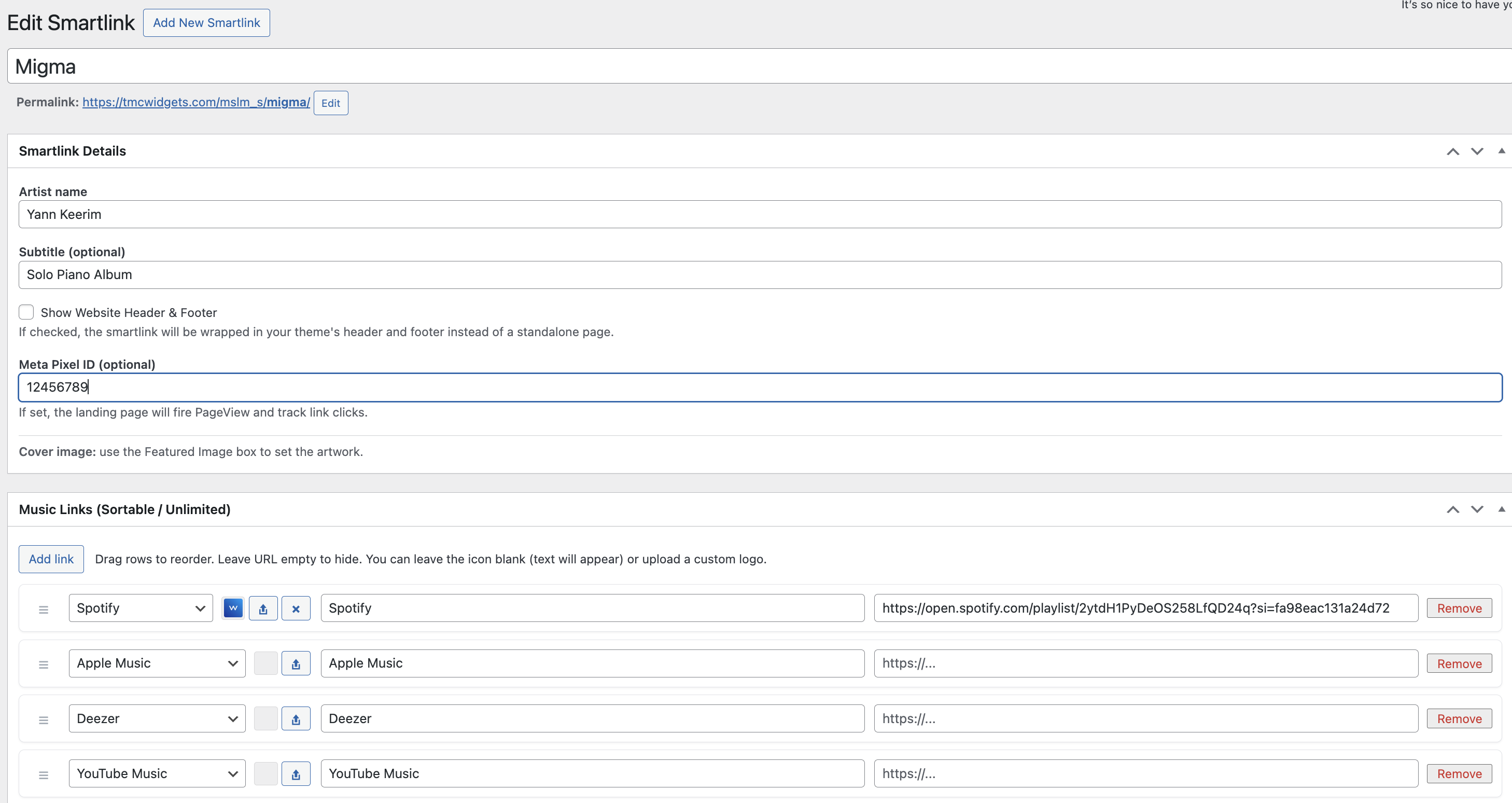
Smartlink Editor 
Concert Management 
Public Smartlink Page 
Concert List Output 
Single Concert Page
Installation
- Upload the
music-smartlink-makerfolder to the/wp-content/plugins/directory. - Activate the plugin through the ‘Plugins’ menu in WordPress.
- Navigate to TMC Smartlinks Smartlinks to create landing pages.
- Navigate to Concerts to add your tour dates.
- Use
[mslm_concerts]to display your tour dates on any page. - Go to TMC Smartlinks Concert Settings to customize colors for the concert list.
FAQ
-
How do I display my concerts?
-
You can use the
[mslm_concerts]shortcode on any page. You can also customize the title and number of concerts displayed.
Example:[mslm_concerts title="Upcoming Shows" count="5"]Alternatively, you can view the default archive page at
/concert/. -
Can I customize the colors of the concert list?
-
Yes. Go to TMC Smartlinks Concert Settings in your WordPress dashboard. There you can set the Background, Button, and Text colors for the concert list.
-
Is this free?
-
This is the complete version of the plugin, including all features. If you find it useful, you can support the development via the Support & Features” page in the admin menu.
Reviews

Contributors & Developers
“Music Smartlink Maker & Concerts” is open source software. The following people have contributed to this plugin.
Contributors
Translate “Music Smartlink Maker & Concerts” into your language.
Interested in development?
Browse the code, check out the SVN repository, or subscribe to the development log by RSS.
Changelog
2.0.0
- Consolidated Music Smartlink Maker and Concerts functionality into one complete plugin.
- Added
[concerts]shortcode. - Added Support & Feature Requests page.
- Improved admin UI and notices.