

Description
Are you missing out on potential customers? Make it incredibly easy for your visitors to connect with you. WBJet-HelloTap adds a professional, floating contact button to your site, allowing visitors to start a WhatsApp chat or call your business with a single click. Turn your website traffic into paying customers!
For more information and other plugins, visit our website at WBJet.com.
Key Features:
- WhatsApp & Call Buttons: Provide instant contact options for your visitors.
- Highly Customizable: Match your brand perfectly. Customize colors, position (left/right), button text, and more.
- Device Visibility Control: Choose to show buttons on desktop, tablet, or mobile devices—or all three.
- Multiple WhatsApp Link Types: Use a simple link or a pre-filled message to make it even easier for customers.
- Advanced Styling Options: Select from multiple button styles (Classic, Circular, Modern, etc.) and fine-tune margins and Z-index for perfect placement.
- Lightweight & Fast: Built for performance. WBJet-HelloTap won’t slow down your website.
- Easy to Use: No coding required! A simple and intuitive settings page makes configuration a breeze.
Screenshots
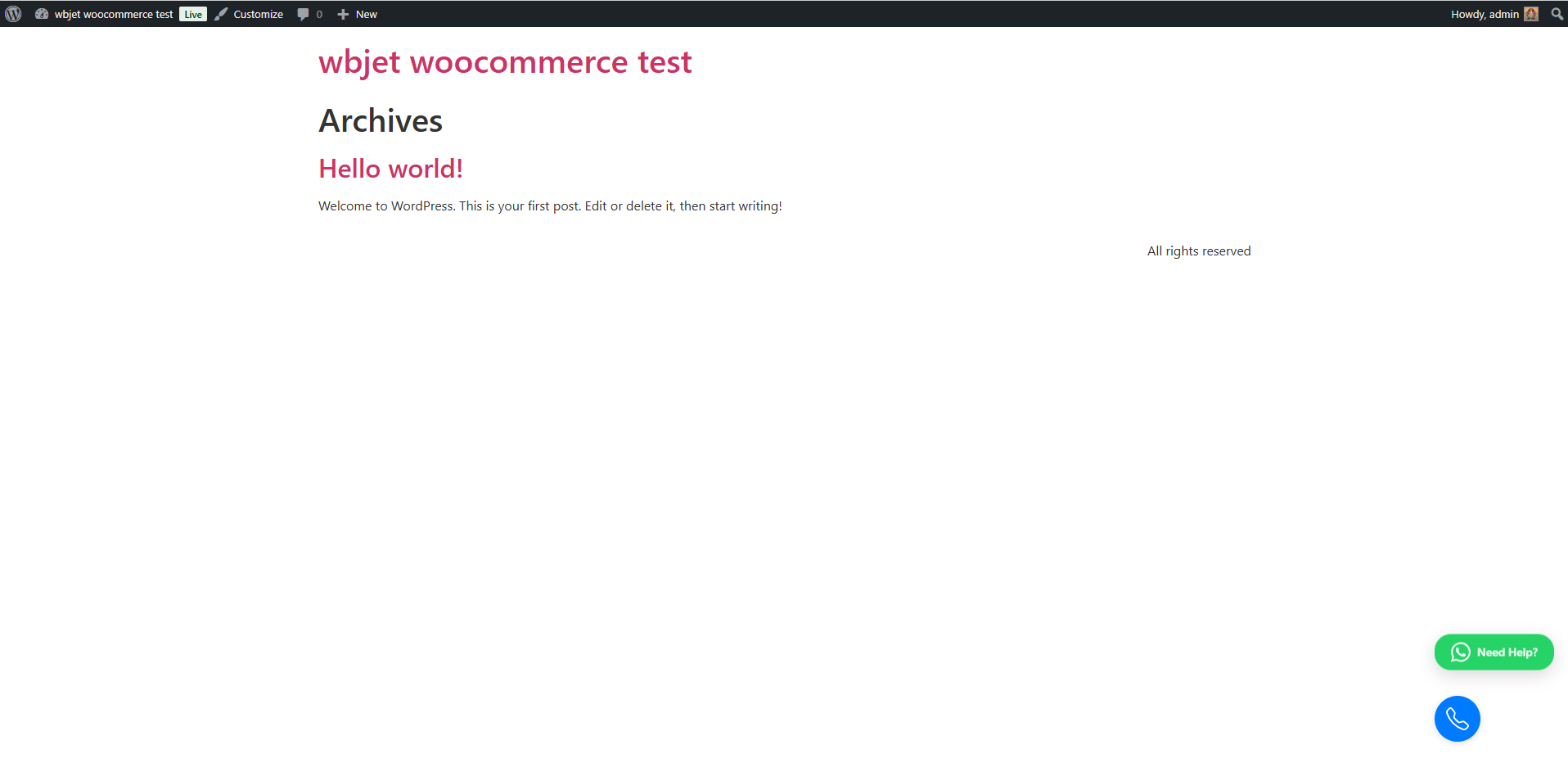
Engage visitors with beautiful, floating contact buttons. 
Simple and powerful main settings page. 
Customize every aspect of your WhatsApp button. 
Fine-tune the style and text of your Call button. 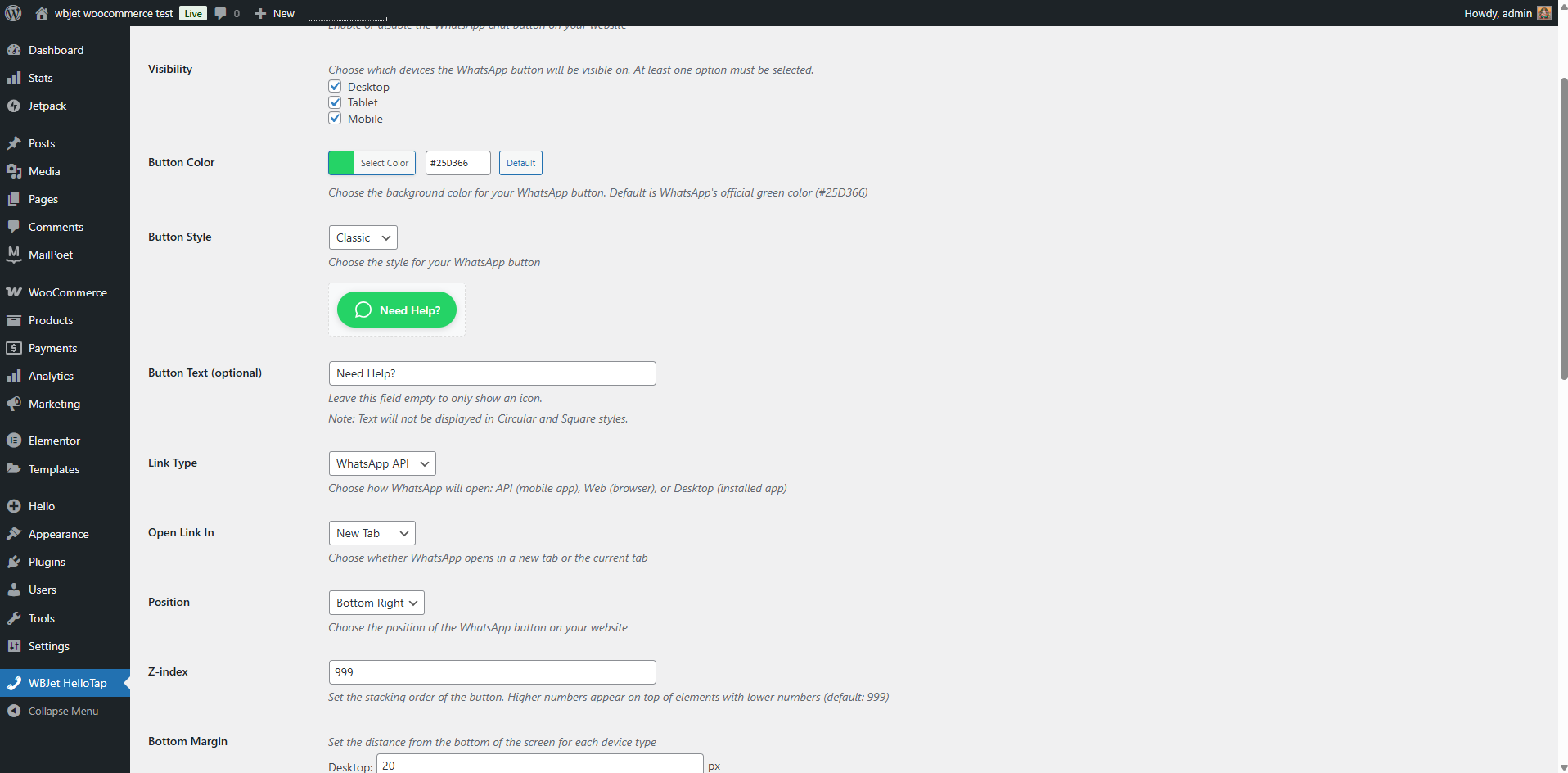
Full control over device visibility and positioning. 
Choose from a variety of modern button styles to match your brand.
Installation
- Upload the plugin files to the
/wp-content/plugins/wbjet-hellotapdirectory, or install the plugin through the WordPress plugins screen directly. - Activate the plugin through the ‘Plugins’ screen in WordPress.
- Navigate to Settings > WBJet HelloTap to configure the plugin and bring your contact buttons to life!
FAQ
-
Yes! You have full control over the colors, text, and style of both the WhatsApp and Call buttons from the settings panel.
-
Absolutely. You can set the buttons to appear on desktop, tablet, and mobile devices independently. You can also adjust their position on the screen.
-
Will this plugin slow down my website?
-
Not at all. WBJet-HelloTap is designed to be lightweight and optimized for speed.
-
Can I use a pre-filled message for WhatsApp?
-
Yes, you can configure a default message that will automatically appear when a user clicks the WhatsApp button, making it even faster for them to contact you.
Reviews
There are no reviews for this plugin.
Contributors & Developers
“WBJet-HelloTap” is open source software. The following people have contributed to this plugin.
Contributors
Translate “WBJet-HelloTap” into your language.
Interested in development?
Browse the code, check out the SVN repository, or subscribe to the development log by RSS.
Changelog
1.0.5
- Fixed missing readme.txt header and updated ‘Tested up to’ version.
1.0.4
- Added Hindi translation. Internationalized the plugin.
1.0.3
- Added author website link to description.
1.0.2
- Fixed bug where too many tags were used, causing a warning in the plugin directory.
1.0.1
- Optimized plugin description and details for better visibility.
1.0.0
- Initial release