
 Services
 Solutions
 Main platform
 Technology
 White Label
  Offshore
 Hire developers


Influencer and affiliate marketing have become essential growth channels for e-commerce brands, but managing partnerships across spreadsheets, emails, and multiple platforms can take a lot of time and often leads to mistakes. That is where Shopify Collabs comes in. Built directly into the Shopify ecosystem, this platform allows merchants and creators to connect, work together, and track results without leaving the Shopify dashboard.
Whether you are a brand looking to expand your affiliate program or a creator seeking new opportunities, understanding how Shopify Collabs works and how to make it work for you is key to unlocking its full potential in 2026. In this guide, we will cover the platform’s features, best practices, real-world results, and limitations, so you can confidently use it to grow your business or creator network.
Shopify Collabs Overview
Before exploring the details, it is useful to understand the overall context. Shopify has built a large and active eCommerce ecosystem, where brands and online shoppers are already highly engaged.
Within this environment, influencer and affiliate marketing becomes a natural growth channel. Shopify Collabs simply brings these connections into one place, making it easier for brands and creators to work together and drive results.

What Is Shopify Collabs?
Shopify Collabs is a native influencer and affiliate marketing app created by Shopify. It acts as a direct connection between Shopify merchants and content creators, allowing both sides to find each other, form partnerships, manage campaigns, and track results within a single dashboard.
In practice, the platform addresses a common challenge in influencer marketing: the time and effort required to manage partnerships using spreadsheets, email chains, and separate tools. Since Shopify Collabs is built into the Shopify admin, all data for clicks, conversions, and orders comes directly from Shopify, ensuring accuracy and reducing errors between different platforms.
For merchants, Collabs provides tools for finding creators, managing affiliate programs, handling gifting, and processing commission payments all in one place.
For creators, the platform offers free access to brand partnerships, tracking of affiliate earnings, and direct commission payments without the need for intermediaries.
Plan Eligibility:
Shopify Collabs can be used on Shopify Basic, Grow, Advanced, and Plus plans. To start using the app, merchants need to turn on Shopify Network Intelligence in their store’s privacy settings. Installing the app is free, and merchants only pay a 2.9 % processing fee on commission payments when a sale is made.
How Does Shopify Collabs Work?
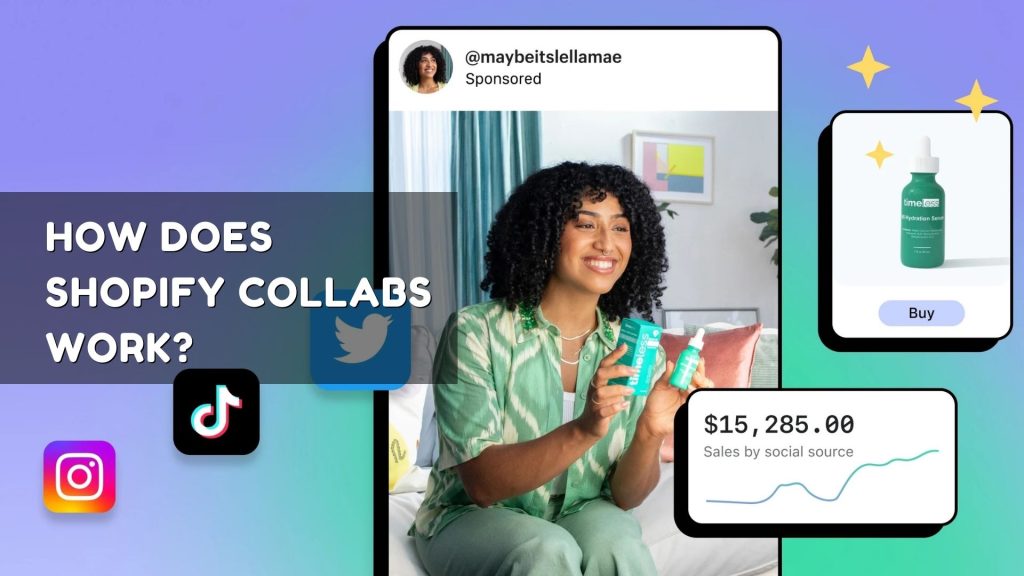
The platform works on two separate tracks, one for merchants and one for creators. These tracks come together in a shared marketplace where partnerships can be started, negotiated, and managed.
For Merchants:
After installing Shopify Collabs from the Shopify App Store, merchants fill out a brand profile including product categories, target audience, and geographic focus. From there, they can:
- Find creators using the search and filter tools
- Invite creators directly through personalized messages or email
- Set up a custom affiliate application page to recruit creators
- Configure commission rates, discount codes, and gift programs
- Track campaign performance with real-time analytics for clicks, conversions, and revenue
- Process commission payments automatically through Shopify Billing
For Creators:
Creators can join Shopify Collabs for free. After creating a profile that links social media accounts, specifies content niches, and shows audience information, they can:
- Browse and apply for brand affiliate programs
- Receive product gifts or discount codes for reviews
- Generate unique affiliate tracking links
- Track earnings, conversions, and pending payments from their dashboard
- Get payouts directly without any third-party intermediaries
Key Features of Shopify Collabs
1. Creator Discovery Marketplace
The Discovery tab lets merchants find creators using multiple filters. Searches can be refined by keywords or hashtags, social media platform, location, follower count, average engagement, and average views per post. Each creator profile shows detailed audience information, platform performance, subscriber growth, and past content, helping merchants make informed partnership decisions without guessing.
2. Affiliate Program Management
Shopify Collabs has a fully integrated affiliate system. Merchants can create unique tracking links for each creator and automatically monitor the traffic and sales they generate. Commission rates are flexible, allowing different rates for different creators. Merchants can run multiple programs at the same time or open a program that offers commissions to any qualifying Collabs creator.
3. Gifting and Product Seeding
One of the most efficient features is automated gifting. Instead of managing product requests by email or creating discount codes manually, merchants can set up three types of gifts:
- Free products (creator checks out at zero cost)
- Percentage-based discount codes
- Fixed-value discount codes
Creators choose their preferred variant, size, or color within the options provided, and fulfillment runs through the store’s existing system. This removes the back-and-forth usually involved in influencer gifting campaigns.
4. Performance Analytics
The Collabs dashboard shows key performance metrics at both the program and individual creator level. Merchants can see total sales, orders, commissions, and the value of gifted products. Creator-specific views provide insights into visits, conversions, and revenue generated by each partner. These metrics help brands identify top performers, adjust budgets, and improve commission structures over time.
5. Native Shopify Integration
Since Collabs is built directly on Shopify, all tracking and order data come from the merchant’s store. This is a major advantage compared with third-party platforms, which often rely on cookies or pixel-based tracking that can lead to errors or gaps in data.
Shopify Collabs vs. Third-Party Influencer Platforms
It is important to understand how Shopify Collabs fits within the wider world of influencer marketing tools before choosing a strategy. The table below compares Collabs with typical third-party platforms based on the factors that matter most to both merchants and creators.
| Feature | Shopify Collabs | Third-Party Platforms |
| Free to install | ✅ Yes | ❌ Often paid |
| Native Shopify integration | ✅ Full | ⚠️ Partial/API |
| Affiliate tracking | ✅ Built-in | ✅ Built-in |
| Gifting automation | ✅ Yes | ❌ Manual |
| Commission processing fee | 2.9% only | Monthly subscription |
| Creator discovery filters | ✅ Advanced | ✅ Advanced |
| Real-time analytics | ✅ Yes | ✅ Varies |
The main advantage of Shopify Collabs is that it is fully integrated into Shopify and does not require a subscription. For merchants already using Shopify, this means there is no need for extra tools, additional logins, or data synchronization. The only variable cost is the 2.9% commission processing fee, which is charged only when a sale occurs. This makes it a lower-risk option compared with fixed-fee SaaS subscriptions.
Real-World Results: A Case Study
Solgaard, a sustainable lifestyle brand, used Shopify Collabs to grow its ambassador program. By using the platform’s Recruit feature and automated gifting, the brand brought on more than 50 ambassadors promoting eco-friendly products on Instagram, YouTube, and TikTok. As a result, revenue driven by creators grew by 287% month over month, generating over $50,000 in affiliate sales attributed to the program. (Source: Amasty, 2024)
This example shows a key point: Shopify Collabs works best when merchants view it as a long-term tool for building a community rather than a one-off campaign. Continuous engagement with a carefully selected group of creators, supported by regular gifting, updated campaign briefs, and clear commission structures, tends to deliver better results over time.
Benefits for Brands and Creators
For Brands
- Cost efficiency: Reduced operational overhead
- Data accuracy: Native attribution eliminates tracking discrepancies between platforms
- Scalability: Creator discovery tools reduce time spent on manual vetting
- Authentic reach: Product seeding and commission programmes drive word-of-mouth at scale
- Performance insight: Real-time analytics support data-driven budget allocation
For Creators
- Zero platform cost: Free to join with no subscription fees or revenue cuts from the platform
- Brand access: Access to thousands of Shopify brands across all product categories
- Transparent earnings: Automated tracking means creators do not need to self-report sales
- Linkpop integration: Linkpop integration allows creators to curate a shoppable storefront for their audience
Limitations to Keep in Mind and How to Handle Them
Shopify Collabs is still evolving, so users should understand its current limitations. The most common challenges, based on merchant feedback and platform documentation, are:
1. Geographic Availability
Currently, Shopify Collabs is supported in the United States and Canada. Merchants targeting other countries should check that their payment and shipping settings are compatible before onboarding creators from those regions. Creators outside these markets can still join affiliate programs using links, but direct payouts may need extra setup.
2. Coupon Misuse and Affiliate Fraud
Like any affiliate program, discount codes can be shared beyond the intended audience. This can lower margins without generating extra sales. To reduce this risk, merchants should clearly state usage rules in creator briefs, monitor coupon activity through the Collabs dashboard, work with creators who have verified audiences, and regularly check commission records, especially for high-value orders.
3. Variation in Creator Engagement
Not every creator in an affiliate program will actively promote the brand. Brands should review engagement metrics and past content before sending invitations. Keeping regular communication through welcome kits, campaign briefs, product updates, and commission incentives can greatly improve participation and results.
A Simple Guide to Start Using Shopify Collabs
For Merchants:
- Install Shopify Collabs from the Shopify App Store (free)
- Enable Shopify Network Intelligence in your store’s privacy settings
- Complete your brand profile: email, target audience, product categories, and target market
- Set up your affiliate programme: define commission rates, discount structures, and gifting parameters
- Publish a custom application page to recruit inbound creators
- Use the Discovery tab to search for and invite relevant creators
- Monitor performance via the Collabs dashboard and iterate on commission structures based on results
For Creators:
- Visit the Shopify Collabs Creators page and select ‘Join Shopify Collabs’
- Create an account using your preferred email provider
- Connect your social media accounts and complete your content and product interest profile
- Browse available brand programmes and submit applications
- Once accepted, receive your affiliate link, discount codes, or gift offers
- Track your performance and earnings from the creator dashboard
How to Make Shopify Collabs Work Best for You
For Brands:
- Send a clear welcome kit to every new creator, including brand guidelines, hashtags, affiliate links, and example captions.
- Keep regular communication with creators by updating them on new products, seasonal campaigns, and commission changes.
- Use performance data to identify top creators and offer preferential commission rates for repeat collaborations.
- Treat product seeding as a long-term strategy rather than a one-time transaction. Creators who receive products without pressure often produce more genuine content.
For Creators:
- Work with brands whose products truly match your content style and audience interests. Authentic endorsements usually perform better than purely transactional promotions.
- Update your Linkpop storefront regularly to showcase current partnerships and featured products.
- Use the analytics dashboard to find which types of content generate the most conversions and repeat those strategies.
- Communicate openly with brand partners. Creators who share engagement data and performance updates are more likely to get better offers and early access to new products.
Frequently Asked Questions
Q1. Can Shopify Collabs be used for product seeding without running a full affiliate program?
Yes. Merchants can send free samples or discount codes to selected creators without setting up affiliate links or commission agreements. This is especially useful for generating organic reviews and social content during a product launch, before expanding into a full affiliate program.
Q2. How does Shopify Collabs handle commission payouts?
Commission payments are processed automatically through Shopify Billing. Merchants pay a 2.9 percent processing fee on each payment, and creators receive payouts directly to their chosen payment method. International transactions may be subject to additional currency conversion fees.
Q3. What analytics does Shopify Collabs provide?
The Collabs dashboard offers real-time data on clicks, conversions, orders, discount code usage, earned commissions, and the value of gifted products. Merchants can use this information to calculate ROI for each creator and refine their strategy over time.
Q4. Is Shopify Collabs available outside the United States and Canada?
Official support is limited to the U.S. and Canada. International creators can still join affiliate programs if merchants choose to work with them. Merchants targeting global markets should check payment and shipping settings before onboarding creators from unsupported regions.
Q5. How does Shopify Collabs compare to third-party influencer platforms in terms of cost?
Shopify Collabs is free to install, with no monthly subscription. The only cost is a 2.9 percent fee on commission payouts, charged only when a sale occurs. Most third-party platforms require a recurring subscription fee regardless of performance, making Collabs a more cost-effective choice for Shopify merchants.
Conclusion
Shopify Collabs provides a powerful way for brands to connect with creators and manage affiliate programs directly within Shopify. To make the most of this platform, businesses need a well-optimized Shopify store that supports accurate data tracking and seamless operations.
With extensive experience in Shopify development and e-commerce solutions, ONEXT DIGITAL can help brands build a robust Shopify foundation, integrate essential features, and ensure their store is ready to leverage tools like Shopify Collabs effectively.
Contact ONEXT DIGITAL today to explore how a tailored Shopify solution can support your growth and e-commerce goals.