

Skildring
Demo – Documentation – GitHub
Add a gallery of images in a simple but clean layout. The block comes with the following settings:
Features
The block comes with the following settings:
- Layout Vertical, Horizontal, Slider
- Images separation
- Cover size with aspect ratio
- Responsive property
- Fixed dimension for Horizontal and Slider layouts
- Slider dot color
Simple but created to be useful. Each image is rendered with the srcset property containing all sizes available. No scripts are added in the front-end.
Usage
The block can be found inside the blocks inserter menu under the Melonpan Blocks category.
Once added in the post you can edit its settings on the Editor sidebar under the Block settings panel.
Credits
Screenshot images belong to Charles Postiaux.
Skjermbilete

Block in editor. 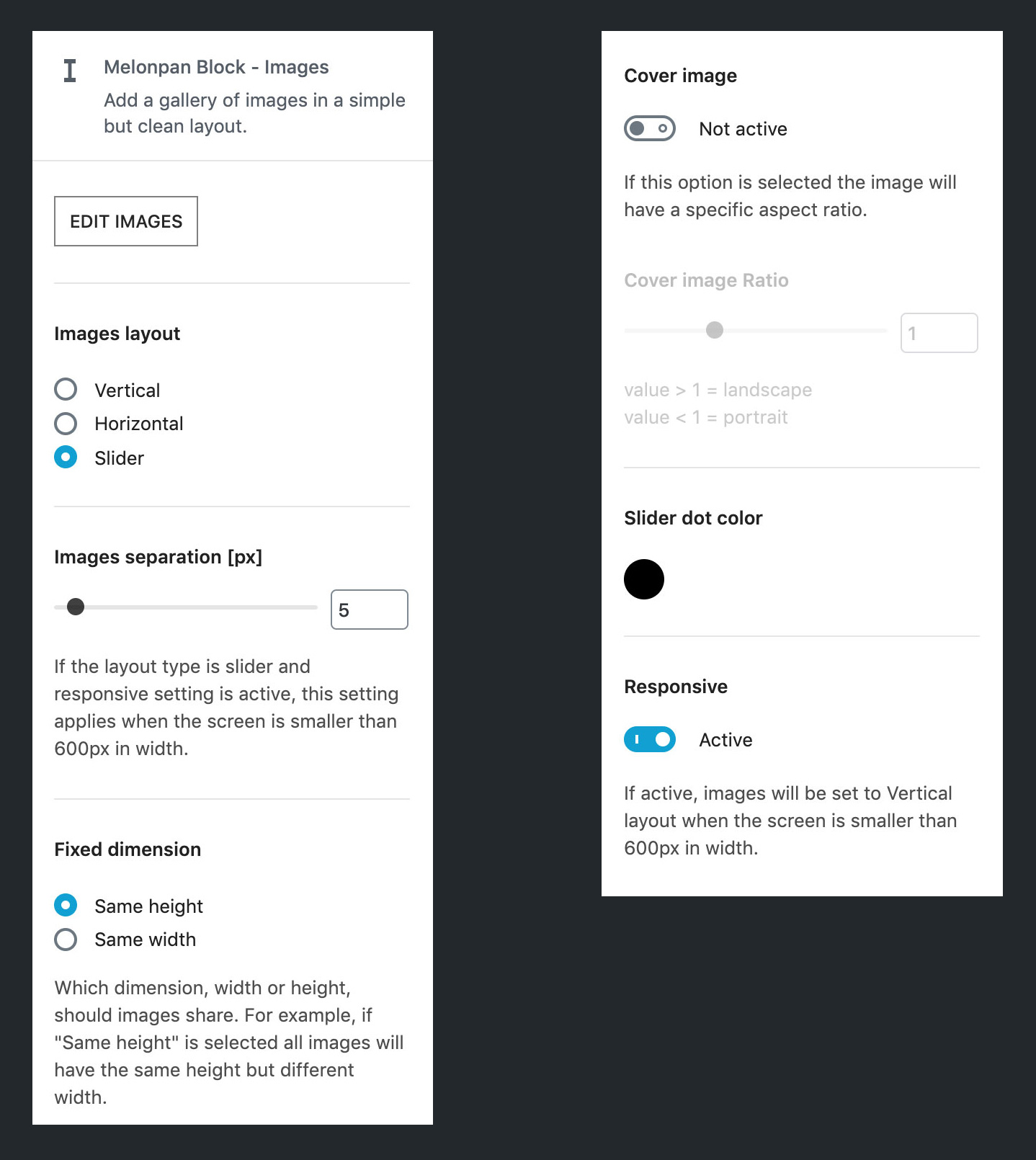
Block settings panel.
Installasjon
Installation from the WordPress admin.
- Log in to the WordPress admin and navigate to Plugins > Add New.
- Type Melonpan Block – Images in the Search field.
- In the results list Melonpan Block – Images plugin should appear, click Install Now button.
- Once it finished installing, click the Activate button.
- That’s it, now you can go to any post where Gutenberg is enabled and start using the block.
Omtalar
There are no reviews for this plugin.
Bidragsytarar og utviklarar
“Melonpan Block – Images” is open source software. The following people have contributed to this plugin.
Contributors
Omset “Melonpan Block – Images” til ditt eige språk.
Interested in development?
Les kjeldekoden, sjekk SVN-lageret eller abonner på utviklingsloggen med RSS.
Endringslogg
1.1.0
- Improved code base.
- Slider dot color can be left empty (so it will inherit the value)
1.0.1
- Cleaned TypeScript types.
1.0.0
- Initial release.