
Skildring
No settings page, no bloat — just activate and go. Dark mode for every corner of your WordPress admin.
- Instant toggle in the admin bar — no page reload
- Per-user preference: Dark / Light / Auto (follows system)
- Full block editor and Site Editor support
- 11 popular plugins supported out of the box
- Developer-friendly: filters for default preference, custom CSS, and editor canvas control
Supported plugins:
- Advanced Custom Fields
- AIOSEO
- Better Search Replace
- Jetpack
- Kadence Blocks
- Nested Pages
- SmartCrawl SEO
- Smush
- The SEO Framework
- WooCommerce
- Yoast SEO (including Premium, Local, News, WooCommerce)
The plugin adds a dark-mode class to the admin body when active, and provides three filters for customization:
add_filter( 'dark_mode_dashboard_css', 'your_custom_stylesheet' )— load a custom stylesheetadd_filter( 'dark_mode_dashboard_default_preference', function() { return 'disabled'; } )— change the default mode for new usersadd_filter( 'dark_mode_dashboard_editor_canvas', '__return_false' )— disable dark mode for the editor content area
Skjermbilete
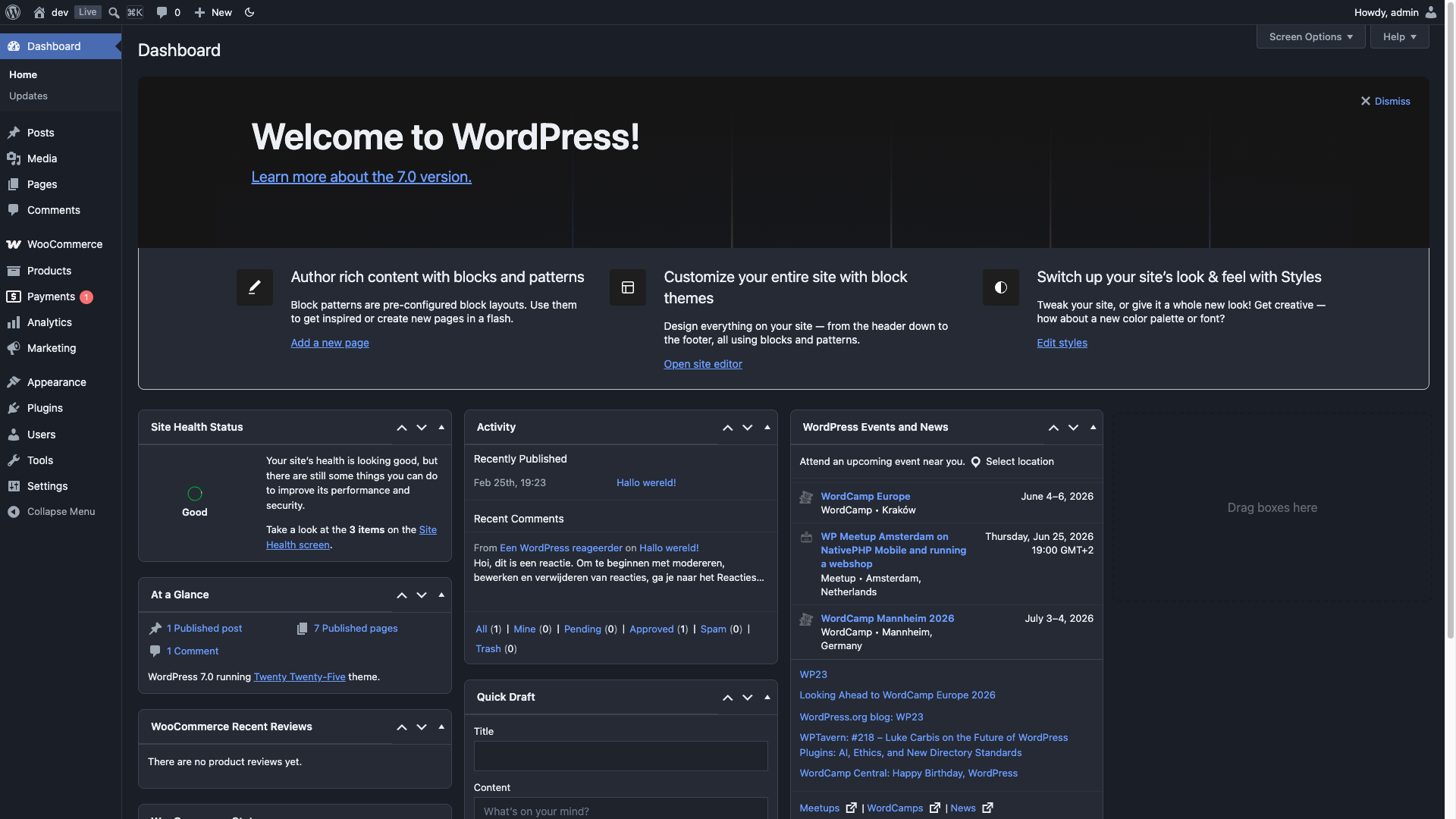
Dashboard 
Plugins 
Pages
Installasjon
- Upload the plugin package to the plugins directory.
- Activate the plugin.
- Done! Your WordPress dashboard is now in dark mode 🙂
Use the toggle in the admin bar to switch between dark and light mode instantly. You can also set your preference to Auto in your user profile to follow your system’s dark mode setting.
Omtalar

30. mai 2026
2 replies
I tried several options to help darken up the admin sections, some of which have come and gone because they just weren’t updated much beyond initial release. Most of them were haphazard and either broke the admin section in odd ways or just didn’t look right. I remember one went completely overkill, making it impossible to use any plugins like AIOSEO.
Then came this plugin. It was the closest thing to perfect, then got better, and finally became the plugin I stuck with. In the latest update, things changed a little, causing a few problems, but the plugin author was on top of it, quickly rolling out a fix. Much appreciate, and heavily enjoyed. This is quite possibly the best dark mode option you’ll ever find.

26. oktober 2025
outstanding!!! Best!!!

16. oktober 2025
Works great. So much nicer on the eyes.

22. oktober 2024
This plugin does exactly what it says it will do. 5/5. BUT, there is an error being generated, possibly because the plugin hasn’t been maintained for a long time, that causes the post creation page to not fully switch to dark mode. Which is sad, because that’s what I mainly want to use it for. But hey, if the dev gets that fixed, we are back to the best dark mode plugin. I love the decision to not make any spammy «premium» features. Just hope the dev is okay.

12. juni 2024
Huge help and I use it a lot, but the template parts page looks wonky with it on.

4. mai 2024
WOW AMAZING – even has a Toggle button to enable/disable anytime. It is so comf on the eyes. THANK YOU!!!!!!!!!! For free!!!!!!!!!!!!!!
Bidragsytarar og utviklarar
“Dark Mode for WP Dashboard” is open source software. The following people have contributed to this plugin.
Contributors
Omset “Dark Mode for WP Dashboard” til ditt eige språk.
Interested in development?
Les kjeldekoden, sjekk SVN-lageret eller abonner på utviklingsloggen med RSS.
Endringslogg
1.3.2
- Added:
dark_mode_dashboard_editor_canvasfilter to disable editor canvas dark mode - Fixed: Editor toggle now properly reverts Classic Editor content area to light mode
1.3.1
- Added: SmartCrawl SEO support
- Added: Smush support
- Fixed: Form table left/right padding on settings pages
1.3.0
- Complete CSS rewrite using CSS custom properties (design tokens)
- Full block editor support including editor canvas (iframe)
- Full Site Editor (FSE) support
- Instant toggle — no page reload needed
- Auto mode: follows your OS dark mode preference
- Added
dark_mode_dashboard_default_preferencefilter for developers - Added
dark-modebody class for third-party CSS hooks - Fixed: PHP warning on user profile page (Undefined array key)
- Fixed: Missing JS file causing console errors
- Fixed: Dark mode toggle showing on frontend
- Fixed: Unsanitized user meta save
- Fixed: Block editor content area not fully dark
- Fixed: Template parts / Site Editor pages not themed
- Updated: All plugin-specific styles for current versions
- Added: The SEO Framework support
- Added: WP Nested Pages full page listing support
- Fixed: WooCommerce order notes and order heading styling
- Fixed: Plugin Check escaping and sanitization issues
- Removed: MonsterInsights and WP to Twitter support
- Removed jQuery dependency
- Tested up to WordPress 7.0
1.2.4
- Update: Added nonce to requests
1.2.3
- Update: Added a toggle in the WP Admin toolbar. Also added support for Gutenberg Blocks by Kadence Blocks and fixed minor Gutenberg issues
1.2.2
- Fixed: Minor issue with ACF Group field
1.2.1
- Update: Added support for Google Analytics for WordPress by MonsterInsights & WP to Twitter
1.2.0
- Update: Added support for Yoast SEO Premium, Yoast SEO Local, Yoast SEO News, Yoast SEO Video, Yoast SEO WooCommerce & AIOSEO. Some minor fixes
1.1.3
- Update: Added Better Search Replace support
1.1.2
- Update: Added Advanced Custom Fields support
1.1.1
- Update: Fixed Gutenberg editor
1.1.0
- Update: Added the option to disable the dark mode in the user profile.
1.0.7
- Fixed: Issues with the graphs within the Jetpack plugin
1.0.6
- Fixed: Some issues with the Jetpack plugin
1.0.5
- Added: WooCommerce support
1.0.4
- Added: Nested Pages (plugin) support
1.0.3
- Update: Ownership change
1.0.2
- Added: Jetpack support
1.0.1
- Fixed: Notice: wp_register_style was called incorrectly.
1.0.0
- First public version