

Skildring
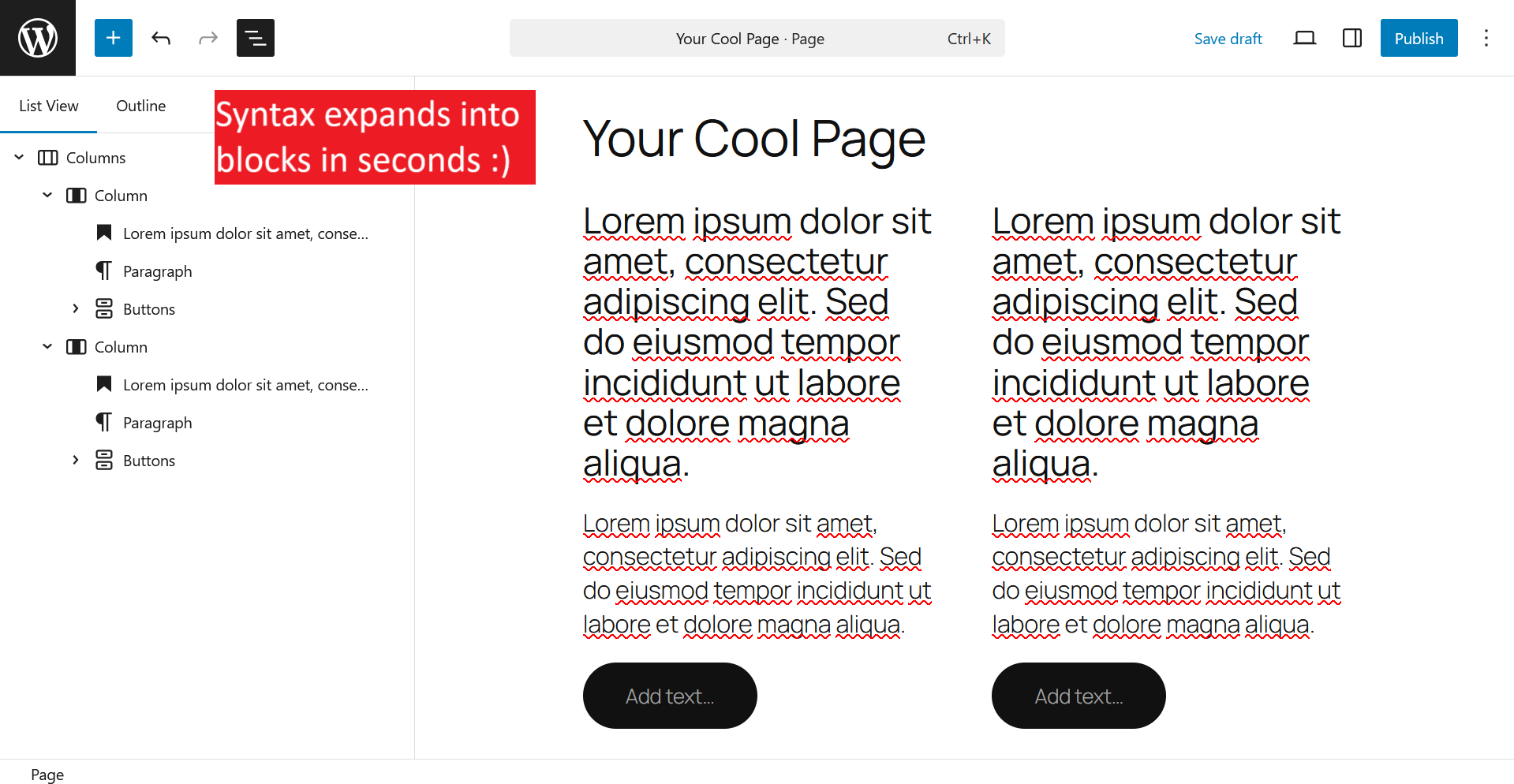
BlockExpander enables a fast, code-inspired workflow for assembling page structures in the WordPress block editor using Emmet-style shorthand syntax.
How It Works:
- Press
Ctrl+Shift+E(orCmd+Shift+Eon Mac) to open the BlockExpander modal - Enter an Emmet expression (e.g.,
columns>column*3>paragraph) - Press Enter to expand the expression into blocks
- Blocks are inserted at your cursor location
Syntax Examples:
paragraph– Creates a paragraph blockcolumns>column*3– Creates a columns block with 3 columnsgroup.container– Creates a group block with class «container»group#hero– Creates a group block with anchor «hero»paragraph{Hello World}– Creates a paragraph with custom text
Features:
- Familiar Emmet syntax for rapid block creation
- Keyboard-triggered modal for seamless workflow
- Supports nesting, multiplication, classes, IDs, and text content
- Automatic Lorem Ipsum placeholder text for content blocks
- Fully compatible with all core Gutenberg blocks
Skjermbilete

Installasjon
- Upload the plugin files to
/wp-content/plugins/blockexpander, or install through the WordPress plugins screen - Activate the plugin through the «Plugins» screen in WordPress
- In the block editor, press
Ctrl+Shift+E(orCmd+Shift+E) to open the expander
Vanlege spm.
-
What is Emmet?
-
Emmet is a toolkit for web developers that uses CSS-selector-like abbreviations to rapidly generate HTML structures. BlockExpander adapts this approach for Gutenberg blocks.
-
What keyboard shortcut opens the modal?
-
Ctrl+Shift+E on Windows/Linux or
Cmd+Shift+Eon Mac. -
Can I use any block name?
-
Yes! Any tag name becomes
core/<tagname>. For example,paragraphbecomescore/paragraph,columnsbecomescore/columns, etc.
Omtalar
There are no reviews for this plugin.
Bidragsytarar og utviklarar
“BlockExpander” is open source software. The following people have contributed to this plugin.
Contributors
Omset “BlockExpander” til ditt eige språk.
Interested in development?
Les kjeldekoden, sjekk SVN-lageret eller abonner på utviklingsloggen med RSS.
Endringslogg
0.1.0
- Initial release
- Emmet expression parsing via @emmetio/abbreviation
- Modal UI with keyboard shortcut
- Support for nesting, multiplication, classes, IDs, and text content