

Skildring
Automatically convert all normal pre-existing or new Classic, or Gutenberg, or HTML tables into fully Responsive Tables with Sortable Headers and Sticky-Header options. Build or edit tables directly within your Post, Page, or Product editor. Adjust Settings for additional customization and control.
Smartest 4 Features for WordPress Tables
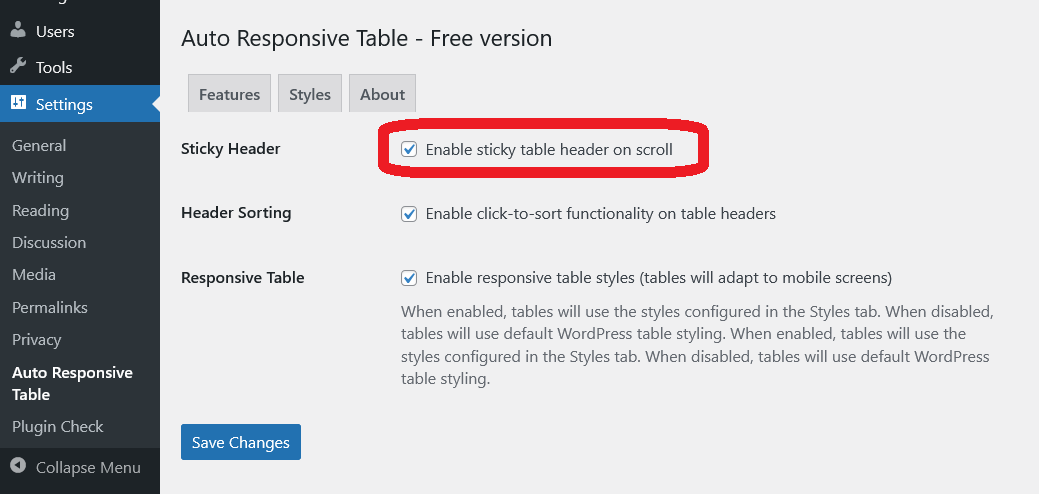
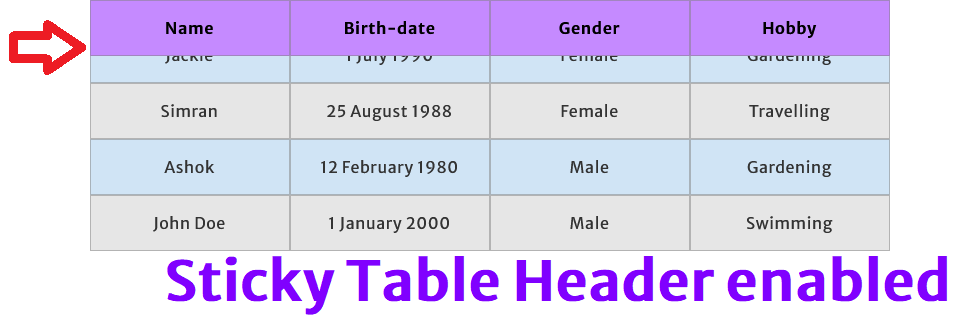
- Sticky Table Head: If a Table is too long with too many rows, then some users forget context of what each column represents. So, you should lock table headers. This PlugIn keeps table header visible while user scrolls the table, and it helps users maintain context without forgetting what each column represents.
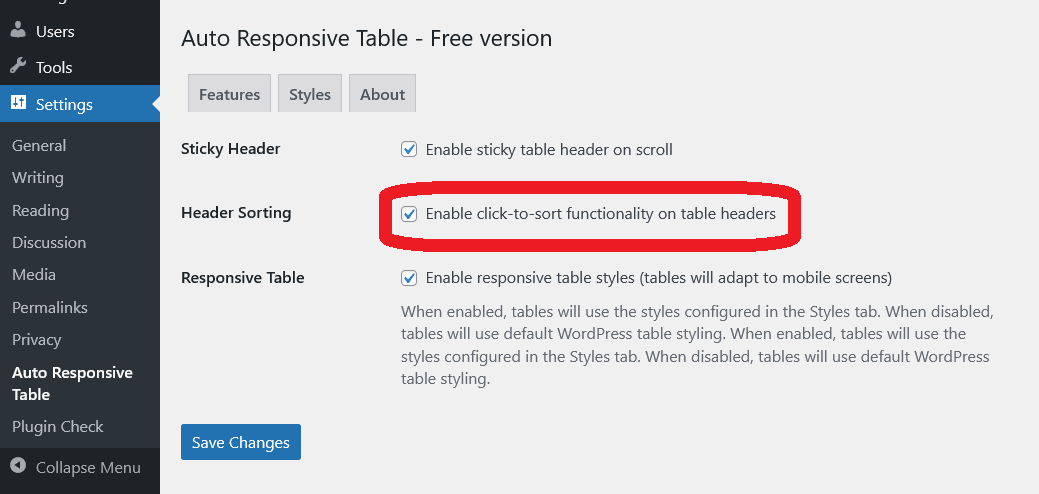
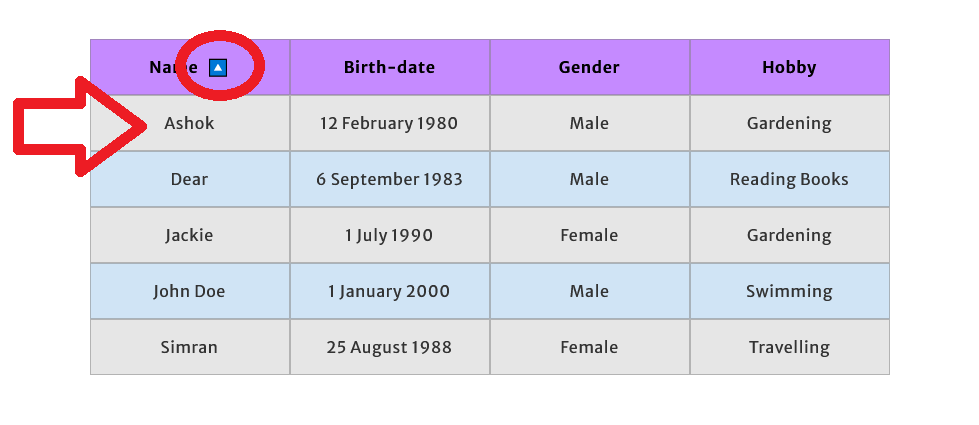
- Table Header Sortability: Enable header sorting functionality for your tables as needed.
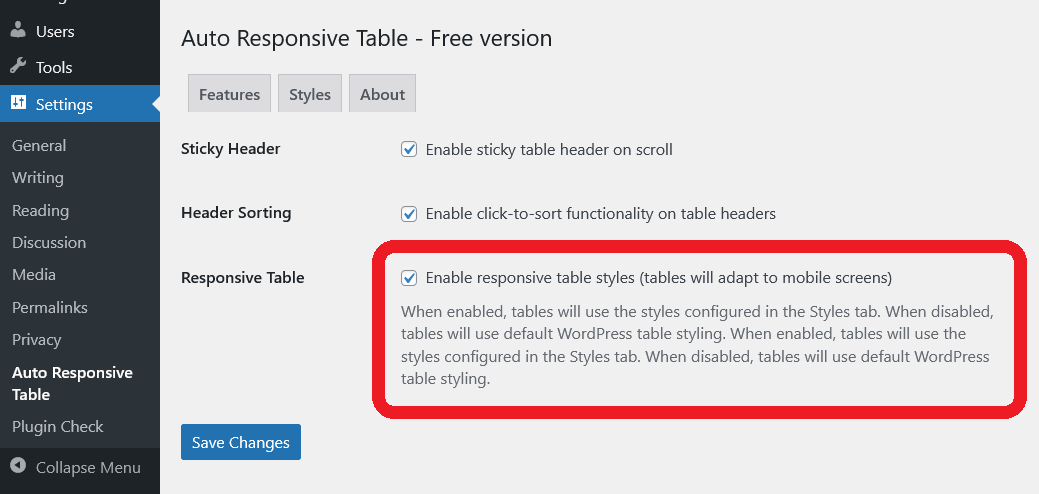
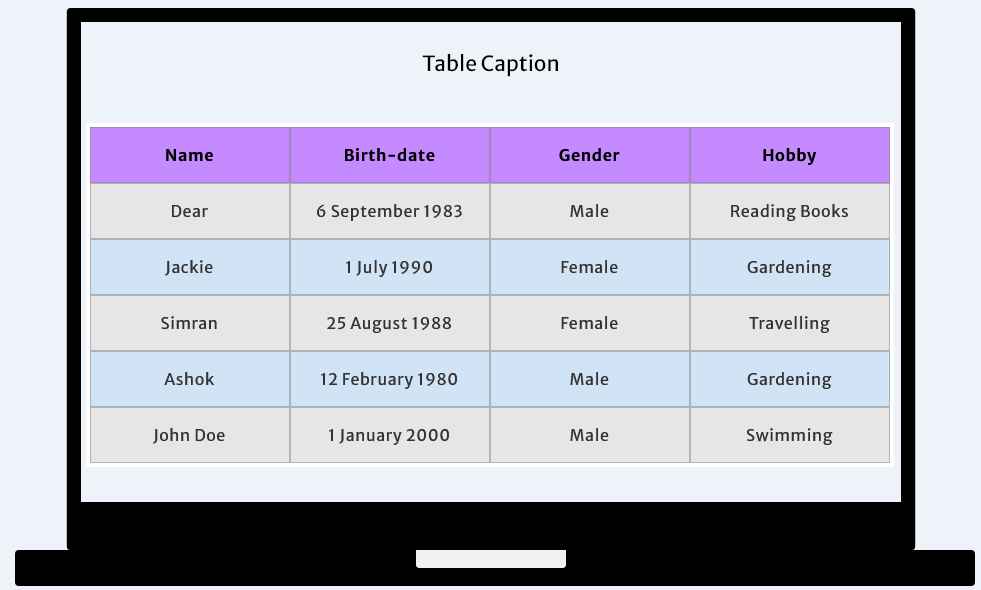
- Responsive Table: Automatically adjusts tables to fit any screen size, ensuring optimal readability on mobile, tablet, and desktop devices.
- Customize Styles: You can easily customize Styles form PlugIn Settings.
Video Preview
Why this PlugIn is best?
Direct Editing: Use the Classic or Gutenberg editor to create and edit tables directly in Page or Post or Product. Tables are styled and functional without additional markup or complicated workflows.
No Shortcode Hassles: Skip the extra steps, as tables are styled and responsive without additional markup. But you have your freedom to custimize the default styles.
Cross Browser Compatibility: Whether you are on a desktop, laptop, tablet, or smartphone, this PlugIn works smoothly with almost every leading browser, including Chrome, Firefox, Edge, Safari, Opera, and Brave.
QC Passed: Tested to work with commonly used Themes and PlugIns.
Lightweight and Fast: The PlugIn takes very low space in hosting, and optimized to load quickly and use minimal server resources.
Are you happy?
You are requested to provide positive review in WordPress.org with some extra clicks to share this PlugIn in your social network
Looking for something special? Buy Pro
You may enable all three
- Sticky Table Head
- Table Header Sortability
- Responsive Table
options, any two, or a single one via the settings. In the free version, these specified modifications will apply uniformly across all Tables of your WordPress website. This is healthy for small websites. But if your website has lots of posts and pages, with lots of tables, you should consider upgrading to Pro. The Pro version allows control to turn On or Off these «Sticky Table Head, Header Sorting, Responsive» options directly at the individual page, post, or product level. Even you can customize «Desktop CSS Styles of Tables» and «Mobile CSS Styles of Tables» at individual page, post, or product level.
Buy WordPress PlugIn for Auto Responsive Table with Sticky Table Head, Header Sorting and Table CSS Style Customization from trusted marketplace Gumroad.
Thank you
Tawhidur Rahman Dear
- Dear IT Solution : IT Consultancy, Web and App Development, AdSense, SEO, Graphic Design, Password Recovery and Security, Online Marketing, Corporate Services
- Dear Store : WordPress PlugIn, JavaScript, CSS Code, Blogger Theme, Desktop Software for Windows
- Dear Apps Corner : More than 60 Android Apps to make your life beautiful
Skjermbilete



Installasjon
Download this free WordPress.org PlugIn, and
Step 1. Open your WordPress Admin Dashboard, click «Add New» in PlugIns section. Now click on «Upload PlugIn». Select the downloaded package, now click on «Install Now». Click on «Activate PlugIn» to activate the PlugIn.
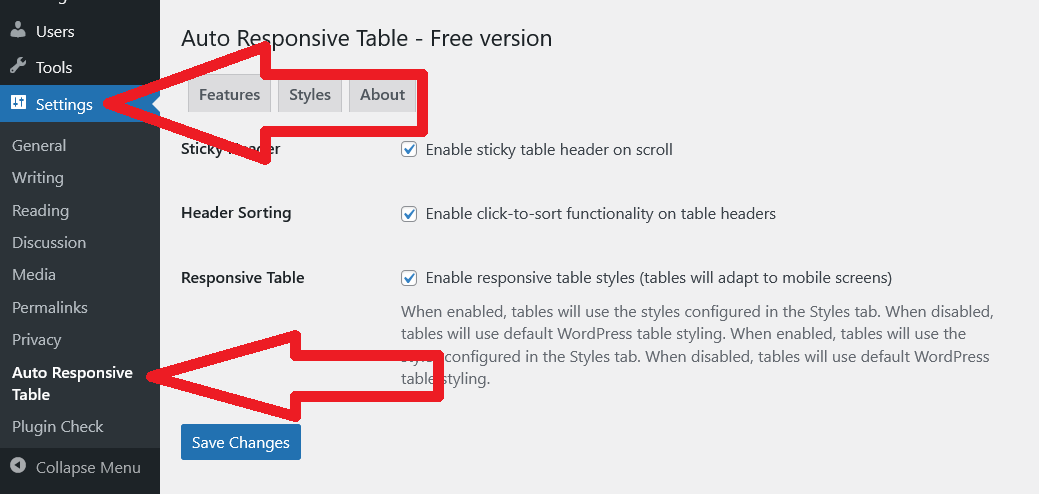
Step 2. Go to «Settings» page to turn On or Off the Features. You may read online Documentation for WordPress PlugIn for Auto Responsive Table with Sticky Table Head, Header Sorting and Table CSS Style Customization here.
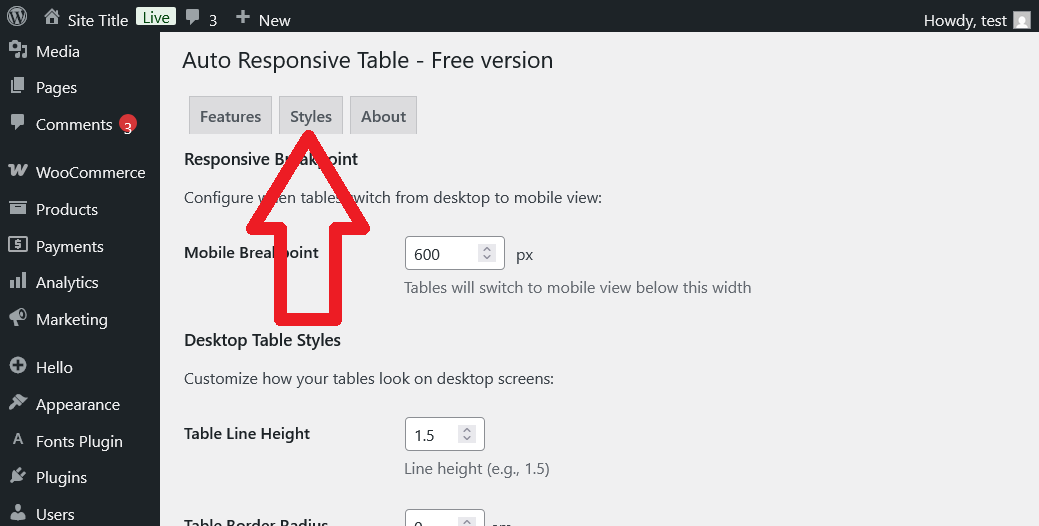
Step 3. Click on «Styles» tab to adjust CSS styles.
Step 4. Use Classic or Gutenberg editor’s Table Block to create a table in your Page, or Post, or Product.
Step 5. Check on the browser.
Omtalar
There are no reviews for this plugin.
Bidragsytarar og utviklarar
“Auto Responsive Table” is open source software. The following people have contributed to this plugin.
Contributors
Omset “Auto Responsive Table” til ditt eige språk.
Interested in development?
Les kjeldekoden, sjekk SVN-lageret eller abonner på utviklingsloggen med RSS.
Endringslogg
3.0
- Now WordPress admin can edit styles from Settings page. Updated on 4 March 2026
1.0
- Released first on 9 December 2024