

Skildring
This plugin adds a simple function to the TinyMCE editor that allows editing the cite attribute of a blockquote element.
To call the editing window, just double-click or right-click on the blockquote element.
Skjermbilete

Screenshot 1 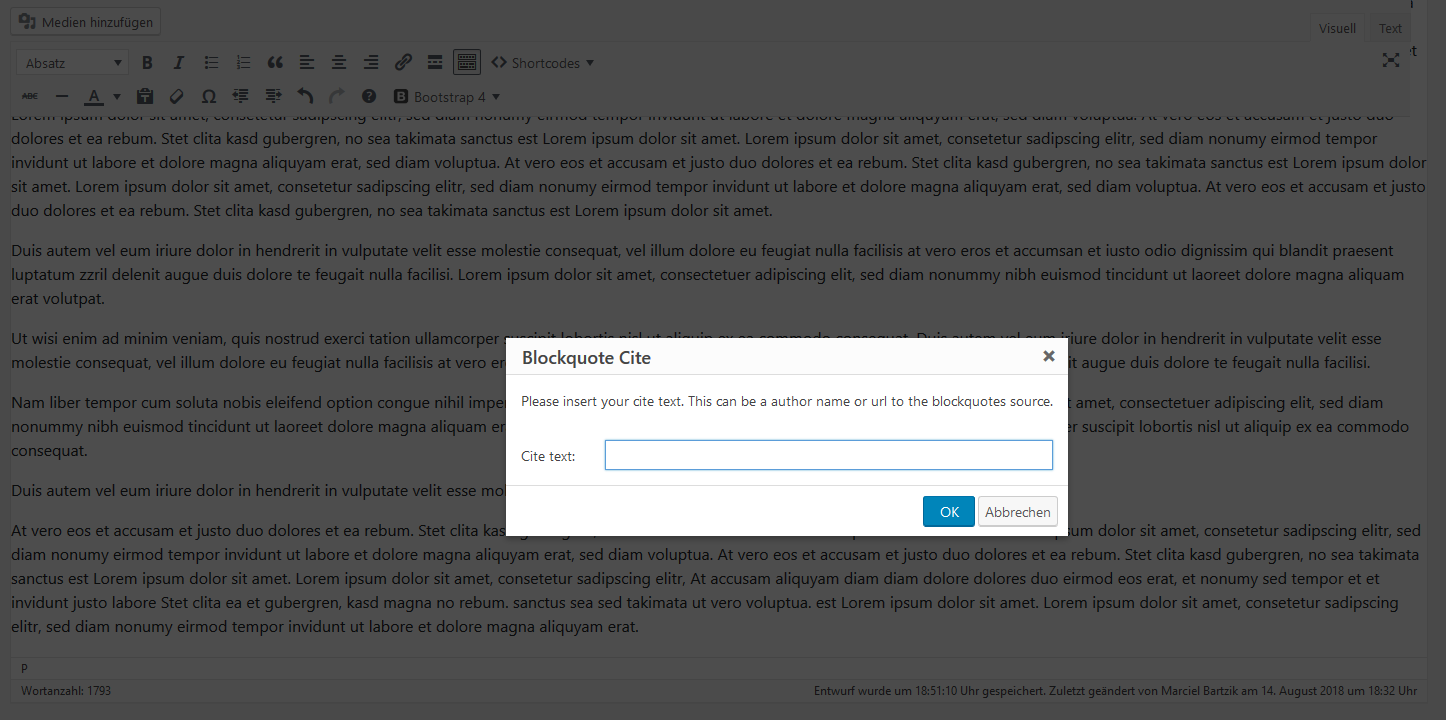
Screenshot 2
Installasjon
- Upload the plugin files to the
/wp-content/plugins/add-tinymce-blockquote-citedirectory, or install the plugin through the WordPress plugins screen directly. - Activate the plugin through the «Plugins» screen in WordPress
Vanlege spm.
-
How can I display the cite attribute at my theme?
-
You can display the value from
citeattribute by adding the following code to your theme style.css:
/* css */
blockquote[cite]:after {
content: «\2014\00a0» attr(cite) «»;
display: block;
}
Omtalar
There are no reviews for this plugin.
Bidragsytarar og utviklarar
“Add TinyMCE Blockquote Cite” is open source software. The following people have contributed to this plugin.
Contributors
Omset “Add TinyMCE Blockquote Cite” til ditt eige språk.
Interested in development?
Les kjeldekoden, sjekk SVN-lageret eller abonner på utviklingsloggen med RSS.
Endringslogg
1.0.1
- minor updates.
1.0.0
- first stable version.
0.1
- first version.