
Beschrijving
Retouch function
- Resize to frequently used size
- Image rotation
- Adjust contrast and brightness
- Blur any part
- Change color temperature
Schermafbeeldingen

Click “Media” -> “Retouch” menu. Design a retouch button from a “Retouch Settings” form. 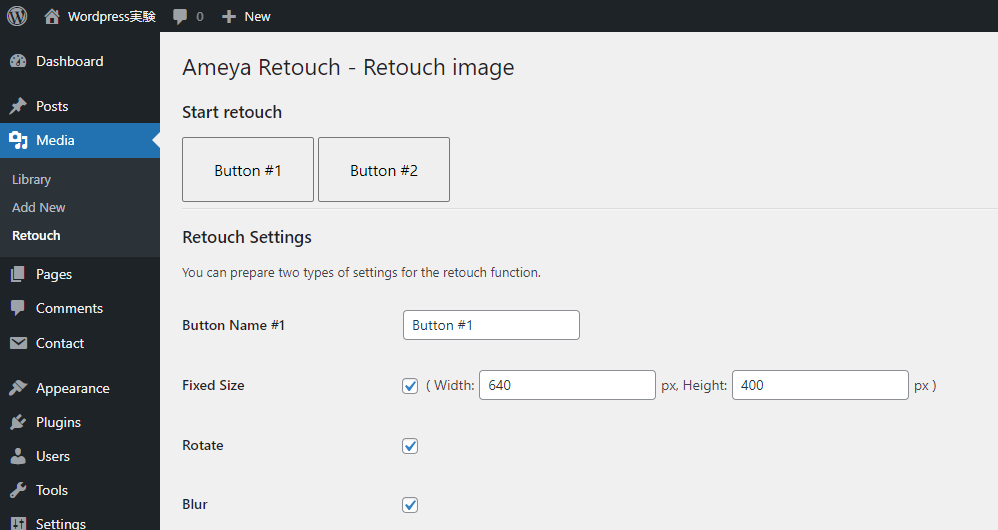
Press the designed button to start retouching. 
When the screen turns gray, drop the image file to load it, adjust the size or brightness, and press the save button. When all work is completed, press the close button to finish.
Installatie
Admin Installer
- Visit WordPress admin screen, click “Plugins” -> “Add New” menu.
- Search for “ameya retouch” plugin from the list or search results.
OR…
- Click “Upload Plugin” button, upload your zip file.
- Click the “Install Now” button.
- Activate the plugin.
Manual
- Upload the Ameya Retouch folder to the plugins directory in your WordPress.
- Activate the plugin.
FAQ
-
Why did you develop this plugin?
-
It was troublesome to launch Photoshop to make simple edits to the photos posted on the CMS.
Beoordelingen
Er zijn geen beoordelingen voor deze plugin.
Bijdragers & ontwikkelaars
“Ameya Retouch” is open source software. De volgende personen hebben bijgedragen aan deze plugin.
Bijdragers

Vertaal “Ameya Retouch” in je eigen taal.
Interesse in ontwikkeling?
Bekijk de code, haal de SVN repository op, of abonneer je op het ontwikkellog via RSS.
Changelog
0.3 – 2023-02
- FIXED: escape echo’d variables and options
- FIXED: use wp_enqueue commands
- FIXED: file location notation
0.2 – 2023-02
- FIXED: ‘z-index’ of retouch stage’s background
0.1 – 2023-02
- published!