

Beschrijving
Qomon is a Software as a Service (SaaS) platform that assists organizations by offering a range of features designed to enhance their operations.
The Qomon plugin, for instance, provides a service that allows Qomon users to seamlessly integrate a form created within the qomon.app application onto their WordPress site.
To access this functionality, having a Qomon account and having previously designed a form are prerequisites. To effectively utilize the Qomon plugin’s capabilities for displaying forms, it’s essential to obtain a unique form_id generated exclusively by Qomon. This form_id serves as a crucial identifier that enables the plugin to retrieve and present the designated form on your WordPress site. This mechanism ensures a seamless integration between the qomon.app application and the plugin, allowing for the effortless display of your chosen form.
This plugin leverages a script developed by Qomon, enabling the generation of an embedded form directly within the webpage.
INTEGRATIONS
First create a form here.
Then to add a Qomon form to your page you have 2 options:
I. Adding through the Qomon Form Block
Once activated you will be able to add a form to your page using a Qomon Form Block.
The block will appear, allowing you to add the id of your form to it.
The published or previewed page will display the corresponding form.
II. Adding through the shortcode [qomon-form]
In the same way you can add a shortcode block.
Once this block is on the page it will be necessary to write this code [qomon-form id=my-form-id] in the block, my-form-id will be to replace by the id of your form.
The published or previewed page will display the corresponding form.
To go further in the customization of this one, or for any help concerning the plugin, you can consult this page.
Schermafbeeldingen

Search the Qomon Form Block. 
A Qomon Form Block on edit mode. 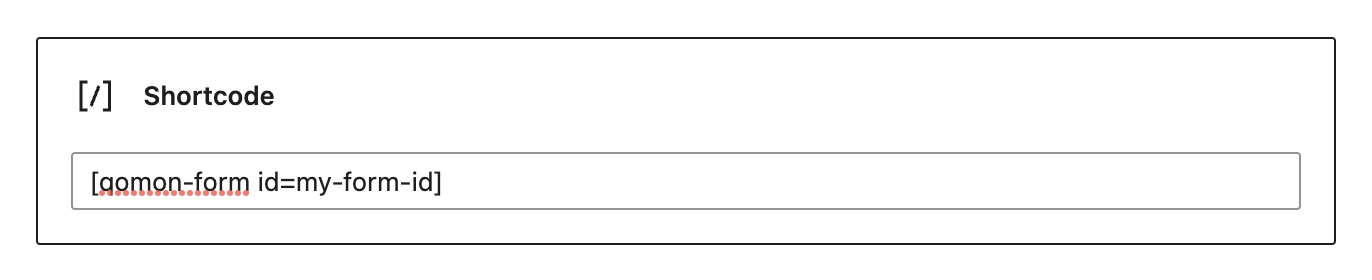
Add a form with a shortcode. 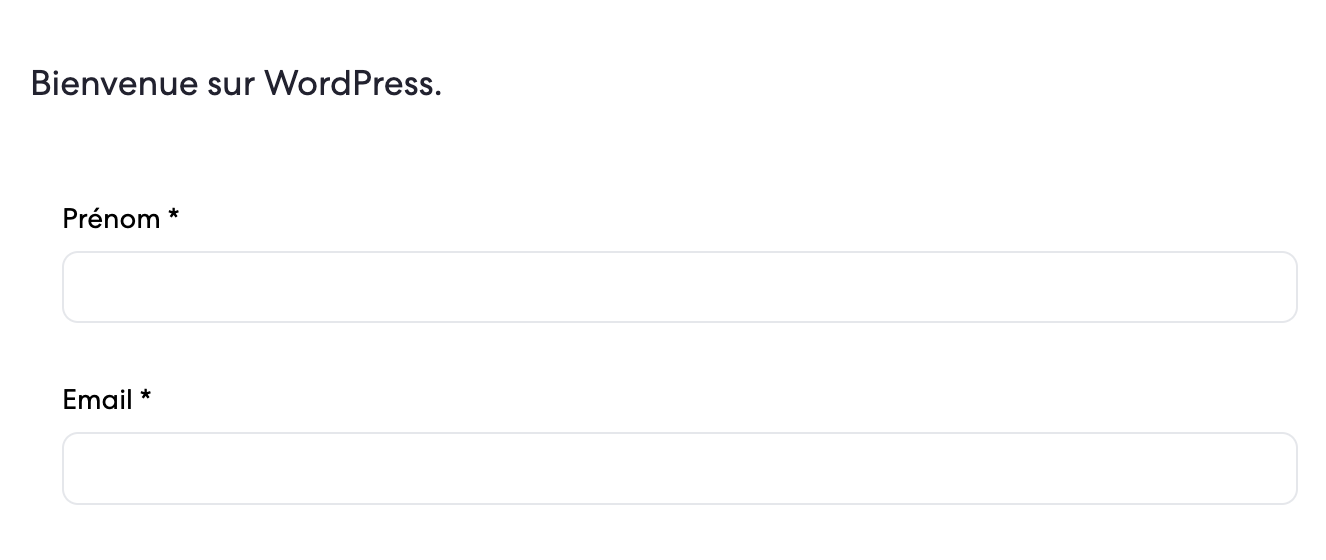
See your form on a page.
Blokken
Deze plugin voorziet 1 blok.
- Qomon Form Qomon form block scaffolded with Create Block tool.
Installatie
- Upload the plugin files to the
/wp-content/plugins/qomondirectory, or install the plugin through the WordPress plugins page. - Activate the plugin through the ‘Plugins’ menu in WordPress
- Add a shortcode, enter [qomon-form id=your-form-id] in it. Or, add a new block, choose Qomon Form, and paste your form id in it.
FAQ
Where can I find a documentation about this plugin?
You can find it at this path: https://help.qomon.com/en/articles/7439238-how-can-i-integrate-a-qomon-form-on-my-website
Beoordelingen
Er zijn geen beoordelingen voor deze plugin.
Bijdragers & ontwikkelaars
“Qomon” is open source software. De volgende personen hebben bijgedragen aan deze plugin.
Bijdragers
Vertaal “Qomon” naar jouw taal.
Interesse in de ontwikkeling?
Bekijk de code, haal de SVN repository op, of abonneer je op het ontwikkellog via RSS.
Changelog
1.1.1
- Add corrections.
1.1.0
- Embed Petition: The Qomon plugin now supports embedding petitions.
1.0.0
- Plugin released