

Beskrivelse
SurfLink is the Ultimate Link Manager, all-in-one WordPress utility and management tool designed to Search & Replace, Easy Redirection, 404/410 Manager, Link Shortener, Auto Linking, Backup & Restore, Hide Login Url Security. Stop installing five different plugins to do the job of one.
🚀 Module 1: Search and Replace
Safely perform bulk find-and-replace operations directly on the database.
* Database Management: Supports all tables and handles serialized data (critical for preventing data corruption).
* Safety First: Includes a «Dry Run» mode to test before applying, case-sensitivity toggles, and specific GUID handling.
* History Logs: View detailed logs of changes with a «View Changes» diff modal (Before vs. After).
* Easy URL Updater (Pro): A dedicated visual interface to update old domain names or migrate HTTP to HTTPS across contents, attachments, and links.
* Rerun Operation (Upcoming): Re-run a Search & Replace operation from the History Logs.
🔗 Module 2: Redirects, 410 & 404s
A complete suite for managing traffic and broken links.
* Redirect Manager: Create 301, 302, or 307 redirects.
* Advanced Rules (Pro): Redirect based on Regex, «Starts With», «Contains», «Is 404», User Agent, or even redirect to Random Posts.
* Redirect List: View redirects in a nice table. Create, edit, and delete redirects.
* Dead Link Handling: Monitor 404 logs and easily convert them to Redirects or 410 Gone status (to tell Google a page is permanently deleted).
* Import/Export: Support for CSV import/export for bulk management.
🔗 Module 3: Smart Links
A pro suite for creatin and managing shortlinks.
* Link Shortener (Pro): Create custom, memorable shortlinks (e.g., mysite.com/go/sale) with click tracking.
* Group Tagging (Pro): Create, edit, and delete shortlinks groups.Organize links into groups for easy navigation.
* ShortLink List (Pro): View shortlinks in a nice table. Create, edit, and delete shortlinks.
* Import/Export: Support for CSV import/export for bulk management.
* Auto Linker (Pro): Let SurfLink handle your affiliate linking for you. Enter your keywords once, and watch every existing and future post monetize itself automatically.
* Hard Linker (Pro): Automatically link posts, pages, categories, tags, and custom post types.
* Hard Unlinker (Pro): Automatically unlink posts, pages, categories, tags, and custom post types.
💾 Module 4: Backup and Restore
Secure your site data with a few clicks.
* Flexible Backups: Backup the entire database, specific directories (Uploads, Themes, Plugins), or both.
* Selective Restore: Restore an entire site or just specific components (e.g., restore only the database, keep the themes).
* Scheduled Auto Backups (Pro): Set it and forget it. Schedule daily or weekly backups to ensure you never lose data.
* Upload & Restore (Mix): Restore backups from external files easily. Unlimited file size support in premium version.
* Cross domain Restore: Restore backups from a different domain (e.g., staging, localhost, or a new production domain).
* **Remote Backups (Upcomimg): Backup to a remote location (e.g., Google Drive) for long-term storage.
🔒 Module 5: LoginHider Security
Protect your site from brute-force attacks.
* Hide Login URL: Change your default wp-login.php to a custom slug (e.g., /my-secret-entry) and show a nice login form.
* Options: Configure the custom login slug, max login attempts, and IP ban duration.
* Limit Attempts: Log failed login attempts and automatically ban IPs after a set threshold.
* Failed Login Logs: View detailed logs of failed login attempts.
* IP Unbanning: Easily remove IP addresses from the ban list.
Module Manager
- Module Manager: Enable/disable modules to keep your admin interface clean.
- Background Processes: Also enable/disable background processes to optimize performance as needed.
* Advanced Options (Upcomimg) : You can enable/disable a specific sub-module in the Module Manager.
🟢 Free Features vs 🔴 Pro Features
Free Version Includes:
- Search & Replace: Standard DB search/replace, Dry Run, History Logs, «View Changes» diff.
- Easy Title Updater: Update post titles with a single click in post, page and custom post types. Dry Run, History Logs, «View Changes» diff.
- Redirects: Add specific (single/bulk) redirects, 404 Logs, Specific 410 (Gone) status, Import/Export.
- Backup: Manual Backup creation, Saved Backup logs, Manual Restore, Selective Restore.
- Security: Login Hider settings, Failed login logs, IP Unbanning.
- General: Module Manager (enable/disable features).
Pro Version Includes:
- Easy URL Updater: Visual interface for URL migration.
- Advanced Redirect Rules: Regex, Wildcards, Parameter handling, Random post redirects.
- Link Shortener: Create and track branded shortlinks.
- Auto Linker (Pro): Let SurfLink handle your affiliate linking for you. Enter your keywords once, and watch every existing and future post monetize itself automatically.
- Hard Linker (Pro): Automatically link posts, pages, categories, tags, and custom post types.
- Hard Unlinker (Pro): Automatically unlink posts, pages, categories, tags, and custom post types.
- Group Tagging: Create, edit, and delete groups of shortlinks.
- Advanced 410: Add 410s automatically from deleted items (trash/delete hooks).
- Add Multisite 410: Add multiple 410s at once.
- Scheduled Backups: Automated daily/weekly backups to keep your data safe.
- Upload large files & Restore: Restore backups from external files with no size limitation.
SurfLink is an alternative to the following plugins
PrettyLinks, BetterLinks, Redirection, Better Search Replace, UpdraftPlus, All-in-One WP Migration, Duplicator, BackWPup, Loginizer.
Skjermbilder
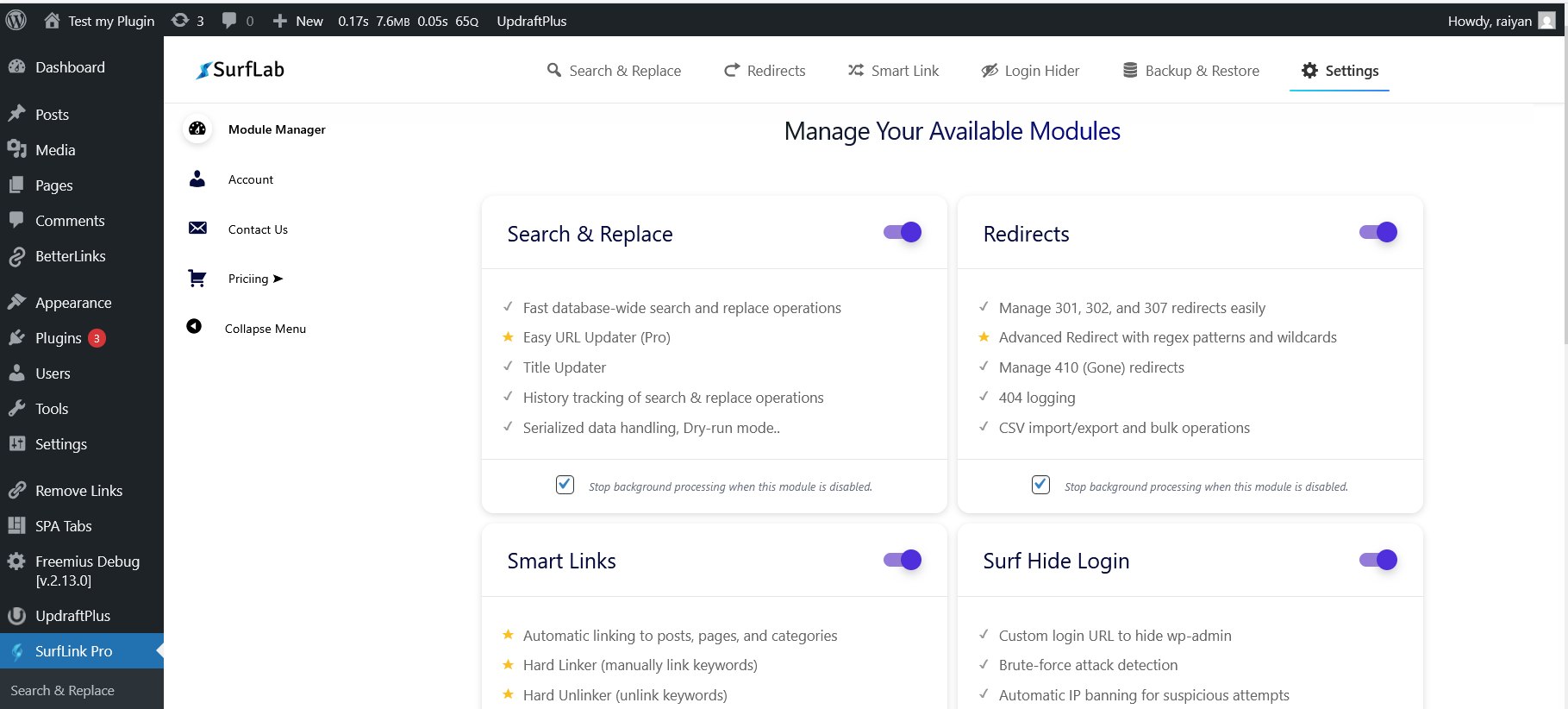
Module Manager (LIGHT MODE): Easily toggle Search & Replace, Redirects, Backup, and Security modules. 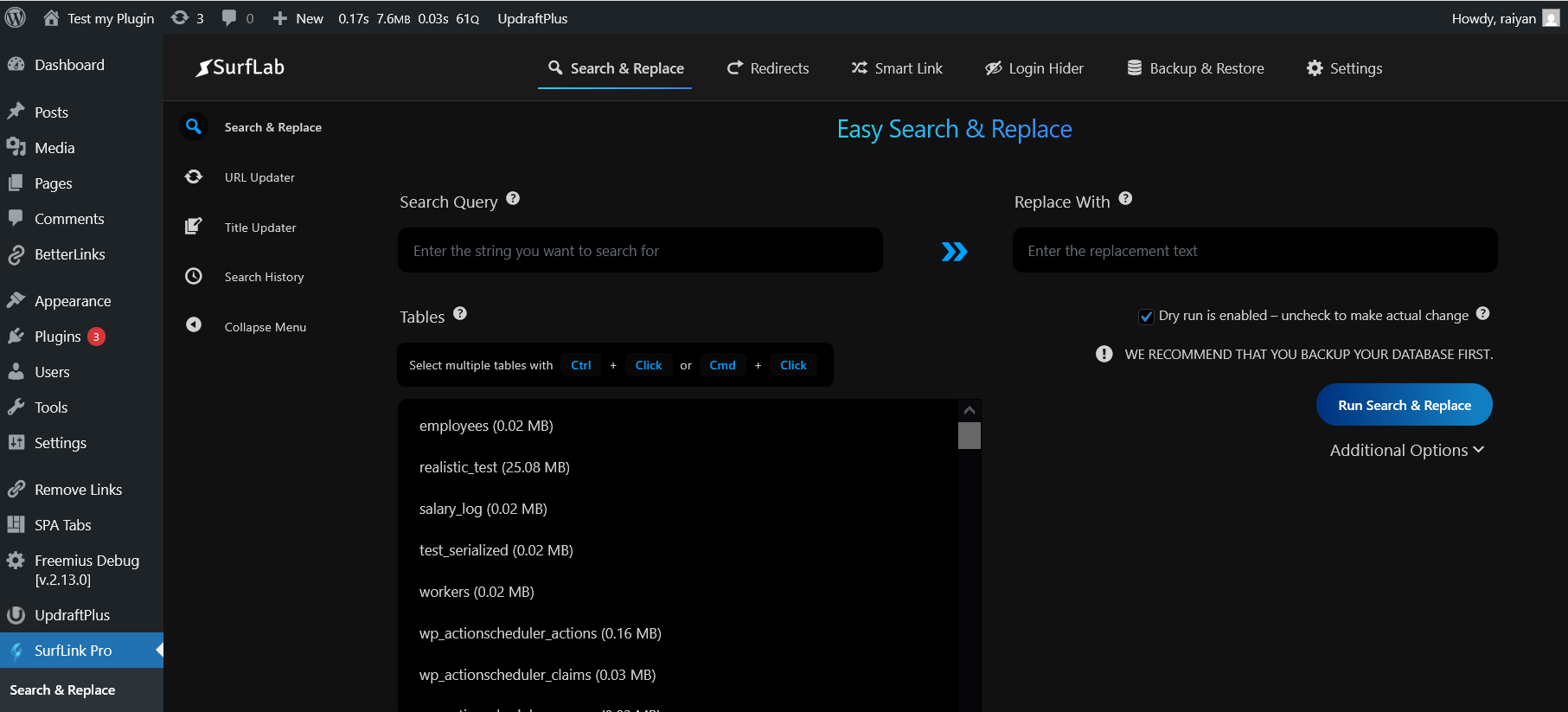
Search & Replace (DARK MODE): Interface showing search and replace process. 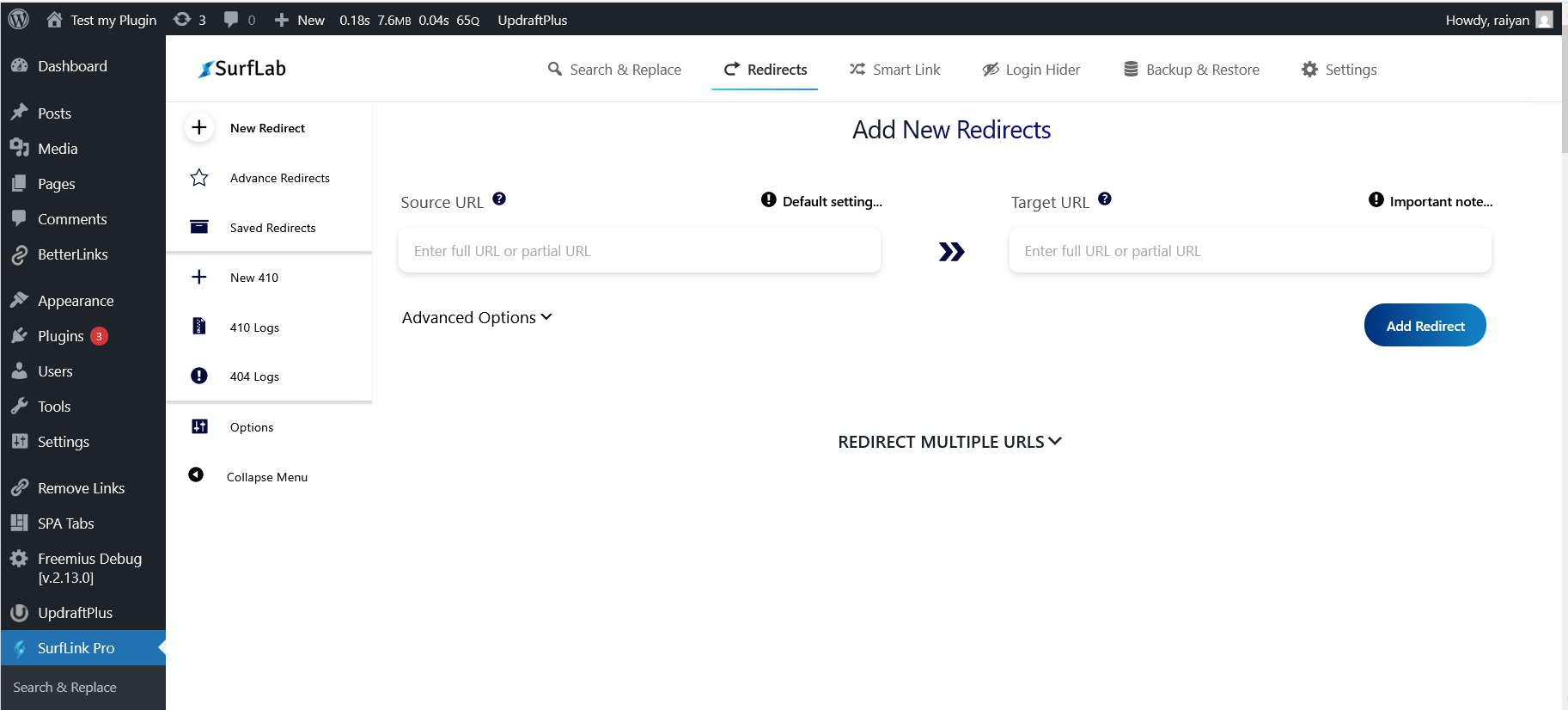
Advanced Redirects (LIGHT MODE): Setting up regex rules in Advanced Redirects. 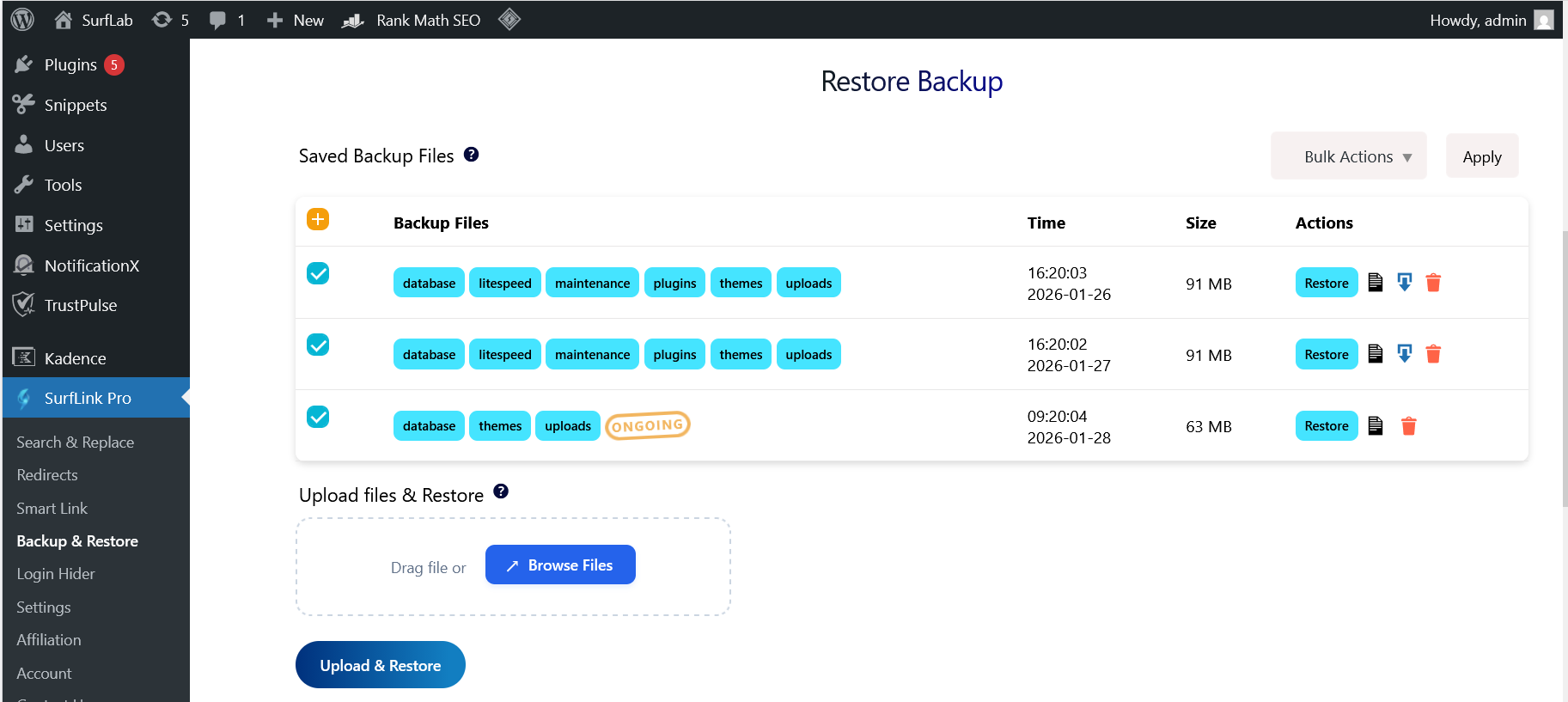
Backup & Restore (LIGHT MODE): Managing saved backups. 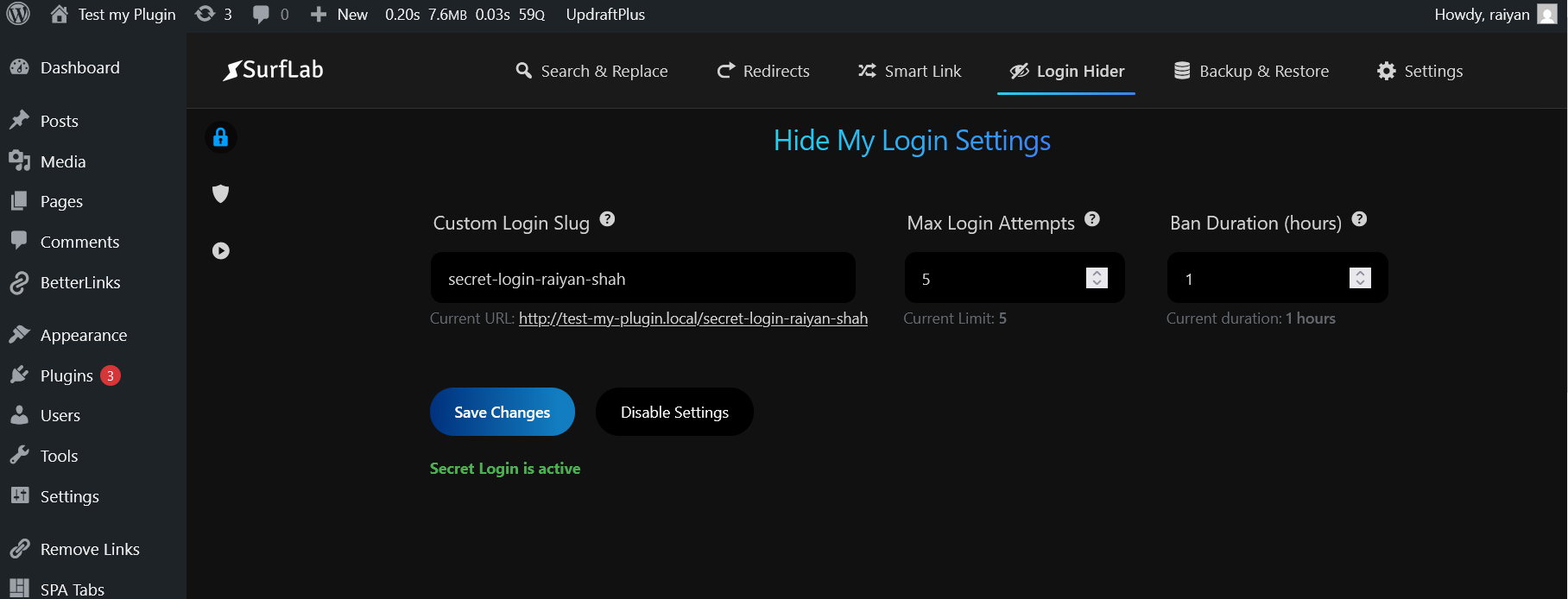
Login Security (DARK MODE): Configuring custom login slug.
Installasjon
Install SurfLink like you would install any other WordPress plugin.
Dashboard Method:
- Login to your WordPress admin and go to Plugins -> Add New
- Type «SurfLink» in the search bar and select this plugin
- Click «Install», and then «Activate Plugin»
Upload Method:
- Download: Download the plugin zip file.
- Upload: Go to your WordPress Dashboard > Plugins > Add New > Upload Plugin. Select the
surflink.zipfile. - Activate: Click «Activate Plugin».
Ofte stilte spørsmål
Can I damage my site with the Search and Replace module?
Yes! Database operations are powerful. Entering a wrong search or replace string could break your site. Always perform a Backup (using Module 3) before running a Search & Replace operation. Use the «Dry Run» feature first to verify what will be changed.
Can I restore database on a different domain?
Yes, SurfLink supports restoring database on a different domain (WordPress Multisite Installation).
Can I restore the database backup on a different table prefix?
Yes, SurfLink automatically handles differences in database table prefixes.
Why do I see a 404 error or get redirected when trying to access default wp-login.php after a restore?
This issue can occur if the login session expires after restoration and the active login security plugins interfer with your access to wp-login.php. There are two possible causes:
-
1. Login Security Plugins (WPS Hide Login, Loginizer, etc.)
-
The Issue: Third-party login security plugins may also block access to
wp-login.phpor change the login URL. After a restore if login session expires, these settings may cause 404 errors or unwanted redirects if you try to access wp-login.php default login page.Note: SurfLink’s does NOT override or deactivate these plugins to be in line with wp org. guidelines – it only handles it’s own LoginHider module.
Solutions to try:
Option 1: Use your custom login URL (if known)
– If you remember the custom login slug configured in the other plugin, access it directly
– Example:yourdomain.com/your-custom-login-slugOption 2: Deactivate via FTP/File Manager
-
Connect to your site using an FTP client (like FileZilla) or your hosting control panel’s File Manager
-
Navigate to the plugins folder:
- Go to:
wp-content/plugins/
- Go to:
-
Deactivate the conflicting plugin by renaming its folder:
- Find the plugin’s folder (e.g.,
wps-hide-login,loginizer, etc.) - Rename it by adding
-disabledto the folder name - Example: Rename
wps-hide-logintowps-hide-login-disabled - This automatically deactivates the plugin
- Find the plugin’s folder (e.g.,
-
Log in normally:
- Go to
yourdomain.com/wp-login.php - Log in with your credentials
- Go to
-
Decide which plugin to use:
- Go to Plugins delete the disabled plugin (optional)
- Configure SurfLink’s Login Security if you want to use SurfLink instead
- Important: Don’t enable multiple login security plugins simultaneously
-
-
2. SurfLink’s LoginHider Feature is ON and the grace period is over
-
SurfLink automatically provides a 10-minute grace period after every restore operation. If your login session expires due to the restore operation, you will be redirected to the custom login URL (e.g.,
/secret-login) without facing a 404 error. But after the grace period, SurfLink will act normally i.e. will prevent you from the defaut wp-login.php with a 404 error.The Solution:
Option 1 (Within 10 minutes):
– Nothing to worry about. SurfLink will automatically redirect you to your custom login URL.
– Just log in with your credentials.
– Once logged in, go to SurfLink Login Hider to verify your custom login slugOption 2: Use your custom login URL (if known)
– If you remember the custom login slug configured in the plugin, access it directly
– Example:yourdomain.com/your-custom-login-slugOption 3: Deactivate via FTP/File Manager
– If grace period is over and you don’t remember your custom login slug, then connect to your site using an FTP client or your hosting control panel’s File Manager.
– Navigate to the plugins folder, deactivate SurfLink plugin by renaming its folder.
– Afterwards Log in via wp-login.php.
– Finally, Don’t forget to rename Surflink folder and activate it again in your dashboard.How does the Login Hider work?
It provides a custom login url with a nice login form. It also logs failed login attempts and automatically bans IP addresses after a set threshold.Does this work on WordPress Multisite Installation?
No. It is not fully compatible with WordPress Multisite. Use with caution on Multisite installations.How to switch between light and dark mode?
You don’t have to change anything it will adjust with your browser’s preferred theme.
Vurderinger


Bidragsytere og utviklere
«SurfLink – Redirection, Search Replace, URL Updater, Link Shortener, Auto Linker, Login Security, Backup Restore» er programvare med åpen kildekode. Følgende personer har bidratt til denne utvidelsen:
Bidragsytere

Interessert i utvikling?
Bla gjennom koden, sjekk ut SVN-repositoriet, eller abonner på utviklingsloggen med RSS.
Endringslogg
2.4.5
- Improved: Progress bar UI Improvised.
2.4.4
- Fix: Bugs fixed in Module Manager and Select Backup Modal.
- Improved: Custom Login Form UI Improvised.
- Security: Overall security is improved.
2.4.3
- Improved: UI Improvised, more professional and user-friendly.
- Security: Overall security is improved.
2.4.1
- Improved: Restore UX Improvised.(Retry Logic Added).
- Improved: Upload & Restore UX Improvised.(Pending Restore Logic for uploaded files added).
- Improved: Cross Domain Restore is now more stable.
- Updated: Backup & Restore FAQ is updated.
2.4.0
- Fixed: UI bug fixed in 410.
2.3.9
- Fixed: Critical bug fixed in loginhider.
- New Feature: SurfLink now support Cross Domain Restoration (Database Migration).
2.3.8
- Fixed: Critical bug fixed in backup and restore modules.
- Improved: Loginhider strategy is improved.
2.3.6
- Improved: Import operations are more optimized for better and safe performance. UX is also improved.
2.3.5
- New Feature: Title Updater ! Now you can easily update post titles in pages, posts and custom post types. Dry run is also supported for safe testing.Also includes History Logs.
2.3.4
- Improved: search and replace now support handling nested serialized data.
2.3.3
- Fixed: Subtle bug in restore backup fixed.
2.3.1
- Improved: UX is improved in Redirects module. And some minor fixes.
2.3.0
- Performance: More optimized query in case of redirection is optimized for better and faster performance.
2.2.9
- Fixed: Important bug fixed.
2.2.8
- Fixed: Critical bug fixed.
2.2.7
- Fixed: Critical bug fixed.
2.2.7
- Improved: Backup & Restore Module UX is improved.
- Fixed: Important bug fixed.
2.2.6
- Improved: Search & Replace Module UX is improved.
- Improved: User accessibility is improved.
- Updated: Dark mode theme is updated.
2.2.5
- Improved: Search & Replace now fully supports UTF-8, Emojis, and all international languages.
- Fixed: Case-insensitive matching for accented characters.
2.2.4
- fix: Side nav bar bug fixed.
- update: minor css fixed.
2.2.3
- Update: Light mode theme is updated.
- fix: important bugs fixed.
2.2.2
- Update: minor update.
2.2.1
- fix: upload and restore limit exceed bug fixed.
- fix: loginhider’s custom login page is restricted from editting and indexing.
- fix: a subtle bug in create custom login page fixed.
- Update: Frremium version of SurfLink is released.
2.2.0
- fix: minor css fixed.
- Update: Frremium version of SurfLink is released.
2.1.1
- fix: Possible naming conflicts with other plugins and the SurfLink Premium is fixed.
- Update: Surflab User Dashboard link is updated.
2.1.0
- fix: Accidentally deleting other version’s data of SurfLink while uninstalling is fixed.
- Update: New Settings: User cand decide whether to delete redirects and 410 data during uninstall or not. As they are user created data.
2.0.2
- Update: Target url is now validated less strictly to be more user-friendly.
2.0.1
- Update: used date() instead of gmdate() to avoid timezone issues.
2.0.0
- New Feature: Added Module Manager to enable/disable specific sections.
- Module 1 (Enhanced): Added Easy URL Updater (Pro) and improved Search/Replace History Logs with visual diffs.
- Module 2 (New): Added comprehensive Redirect Manager (301/302/307).
- Module 2 (New): Added Shortlinks manager (Pro).
- Module 2 (New): Added 410 Gone status manager and 404 Error logging.
- Module 3 (New): Added full Backup and Restore system (Database + Files).
- Module 3 (New): Added Scheduled Auto Backups (Pro).
- Module 4 (New): Added LoginHider (Brute-force protection and custom login URL).
- Update: Tested compatibility up to WordPress 6.9.
1.0.0
- Initial release.
- Basic Search and Replace functionality.
- Serialized data support.