

Beskrivelse
Add customizable icons to your content with full control over icon selection, size, color, alignment, and background gradients. This block allows you to search and choose from a rich library of Lucide icons directly within the WordPress block editor.
Features
- Icon Picker with search functionality
- Adjustable icon size (8px–256px)
- Full color support for icon
- Full color & gradient support for background
- Alignment controls (left, center, right)
- Icon padding
- Icons can be clickable links, with full Gutenberg integration
- Uses the modern, lightweight Lucide icon library
- Fully integrated into the WordPress Styles panel
- Ideal for enhancing visual communication in content, highlighting features, or adding decorative elements.
Credits
Icons used are Lucide Icons and WordPress Social Icons.
Skjermbilder
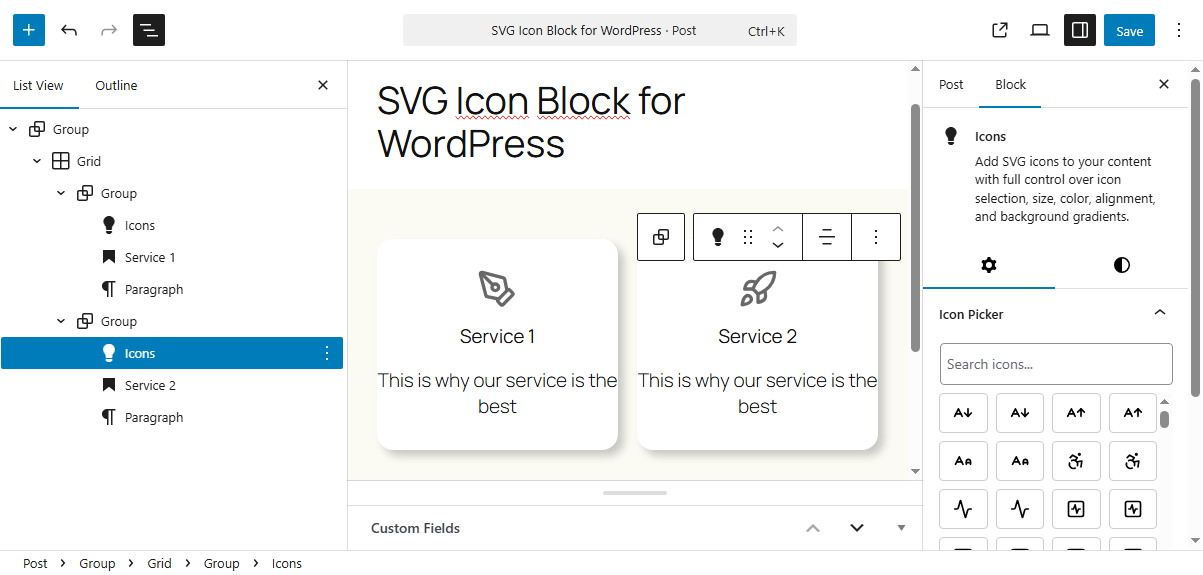
Icon block in the block editor.
Blokker
Denne utvidelsen gir 1 blokk.
- Icons Add SVG icons to your content with full control over icon selection, size, color, alignment, and background gradients.
Installasjon
- Upload the plugin files to the
/wp-content/plugins/directory, or install the plugin through the WordPress plugins screen directly. - Activate the plugin through the ‘Plugins’ screen in WordPress
Ofte stilte spørsmål
-
How do I select an icon?
-
Open the block settings panel in the right sidebar, and click on the “Icon Picker.” Use the search box to quickly find and select any icon from the Lucide library or WordPress Social icons.
Vurderinger

Bidragsytere og utviklere
«RIACO Icon Block» er programvare med åpen kildekode. Følgende personer har bidratt til denne utvidelsen:
Bidragsytere
Oversett “RIACO Icon Block” til ditt språk.
Interessert i utvikling?
Bla gjennom koden, sjekk ut SVN-repositoriet, eller abonner på utviklingsloggen med RSS.
Endringslogg
1.0.1
- Add link feature to icon
- Add icon padding
- Fix small bug bor border
1.0.0
- Add WordPress Social Icons
- Add custom SVG as string
- Convert Lucide Icons as SVG strings to reduce build dimensions
- Use Icon WordPress component to display SVG icons
- Add border and border radius to icon
0.1.0
- Release