

Beskrivelse
Every company needs an ecommerce plugin to sell products on the WordPress website. This plugin sells your products to website visitors without online payment. This plugin is very easy to use. In WordPress admin page, click setting and click “Dragon Ecommerce Reserve”, you will go to the plugin setting page. Website visitors can reserve your products online without online payment. Then they can go to your store to buy it or use other ways to buy. Database is MySQL.
demo website:
https://mingsitservicesfree.infinityfreeapp.com/dragonecommercereserve/
admin page:
https://mingsitservicesfree.infinityfreeapp.com/wp-admin
Log in WordPress admin page using
username:
admin_order
password:
m8Yl*KWKq4nEa5JUDk
Then, go to
https://mingsitservicesfree.infinityfreeapp.com/wp-admin
click “setting”, click “dragon ecommerce reserve” to set up the admin page.
https://mingsitservicesfree.infinityfreeapp.com/wp-admin/options-general.php?page=Dragon+Ecommerce+Reserve
Documentation:
Klikk for å få tilgang til documentation_dragonecommercereservefree.pdf
Platform and Database:
You can run it on any platform: Windows, Mac, Linux.
Database is MySQL. It’s free.
PHP version: PHP 5 >= 5.5.0
Attention: PHP version and WordPress version may have compatibility issues. For example, WordPress 5.4 may not match PHP 8. Check this website for details: https://make.wordpress.org/core/handbook/references/php-compatibility-and-wordpress-versions/
-
resize product iamges: imagescale will works for (PHP 5 >= 5.5.0, PHP 7)
-
PHP has support for the mysqli extension (to used for prepared statement)
-
Must use HTTPS, not http. If website use HTTP, tell the website admin – can not use the dragon ecommerce plugin.
-
Since PHP 5.4 there are constants which can be used by json_encode() to format the json reponse how you want. To remove backslashes use: JSON_UNESCAPED_SLASHES. Like so: json_encode($response, JSON_UNESCAPED_SLASHES);
-
Auto backup database weekly is for WordPress 5.4 and above.
Skjermbilder


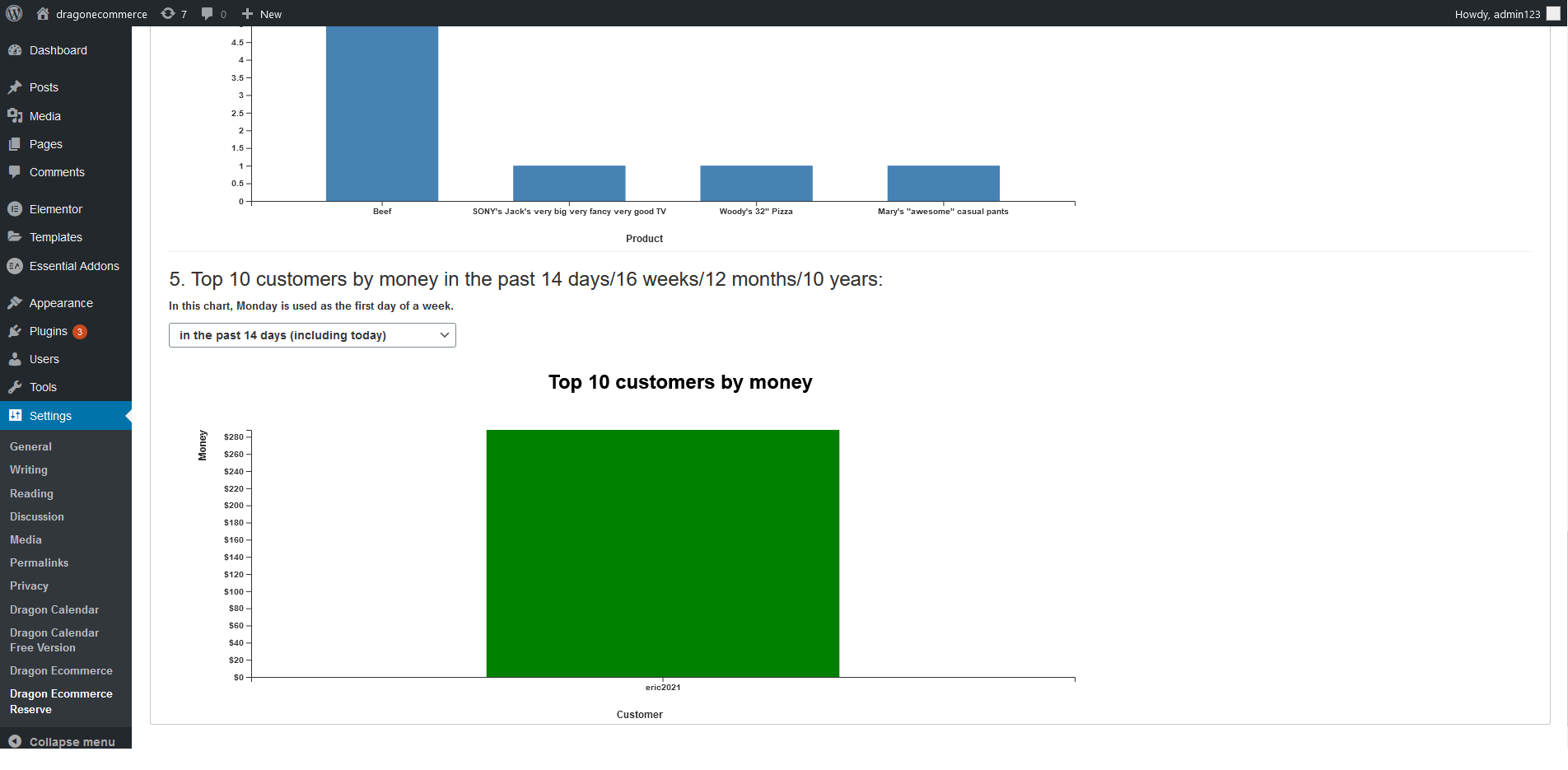


Installasjon
-
Unzip the file. Copy the folder into your /wp-content/plugins/ folder.
-
Log in to your WordPress admin page. Click “Plugins” and click “Activate” to activate the plugin. http://yourwebsite.com/wp-login.php
-
Hover on left menu’s “Settings” and you will find “Dragon Ecommerce Reserve” in the sub-menu. Click it and you will see the admin page for Dragon Ecommerce Reserve.
-
Go to this plugin’s root folder. Copy template-dragonecommercereserve.php to \wordpress\wp-content\themes\twentytwenty\templates folder.
-
Please refer to the document documentation_dragonecommercereservefree.pdf for further details.
Ofte stilte spørsmål
-
A question that someone might have
Vurderinger

Bidragsytere og utviklere
«Dragon Ecommerce Reserve Plugin Without Online Payment for WordPress» er programvare med åpen kildekode. Følgende personer har bidratt til denne utvidelsen:
Bidragsytere
Oversett “Dragon Ecommerce Reserve Plugin Without Online Payment for WordPress” til ditt språk.
Interessert i utvikling?
Bla gjennom koden, sjekk ut SVN-repositoriet, eller abonner på utviklingsloggen med RSS.
Endringslogg
1.0.1
- Updated: Small changes – 1. Removed white spaces. 2. Replaced sanitize_text_field($_SERVER[‘REQUEST_URI’]) with esc_html($_SERVER[‘REQUEST_URI’]).