

Beskrivelse
Easily upload a custom image, for example your website logo, to use as your default cursor. You can also control the cursor image to use for links and buttons, as well as for text inputs. You can upload your cursor images via your WordPress admin > Settings > Cursor Control. You can upload png, jpg, and gif files. Maximum cursor dimensions are 128 x 128 pixels, but smaller images recommended. The cursor images are compatible with Firefox, Chrome and Safari. It will not work in Internet Explorer.
Skjermbilder

Custom Cursor in action. The BMW icon is being used as the cursor. 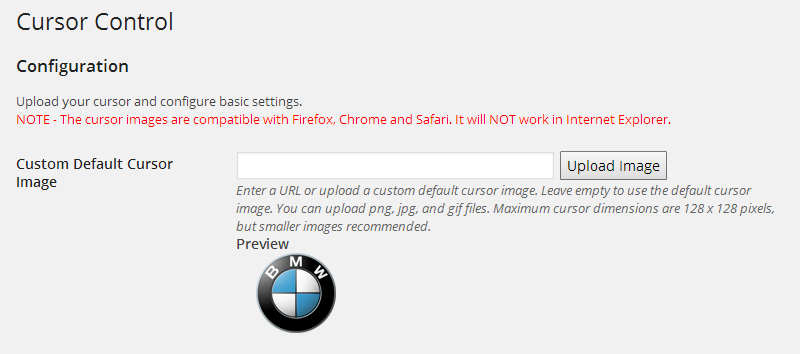
To define a custom cursor, simply upload your image in Settings > Custom Cursor. 
Try adjusting the X offset and Y offset to target the cursor hotspot on the ideal point of your custom image
Installasjon
- From WP admin > Plugins > Add New
- Search «Cursor Control» under search and hit Enter
- Click «Install Now»
- Click the Activate Plugin link
Ofte stilte spørsmål
- Why doesn’t this work with Internet Explorer?
-
The idea of this plugin is to make a user friendly, easy way for you to be able to upload custom cursor image via the WordPress admin and easily add it to your site. IE requires you to use .cur image files for cursor icons. These files cannot be uploaded via the built-in WordPress media uploader.
- What will Internet Explorer users see instead of my custom cursor image?
-
They will see the default cursor.
- Can I use an animated gif as my cursor image?
-
At this time, no browsers support animated cursors.
- What are the image size restrictions?
-
Maximum cursor dimensions are 128 x 128 pixels. Smaller images (32 x 32, 64 x 64) are recommended.
- What image file types can be used?
-
You can upload png, jpg, and gif files.

Bidragsytere og utviklere
«Cursor Control» er programvare med åpen kildekode. Følgende personer har bidratt til denne utvidelsen:
Bidragsytere
Oversett “Cursor Control” til ditt språk.
Interessert i utvikling?
Bla gjennom koden, sjekk ut SVN-repositoriet, eller abonner på utviklingsloggen med RSS.
Endringslogg
1.1
- Featured added: Set custom cursor for text inputs
- Featured added: Set custom cursor for links and buttons
1.0
- Initial version