

Description
Ask Junkie is a powerful, customizable AI chatbot plugin that helps your website visitors get instant answers about your products, services, and content. The chatbot automatically learns from your WordPress pages, posts, and products to provide accurate, context-aware responses.
🚀 Key Features
- Multiple AI Providers – Choose from Groq (fast & free), Google Gemini, OpenAI (GPT), or OpenRouter
- Website-Aware Responses – AI reads your pages, posts, and WooCommerce products to answer questions accurately
- Beautiful Modern UI – Sleek, responsive chat widget that looks great on any website
- Customizable Appearance – 7 accessible gradient themes, solid colors, or custom color picker
- WCAG AA Compliant – All color presets meet accessibility standards (4.5:1 contrast ratio)
- Draggable & Resizable – Let users position and resize the chat window
- Speech-to-Text – Voice input support for hands-free messaging
- Chat History – Conversations persist across page reloads
- Analytics Dashboard – Track chat usage, visitor sessions, and popular questions
- Suggestion Prompts – Show clickable prompt suggestions to guide users
- Mobile Responsive – Works perfectly on phones, tablets, and desktops
🎨 Customization Options
- Choose from 7 beautiful gradient color themes
- Use a single solid color for minimal branding
- Create custom gradient with any two colors
- Set chatbot position (4 corners)
- Customize bot name and welcome message
- Add suggestion prompts for common questions
- Enable/disable dragging and resizing
📊 Built-in Analytics
- Total messages count
- Unique visitor sessions
- Today’s activity
- Average messages per user
- Search and filter chat logs
- Export chat data
🔒 Privacy & Security
- All data stored securely
- GDPR friendly – no external tracking without consent
- API keys stored safely in WordPress options
- Nonce verification for all AJAX requests
🔌 Third-Party Services
This plugin connects to external AI services to provide chatbot functionality. By using this plugin, you consent to data being sent to the AI provider you select:
Groq (Default)
- Service: Groq Cloud
- Privacy Policy: https://groq.com/privacy-policy/
- Terms of Use: https://groq.com/terms-of-use/
- Data sent: User messages and website context for generating AI responses
Google Gemini
- Service: Google AI Studio
- Privacy Policy: https://policies.google.com/privacy
- Terms: https://policies.google.com/terms
- Data sent: User messages and website context for generating AI responses
OpenAI
- Service: OpenAI Platform
- Privacy Policy: https://openai.com/privacy/
- Terms: https://openai.com/terms/
- Data sent: User messages and website context for generating AI responses
OpenRouter
- Service: OpenRouter.ai
- Privacy Policy: https://openrouter.ai/privacy
- Terms: https://openrouter.ai/terms
- Data sent: User messages and website context for generating AI responses
Hugging Face
- Service: Hugging Face Inference API
- Privacy Policy: https://huggingface.co/privacy
- Terms: https://huggingface.co/terms-of-service
- Data sent: User messages and website context for generating AI responses
Firebase (Analytics)
- Service: Google Firebase
- Privacy Policy: https://firebase.google.com/support/privacy
- Data sent: Chat logs, session IDs, page URLs for analytics purposes
The website content context and user messages are sent to your selected AI provider to generate responses. No sensitive information is collected without your explicit configuration.
Credits
Developed by Junkies Coder
Support
For support, feature requests, or bug reports, please contact us at [email protected]
Screenshots

Chatbot widget on a website 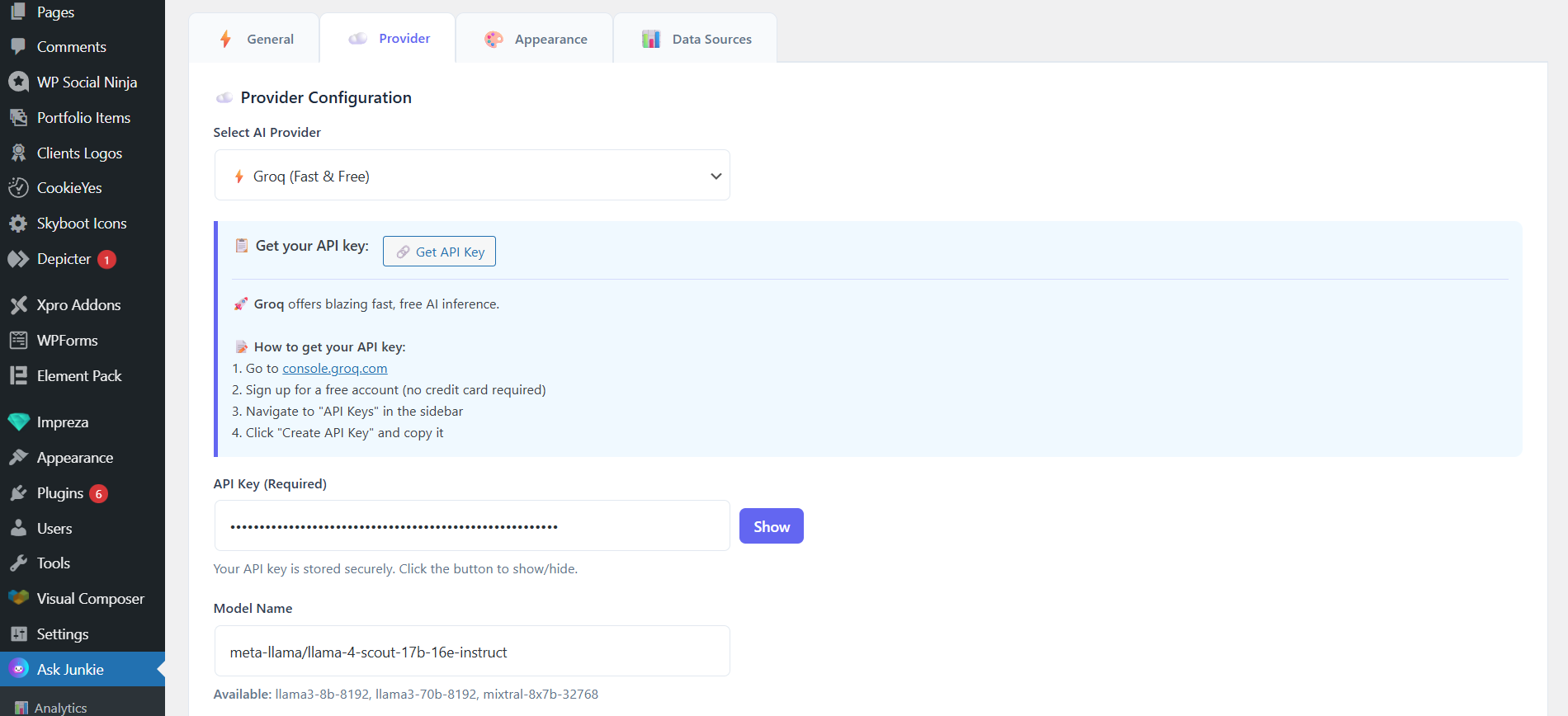
Settings page – AI Provider configuration 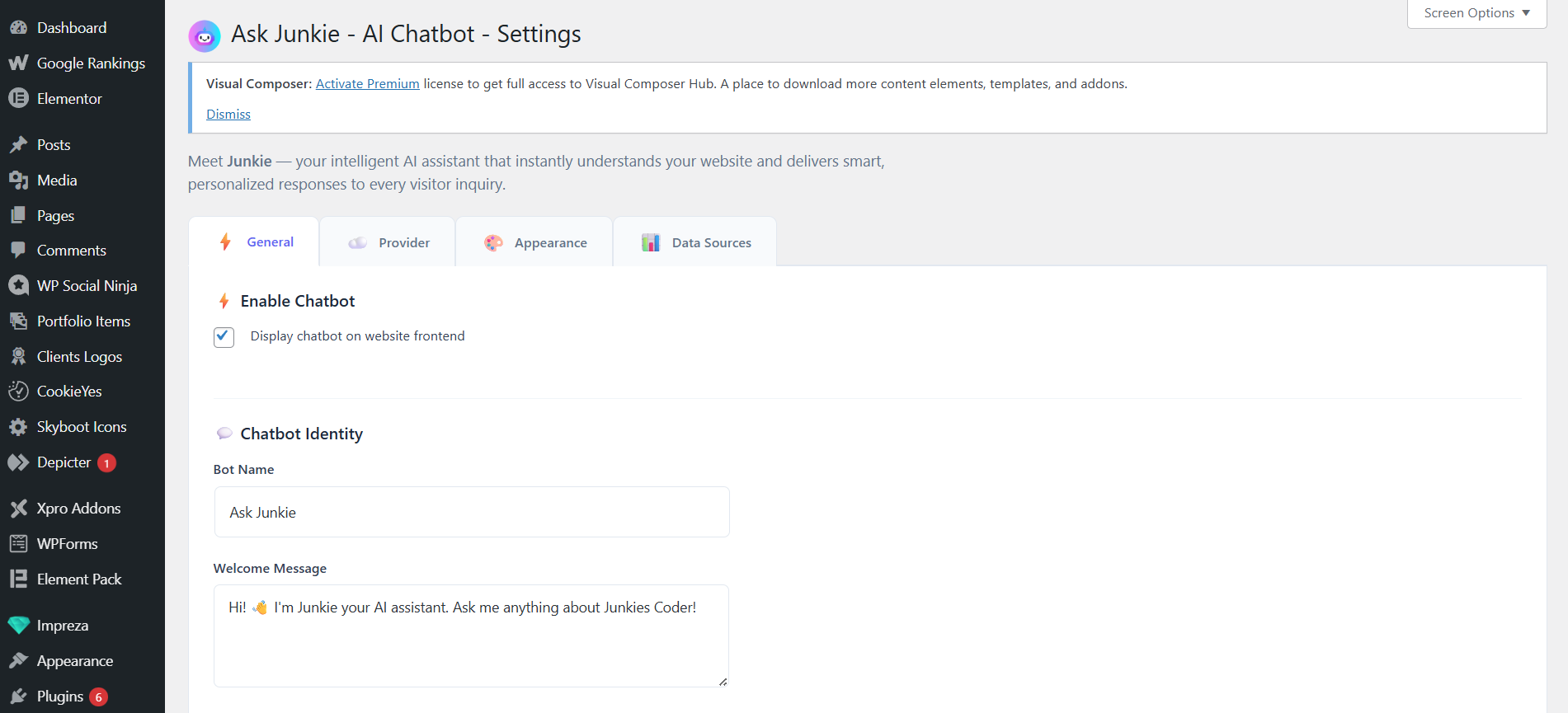
Settings page – General settings and Chatbot Identity 
Settings page – Gradient color presets 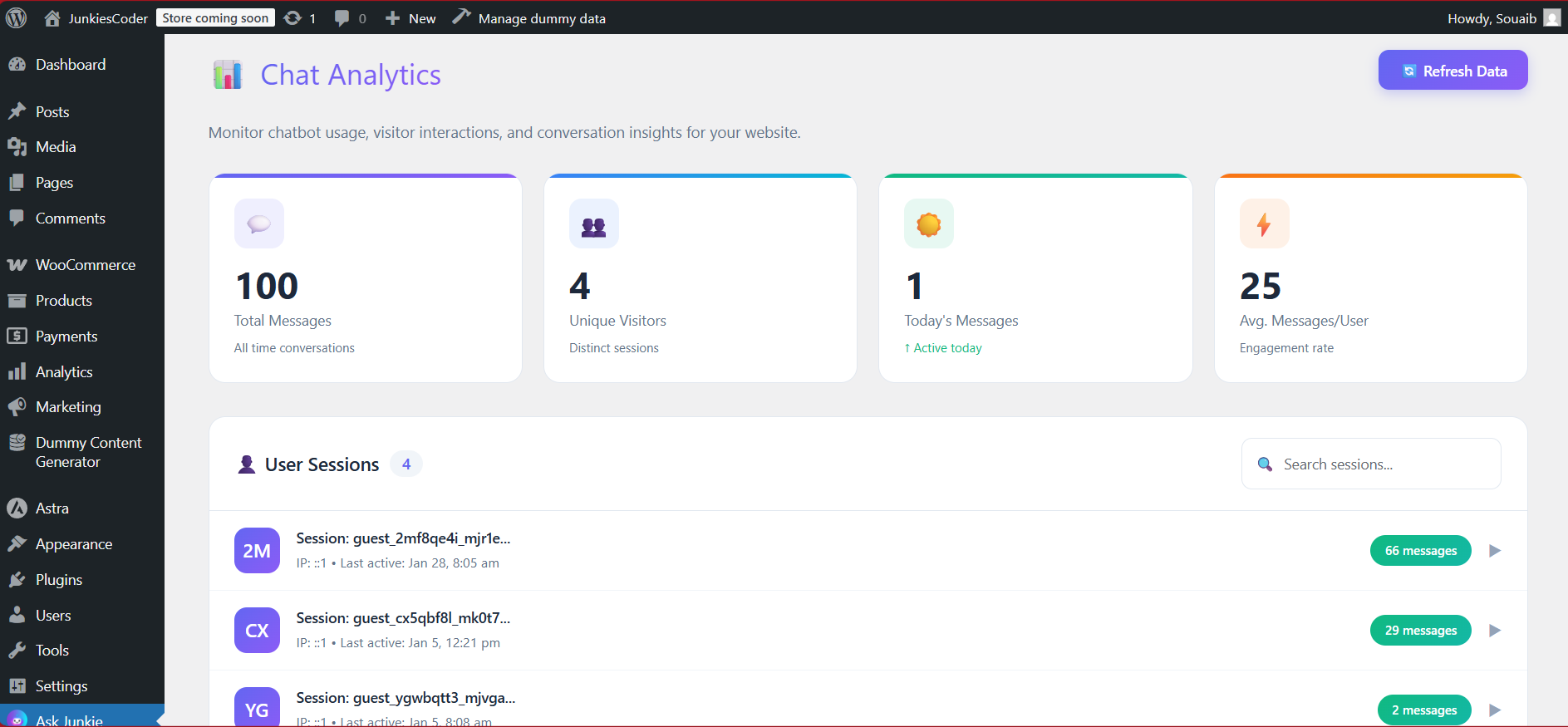
Analytics dashboard with usage stats 
Chat conversation example 
Settings page – Data Sources and Specific Page selection 
Mobile responsive view
Installation
- Upload the
ask-junkie-ai-chatbotfolder to/wp-content/plugins/ - Activate the plugin through the ‘Plugins’ menu in WordPress
- Go to Ask Junkie in your admin sidebar
- Select your AI Provider (Groq recommended for free usage)
- Enter your API key
- Configure appearance and data sources
- Save settings – the chatbot will appear on your website!
Getting Your API Key
Groq (Recommended – Free):
1. Go to console.groq.com
2. Sign up for a free account
3. Navigate to “API Keys” in the sidebar
4. Click “Create API Key” and copy it
Google Gemini:
1. Go to Google AI Studio
2. Sign in with your Google account
3. Click “Create API Key”
4. Copy your new API key
OpenAI:
1. Go to OpenAI Platform
2. Sign up or log in
3. Navigate to API Keys section
4. Click “Create new secret key”
5. Copy and save your key (shown only once!)
OpenRouter:
1. Go to openrouter.ai
2. Sign up using Google, GitHub, or email
3. Go to “Keys” section
4. Click “Create Key” and copy it
FAQ
-
Is this plugin free?
-
Yes! The plugin is completely free. You only need an API key from your chosen AI provider. Groq offers generous free tier usage.
-
Which AI provider should I use?
-
We recommend Groq for most users – it’s free, fast, and provides excellent responses. Google Gemini is also a great free option with the Gemini 1.5 Flash model.
-
Will the chatbot know about my website content?
-
Yes! You can select which data sources the AI should read from:
– WordPress Pages
– Blog Posts
– WooCommerce Products (if installed)
– Custom Post Types -
Can I customize the chatbot appearance?
-
Absolutely! You can:
– Choose from 7 gradient themes (all WCAG AA accessible)
– Use a solid single color
– Create custom gradients with any colors
– Change position (any corner)
– Customize bot name and welcome message -
Does it work on mobile?
-
Yes! The chatbot is fully responsive and works great on phones and tablets.
-
Can I see chat history?
-
Yes! The Analytics page shows all conversations, visitor sessions, and usage statistics.
-
Is it accessible for users with disabilities?
-
Yes! All preset color themes meet WCAG AA accessibility standards with 4.5:1+ contrast ratio for white text.
Reviews

Contributors & Developers
“Ask Junkie – Free AI Chatbot” adalah perisian sumber terbuka. Orang-orang berikut telah menyumbang kepada pemalam ini.
Penyumbang
Translate “Ask Junkie – Free AI Chatbot” into your language.
Berminat dalam pembangunan?
Layari kod, periksa repositori SVN, atau langgani log pembangunan dengan RSS.
Changelog
1.0.1
- Rebranded plugin to “Ask Junkie – Free AI Chatbot”
- Minor improvements and bug fixes
1.0.0
- Initial release
- Multiple AI provider support (Groq, Gemini, OpenAI, OpenRouter)
- 7 accessible gradient color themes
- Customizable appearance settings
- Analytics dashboard
- Speech-to-text input
- Draggable and resizable chat window
- Chat history persistence
- Suggestion prompts
- WCAG AA accessibility compliance