

Description
Keep your WordPress site safe with minimal effort. NHR Secure helps you:
- Hide or protect your admin area from unauthorized access.
- Limit login attempts to prevent brute-force attacks.
- Hide debug logs to prevent sensitive information disclosure.
- Add 2FA to your WordPress site.
- Scan core files, plugins, and themes for known vulnerabilities.
- Monitor site health with one-click security recommendations.
- Protect against SQL injection, XSS, and LFI attacks.
- Block malicious IPs and entire countries.
Features at a glance:
🔒 Limit Login Attempts
Stop brute-force attacks by temporarily blocking IPs after repeated failed login attempts.
– Configurable attempt limit (1-20, default: 5)
– Blocks based on IP + Username combination
– Auto-unblock after 2 hours
🔐 Custom Login Page
Hide wp-login.php and use a custom login URL.
– Default custom URL: /hidden-access-52w
– Blocks direct access to wp-login.php and wp-admin for guests
🛡️ Protect Debug Log File
Blocks direct access to /wp-content/debug.log
– Returns 403 Forbidden for all users
⚙️ Modern Settings Page
Configure everything from a beautiful React-powered interface.
– Located under Tools NHR Secure
– Dark Mode support for comfortable viewing
– Enable/disable each feature
🔐 Two-Factor Authentication (2FA)
Enable two-factor authentication for users.
– Support for Authenticator Apps and Email OTP
– Enforce 2FA for specific user roles (e.g., Administrators)
– Recovery Codes for emergency access
– QR code setup for Authenticator Apps
🛡️ Vulnerability Checker
Automatically scan your installed plugins, themes, and WordPress core against a known vulnerability database.
– Daily automatic scans
– Alerts for critical security issues
– Check file integrity
🖥️ User Session Management
Monitor and control active user sessions to prevent unauthorized access.
– View Active Sessions: See IP, location, device, and login time for all logged-in users.
– Remote Logout: Instantly log out suspicious sessions or all other devices.
– Idle Timeout: Automatically log out inactive users after a set period.
🧱 Hardening & Firewall
Essential security hardening to lock down your WordPress site.
– Disable XML-RPC: Prevent remote attacks and brute-force attempts.
– Disable File Editor: Stop file modifications from the dashboard.
– Hide WP Version: Obscure your WordPress version from attackers.
– Block User-Agents: Prevent bad bots and scrapers from accessing your site.
– Disable User Enumeration: Stop attackers from harvesting usernames via REST API.
📝 Activity Audit Log
Keep a record of important security events on your site.
– Tracks logins, failed attempts, file changes, and settings updates.
– View user, IP, and event details.
– Configurable log retention policy.
🏥 Security Health Check & One-Click Secure
Get an instant overview of your site’s security posture.
– Security Score: View your overall protection percentage and grade (A+ to F).
– Health Dashboard: See which security features are active and which need attention.
– One-Click Secure: Apply recommended security settings instantly.
– 11 Security Checks: Comprehensive analysis of your security status.
🛡️ Advanced Firewall (IPS)
Proactive intrusion prevention system that blocks malicious requests in real-time.
– SQL Injection Protection: Detect and block SQLi attacks automatically.
– XSS Prevention: Stop cross-site scripting attempts.
– LFI Protection: Prevent local file inclusion attacks.
– Pattern Matching: Advanced regex-based detection for common attack vectors.
– Automatic Blocking: Suspicious requests are blocked before they reach WordPress.
🌍 IP & Country Management
Control access to your site with granular IP and geographic filtering.
– IP Whitelist: Allow trusted IPs to bypass all security filters.
– IP Blacklist: Block malicious IPs permanently from your site.
– CIDR Support: Use CIDR notation for blocking entire IP ranges (e.g., 192.168.1.0/24).
– Country Blocking: Block access from 90+ countries using GeoIP lookup.
– Smart Caching: GeoIP lookups are cached for 24 hours for optimal performance.
– Private IP Detection: Automatically skip local/private IPs.
⚡ Lightweight & Minimal
Designed to deliver maximum security with minimal code. No bloat, no complexity.
– Compatible with most WordPress themes and plugins.
External Services
This plugin utilizes the WPVulnerability API to check for vulnerabilities.
– Service: WPVulnerability
– Data: Only plugin slugs and versions are sent. No personal data is collected.
Screenshots

Failed login attempts are blocked. 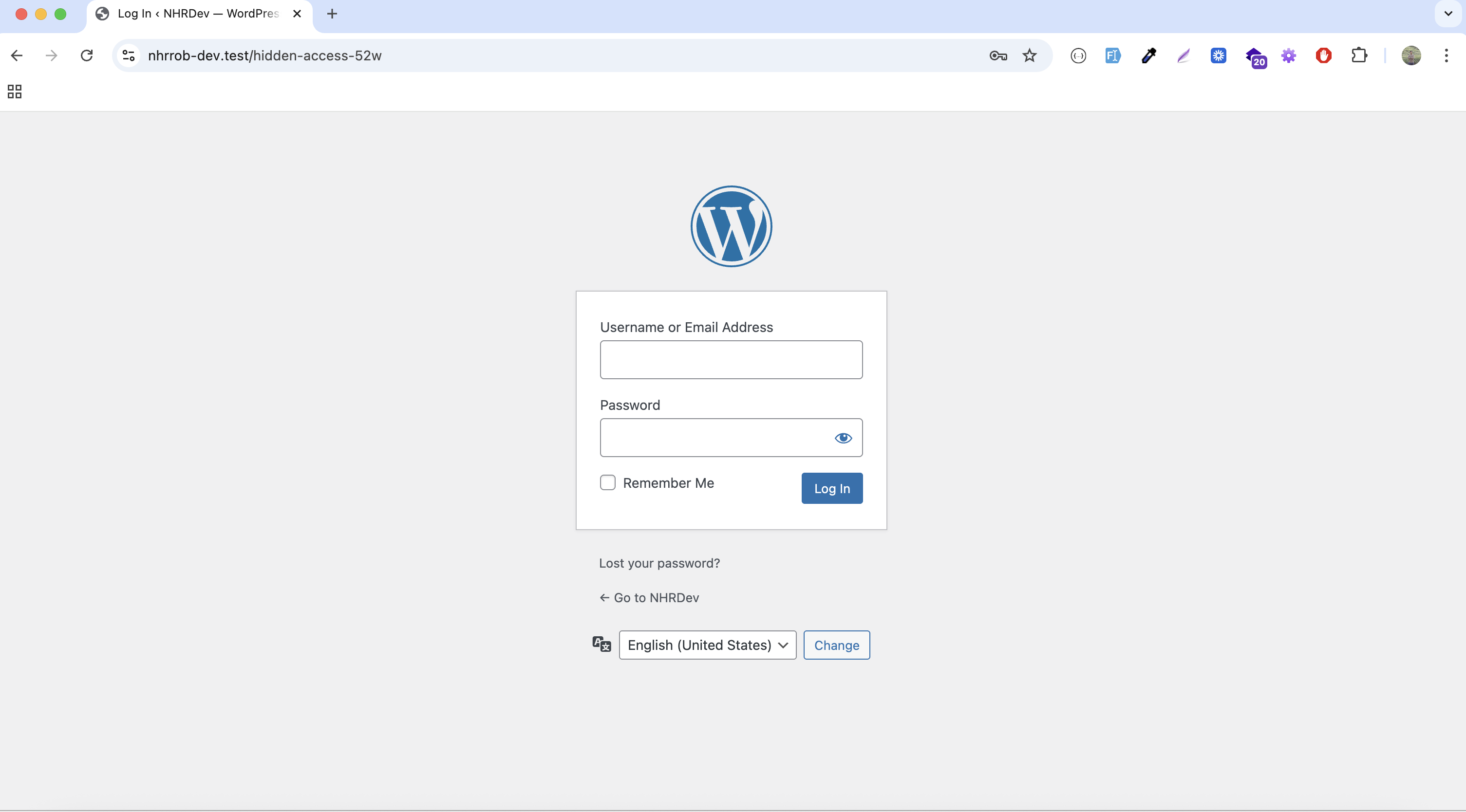
Custom login page. 
Debug log is hidden. 
Modern React-powered settings page. 
Modern React-powered settings page – part 2. 
2FA setup in user profile. 
2FA setup in user profile – Email OTP. 
2FA setup in user profile – Recovery codes. 
Dark mode support.
Installation
- Upload the
nhrrob-secureplugin folder to your/wp-content/plugins/directory. - Activate the plugin through the ‘Plugins’ menu in WordPress.
- Navigate to Tools NHR Secure to configure settings.
FAQ
-
How do I access the settings page?
-
Navigate to Tools NHR Secure in your WordPress admin dashboard.
-
Does it limit login attempts?
-
Yes. Repeated failed login attempts from the same IP will be temporarily blocked to prevent brute-force attacks. You can configure the limit (1-20 attempts) from the settings page.
-
What is the default custom login URL?
-
The default custom login URL is
/hidden-access-52w. You can change this in the settings page under Tools NHR Secure. -
How does 2FA work?
-
2FA (Two-Factor Authentication) adds an extra layer of security to your WordPress site. When enabled, users must enter a code from their 2FA app (e.g., Google Authenticator, Authy) in addition to their username and password to log in.
-
Can I disable specific features?
-
Yes. You can enable or disable each feature from the settings page under Tools NHR Secure.
Reviews
There are no reviews for this plugin.
Contributors & Developers
“NHR Secure – Login Security, Firewall, 2FA & Audit Log” is open source software. The following people have contributed to this plugin.
Contributors
Translate “NHR Secure – Login Security, Firewall, 2FA & Audit Log” into your language.
Interested in development?
Browse the code, check out the SVN repository, or subscribe to the development log by RSS.
Changelog
1.3.0 – 28/01/2026
- Added: Security Health Check with scoring system (A+ to F grade)
- Added: One-Click Secure feature to apply recommended settings instantly
- Added: Advanced Firewall (IPS) with real-time protection against SQL Injection, XSS, and LFI attacks
- Added: IP Management with Whitelist and Blacklist (CIDR support)
- Added: Country Blocking for 90+ countries using GeoIP lookup with caching
- Improved: Dark mode styling for all components
- Improved: Overall security dashboard UI/UX
1.2.0 – 17/01/2026
- Added: User Session Management (View active sessions, remote logout, idle timeout)
- Added: Hardening & Firewall (Disable XML-RPC, File Editor, Version Hiding, User Enumeration)
- Added: User-Agent Blocking
- Added: Audit Logs for security events
- Fixed: Dark mode improvements
- Improved: UI enhancements
1.1.0 – 13/01/2026
- Added: Vulnerability Checker
- Added: File Scanner to check file integrity
- Improved: UI for scan results
- Few minor bug fixing & improvements
1.0.6 – 11/01/2026
- Fixed: Fatal error due to missing vendor files
1.0.5 – 11/01/2026
- Added: Email OTP feature
- Added: Recovery codes for 2FA
- Added: Enforce 2FA for specific roles
- Added: Dark mode support
- Few minor bug fixing & improvements
1.0.4 – 09/01/2026
- Added: Modern React-powered settings page under Tools NHR Secure
- Added: Enable/disable all features from admin interface
- Added: Configurable login attempts limit (1-20)
- Added: Customizable login page URL from settings
- Added: Two-factor authentication (2FA) feature
1.0.3 – 05/01/2026
- Added: Custom login page.
- Added: Hide debug log.
1.0.2 – 04/12/2025
- Initial release. Cheers!!
- Added plugin assets (icons, banners & screenshot).
- Fixed fatal error related to function name.
1.0.1 – 30/11/2025
- Few minor bug fixing & improvements
1.0.0 – 23/10/2025
- Initial beta release. Cheers!