

Description
WPulse Pricing Rules for WooCommerce gives you dynamic pricing, tiered discounts, BOGO deals, and cart-based promotions without a subscription. Build the same powerful rules you’d expect from premium plugins—for free.
Set quantity-based discounts (e.g. Buy 3 pay for 2), role-based offers, cart subtotal triggers, free shipping, free gifts, and category discounts. Show one clear discount message on product and shop pages so customers see the deal that actually applies. Perfect for B2B, wholesale, retail, and any WooCommerce store that wants flexible, rule-based pricing.
🎥 Plugin overview:
👉 See how to create and manage dynamic pricing rules in minutes.
🔑 Key Benefits
- Free alternative — Get dynamic pricing and discount features similar to YITH WooCommerce Dynamic Pricing & Discounts, at no cost.
- Rule-based discounts — One rule engine: conditions, targets, schedule, and priority so the right offer applies at the right time.
- Clear customer messaging — Only the highest-priority applicable rule is shown on product and shop pages (no clutter).
- Templates + custom rules — Start from templates (3 for 2, BOGO, tiered, user role, cart discount, free shipping, etc.) or create rules from scratch.
Features
✅ Discount Types
- Percent off — Product or cart percentage discount.
- Fixed amount off — Set a fixed discount per product or on the cart.
- Tiered (quantity) pricing — Different discount per quantity range (e.g. 5% for 2–4, 10% for 5–9, 15% for 10+).
- X for Y — Buy X pay for Y (e.g. Buy 3 pay for 2).
- Nth unit % off — e.g. 50% off the 2nd unit.
- Cart % off / Cart fixed off — Discount when cart subtotal or conditions are met.
- Free shipping — Free shipping when conditions are met.
- Free gift — Add free products when conditions are met.
- Category discounts — Different percent or fixed discount per category.
✅ Conditions
- Cart — Cart subtotal, cart quantity, number of line items.
- Customer — User role, specific user, total amount spent, order count.
- Page — Cart page, checkout page.
- Other — Products in cart, shipping country, coupon applied.
- Schedule — Optional start and end date/time per rule.
- Priority — Only one rule message is shown on the front (the applicable rule with highest priority).
✅ Targeting & Exclusions
- Apply to — All products, or specific products or categories.
- Exclusions — Exclude products, categories, or tags from a rule.
- Global exclusion list — Exclude products from all rules from one screen.
✅ Display & Customization
- Discount message on product page — Show the applicable rule’s message under the price.
- Discount badge on shop/archive — Optional compact badge when “Show on shop” is enabled.
- Custom message — Your own text with optional [save_amount] and [save_percentage] shortcodes.
✅ Admin
- Vue 3 admin UI — Create and edit rules in a clear, modern interface.
- Templates — Start from 3 for 2, 2 for 1, BOGO, 50% on 2nd unit, Black Friday, tiered discount, user role discount, free gift on cart, cart discount, free shipping, checkout deal, and more.
- Bulk actions — Enable, disable, or delete multiple rules. Filter by type and status. Search by name.
Upcoming Features 🚀
- Shortcodes and blocks for custom discount messaging.
- Import/export rules (e.g. CSV).
- More condition types and benefit options.
- Styling options for frontend discount messages.
Screenshots

Dynamic Rules list with filters and bulk actions. 
Add new rule – choose a template or start from scratch. 
Rule editor: discount type, targets, conditions, and customization. 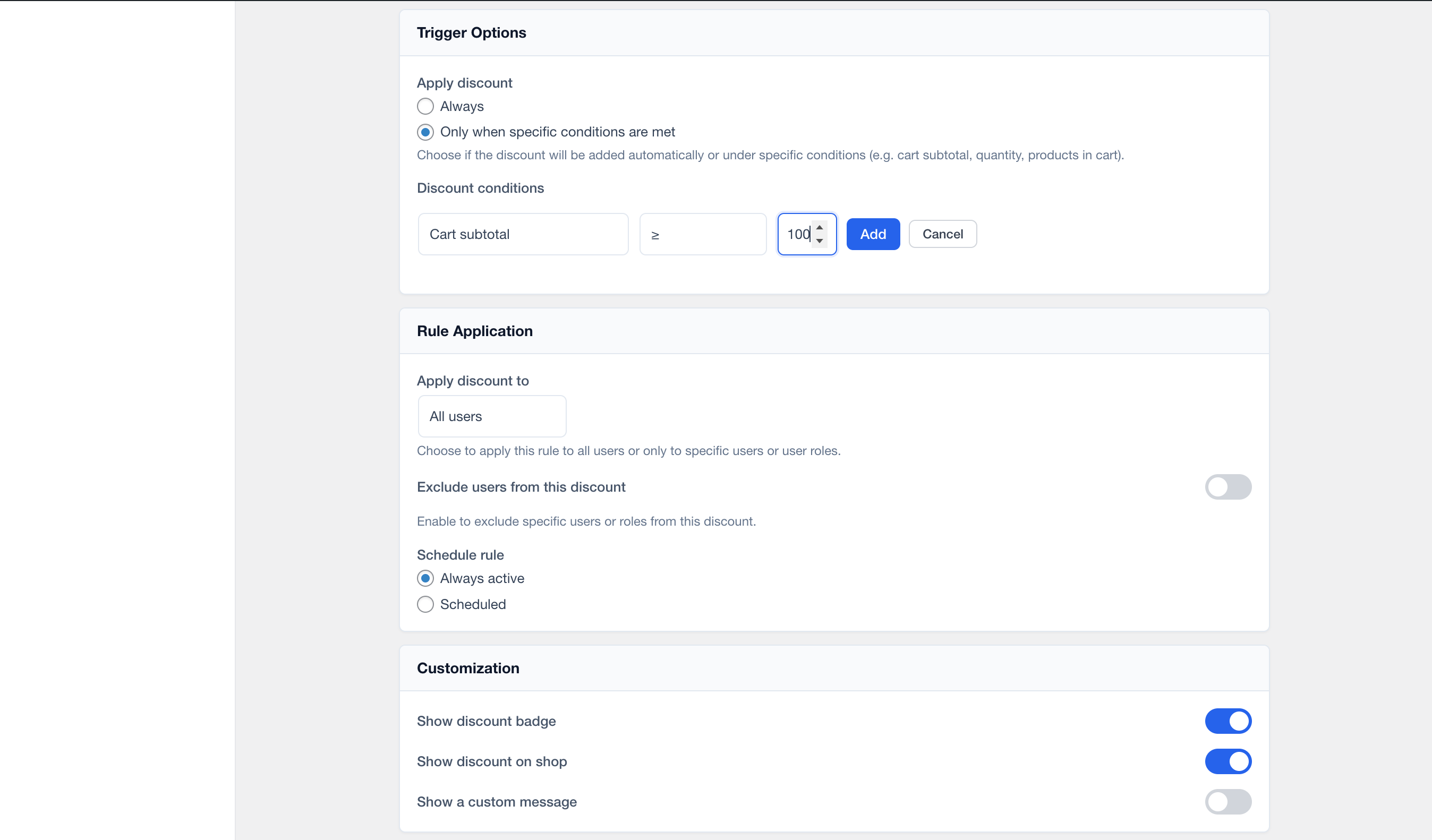
Discount types: percent off, tiered, X for Y, cart discount, free shipping, free gift. 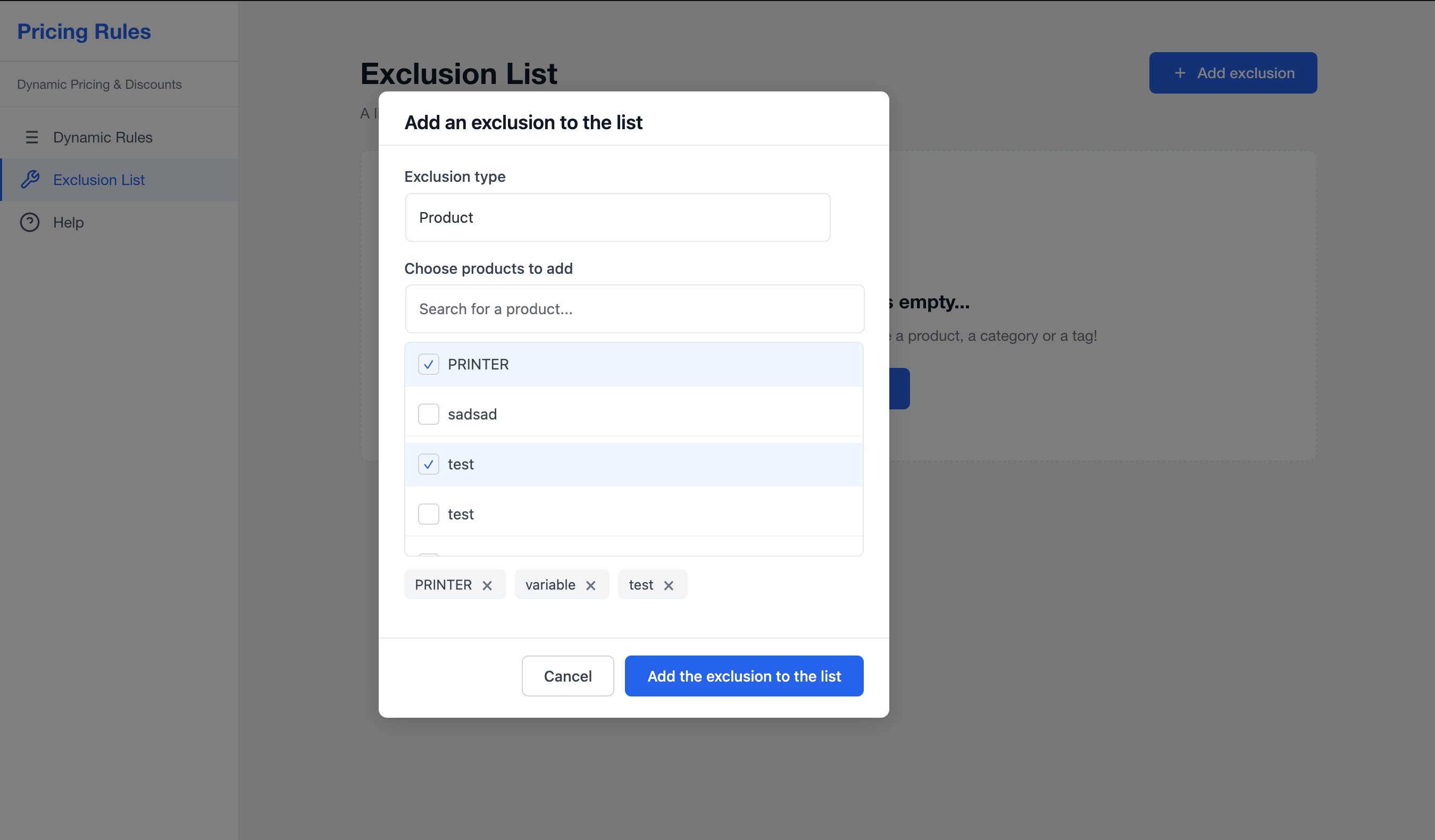
Conditions: cart subtotal, user role, page, schedule. 
Exclusion List – globally exclude products from all rules. 
Help & Documentation page with overview video and quick start.
Installation
- Install and activate WooCommerce.
- Upload the plugin files to
/wp-content/plugins/wpulse-pricing-rules-for-woocommerce/, or install via WordPress Plugins Add New and search for WPulse Pricing Rules. - Activate the plugin from the Plugins screen.
- Go to Pricing Rules in the WordPress admin menu to create your first rule (use a template or start from scratch).
FAQ
-
Q: Is this like YITH WooCommerce Dynamic Pricing & Discounts?
-
Yes. WPulse Pricing Rules offers similar dynamic pricing and discount features (rules, conditions, tiered and BOGO deals, cart discounts, free shipping, etc.) as a free alternative.
-
Q: Can I show different discounts for different user roles?
-
Yes. Use conditions to restrict rules by User role (e.g. Customer, Wholesale). Only the highest-priority rule that passes conditions is applied and shown.
-
Q: Can I limit discounts to certain products or categories?
-
Yes. Each rule has targets: apply to all products, or to specific products or categories. You can also exclude products, categories, or tags per rule, or use the global Exclusion List.
-
Q: Will the discount message appear on product and shop pages?
-
Yes. When you enable “Show discount badge” or “Show discount on shop” and (optionally) set a custom message, the one applicable rule (by priority) is shown on the single product page and, if enabled, as a badge on the shop/archive.
-
Q: Does it work with variable products?
-
Yes. Rules apply to products that match the rule’s targets; the cart and checkout logic works with both simple and variable products.
Reviews
There are no reviews for this plugin.
Contributors & Developers
“WPulse Pricing Rules for WooCommerce” is open source software. The following people have contributed to this plugin.
Contributors


Translate “WPulse Pricing Rules for WooCommerce” into your language.
Interested in development?
Browse the code, check out the SVN repository, or subscribe to the development log by RSS.
Changelog
1.0.0 – 2026-02-14
- Initial release.
- Dynamic pricing rules with templates (3 for 2, BOGO, tiered, user role, cart discount, free shipping, free gift, and more).
- Conditions: cart subtotal/quantity, user role, user, page, products in cart, schedule.
- Targeting: all products, specific products or categories; per-rule and global exclusions.
- Single applicable rule message on product and shop (priority-based).
- Vue 3 admin: rule list, editor, filters, bulk actions, Help page with overview video.
- WooCommerce cart and checkout integration (line-item and cart discounts, free shipping, free gifts).