
Description
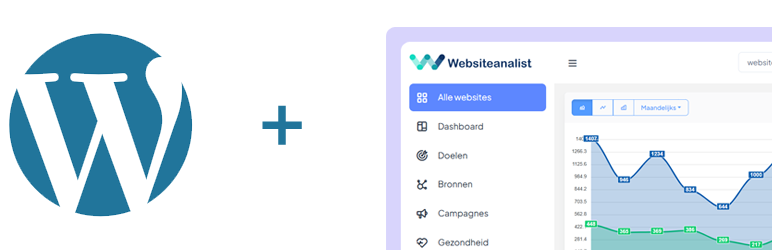
Websiteanalist is a WordPress plugin that adds the tracking code from Websiteanalist.nl to your website with fully configurable custom tracking actions.
Key Features
- Custom Event Tracking – Configure unlimited custom tracking actions
- Flexible Event Types – Click, change, blur, input, mousedown, mouseup, submit
- Dynamic Values – Element value, text, HTML, data attributes, or fixed values
- Click Tracking – Track phone (tel:) and email (mailto:) link clicks
- Form Tracking – Track form submissions
- UTM Parameter Tracking – Automatic campaign tracking
- Privacy Friendly – Self-hosted analytics solution
Custom Tracking Actions
The power of Websiteanalist lies in its custom tracking functionality. Configure easily via the WordPress admin:
- CSS Selector – Which element to track (e.g.,
#filter-category,.radio-button) - Event Type – When to track (click, change, blur, etc.)
- Action Name – First parameter of trackAction
- Label – Second parameter (can be dynamic)
- Value – Third parameter (element value, text, data attribute, or fixed)
Examples
Radio Station Tracking:
* Selector: .element-item.audio
* Event: Click
* Action: Radio Click
* Label: Element Text (automatically captures station name)
* Value: Data Attribute data-id
Form Field Tracking:
* Selector: #nf-field-40
* Event: Change
* Action: Form Submission
* Label: Contact Form
* Value: Element Value (captures the entered email address)
Product Filter Tracking:
* Selector: #category-filter
* Event: Change
* Action: Filters
* Label: Category Selected
* Value: Element Value
Use Cases
- E-commerce – Product filters, add to cart, checkout steps
- Job Boards – Filter tracking, application clicks
- Media Sites – Radio/video plays, category filters
- Corporate Sites – Contact forms, downloads, language switches
Requirements
- An active Websiteanalist account (create free at websiteanalist.nl)
- WordPress 5.0 or higher
- PHP 7.4 or higher
Multilingual
The plugin is available in:
* Dutch
* English
Support
For questions or support:
* Website: websiteanalist.nl
* Plugin Support: WordPress.org Support Forum
Privacy
This plugin:
* Adds tracking code to your website
* Sends data to your Websiteanalist installation
* Only stores configuration locally (Site ID, settings)
* Does not use cookies or local storage
* Makes no external API calls (except to your own Websiteanalist installation)
For more information about data privacy, see the Websiteanalist documentation.
Third Party Services
This plugin connects to an external analytics service to track website visitor data:
Service: Websiteanalist Analytics Platform
Default URL: https://login.websiteanalist.nl/
Configurable: Yes, you can specify your own Websiteanalist installation URL
Data Transmission:
* Tracking data is sent to your configured Websiteanalist installation
* No data is transmitted without explicit user configuration
* Users must enable tracking and provide a Site ID
* The plugin loads the tracking script from: [your-base-url]/modules/base/dist/owa.tracker.js
Privacy & Control:
* You have full control over where data is sent (self-hosted or SaaS)
* No tracking occurs unless explicitly enabled by the site administrator
* No cookies or local storage used by the plugin itself
* All tracking is handled by the Websiteanalist service
Service Information:
* Website: https://websiteanalist.nl
* Terms of Service: https://websiteanalist.nl/algemene-voorwaarden/
* Privacy Policy: https://websiteanalist.nl/privacyverklaring/
User Consent:
It is the website owner’s responsibility to ensure proper user consent and privacy compliance (GDPR, CCPA, etc.) when using analytics tracking.
Installation
Automatic Installation
- Log in to your WordPress admin
- Go to Plugins > Add New
- Search for “Websiteanalist”
- Click “Install” and then “Activate”
Manual Installation
- Download the plugin ZIP
- Upload via Plugins > Add New > Upload Plugin
- Activate the plugin
- Go to Settings > Websiteanalist
Configuration
-
Basic Tab:
- Enter your Site ID (get it from Websiteanalist)
- Optional: Adjust the Base URL (default: https://login.Websiteanalist.nl/)
- Check “Enable Tracking”
-
Click Tracking Tab:
- Enable/disable phone link tracking
- Enable/disable email link tracking
-
Custom Tracking Tab:
- Click “+ Add Custom Tracking”
- Enter the CSS selector
- Choose the event type
- Configure Action Name, Label, and Value
- Click “Save Changes”
FAQ
-
Do I need a Websiteanalist account?
-
Yes, you need a Websiteanalist account to view the tracking data. You can create a free account at websiteanalist.nl.
-
Where do I find my Site ID?
-
Log in to your Websiteanalist dashboard and go to site settings. There you’ll find your unique Site ID.
-
How do I find the right CSS selector?
-
- Open your website in Chrome or Firefox
- Right-click on the element “Inspect”
- In developer tools you’ll see the element highlighted
- Look for
id=""orclass=""attributes - Test the selector in console:
document.querySelector('your-selector')
-
Does this work with dynamically loaded content?
-
Yes! The plugin uses event delegation, so elements that are added later (e.g., via AJAX) are correctly tracked.
-
Can I add multiple custom actions?
-
Yes, you can add unlimited custom tracking actions.
-
Which event types are available?
-
click– Element is clickedchange– Value changes (dropdowns, selects)blur– Field loses focusinput– While typingmousedown– Mouse press (for submit buttons)mouseup– Mouse release (for sliders)submit– Form submission
-
How do I track a form field?
-
Use the Custom Tracking tab:
* Selector: The CSS selector of the field (e.g.,#email-field)
* Event:changeorblur
* Value: Choose “Element Value (.val())” -
Is the plugin GDPR compliant?
-
The plugin itself doesn’t store any data. Websiteanalist is a self-hosted analytics solution where you have full control over your data. Consult the Websiteanalist documentation for GDPR compliance.
-
Can I temporarily disable tracking?
-
Yes, go to the Basic tab and uncheck “Enable Tracking”.
Reviews
There are no reviews for this plugin.
Contributors & Developers
“Websiteanalist” is open source software. The following people have contributed to this plugin.
Contributors
“Websiteanalist” has been translated into 1 locale. Thank you to the translators for their contributions.
Translate “Websiteanalist” into your language.
Interested in development?
Browse the code, check out the SVN repository, or subscribe to the development log by RSS.
Changelog
1.0.0
- Initial release
- Basic tracking functionality
- Phone and email click tracking
- Form tracking