

Description
TBS Scripture Tagger scans your website content and transforms plain-text Bible references (like “John 3:16” or “Genesis 1:1”) into interactive links.
When users hover or tap on a reference, a clean tooltip appears with the verse text retrieved directly from The Bible Says API.
This plugin is inspired by tools like Blue Letter Bible’s ScriptTagger, but fully optimized for modern browsers and multilingual usage (English, Portuguese, and Chinese).
External Services
This plugin can connect to The Bible Says API to fetch verse previews. You must explicitly enable this in Settings TBS Scripture Tagger before any external requests are made.
- Service: The Bible Says API
- Service URL: https://content-api.thebiblesays.com
- Data sent: the Bible reference and detected language code. The browser may also include the page URL as a standard referrer header.
- Terms of Use & Privacy Policy: https://thebiblesays.com/about
Key Features
* Automatically detects and links Bible references.
* Displays hoverable tooltips with verse previews.
* Ignores already linked references (optional).
* Excludes specific HTML tags and CSS classes.
* Detects user language for correct book name and API.
* Lightweight and fast — no external dependencies.
* Compatible with all major WordPress themes.
Example
Add “John 3:16” or “Genesis 1:1” to any post or page, and the plugin will instantly make it interactive.
License
This plugin is open-source software licensed under the GPLv2 or later.
You are free to modify and redistribute it under the same license.
Screenshots
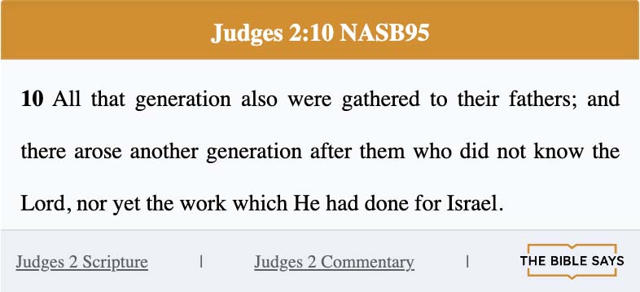
Installation
- Upload the
tbs-scripture-taggerfolder to your/wp-content/plugins/directory, or install it through the WordPress admin (“Plugins Add New Upload Plugin”). - Activate the plugin through the “Plugins” menu in WordPress.
- Go to Settings TBS Scripture Tagger to configure:
- Hyperlink Mode (convert all, hover-only, or none)
- Open links in a new tab
- Ignore existing hyperlinks
- Exclude specific HTML tags or CSS classes
- Dark/light/auto tooltip theme
- Add any Bible reference (e.g., “Romans 8:28”) to a post or page — the plugin will automatically tag it.
FAQ
-
Does this plugin use any external services?
-
Yes. It can fetch Bible verses from The Bible Says API at https://content-api.thebiblesays.com, but only after you enable external requests in the plugin settings.
-
Where can I find the Terms and Privacy Policy for the external service?
-
https://thebiblesays.com/about
-
Can I use it in other languages?
-
Yes, it automatically detects if your website is in English (
en), Portuguese (pt), or Chinese (zh) and adjusts accordingly. -
Will it overwrite my existing hyperlinks?
-
No — by default, the plugin ignores existing
<a>tags that already contain Bible references.
You can toggle this behavior from the settings page. -
Does it slow down my website?
-
Not at all. The script is lightweight, async-loaded, and optimized for minimal impact on page performance.
Reviews
There are no reviews for this plugin.
Contributors & Developers
“TBS Scripture Tagger” is open source software. The following people have contributed to this plugin.
Contributors
Translate “TBS Scripture Tagger” into your language.
Interested in development?
Browse the code, check out the SVN repository, or subscribe to the development log by RSS.
Changelog
1.0.0
- Initial public release.
- Added automatic verse detection and hover tooltip.
- Added admin settings for tag exclusions, dark mode, and hyperlink behavior.
- Multilingual support (English, Portuguese, Chinese).